Fake Israel mail page in Hebrew detected


Threat Analysis: Israeli Package Delivery Phishing – Small Fee & Card Harvesting

Step 1 – Fake Delivery Notice (First Screenshot)
The victim receives a message claiming a package is waiting. It includes a fake tracking number and states a small fee (ILS 6.21) is required to complete delivery. The text references EMS / ECO POST to appear legitimate.

Step 2 – Payment & Card Details Page (Second Screenshot)
The victim is directed to a page that asks for:

  • Identity document number (תעודת זהות)
  • Email address
  • Full name
  • Card number
  • Expiration date
  • CVV code

The button is labelled “Pay & Next.”

The goal:
The attacker collects:

  • National ID number (for identity theft)
  • Email address and full name
  • Complete credit card details (number, expiry, CVV)

With these, they can make fraudulent purchases, clone the card, or commit identity theft.

Red flags:

  • Suspicious URL: The page is hosted on a domain that is not an official postal service (EMS, Israel Post, etc.).
  • Small fee trick: Scammers use a tiny amount (ILS 6.21) to make the payment seem trivial and lower suspicion.
  • Request for national ID + card details together: A legitimate delivery service never asks for both.
  • Unsolicited message: Postal services do not send links asking for payment via SMS or email.

What to do if you encounter this:

  • Do not click the link or enter any personal or card information.
  • If you are expecting a package, track it directly by typing the official courier website (e.g., israelpost.co.il) into your browser.
  • If you have already entered card details, contact your bank immediately to block the card.

Protective measures:

  • Never click links in unsolicited delivery messages. Always go directly to the official courier website.
  • Never pay a “redelivery fee” via a link. Legitimate fees are handled in person or through the official site after logging in.
  • Enable two‑factor authentication on your bank account and email.

Microsoft phishing page in Spanish detected

This screenshot shows a phishing page impersonating Microsoft (Outlook / Hotmail / Office 365), targeting Spanish‑speaking users. The page is designed to steal the victim’s email address, phone number, or Skype name as the first step in a credential‑harvesting flow.


Threat Analysis: Microsoft Phishing – First‑Step Login Page

How it works:
The victim receives a phishing email, SMS, or other message claiming a security alert, account issue, or the need to verify their information. The link leads to this page, which mimics the Microsoft login interface. After entering their email/phone/Skype and clicking “Siguiente” (Next), the victim would be taken to a second fake page asking for their password.

The goal:
The attacker captures the victim’s Microsoft account credentials (email and password) to gain access to email, OneDrive, and any services linked to the account.

Red flags:

  • Suspicious URL: The page is hosted on microfite.c.t.biz, not microsoft.com or outlook.com.
  • Generic design with “key” icon: While the page copies Microsoft’s look, the URL is the clearest indicator of fraud.
  • Unsolicited login request: Microsoft does not send links requiring users to log in to resolve account issues.

What to do:

  • Do not enter your email or any credentials on this page.
  • If you have already entered information, close the page and do not proceed to any next step. Change your Microsoft password immediately and enable two‑factor authentication.
  • Always access Microsoft services by typing outlook.com or microsoft.com directly.

Protective measures:

  • Bookmark the official Microsoft login page and use that bookmark.
  • Use a password manager – it will not autofill on fake domains.
  • Enable two‑factor authentication on your Microsoft account.

Fake Correos Mail page detected

This screenshot shows a package delivery phishing page targeting Spanish‑speaking users. The scam claims a delivery attempt failed and asks the victim to pay a small fee (€1.99) to reschedule, capturing full credit card details in the process.


Threat Analysis: Package Delivery Phishing – Small Fee & Card Harvesting

How it works:
The victim receives an SMS or email claiming a package could not be delivered. A link leads to this page, which asks for:

  • Card number
  • Expiration date (MM/AA)
  • Security code (CVV)

The page shows a fake delivery code and a total of €1.99 – a tiny amount designed to lower suspicion. The “Pagar” button submits the stolen card data to the attacker.

The goal:
The attacker collects full credit/debit card details to make unauthorized purchases, clone the card, or sell the information.

Red flags to watch for:

  • Suspicious URL: The page is hosted on a domain that is not an official postal or courier service.
  • Small fee trick: Scammers use a negligible amount so victims pay without thinking.
  • Request for CVV for a simple redelivery fee: Legitimate delivery services do not ask for CVV codes to reschedule a delivery.
  • No tracking number that can be verified independently: The “E5/2938456” is fake.
  • SSL badge: The “secure payment” badge is fake – phishing pages often add such graphics to appear trustworthy.

What to do if you encounter this:

  • Do not enter any card details.
  • If you are expecting a package, track it directly on the official courier website using your real tracking number.
  • If you have already entered your card details, contact your bank immediately to block the card and dispute any fraudulent charges.
  • Report the phishing page to the legitimate courier company being impersonated.

Protective measures:

  • Never click links in unsolicited delivery messages. Always go directly to the courier’s official website.
  • Never pay a “redelivery fee” via a link. Legitimate fees are handled in person or through the official site after logging in.
  • Check the URL carefully. Look for misspellings, unusual domains, or free hosting services.
  • Enable transaction alerts on your bank account to catch unauthorized charges early.

Microsoft phishing page in Spanish detected

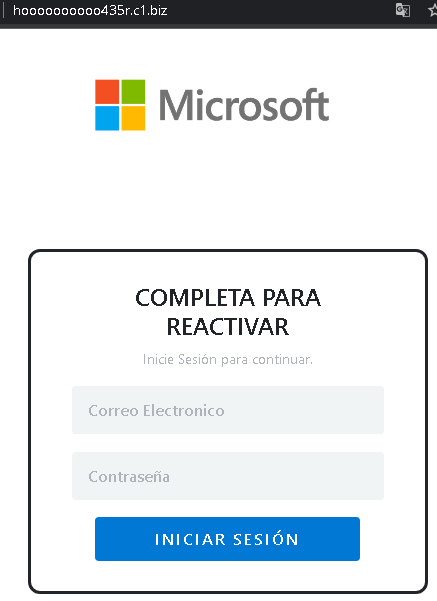
This screenshot shows a Spanish‑language phishing page impersonating Microsoft, asking for an unusual combination of credentials: email/phone/Skype, password, and a 4‑digit PIN.


Threat Analysis: Microsoft Phishing – Credential & PIN Harvesting

The page mimics Microsoft’s login interface but adds a 4‑digit PIN field, which is not part of a standard Microsoft login flow. This extra field may be intended to capture a SIM PIN, banking PIN, or a secondary security code that the victim uses elsewhere.

How it works:
The victim receives a phishing email or message claiming a security alert or account issue. The link leads to this page. After entering the email, password, and a 4‑digit PIN, the data is sent to the attacker.

The goal:

  • Steal Microsoft account credentials (email and password) to access email and linked services
  • Capture a 4‑digit PIN that the victim may reuse for banking, phone, or other sensitive accounts

Red flags:

  • Suspicious URL: The page is hosted on a domain that is not microsoft.com or outlook.com.
  • Extra PIN field: A legitimate Microsoft login does not ask for a 4‑digit PIN at this stage.
  • No security image or personalization: Real Microsoft login pages show security phrases or alternate verification methods.
  • Unsolicited login request: Microsoft does not send links requiring users to log in to resolve issues.

What to do:

  • Do not enter any credentials or PIN.
  • If you have already submitted information, change your Microsoft password immediately and enable two‑factor authentication. If you used the same PIN elsewhere (e.g., bank card), contact the relevant institutions.
  • Always access Microsoft services by typing outlook.com or microsoft.com directly.

Protective measures:

  • Bookmark the official Microsoft login page and use it exclusively.
  • Use a password manager – it will not autofill on fake domains.
  • Never reuse PINs across different services.
  • Enable two‑factor authentication on your Microsoft account.

Credit Agricole Bank phishing page revealed

This screenshot shows a phishing page impersonating a French bank (likely Crédit Agricole or a similar institution). It uses a fake security alert related to the European PSD2 directive to pressure victims into clicking a button that leads to a fraudulent login page.


Threat Analysis: French Bank Phishing – Fake “SécuriPass” Activation Scam

The page claims that account access is restricted due to non‑compliance with security rules and that strong authentication (under PSD2) is required every 90 days. The victim is told to activate “SECURIPASS” by clicking a button. A threat of a “banking ban” is added to create urgency.

How it works:
The victim receives an email or message containing a link to this page. Clicking the activation button leads to a fake bank login page designed to steal online banking credentials and possibly two‑factor authentication codes.

Red flags:

  • Unsolicited activation request: Banks do not send links to activate security features via email or landing pages.
  • Threat of immediate consequences: The warning of a “banking ban” is a classic fear tactic.
  • Misspelling: “SECURIPASS” instead of the correct “SécuriPass” (or similar) is a common phishing error.
  • No personalization: The message does not address the victim by name or reference a specific account.

What to do:

  • Do not click the activation button or any links.
  • Access your bank account by typing the official bank URL directly into your browser.
  • If you have already clicked and entered credentials, contact your bank immediately.

Protective measures:

  • Always type your bank’s website address manually.
  • Enable two‑factor authentication through the bank’s official app, not via web links.
  • Be suspicious of any message that threatens account restrictions and asks you to click a link.

Fake Hongkong Post page in Chinese detected

These two screenshots show a phishing campaign impersonating Hongkong Post (香港郵政). The scam uses a fake delivery notification to trick victims into paying a small fee (HK$30.00) and, in the process, steals personal information and full credit card details.


Threat Analysis: Hongkong Post Phishing – Fake Delivery Fee & Personal/Card Data Harvesting

How it works:

  1. The victim receives an SMS, email, or messaging app alert claiming a package is awaiting delivery and a small fee is required to complete the shipment.
  2. Step 1 – Personal Information Page (First Screenshot)
    The victim is asked to provide:
  • Address, city, phone number, postal code
  • Date of birth
  • Email address
  1. Step 2 – Card Details Page (Second Screenshot)
    The victim is then asked for:
  • Cardholder name
  • Full credit card number
  • Expiration date (MM/YY)
  • CVV / CVC

A fake tracking number and Hongkong Post branding are used to appear legitimate.

The goal:
The attacker collects:

  • Personal information (name, address, DOB, phone, email) for identity theft
  • Full payment card details (number, expiry, CVV) for fraudulent transactions

Red flags to watch for:

  • Suspicious URL: The pages are hosted on a domain that is not hongkongpost.hk or an official government domain.
  • Request for date of birth and card CVV: A legitimate delivery service does not need your date of birth or card security code to collect a fee.
  • Small fee trick: HK$30 is a trivial amount meant to lower suspicion.
  • Fake tracking number: The tracking code cannot be verified on the official Hongkong Post website.
  • No personalization: The message does not reference a genuine package or tracking number the victim would recognize.

What to do if you encounter this:

  • Do not enter any personal or card information.
  • If you are expecting a package, track it directly on the official Hongkong Post website (hongkongpost.hk) using your real tracking number.
  • If you have already submitted card details, contact your bank immediately to block the card and dispute any unauthorized charges.
  • Report the phishing page to Hongkong Post and to the relevant authorities.

Protective measures:

  • Never click links in unsolicited delivery messages. Always go directly to the official courier website.
  • Never pay a “redelivery fee” via a link. Legitimate fees are collected at the point of delivery or through secure official portals.
  • Check the URL carefully: Look for misspellings, extra words, or unusual top‑level domains.
  • Enable two‑factor authentication on your email and banking accounts to reduce the impact of credential theft.

Fake Royal Mail page detected

These two screenshots show a phishing campaign impersonating Royal Mail, targeting users in the United Kingdom. The scam uses a fake delivery issue and a small redelivery fee to steal full credit card details.


Threat Analysis: Royal Mail Phishing – Fake Redelivery Fee & Card Harvesting

Step 1 – Fake Tracking Page (First Screenshot)
The victim lands on a page that mimics Royal Mail’s tracking interface. It displays:

  • A fake tracking number
  • A claim that there is an issue with the shipping address
  • Instructions to arrange redelivery

Step 2 – Card Payment Page (Second Screenshot)
The victim is taken to a page that asks for:

  • Full name
  • Card number
  • Expiration date
  • Security code (CVV)

A small redelivery fee (£3.00) is shown to make the payment seem insignificant.

The goal:
The attacker collects complete card details to make fraudulent purchases, clone the card, or sell the information.

Red flags to watch for:

  • Suspicious URL: The page is hosted on a domain that is not royalmail.com. Legitimate Royal Mail tracking and redelivery are only on official domains.
  • Fake tracking number: The tracking number format may look plausible, but it cannot be verified on the real Royal Mail site.
  • Request for CVV: Royal Mail does not ask for your card security code for redelivery fees. These fees are typically paid through a secure, integrated payment gateway after you log in or confirm your address.
  • Small fee trick: £3.00 is a trivial amount meant to lower suspicion.
  • Copied content: The second page includes real Royal Mail footer links and navigation menus, which are copied from the genuine site to appear authentic.

What to do if you encounter this:

  • Do not enter any card details.
  • If you are expecting a delivery, track it directly by typing royalmail.com into your browser and using your real tracking number.
  • If you have already entered card details, contact your bank immediately to block the card and dispute any unauthorized charges.
  • Report the phishing page to Royal Mail (e.g., via their official fraud reporting page).

Protective measures:

  • Never click links in unsolicited delivery messages. Always go directly to the official courier website.
  • Never pay a “redelivery fee” via a link. Legitimate redelivery fees are paid through the official site after verifying your tracking number.
  • Check the URL carefully: Legitimate Royal Mail domains end with royalmail.com. Look for misspellings, extra words, or unusual top‑level domains.
  • Enable transaction alerts on your bank account to catch unauthorized charges early.

Fake Zajil Express page in Arabic detected

These two screenshots show a phishing campaign targeting Arabic‑speaking users, likely in Saudi Arabia (based on the country code, phone number format, and references). The scam impersonates a delivery or courier service (“zaiji-express”) and uses a fake delivery confirmation process to harvest personal information and full card details.


Threat Analysis: Delivery Service Phishing – Recipient Information & Card Data Harvesting

Step 1 – Personal Information Page (First Screenshot)
The victim is asked to “confirm recipient information” by providing:

  • First name and surname
  • Email address
  • Address

Step 2 – Card & Identity Details Page (Second Screenshot)
The victim is then asked for:

  • Postal code
  • Phone number
  • National ID or identity card number
  • Full card number
  • Expiration date (month/year)
  • CVV

A “Confirm” button submits the data.

The goal:
The attacker collects:

  • Personal information (name, address, email, phone) for identity theft
  • National ID number (a critical piece of identity in Saudi Arabia)
  • Full credit/debit card details (number, expiry, CVV) for fraudulent transactions

Red flags to watch for:

  • Suspicious URL: The pages are hosted on a domain that is not the official courier’s website. Legitimate delivery services use their own official domains.
  • Request for national ID and full card details together: No legitimate delivery service needs your national ID and card CVV to complete a delivery.
  • Fake company branding: The footer shows “zaiji-express” with a Saudi address and contact details. These may be fabricated or copied.
  • Unsolicited request: Delivery services do not send links asking for this level of personal and financial information.
  • No tracking number or package details: The victim is not given a way to verify the supposed shipment.

What to do if you encounter this:

  • Do not enter any personal information, national ID, or card details.
  • If you are expecting a delivery, track it directly on the official courier website using your tracking number.
  • If you have already entered card details, contact your bank immediately to block the card.
  • Report the phishing page to the legitimate courier being impersonated and to the relevant authorities.

Protective measures:

  • Never click links in unsolicited delivery messages. Always go directly to the official courier website.
  • Never provide your national ID or card CVV in response to a delivery notification.
  • Check the URL carefully: Look for misspellings, extra words, or unusual top‑level domains.
  • Enable two‑factor authentication on your bank account and email.

Amazon phishing page in German detected


These four screenshots show a multi‑step phishing campaign targeting German users, impersonating the Amazon.de VISA credit card banking portal (issued by Landesbank Berlin – LBB). The scam is designed to steal online banking credentials, phone number, and SMS two‑factor authentication (2FA) code – allowing full account takeover.


Threat Analysis: Amazon VISA / LBB Phishing – Credential & 2FA Code Harvesting

Step 1 – Fake Login Page (Screenshots 1 & 2)
The victim lands on a page that mimics the LBB / Amazon VISA banking login. It asks for:

  • Benutzername (username)
  • Passwort (password)

The page includes copied branding, login fields, and links to appear legitimate.

Step 2 – Phone Number Page (Screenshot 3)
After submitting credentials, the victim is asked to provide a phone number to “verify” the account. A message claims that an SMS code will be sent.

Step 3 – SMS Code Page (Screenshot 4)
The final page asks for the SMS code received on the phone. This is the two‑factor authentication (2FA) code that the real bank sends when logging in from an unrecognized device or after a password change.

The goal:
The attacker captures:

  • The victim’s online banking credentials (username and password)
  • The phone number (used to intercept future 2FA messages)
  • The current SMS 2FA code – allowing them to immediately log into the real account and authorize transactions

Red flags to watch for:

  • Suspicious URL: The pages are hosted on a domain that is not lbb.de, amazon.de, or any official banking domain. The URL contains random characters and subdomains.
  • Unsolicited login request: LBB / Amazon VISA does not send links requiring customers to log in and then “verify” their phone number via SMS.
  • Multi‑step flow with SMS code request: A legitimate login does not ask for a phone number and SMS code immediately after password entry. This is a classic phishing kit that harvests 2FA.
  • Copied content: The pages use real LBB and Amazon branding, but the layout and phrasing contain inconsistencies.

What to do if you encounter this:

  • Do not enter your username, password, phone number, or SMS code on these pages.
  • If you are an Amazon VISA / LBB customer, always access your credit card banking by typing lbb.de directly into your browser or using the official app.
  • If you have already entered your credentials but not the SMS code, change your password immediately and contact LBB.
  • If you have entered the SMS code, the attacker may already have accessed your account. Contact LBB’s fraud department immediately.
  • Report the phishing pages to LBB and Amazon.

Protective measures:

  • Bookmark the official LBB login page and use that bookmark.
  • Use a password manager – it will not autofill on fake domains.
  • Never enter an SMS code on a page you reached via a link. Legitimate banks only ask for 2FA after you have initiated a login on their official site.
  • Enable two‑factor authentication using an authenticator app instead of SMS where possible.
  • Be suspicious of any unsolicited message that asks you to log in and then “verify” your phone number.

Credit Agricole phishing page in French detected

This screenshot shows a phishing page impersonating Crédit Agricole, a major French bank. The page uses the pretext of mandatory SécuriPass activation (a legitimate security feature) to pressure victims into clicking a malicious link that leads to a fake login page.


Threat Analysis: Crédit Agricole Phishing – Fake SécuriPass Activation Deadline

The page claims that SécuriPass will become mandatory by a specific date (December 31, 2022) and urges the victim to click a button to “activate” it. A threat of a “banking ban” is added to create urgency.

How it works:
The victim receives an email or message containing a link to this page. Clicking the activation button leads to a fraudulent Crédit Agricole login page designed to steal online banking credentials and possibly two‑factor authentication codes.

The goal:
The attacker aims to capture the victim’s Crédit Agricole login credentials to access the account, transfer funds, and commit fraud.

Red flags to watch for:

  • Suspicious URL: The page is hosted on a domain that is not credit-agricole.fr. Legitimate bank communications are on official domains.
  • Unsolicited activation request: Crédit Agricole does not send links requiring customers to “activate” SécuriPass via external pages.
  • Threat of immediate consequences: The warning of a “banking ban” is a classic fear tactic.
  • No personalization: The message does not address the victim by name or reference a specific account.
  • Vague deadline: The mention of a specific date (31 December 2022) is used to create a false sense of urgency, but legitimate security updates are communicated through official channels, not unsolicited emails.

What to do if you encounter this:

  • Do not click the activation button or any links.
  • Access your Crédit Agricole account by typing credit-agricole.fr directly into your browser or using the official mobile app.
  • If you have already clicked and entered credentials, contact Crédit Agricole immediately to secure your account.
  • Report the phishing page to Crédit Agricole’s fraud team ([email protected]).

Protective measures:

  • Always type your bank’s website address manually. Never click links in unsolicited emails or messages.
  • Enable SécuriPass through the official app – legitimate activation happens within the app or after logging in, not via email links.
  • Be suspicious of any message that creates urgency, threatens negative consequences, and asks you to click a link.