
Security Notice: This malicious interface was logged, cross-checked, and neutralized firsthand by the
Antiphishing.bizsecurity team during our daily link moderation procedures. To protect the public, the dangerous destination URL has been fully defanged within our infrastructure. We document and analyze these live visual patterns to help security researchers and users recognize deceptive clone designs before financial damage occurs.
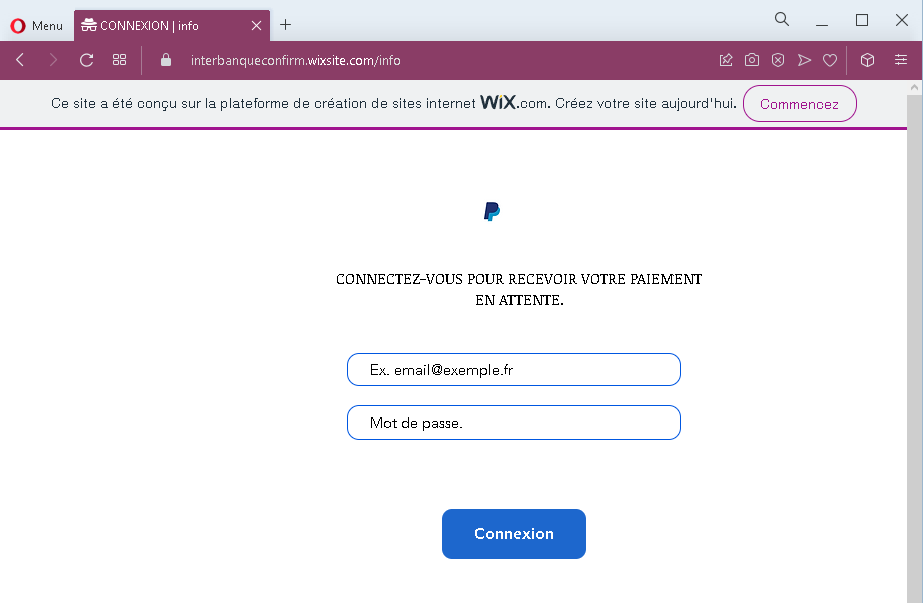
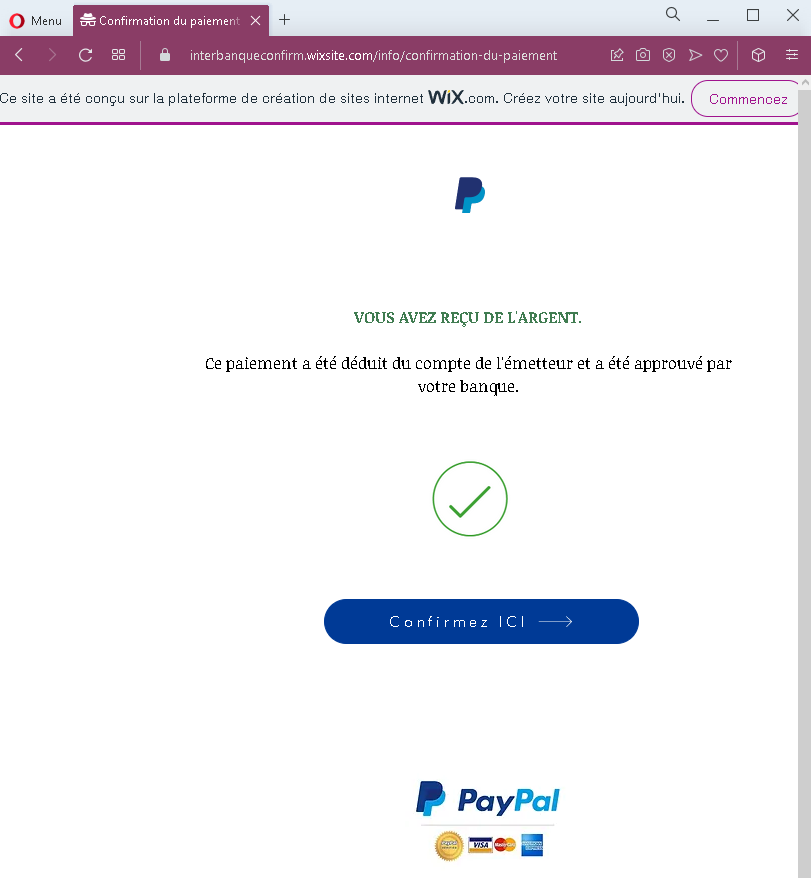
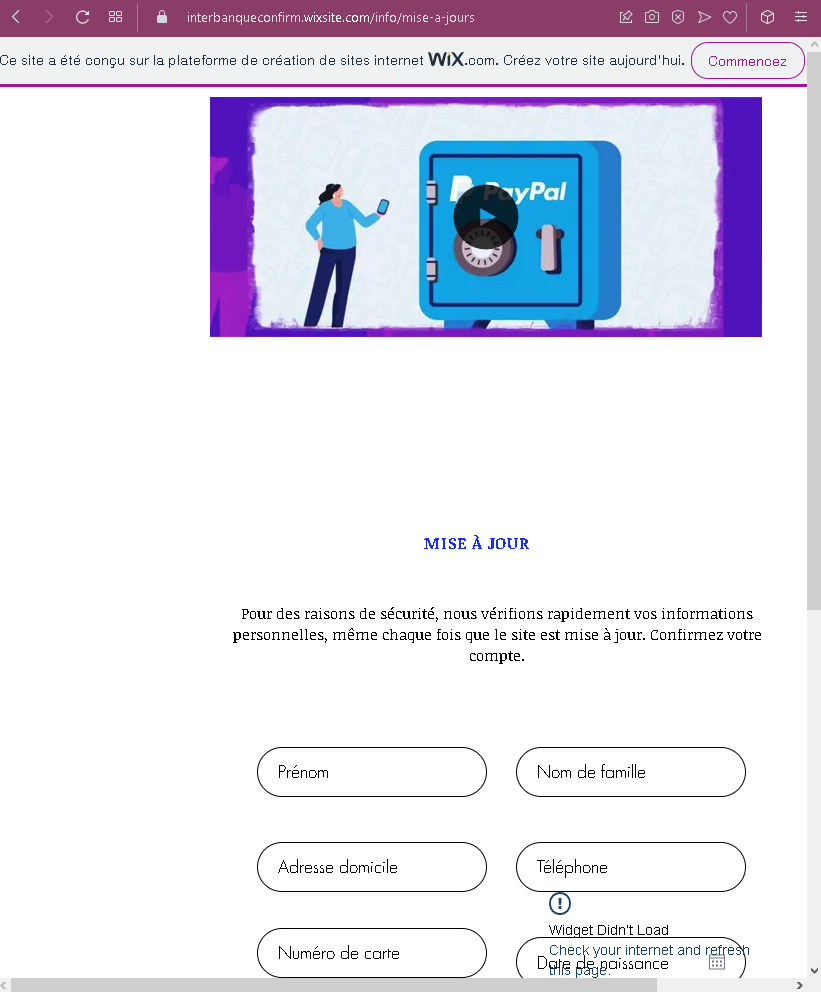
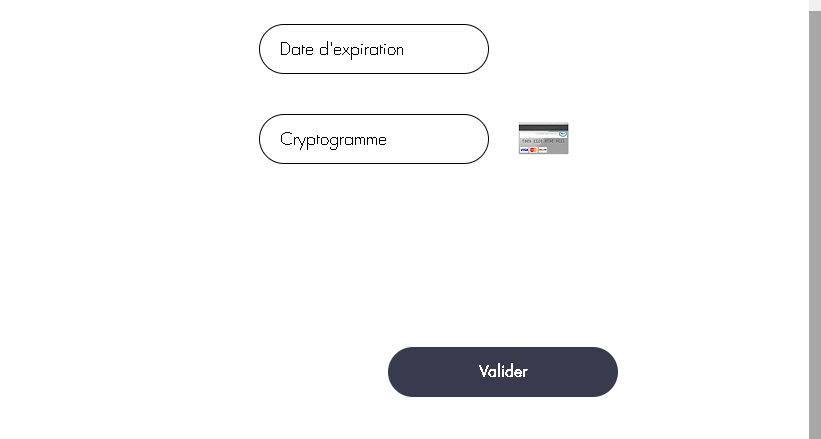
These four screenshots show a multi‑step phishing campaign targeting French users, likely impersonating a payment service or online marketplace. The scam uses a fake “pending payment” lure to harvest the victim’s login credentials, full personal details, and credit card information.
Threat Analysis: Fake Payment Pending Phishing – Credential, Personal & Card Data Harvesting
This phishing campaign is built on a simple but effective pretext: the victim is told that a payment is waiting for them. To “receive” the money, they must log in and then “confirm” their identity by providing personal and card details. The pages are hosted on a free website builder (WIX), a common indicator of throwaway phishing sites.
How it works:
The victim receives an email, SMS, or message claiming that a payment is pending and they need to log in to claim it.
Step 1 – Fake Login Page (First Screenshot)
A minimal page asks for an email address and password. No branding is shown, but the promise of a payment makes victims believe they are logging into a legitimate service.
Step 2 – Fake Payment Confirmation Page (Second Screenshot)
After submitting credentials, the victim sees a page stating that the payment has been approved by the bank and they must “confirm” to receive it. This creates a false sense of progress.
Step 3 – Personal & Card Number Page (Third Screenshot)
The victim is asked to “confirm their account” by providing:
- First name & last name
- Home address
- Phone number
- Full credit/debit card number
Step 4 – Expiration & CVV Page (Fourth Screenshot)
The final page asks for the expiration date and cryptogram (CVV) . With the card number from Step 3, the attacker now has all information needed to make online purchases or clone the card.
The goal:
The attacker aims to:
- Steal the victim’s email and password (likely for a specific platform or general reuse)
- Obtain full identity and contact information
- Capture complete credit card details (number, expiration, CVV) for fraud
Red flags to watch for:
- Suspicious URL: All pages are hosted on a free WIX subdomain (visible in the browser address bar). Legitimate payment services use their own domains.
- “
WIX.com” banner: The blue “Ce site a été conçu sur la plateformeWIX.com” banner appears on every page, a clear sign this is not a professional or legitimate service. - Illogical flow: A platform that already has your login credentials would not ask for your full card details and CVV to “release” a payment.
- No branding: No company name or logo is shown. The victim is left guessing which service they are logging into.
- Multiple requests for sensitive data: Asking for full name, address, phone, card number, expiration, and CVV in one flow is a classic carding/phishing pattern.
What to do if you encounter this:
- Do not enter any information on pages hosted on free website builders (WIX, Weebly, etc.) unless you are absolutely certain they are legitimate (which they almost never are for banking/payment services).
- If you have already entered your email and password, change that password immediately, especially if you reuse it elsewhere.
- If you entered card details, contact your bank immediately to block the card and dispute any unauthorized charges.
- Report the phishing page to the legitimate company being impersonated (if identifiable) and to the platform hosting the site (WIX has a reporting mechanism for phishing).
Why this scam is effective:
The promise of “money waiting” deceptive tactics eagerness and urgency. The multi‑step flow makes the process seem thorough and official. The use of a familiar free website builder can actually lower suspicion for users who associate WIX with small legitimate businesses, but in this case it is being abused for fraud.
Protective measures:
- Never log in to a service via a link sent in an unsolicited message. Type the official URL directly.
- Check the address bar carefully. Legitimate payment services do not use free hosting platforms like WIX.
- Never enter your full card number, expiration, and CVV on a page that claims to be “verifying” or “releasing” funds. This is a standard card‑harvesting tactic.
- Use a password manager – it will not autofill on fake domains.
- Enable two‑factor authentication on your email and financial accounts.