
Incident Report: This malicious interface was detected, analyzed, and contained firsthand by the
Antiphishing.bizsecurity team during our standard URL vetting operations. To protect the public, the phishing source domain has been safely deactivated within our infrastructure. We document and analyze these live visual patterns to help security researchers and users spot lookalike phishing methods before financial damage occurs.
Threat Analysis: Bank of America Phishing – Complete Identity & Card Harvesting
This campaign uses a fake Spanish‑language Bank of America interface in three steps to steal:
- Online banking credentials (Online ID and Password)
- Email credentials and ATM PIN
- Full card details (card number, expiration date, CVV)
How it works:
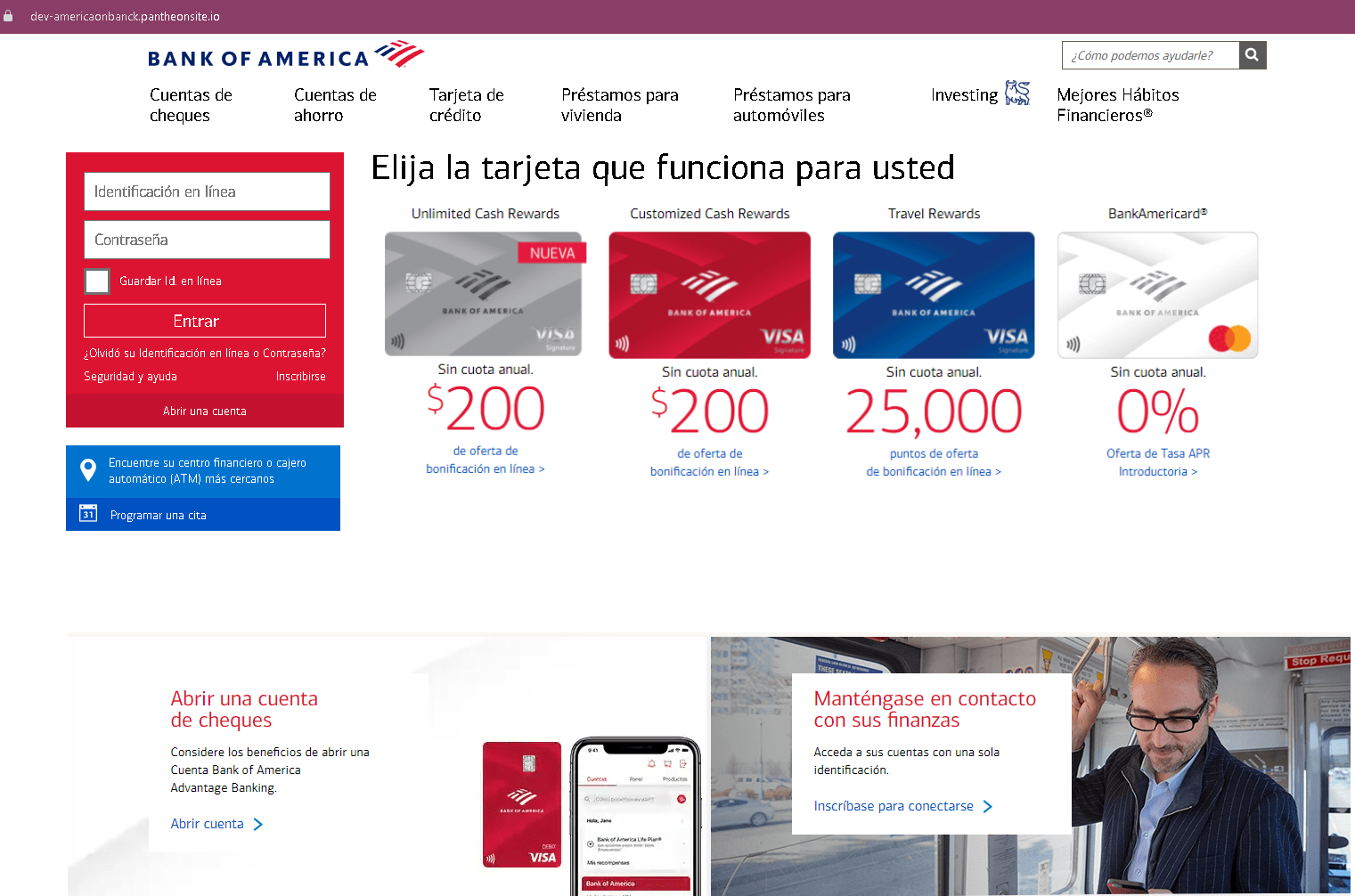
Step 1 – Fake Login Page
The victim lands on a page that mimics Bank of America’s online banking login. It asks for Online ID and Password. The page includes real promotional content copied from the bank to appear legitimate.
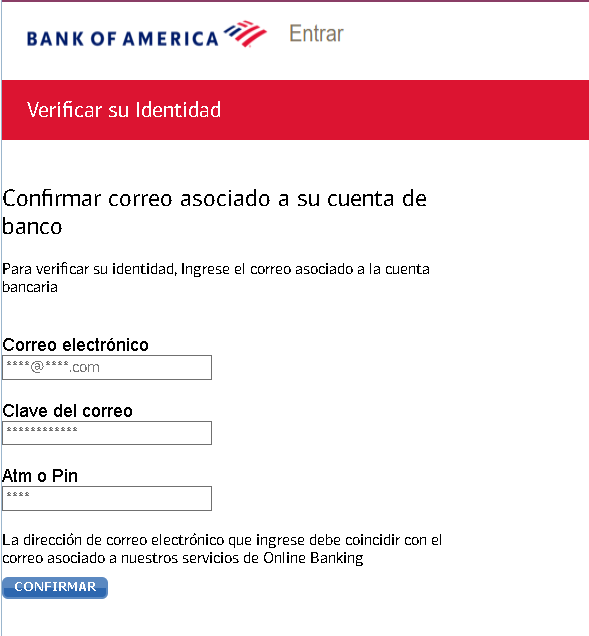
Step 2 – Fake “Verify Your Identity” – Email & PIN Page
After submitting login credentials, the victim is asked to provide:
- Email address and email password
- ATM or debit card PIN
This step captures the victim’s email account and banking PIN.
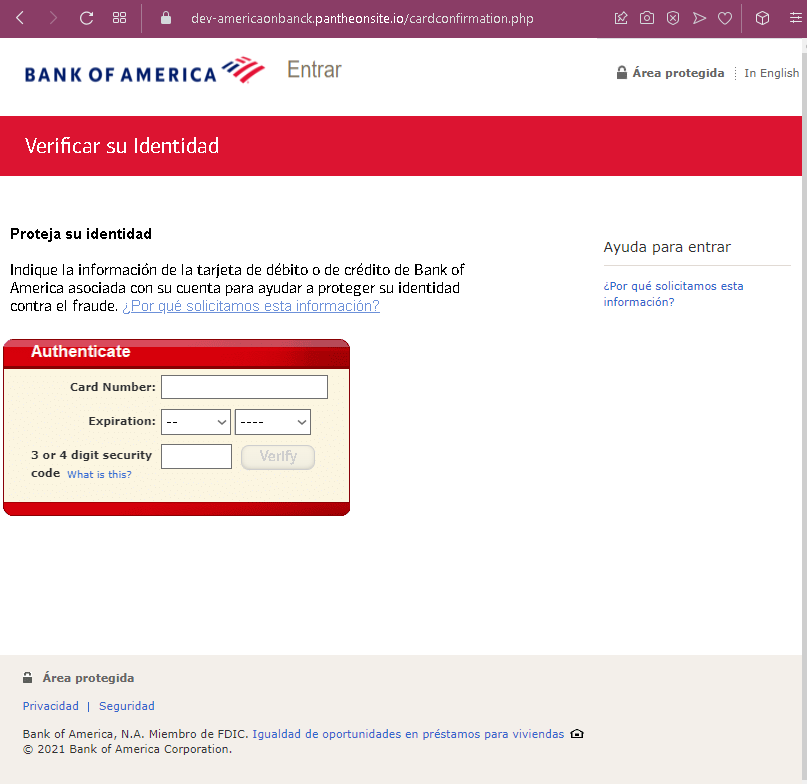
Step 3 – Fake “Protect Your Identity” – Card Details Page
The final page asks for:
- Card number
- Expiration date
- 3‑ or 4‑digit security code (CVV)
This page claims the information is needed to “protect your identity against fraud.”
The goal:
The attacker collects:
- Bank login credentials to access the account
- Email credentials to intercept alerts and reset passwords
- ATM PIN and full card details to make withdrawals, online purchases, or clone the card
With this data, the attacker can fully compromise the victim’s bank account, email, and payment card.
Red flags (all pages):
- Suspicious URL: The pages are hosted on a domain that is not
bankofamerica.com - Excessive and illogical requests: A legitimate bank never asks for email password, ATM PIN, or full card details during a single login/verification flow.
- No personalization or security image: Real Bank of America login pages show a security image after you enter your Online ID.
- Outdated copyright (2021): The footer date is incorrect for a 2022‑2023 campaign.
What to do if you encounter this:
- Do not enter any information on these pages.
- If you have already entered your credentials, contact Bank of America immediately to change your password, block your card, and secure your account.
- If you entered your email password, change it immediately and enable two‑factor authentication. Check for unauthorized forwarding rules.
- Report the phishing pages to Bank of America (
[email protected]).
Protective measures:
- Always type
bankofamerica.com - Use a password manager – it will only autofill on the real bank domain.
- Never provide your email password, ATM PIN, or CVV on a page you reached via a link.
- Enable two‑factor authentication on both your bank and email accounts.