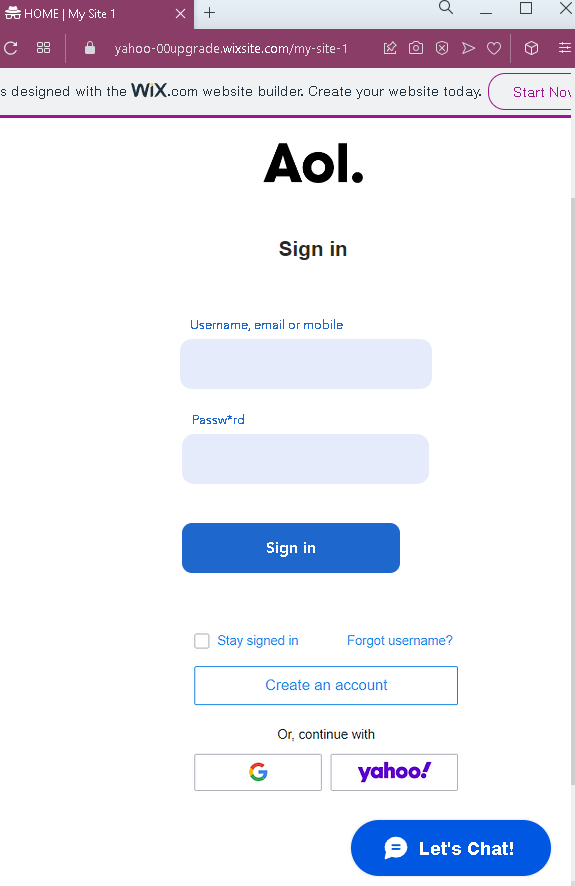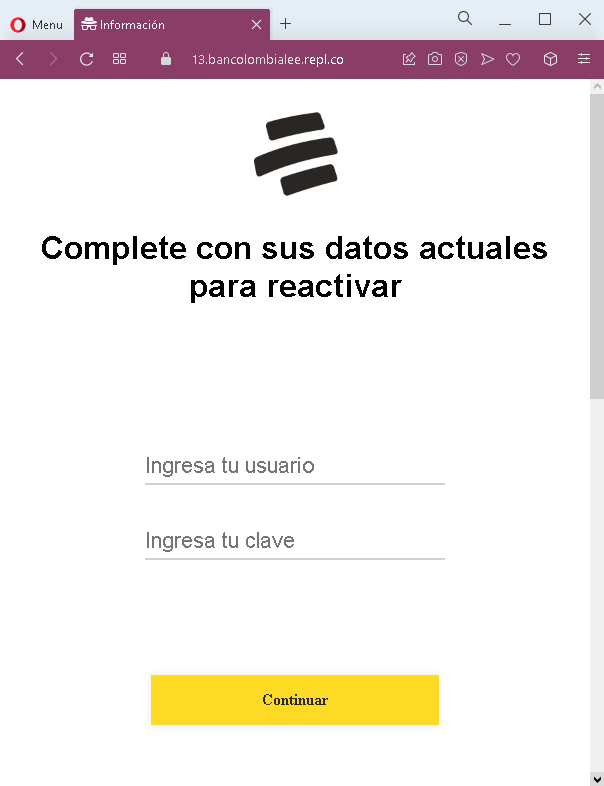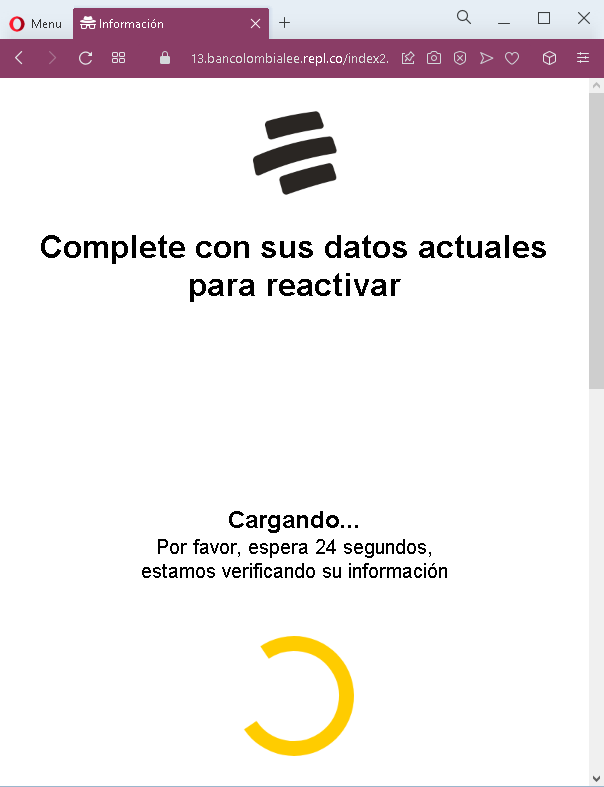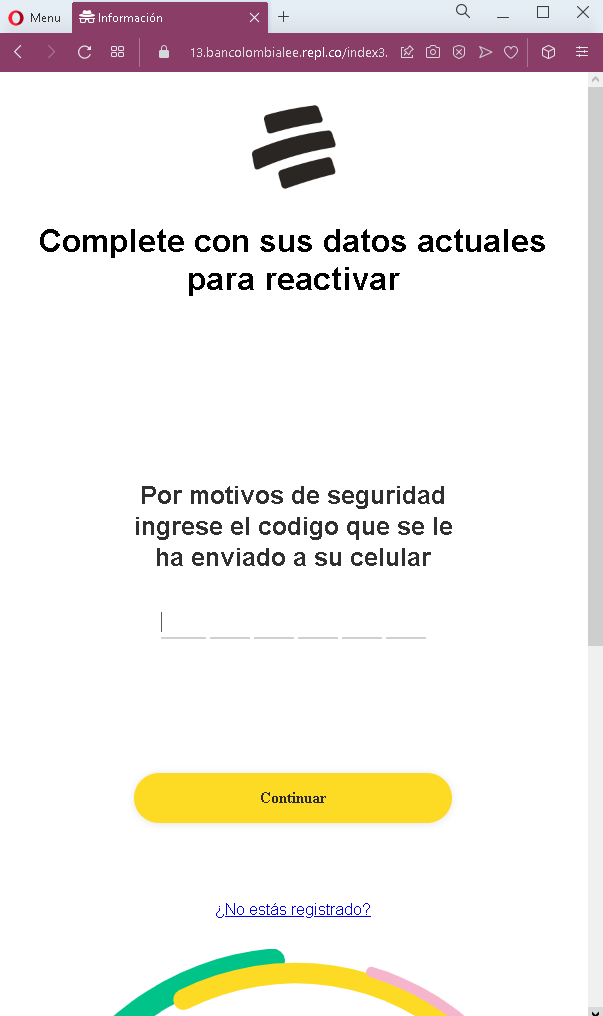
Microsoft phishing page in Spanish detected

This screenshot shows a phishing page impersonating Microsoft, targeting Spanish-speaking users. The page uses a “reactivate” pretext to pressure victims into entering their email address and password.


Threat Analysis: Microsoft Phishing – Fake “Reactivate” Login Page

This phishing campaign impersonates Microsoft (likely Outlook, Hotmail, or Office 365). The page claims the victim needs to “reactivate” their account, creating a sense of urgency. When the victim enters their email and password and clicks “Iniciar sesión,” the credentials are captured and sent to the attacker.

The goal:
The attacker aims to steal Microsoft account credentials. With these, they can access the victim’s email, reset passwords for other services, and spread further phishing attacks.

Red flags to watch for:

  • Suspicious URL: The page is hosted on a domain that is not microsoft.com, outlook.com, or live.com. Always check the address bar before entering credentials.
  • Unsolicited “reactivation” request: Microsoft does not send emails or messages with links requiring users to “reactivate” accounts by logging in.
  • Generic, minimal design: The page lacks the full Microsoft branding, security notices, and two‑factor authentication options found on legitimate login pages.
  • No personalization: The page does not display a security image, account name, or any personalized element that would appear on a real Microsoft login after initial identification.

What to do if you encounter this:

  • Do not enter your email and password on this page.
  • If you are a Microsoft user, always access your account by typing outlook.com or microsoft.com directly into your browser.
  • If you have already entered your credentials, change your Microsoft password immediately and enable two‑factor authentication (2FA) to protect your account.

Protective measures:

  • Bookmark the official Microsoft login page and use that bookmark to access your account.
  • Use a password manager – it will autofill only on legitimate Microsoft domains.
  • Enable two‑factor authentication on your Microsoft account.
  • Be suspicious of any unsolicited message that asks you to “reactivate” or “verify” your account via a link.

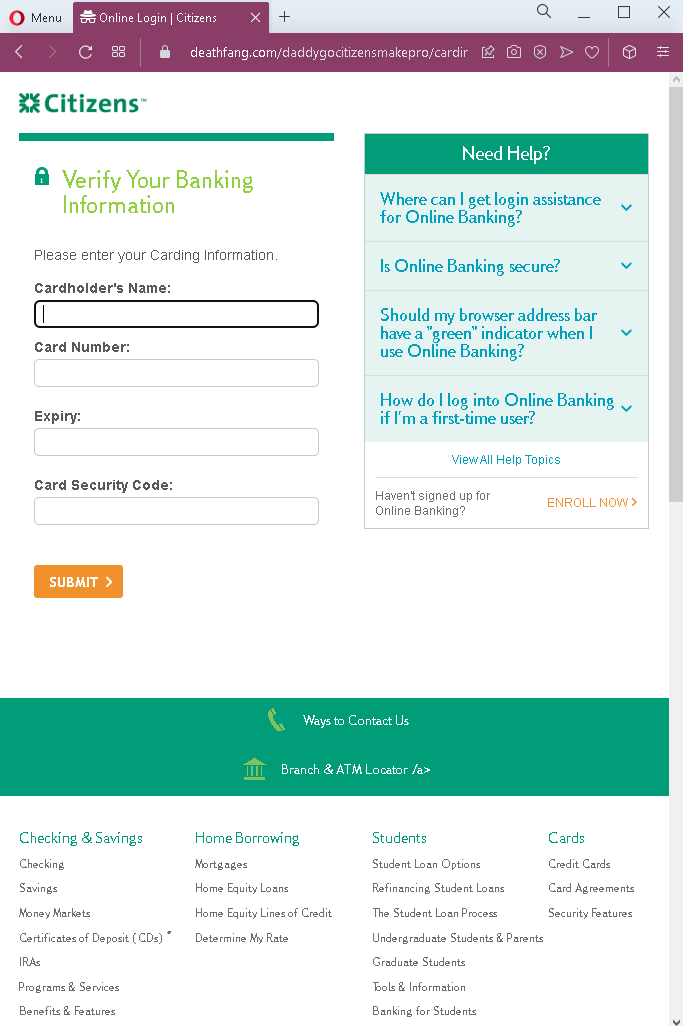
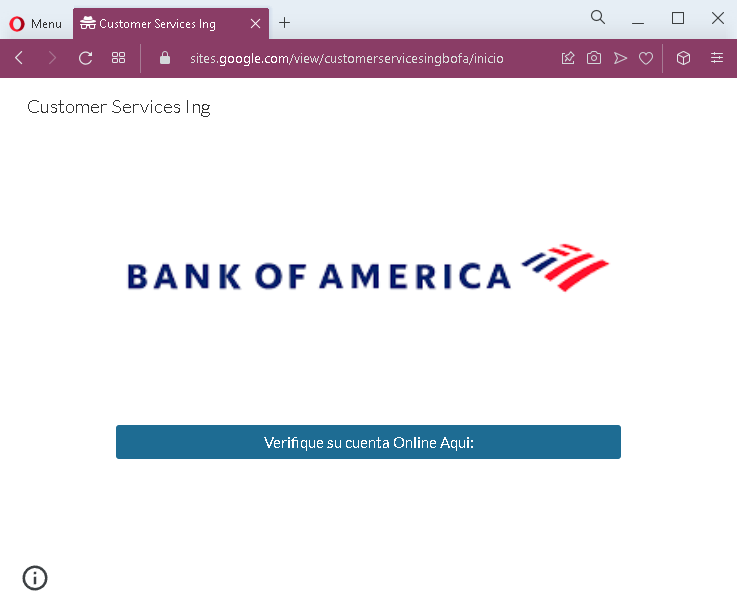
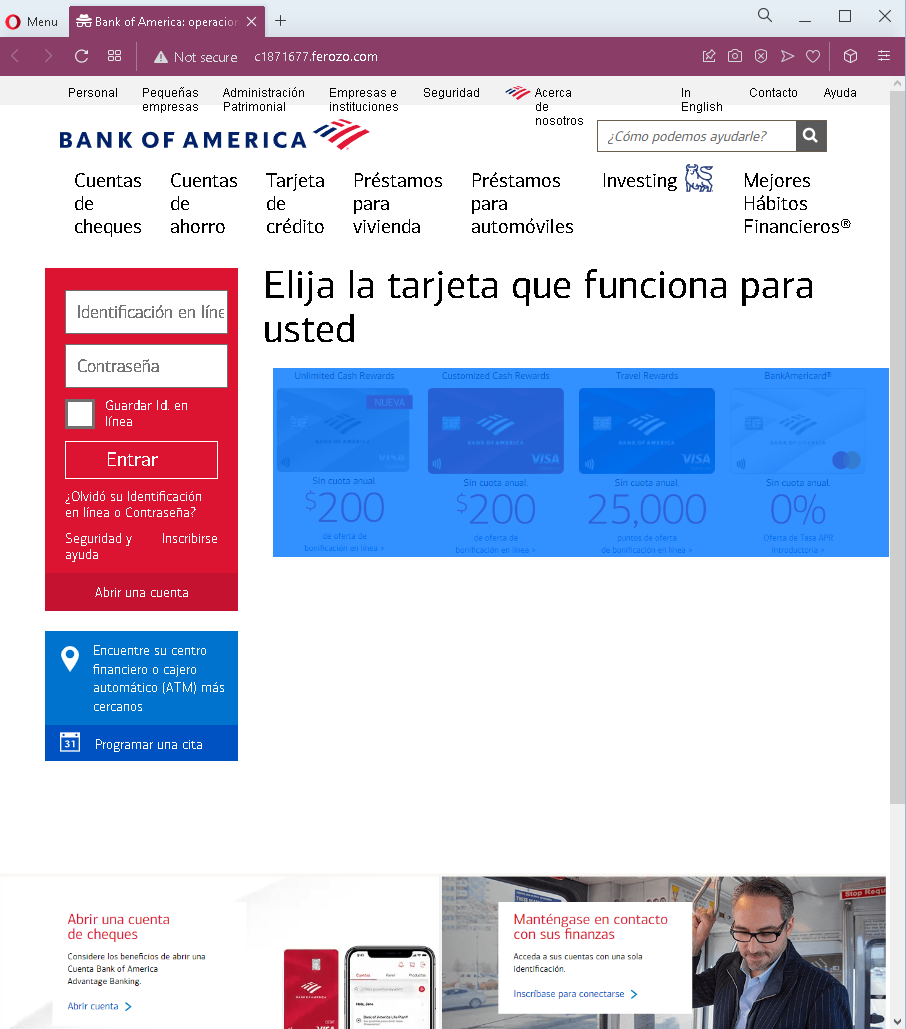
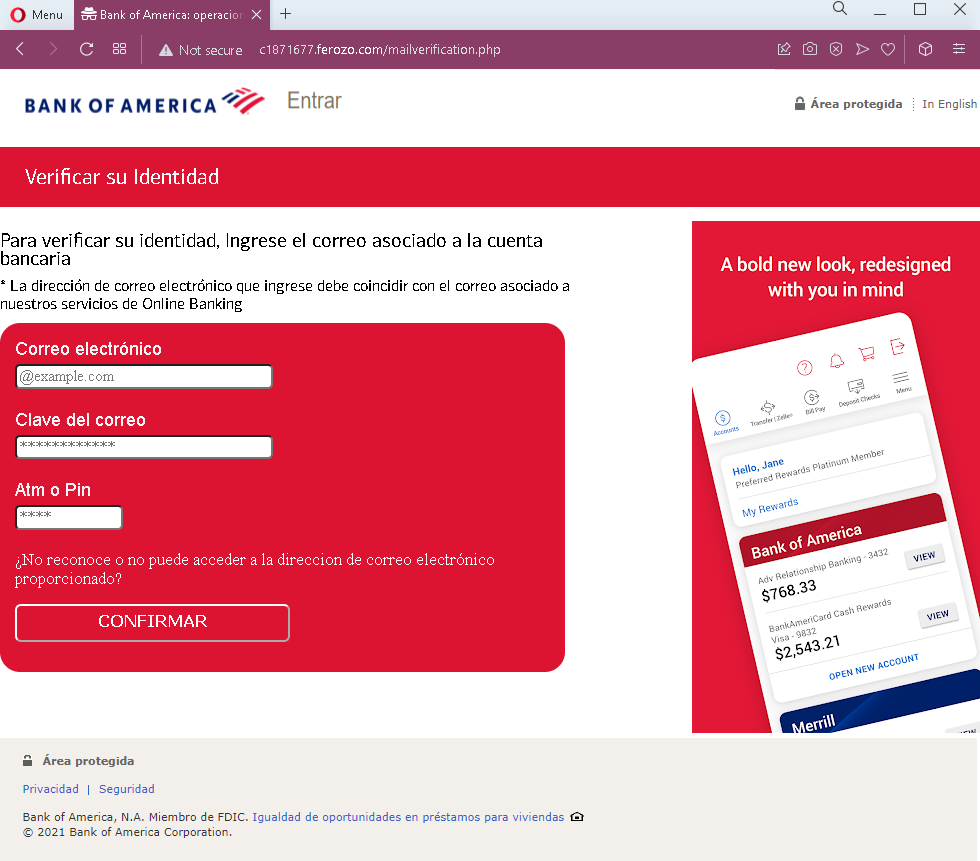
Bank of America phishing page in Spanish detected


Threat Analysis: Bank of America Phishing – Complete Identity & Card Harvesting

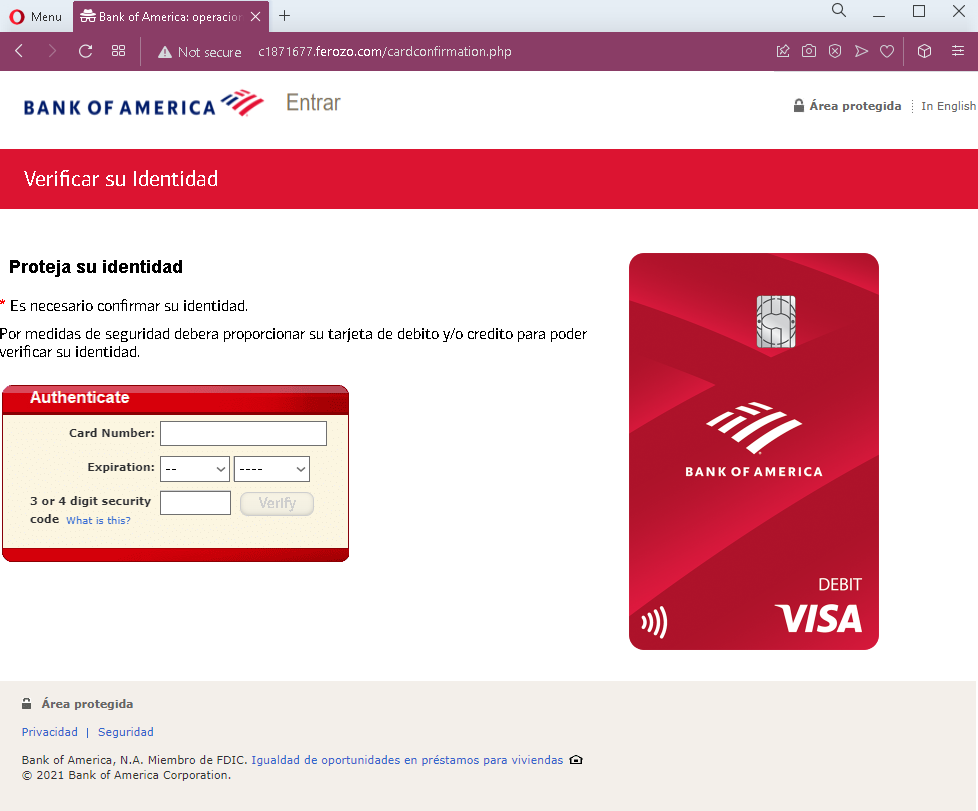
This campaign uses a fake Spanish‑language Bank of America interface in three steps to steal:

  1. Online banking credentials (Online ID and Password)
  2. Email credentials and ATM PIN
  3. Full card details (card number, expiration date, CVV)

How it works:

Step 1 – Fake Login Page
The victim lands on a page that mimics Bank of America’s online banking login. It asks for Online ID and Password. The page includes real promotional content copied from the bank to appear legitimate.

Step 2 – Fake “Verify Your Identity” – Email & PIN Page
After submitting login credentials, the victim is asked to provide:

  • Email address and email password
  • ATM or debit card PIN

This step captures the victim’s email account and banking PIN.

Step 3 – Fake “Protect Your Identity” – Card Details Page
The final page asks for:

  • Card number
  • Expiration date
  • 3‑ or 4‑digit security code (CVV)

This page claims the information is needed to “protect your identity against fraud.”

The goal:
The attacker collects:

  • Bank login credentials to access the account
  • Email credentials to intercept alerts and reset passwords
  • ATM PIN and full card details to make withdrawals, online purchases, or clone the card

With this data, the attacker can fully compromise the victim’s bank account, email, and payment card.

Red flags (all pages):

  • Suspicious URL: The pages are hosted on a domain that is not bankofamerica.com. Legitimate Bank of America login is only on official bank domains.
  • Excessive and illogical requests: A legitimate bank never asks for email password, ATM PIN, or full card details during a single login/verification flow.
  • No personalization or security image: Real Bank of America login pages show a security image after you enter your Online ID.
  • Outdated copyright (2021): The footer date is incorrect for a 2022‑2023 campaign.

What to do if you encounter this:

  • Do not enter any information on these pages.
  • If you have already entered your credentials, contact Bank of America immediately to change your password, block your card, and secure your account.
  • If you entered your email password, change it immediately and enable two‑factor authentication. Check for unauthorized forwarding rules.
  • Report the phishing pages to Bank of America ([email protected]).

Protective measures:

  • Always type bankofamerica.com directly into your browser to log in—never click links.
  • Use a password manager – it will only autofill on the real bank domain.
  • Never provide your email password, ATM PIN, or CVV on a page you reached via a link.
  • Enable two‑factor authentication on both your bank and email accounts.

Posteitaliane phishing page detected

This screenshot shows a phishing page impersonating Poste Italiane (PostePay) , targeting Italian customers. The page asks for an unusual combination of information—username, password, phone number, and even an “approximate balance”—which is a clear sign of a scam designed to steal account credentials and gather intelligence for fraud.


Threat Analysis: Poste Italiane Phishing – Credential & Account Data Harvesting

This phishing campaign impersonates Poste Italiane, specifically its PostePay service (a popular prepaid card and digital payment system in Italy). The page mimics the login interface but adds extra fields to collect more sensitive information.

How it works:
The victim receives a phishing email, SMS, or other message claiming a security alert, account issue, or the need to verify their information. The link leads to this fake PostePay login page. The victim is asked to enter:

  • Username
  • Password
  • Phone number
  • “Saldo approssimativo” (approximate balance)

After filling in these fields and clicking “AVANTI” (Next), all the data is captured and sent to the attacker.

The goal:
The attacker aims to:

  • Steal the victim’s PostePay login credentials (username and password)
  • Obtain the victim’s phone number for SMS‑based fraud (SIM swapping, intercepting 2FA codes)
  • Learn the approximate account balance to assess the victim’s value and tailor further scams

With this information, the attacker can log into the victim’s PostePay account, transfer funds, make purchases, or use the phone number for identity theft.

Red flags to watch for:

  • Suspicious URL: The page is hosted on a domain that is not poste.it or any official Poste Italiane domain. Legitimate PostePay login is accessed through the official website or app. Always check the address bar.
  • Request for phone number and balance: A legitimate login page never asks for your phone number or account balance. These are internal data that the bank already knows. Their presence on a login form is a strong indicator of a phishing page.
  • Poor design and unprofessional layout: The page has a simplistic design, inconsistent spacing, and lacks the full navigation, security notices, and personalization found on the real PostePay portal.
  • Unsolicited login request: Poste Italiane does not send emails or messages with links requiring customers to log in to resolve account issues.

What to do if you encounter this:

  • Do not enter your username, password, phone number, or balance on this page.
  • If you are a Poste Italiane customer, always access PostePay by typing poste.it directly into your browser or by using the official PostePay mobile app.
  • If you have already entered your credentials, change your PostePay password immediately and enable two‑factor authentication (2FA) if available. Contact Poste Italiane’s fraud department to secure your account.
  • Report the phishing page to Poste Italiane (e.g., by forwarding the original message to [email protected]).

Why this scam is effective:
PostePay is widely used in Italy, and many customers are familiar with its login interface. The extra fields (phone number, balance) may seem like additional “security” or “verification” steps to unsuspecting users. The threat of account suspension or a security issue creates urgency, making victims more likely to enter the requested information without carefully checking the URL.

Protective measures:

  • Bookmark the official Poste Italiane login page and use that bookmark to access your account—never click links in emails or messages.
  • Use a password manager: It will autofill only on legitimate poste.it domains, not on phishing sites.
  • Never provide your phone number or account balance on a login page. The bank already has this information.
  • Enable two‑factor authentication (2FA) on your PostePay account if available, to add an extra layer of protection.
  • Be suspicious of any unsolicited message that creates urgency and asks you to log in to your account.
  • Check the URL carefully: Legitimate Poste Italiane domains end with poste.it. Look for misspellings, extra words, or unusual top‑level domains.
  • If in doubt, contact Poste Italiane directly using a phone number from your bank statement or the official website—never use contact information provided in a suspicious message.
La Banque Postale fake page in French detected

These two screenshots show a phishing campaign impersonating La Banque Postale, a major French bank. The scam uses a fake “Certicode Plus” activation pretext to trick victims into clicking a link that leads to a fraudulent login page designed to steal their online banking credentials (identifiant and mot de passe).


Threat Analysis: La Banque Postale Phishing – Fake “Certicode Plus” Activation

This campaign targets La Banque Postale customers by claiming that their security devices are obsolete and that they must activate Certicode Plus (a legitimate security feature) to continue using online services.

How it works:

  1. Fake Alert Page (First Screenshot)
    The victim receives an email or lands on a page stating that security devices are outdated due to a new update. The page urges the victim to click a button to activate Certicode Plus. The link leads to the next phishing page.
  2. Fake Login Page (Second Screenshot)
    This page mimics the official La Banque Postale online banking portal. It includes:
  • Fields for identifiant (identifier) and mot de passe (password)
  • A virtual keyboard (a real security feature used by the bank)
  • Legitimate-looking menus, COVID-19 notices, and fraud warnings copied from the genuine site

When the victim enters their credentials and clicks “VALIDER,” the information is sent to the attacker.

The goal:
The attacker aims to steal La Banque Postale online banking credentials. With these, they can log into the victim’s account, view balances, transfer funds, and commit fraud.

Red flags to watch for:

  • Suspicious URL: The pages are hosted on a domain that is not labanquepostale.fr. Legitimate La Banque Postale login is only on the official domain.
  • Unsolicited activation request: La Banque Postale does not send emails or messages with links requiring customers to “activate” Certicode Plus. Legitimate activation happens within the app or after logging in.
  • Virtual keyboard out of context: While the real bank uses a virtual keyboard, its presence on a fake page does not make the page legitimate.
  • Copied content: The second page contains real La Banque Postale branding, menus, and security notices. Attackers copy these to appear authentic.
  • No personalization: The page does not display a security image, account name, or any personalized element that would appear on a legitimate login after initial identification.

What to do if you encounter this:

  • Do not click the activation link or enter any credentials.
  • If you are a La Banque Postale customer, always access online banking by typing labanquepostale.fr directly into your browser or using the official mobile app.
  • If you have already entered your credentials, contact La Banque Postale immediately to change your password and secure your account.
  • Report the phishing pages to La Banque Postale (e.g., [email protected]).

Why this scam is effective:
Certicode Plus is a well-known security feature, so a request to activate it can seem plausible. The fake login page is highly convincing because it copies the bank’s layout, including the virtual keyboard and official-looking fraud warnings. The urgency of “obsolete security devices” pressures victims to act without verifying the URL.

Protective measures:

  • Bookmark the official La Banque Postale login page and use that bookmark to access your account.
  • Use a password manager – it will autofill only on the legitimate domain.
  • Never activate security features via a link in an email. Always go directly to the official site or app.
  • Enable two‑factor authentication (Certicode Plus) through the official app, not through a web link.
  • Check the URL carefully: Legitimate La Banque Postale domains end with labanquepostale.fr. Look for misspellings, extra words, or unusual top‑level domains.

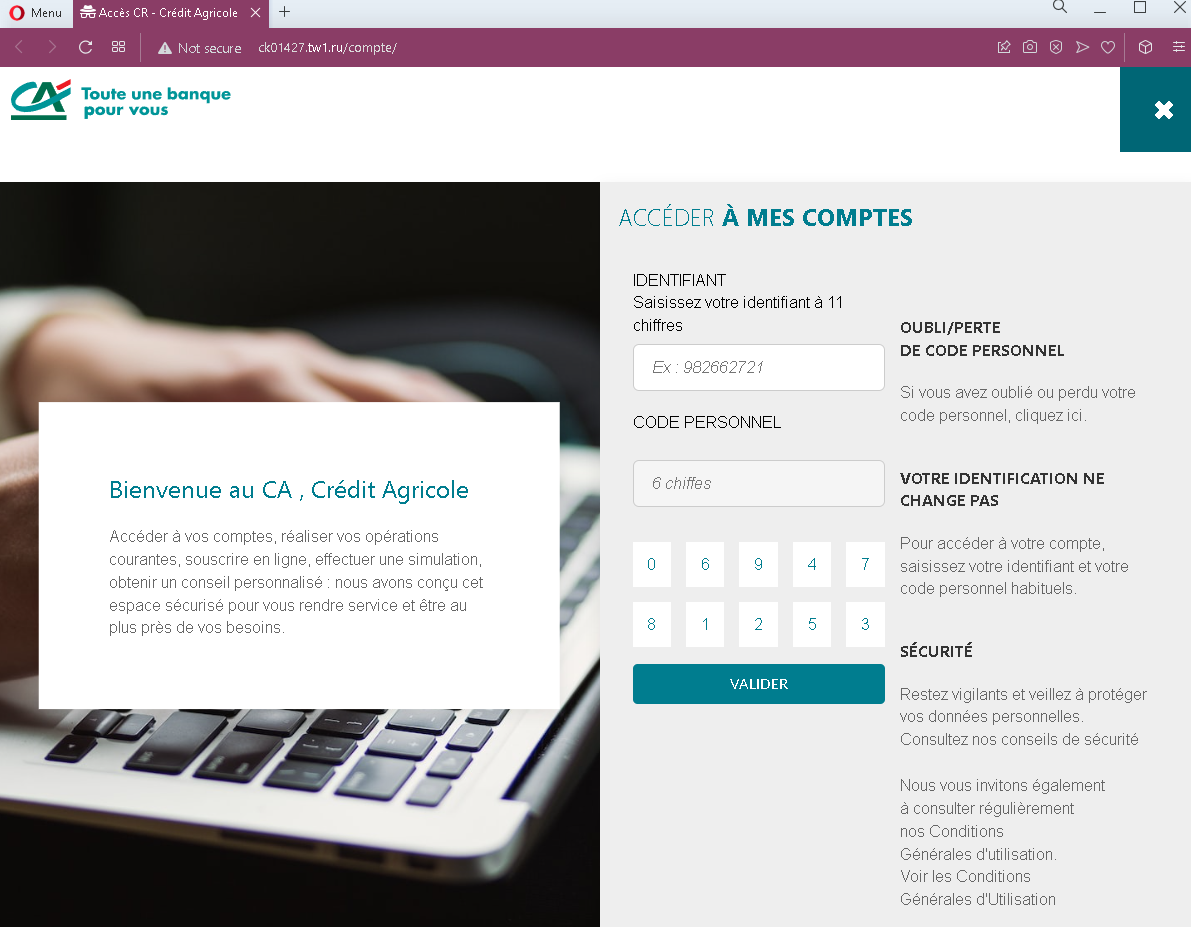
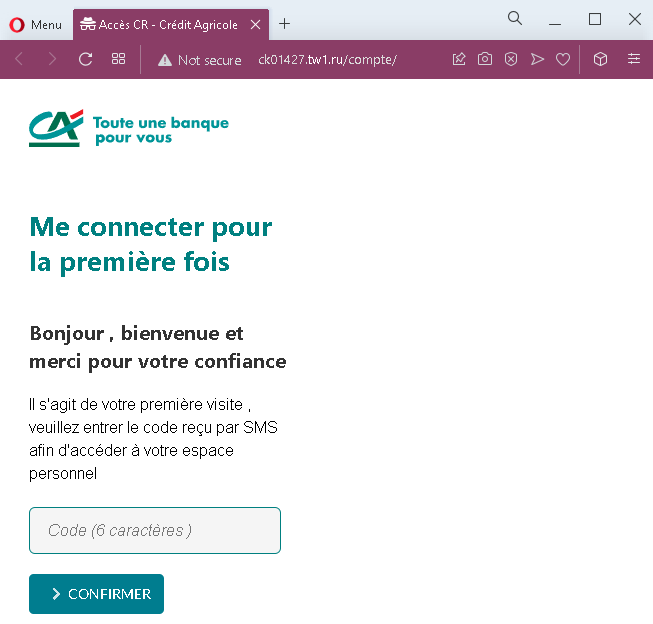
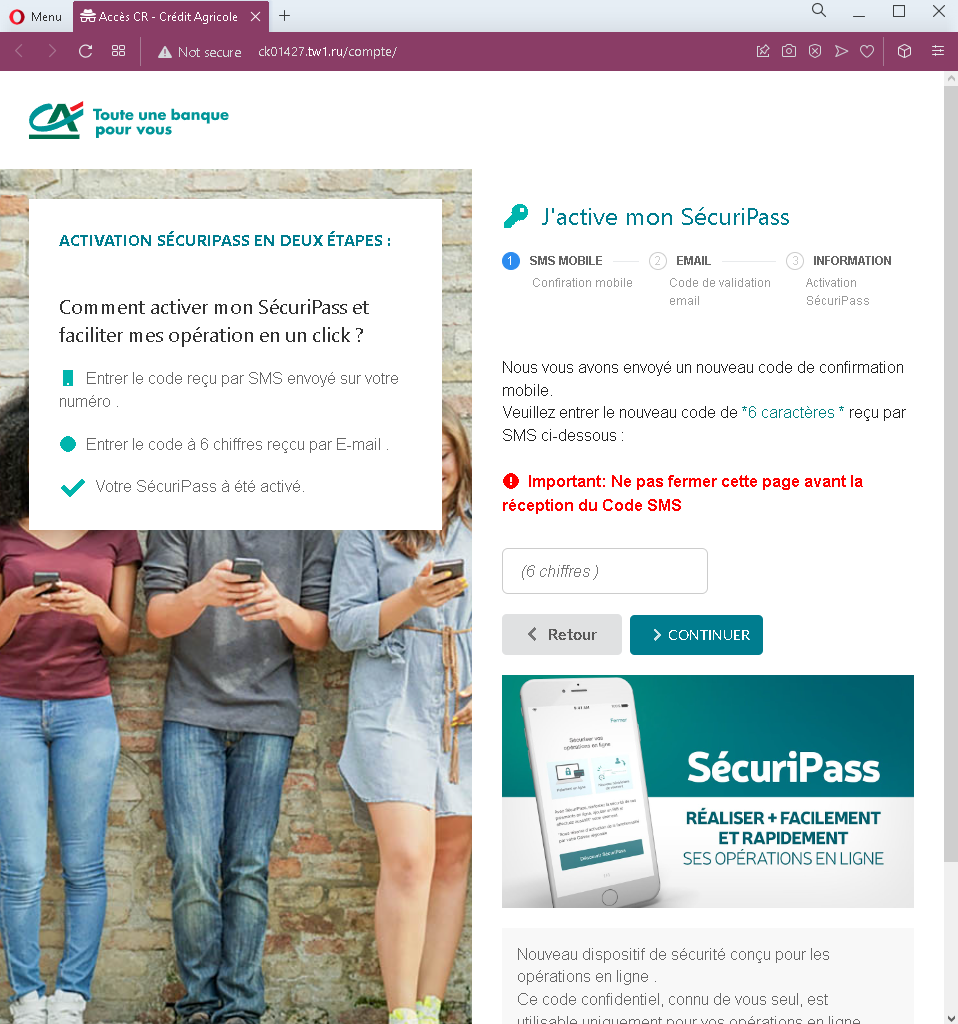
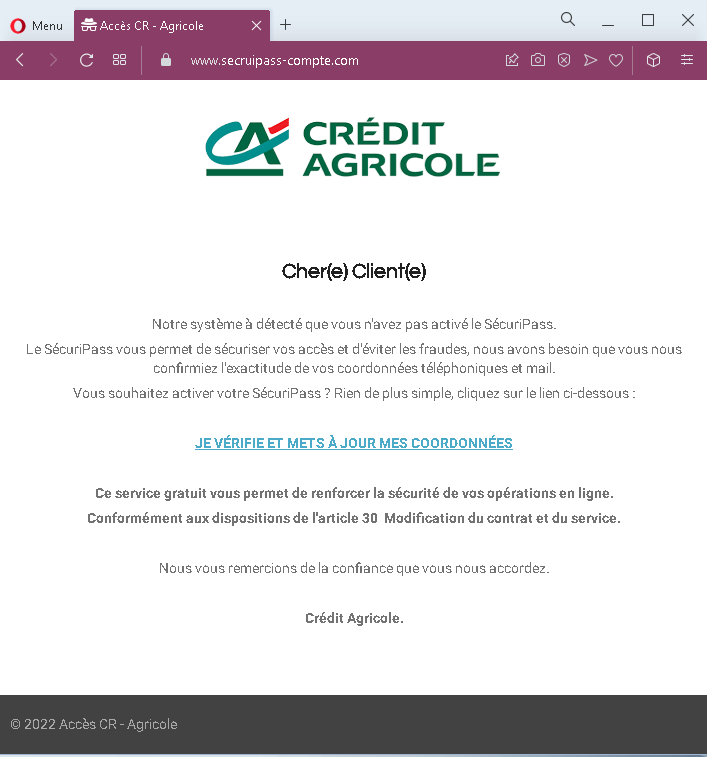
Credit Agricole phishing page in French revealed

This screenshot shows a phishing landing page impersonating a French bank (likely Crédit Agricole or another institution using the “SécuriPass” security feature). The scam uses a fake security update pretext based on the EU’s PSD2 (second payment services directive) to pressure victims into clicking a malicious link.


Threat Analysis: French Bank Phishing – Fake “SécuriPass” Activation Scam

This phishing message claims that access to the victim’s online account is restricted due to non‑compliance with security rules. It references the EU’s PSD2 directive, stating that strong authentication is required every 90 days. The victim is told to click a button to activate “SECURTPASS” (a misspelling of the legitimate SécuriPass) or face a banking ban.

How it works:
The victim receives this message (likely by email) and is directed to click the activation button. The link leads to a fake bank login page designed to steal the victim’s online banking credentials and possibly two‑factor authentication codes (SMS or SécuriPass codes).

The goal:
The attacker aims to steal online banking credentials to take over the victim’s account, transfer funds, and commit fraud.

Red flags to watch for:

  • Suspicious URL: The link leads to a domain that is not the official bank domain. Legitimate banks do not send activation links in emails.
  • Misspelling: “SECURTPASS” instead of the correct “SécuriPass” (or similar) is a clear sign of a phishing attempt.
  • Threat of banking ban: The warning that ignoring the message will result in a “banking ban” is a classic fear tactic to pressure victims into acting without thinking.
  • Unsolicited activation request: Banks do not require customers to click links in emails to activate security features. Legitimate security updates are handled within the online banking portal or mobile app after the customer logs in normally.
  • Generic greeting: The message does not address the victim by name or reference any specific account details.

What to do if you encounter this:

  • Do not click the activation button or any links in the message.
  • If you are a customer of the bank being impersonated, access your account by typing the official bank URL directly into your browser.
  • If you have already clicked the link and entered any credentials, contact your bank immediately to secure your account.
  • Report the phishing message to the bank’s fraud department.

Protective measures:

  • Never click links in unsolicited emails claiming you need to activate a security feature.
  • Always type your bank’s official website address directly into your browser.
  • Enable two‑factor authentication through your bank’s official app, not via email links.
  • Be suspicious of any message that creates urgency, threatens negative consequences, and asks you to click a link.

Caixa Bank fake page in Spanish detected

These two screenshots show a two‑step phishing campaign impersonating CaixaBank, a major Spanish bank. The scam is designed to first steal the victim’s online banking credentials (Identificador and Contraseña) and then their full card details (card number, expiration date, CVV) under the guise of “card PIN verification.”


Threat Analysis: CaixaBank Phishing – Credential & Card Data Harvesting

This campaign uses a multi‑page flow to collect everything needed to take over a bank account and use the associated payment card.

How it works:

Step 1 – Fake CaixaBankNow Login Page (First Screenshot)
The victim lands on a page that mimics the CaixaBankNow online banking login. It asks for:

  • Identificador (user ID)
  • Contraseña (password)

The page includes options like “virtual keyboard” and “remember my ID” to appear legitimate. When submitted, these credentials are captured.

Step 2 – Fake “Card PIN Verification” Page (Second Screenshot)
After the login credentials are stolen, the victim is taken to a second page that claims to verify the card PIN. It asks for:

  • Card number
  • Expiration date (MM/AA)
  • Security code (CVV)

This is a classic card harvesting page. The attacker now has the full card details needed for online purchases, cloning, or adding to a digital wallet.

The goal:

  • Steal online banking credentials to access the account
  • Capture full card details (number, expiry, CVV) for fraud
  • Use both to drain accounts, make unauthorized payments, or commit identity theft

Red flags to watch for:

  • Suspicious URL: The pages are hosted on a domain that is not caixabank.com or caixabank.es. Always check the address bar.
  • Illogical flow: After logging in, a legitimate bank would never ask for the card number, expiry, and CVV on a separate page. This is a clear phishing pattern.
  • Outdated copyright: The footer shows “© 2021,” which is outdated for a 2022 campaign.
  • No personalization: Real CaixaBankNow displays a security image or personal greeting after ID entry. This page lacks that.
  • Unsolicited login request: CaixaBank does not send links requiring customers to log in and then “verify” their card.

What to do if you encounter this:

  • Do not enter any credentials or card details on these pages.
  • If you have already entered your login details, contact CaixaBank immediately to change your password.
  • If you entered card details, block your card immediately and dispute any unauthorized charges.
  • Always access CaixaBank by typing caixabank.es directly into your browser.

Protective measures:

  • Bookmark the official CaixaBank login page and use that bookmark.
  • Use a password manager – it will not autofill on fake domains.
  • Never enter your card’s CVV on a page you reached via a link. Legitimate banks do not request this outside a secure, logged‑in session.
  • Enable two‑factor authentication (CaixaBankProtect) through the official app.

UPS fake page detected

These three screenshots show a three‑step UPS phishing campaign designed to harvest personal information, create a new account credential, and steal full credit card details under the guise of a small “verification” fee.


Threat Analysis: UPS Phishing – Personal Info, Account Creation & Card Harvesting

This scam impersonates UPS (United Parcel Service) . The victim is told that a package is waiting and they must update their shipping information to receive it. The campaign is structured in three steps:

Step 1 – Personal & Password Page (First Screenshot)
The victim is asked to provide:

  • Full name, address, city, ZIP code
  • Phone number, email address
  • A new password (and confirmation)

This page captures personal identity information and creates a new credential that the attacker can use later.

Step 2 – Fake Processing Page (Second Screenshot)
A waiting screen claims the request is being processed. This creates a sense of legitimacy and buys time while the attacker prepares the next step.

Step 3 – Card Verification Page (Third Screenshot)
The victim is told to “verify” their credit card with a small fee (VAT 0.99) to complete the delivery. The page asks for:

  • Cardholder name
  • Full card number
  • Expiration date
  • CVV

The goal:
The attacker collects:

  • Personal information (name, address, phone, email)
  • A new password (likely for a fake account they create)
  • Complete card details (number, expiry, CVV) for fraud

With this data, they can make unauthorized purchases, clone the card, or sell the information.

Red flags to watch for:

  • Suspicious URL: The pages are hosted on a domain that is not ups.com. Always check the address bar.
  • Request for a password: UPS does not require you to create a new password just to update shipping information.
  • Request for card details to “verify” a package: A legitimate courier never asks for your credit card CVV to release a package.
  • Fake processing page: Real shipping updates do not include artificial loading screens.
  • Outdated copyright (1994‑2021): The footer date is inconsistent with a 2022 campaign.

What to do if you encounter this:

  • Do not enter any personal information, passwords, or card details.
  • If you are expecting a UPS delivery, track it directly by typing ups.com into your browser and using your tracking number.
  • If you have already entered card details, contact your bank immediately to block the card.

Protective measures:

  • Never click links in unsolicited delivery messages. Always go directly to the official courier website.
  • Never pay a “small fee” via a link to receive a package. Legitimate couriers handle fees through their official site or upon delivery.
  • Use a password manager – it will not autofill on fake domains.

Ørsted power company fake page in Danish detected

This screenshot shows a phishing page impersonating Ørsted, a Danish energy company. The scam uses a fake refund offer to harvest card details, phone number, and date of birth—sensitive personal and financial information.


Threat Analysis: Ørsted Refund Phishing – Card & Identity Data Harvesting

The page claims a refund is available (1,060 DKK) and asks the victim to provide:

  • Cardholder name
  • Full card number
  • Expiration date and CVV
  • Phone number (with Danish country code)
  • Date of birth

How it works:
The victim receives an email, SMS, or other message claiming a refund from Ørsted. The link leads to this page. By entering the requested details, the victim unknowingly hands over everything needed to make fraudulent transactions or commit identity theft.

The goal:

  • Steal credit/debit card details for unauthorized purchases
  • Obtain date of birth and phone number for identity theft or SIM swapping

Red flags to watch for:

  • Suspicious URL: The page is hosted on a domain that is not orsted.com. Legitimate refunds are handled through official channels, not via a link.
  • Request for full card details, CVV, and birth date for a refund: A legitimate refund does not require this information. Refunds are automatically processed to the original payment method.
  • Unsolicited refund offer: Ørsted does not send unsolicited emails or messages asking customers to enter card details to receive a refund.
  • Poor design: The page uses generic layout and lacks official branding beyond the Ørsted logo.

What to do if you encounter this:

  • Do not enter any personal or card information.
  • If you are an Ørsted customer, log into your official account directly to check for any legitimate refunds.
  • If you have already entered your card details, contact your bank immediately to block the card and dispute any unauthorized transactions.
  • Report the phishing page to Ørsted’s security team.

Protective measures:

  • Never click links in unsolicited messages claiming refunds or payments.
  • Always type the official company URL directly into your browser.
  • Never provide your card CVV or date of birth to “receive” a refund.
  • Enable two‑factor authentication on your bank and email accounts.

Santander bank phishing page detected

These two screenshots show a two‑step phishing campaign impersonating Santander Bank, targeting Spanish‑speaking customers. The scam is designed to first capture online banking credentials (document number and password) and then harvest full card details and the ATM PIN.


Threat Analysis: Santander Phishing – Credential & Full Card Data Harvesting

Step 1 – Fake Login Page (First Screenshot)
The page mimics Santander’s online banking login, asking for:

  • Document number (national ID)
  • Clave de acceso (password)

Step 2 – Card Verification Page (Second Screenshot)
After submitting credentials, the victim is told to “verify” their account by entering:

  • Card number
  • Expiration date (MM/YY)
  • Security code (CVV)
  • ATM PIN

The page claims an SMS verification will follow.

The goal:
The attacker collects:

  • Online banking credentials to access the account
  • Full card details (number, expiry, CVV) for fraudulent purchases
  • ATM PIN to enable cash withdrawals or additional fraud

Red flags:

  • Suspicious URL: The pages are not on santander.com or the official bank domain.
  • ATM PIN request: A legitimate bank never asks for your ATM PIN on a website.
  • Illogical flow: After logging in, a bank does not require you to re‑enter your card details and PIN to “verify” your account.
  • No personalization: Real Santander login pages display a security image or personal greeting after ID entry.

What to do if you encounter this:

  • Do not enter any credentials, card details, or PIN.
  • If you have already entered them, contact Santander immediately to block your card and secure your account.
  • Always access Santander by typing santander.com (or your country’s official domain) directly.

Protective measures:

  • Bookmark the official Santander login page and use it exclusively.
  • Never provide your card’s CVV or ATM PIN on a page you reached via a link.
  • Enable two‑factor authentication through the bank’s official app.

Credit Agricole fake page detected

This screenshot shows a phishing page hosted on Google Sites impersonating Crédit Agricole, a major French bank. The page uses a fake “SécuriPass activation” pretext to trick victims into clicking a malicious link.


Threat Analysis: Crédit Agricole Phishing – Fake SécuriPass Activation on Google Sites

The page claims that security devices are obsolete due to a new update and urges the victim to click a button to activate “SÉCURIPASS.” The link leads to a fake Crédit Agricole login page designed to steal online banking credentials.

How it works:
The victim receives an email, SMS, or other message directing them to this Google Sites page. The page mimics official Crédit Agricole communication, warning of outdated security devices. Clicking the activation button takes the victim to a fraudulent login page (not shown in this screenshot) where they are asked for their online banking identifier and password.

The goal:
The attacker aims to steal Crédit Agricole online banking credentials to access accounts and commit fraud.

Red flags to watch for:

  • Suspicious URL: The page is hosted on sites.google.com/view/higee. Official Crédit Agricole pages are on credit-agricole.fr domains, not on a free Google Sites subdomain.
  • Unsolicited activation request: Crédit Agricole does not send links requiring customers to “activate” SécuriPass via third‑party sites.
  • Generic, copied content: The text is a variation of standard phishing templates used against multiple French banks.
  • Threat of negative consequences: The message implies that ignoring the activation will leave the account unprotected, creating urgency.

What to do if you encounter this:

  • Do not click any button or link on this page.
  • If you are a Crédit Agricole customer, access online banking by typing credit-agricole.fr directly into your browser.
  • Report the Google Sites phishing page to Google and to Crédit Agricole’s fraud team ([email protected]).

Why this scam is effective:
Google Sites is a legitimate platform, and some users may not realize that anyone can create a page there. The page closely mimics Crédit Agricole’s visual style and uses real security terminology (“SécuriPass,” “DSP2”), making it appear credible at first glance.

Protective measures:

  • Always check the full URL. Official bank pages do not use free hosting services like Google Sites, WIX, or Weebly.
  • Never activate security features via links in unsolicited messages. Go directly to the bank’s official website or app.
  • Bookmark your bank’s official login page and use that bookmark exclusively.
  • Enable two‑factor authentication (SécuriPass) through the official app, not through web links.