Argenta Bank phishing page detected

A sophisticated phishing campaign targeting Argenta Bank customers in Belgium and the Netherlands utilizes fraudulent “Digipass synchronization” to perform real-time session hijacking and fund theft. Attackers use phishing sites to harvest login credentials and security codes, prompting users with fake urgent security alerts to bypass two-factor authentication.
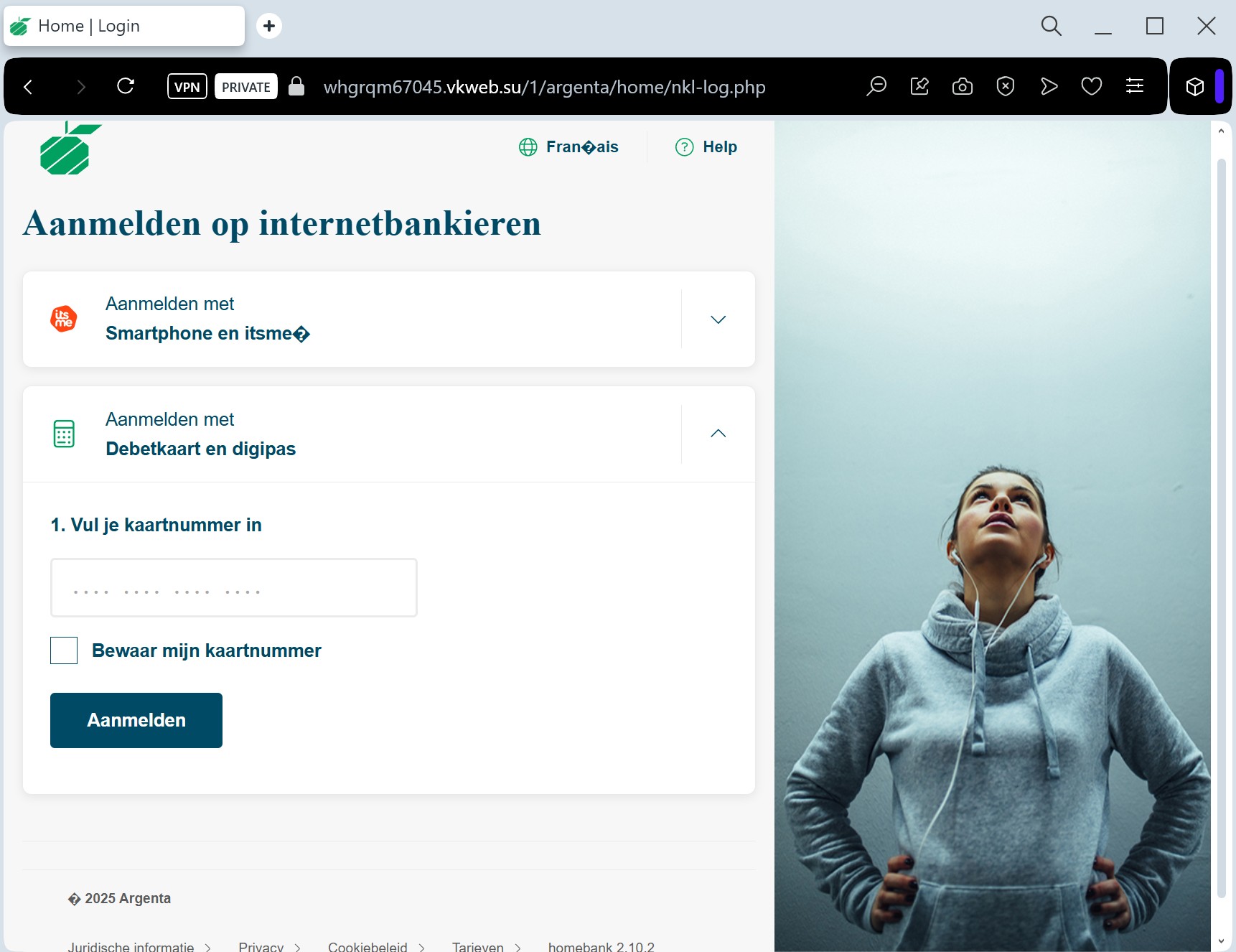
Argenta Bank “New Debit Card” Phishing
Target: Customers of Argenta Bank (Belgium and the Netherlands)
Threat Level: Critical (Physical Card Replacement & Account Takeover)
Phishing Method Description
This attack uses a “Card Expiration” pretext. Victims receive a Phishing Email or SMS (Smishing) claiming that their current bank card is outdated or no longer compliant with new security standards. To “request a new card for free,” the victim is pressured to click a link.
The link leads to a professional clone of the Argenta “Argenta Bankieren” portal. This sophisticated phishing kit is designed to harvest:
Log-in Credentials (User ID and Password)
Full Debit Card Details (Card Number and Expiry)
Phone Number
Security Signatures (Digipass codes): The fake site prompts the victim to use their physical Digipass (token reader) and enter the generated codes in real-time. This allows the attacker to authorize a new device or a large fraudulent transfer immediately.
⚠️ Red Flags to Watch For
Deceptive Domain: The official domain is argenta.be. Phishing sites use lookalikes such as argenta-veiligheid.online, nieuw-kaart-argenta.net, secure-argenta.com, or free subdomains like argenta-login.web.app.
Urgent Card Replacement: Argenta will never send you a link via SMS or email to “order” a new card. New cards are usually sent automatically or managed via the secure internal mailbox.
Requesting Digipass Codes for “Updates”: Your Digipass is for authorizing your transactions only. If a site asks for a Digipass code to “verify your identity” or “apply for a card,” it is a scam.
🛡️ How to Protect Yourself
Use the Argenta App: Perform all your banking and card management through the official Argenta App. It is much more secure than the web portal reached via external links.
The “No Link” Rule: Argenta explicitly states they will never include a direct link to a login page in an SMS or email. Always type the address manually into your browser.
Check the Language: While the phishing pages are often well-translated into Dutch/French, look for subtle errors or font inconsistencies compared to the official site.
Reporting: You can report Argenta phishing by forwarding suspicious emails to [email protected].


💡 Expert Security Tip:
This is a Card Replacement Scam. Scammers want you to think you are getting a “new, safer card,” but they are actually stealing the Digipass signatures needed to empty your current account. Never use your Digipass reader on a website you reached via a link.
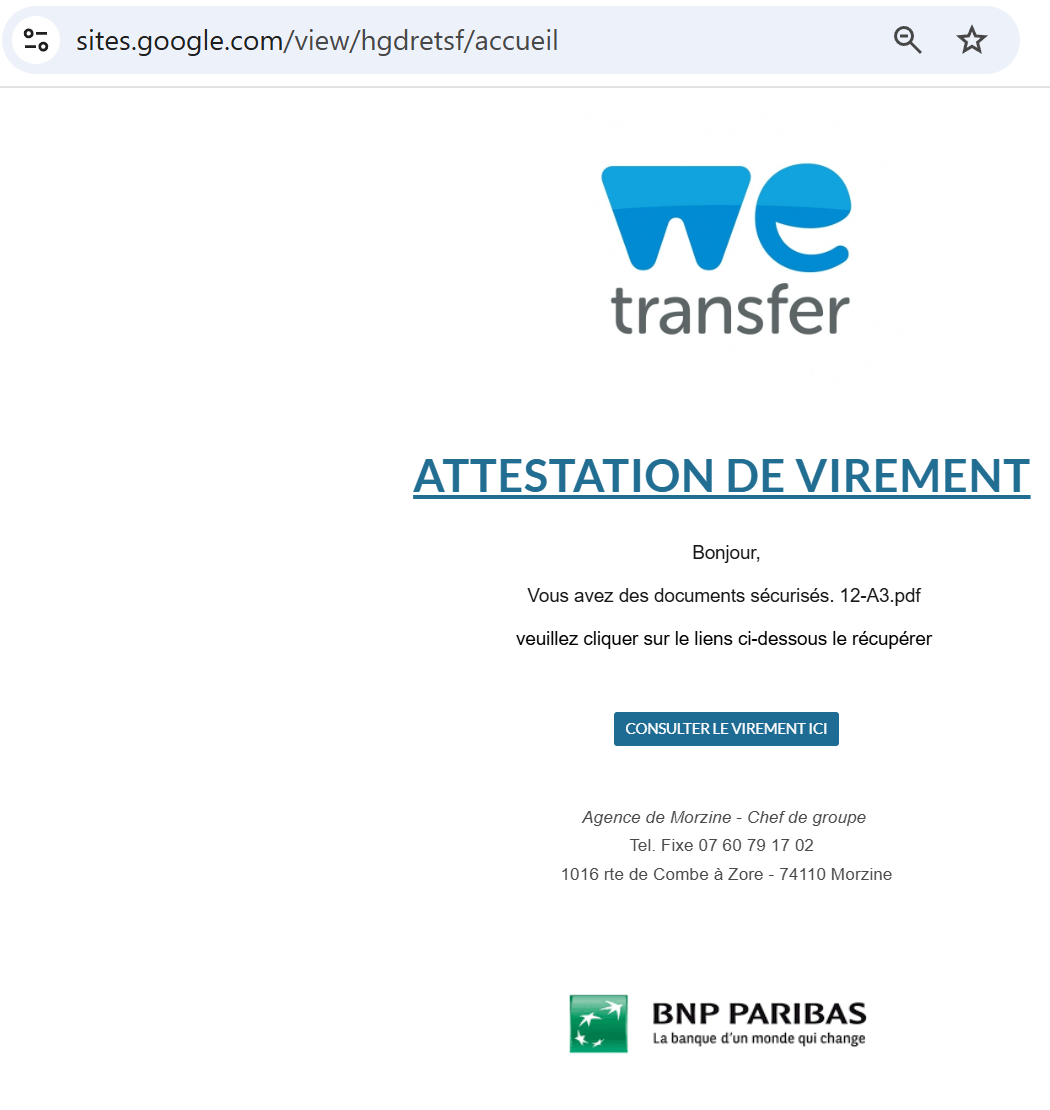
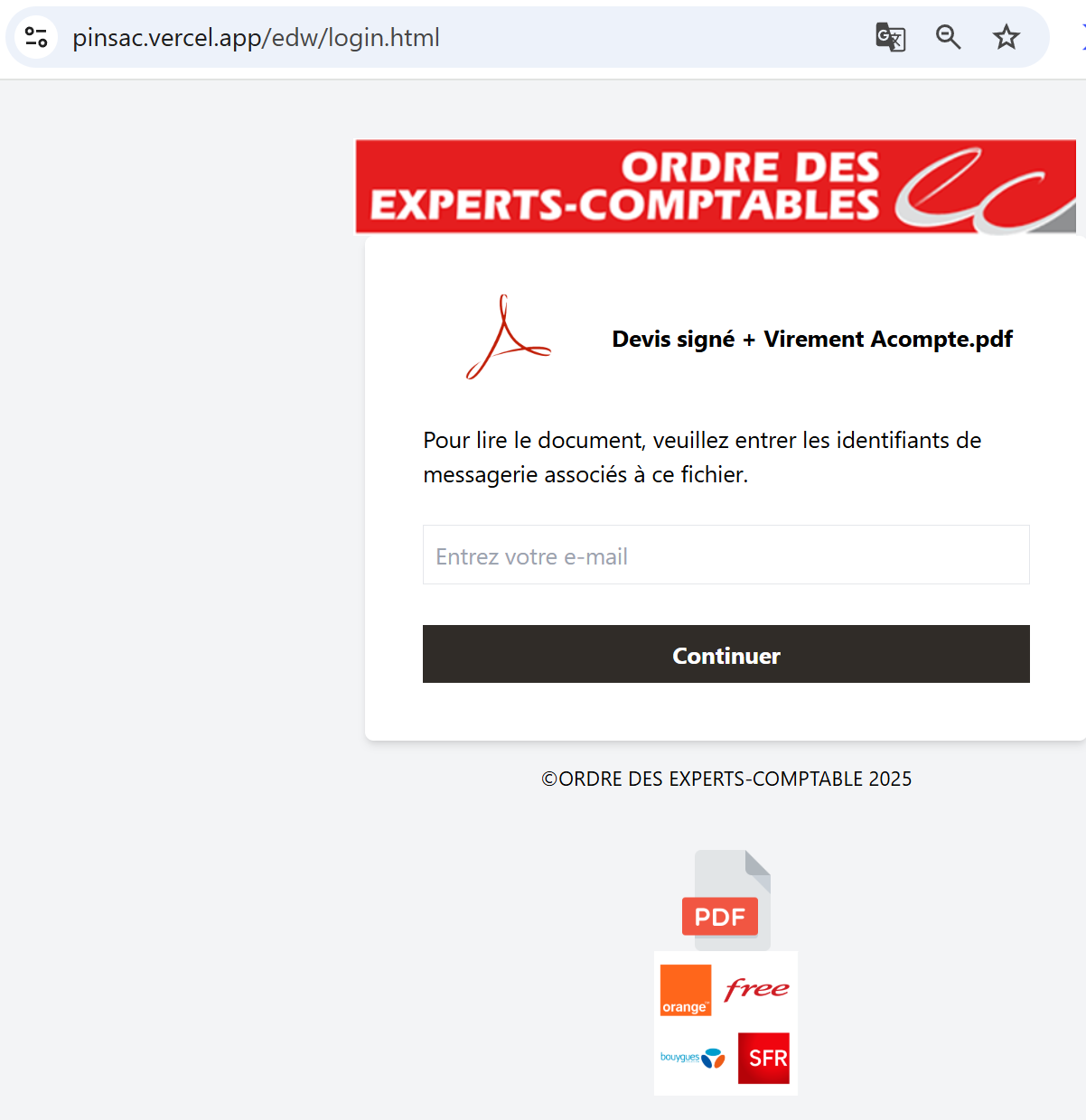
BNP Paribas bank group phishing page revealed

A phishing campaign targeting BNP Paribas customers in Europe uses a “Restricted Access” pretext to steal credentials, mobile numbers, and digital tokens for the “Mon Compte” system. Attackers use sophisticated fake portals with fake virtual keypads, aiming to intercept real-time authorization codes to hijack online banking accounts.

BNP Paribas “Digital Key Verification” Phishing
Target: Customers of BNP Paribas (France and International)
Threat Level: Critical (Mobile Access & Digital Key Takeover)
Phishing Method Description
This attack targets the “Clé Digitale” (Digital Key) security system. Scammers distribute urgent notifications via SMS (Smishing) or Email, claiming that the user’s account will be restricted unless they “synchronize their security device” or “confirm their identity” due to a new security protocol.
The link leads to a high-fidelity clone of the BNP Paribas “Accès Client” portal. This sophisticated phishing kit is specifically designed to harvest:
Numéro Client (10-digit customer ID)
Personal Secret Code (Password entered via a fake interactive numeric keypad)
Mobile Phone Number
Authorization Codes: The fake site prompts the victim to enter the validation code received via SMS or generated by their app. This allows the attacker to register their own smartphone as the primary “Digital Key” for the victim’s account.
⚠️ Red Flags to Watch For
The Lookalike URL: The official domain is mabanque.bnpparibas. Phishing sites use deceptive addresses like bnpparibas-securite.online, mabanque-connexion.net, verification-bnp.com, or free subdomains like bnpparibas.web.app.
Numeric Keypad Anomalies: While the fake site mimics the official virtual keypad, it is often a static image or a script that captures your clicks in real-time. If the keypad looks “blurry” or loads slowly, it’s a scam.
Link in SMS/Email: BNP Paribas officially states they will never send a link in an email or SMS to ask for your login credentials or security codes.
🛡️ How to Protect Yourself
Use the Official App: Manage your accounts and Digital Key exclusively through the official “Mes Comptes” app from BNP Paribas.
The “Manual Entry” Rule: Always type the address manually into your browser. Never follow links from messages.
Verify the SMS Sender: Official alerts in France usually come from short codes. If the message comes from a standard 10-digit mobile number, it is 100% a fraud.
Immediate Action: If you have entered your data on a suspicious page, call the official BNP Paribas fraud department immediately at 01 60 17 70 00 (France).


💡 Expert Security Tip:
This is a Device Binding Attack. The scammers aren’t just after your password; they want to steal your Digital Key to bypass all future security checks. Your bank will never ask you to “synchronize” or “verify” your security key through a web link.

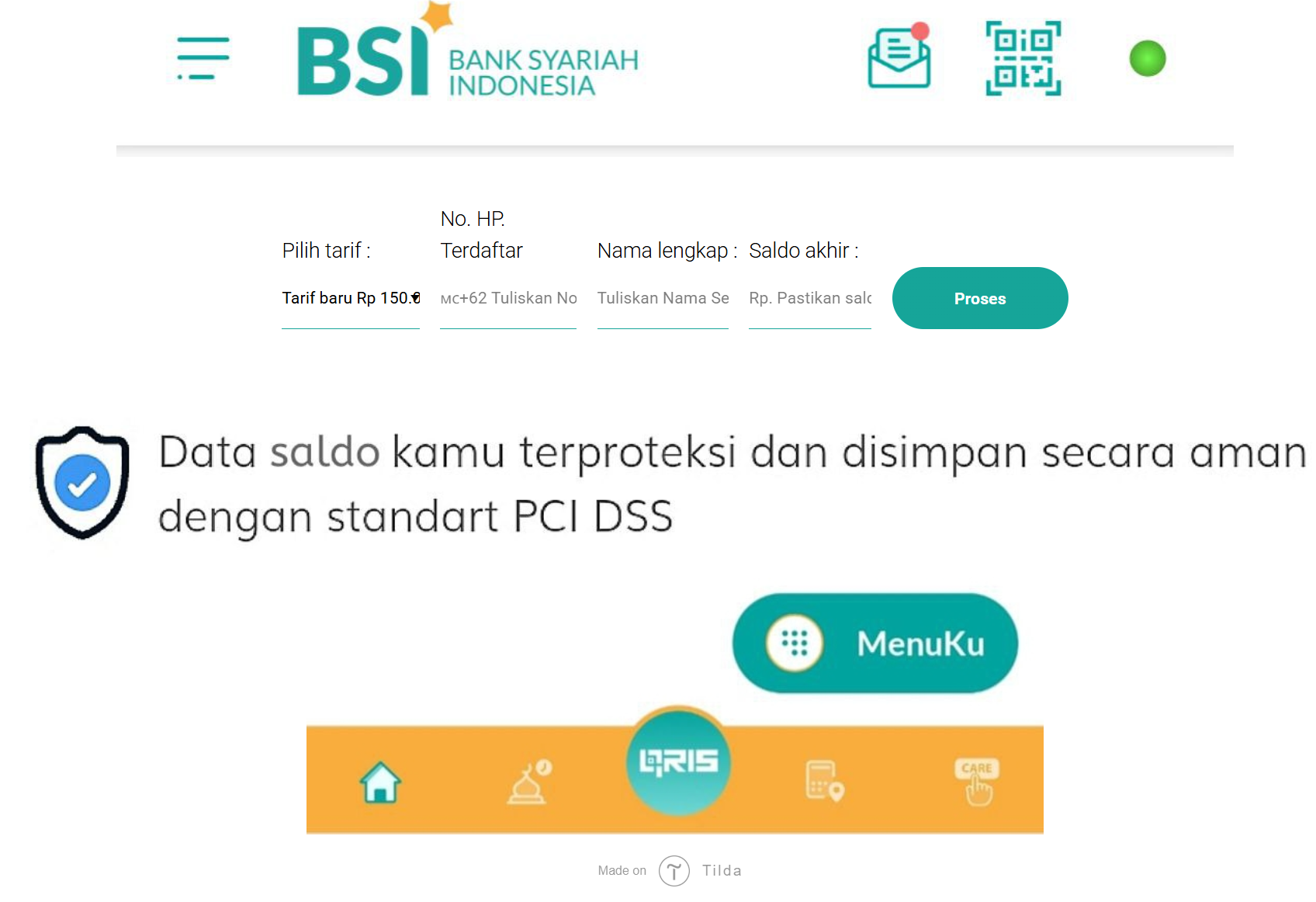
Bank Syariah Indonesia (BSI) phishing page detected

A phishing campaign targeting Bank Syariah Indonesia (BSI) customers leverages fake “system migration” or “new fee” notifications sent via SMS and WhatsApp to steal mobile banking credentials. The fraudulent sites prompt users to input their BSI Mobile phone number, 6-digit PIN, and OTP, allowing attackers to hijack accounts.

Bank Syariah Indonesia (BSI) “New Service Fee” Phishing
Target: Customers of Bank Syariah Indonesia (BSI)
Threat Level: Critical (Mobile Banking & OTP Interception)
Phishing Method Description
This attack uses a “Policy Update” pretext to induce panic. Scammers distribute fraudulent messages via WhatsApp or SMS (Smishing), claiming that BSI is changing its monthly service fee to a high amount (e.g., 150,000 IDR). To “opt-out” or “keep the old rate,” the victim is pressured to click a link and “confirm” their choice.
The link leads to a high-fidelity clone of the BSI Mobile login or a fake verification portal. This phishing kit is specifically designed to harvest:
ATM/Debit Card Number
Mobile Banking PIN
Phone Number
SMS OTP (One-Time Password): The fake site prompts the victim for the 6-digit code in real-time. The attacker uses this code to register the victim’s account on their own device, granting them full control over the funds.
⚠️ Red Flags to Watch For
The Deceptive URL: The official domain is bankbsi.co.id. Phishing sites use lookalikes such as tarif-bsi-baru.info, konfirmasi-bsi.online, update-layanan-bsi.com, or free subdomains like bsi-mobile.web.app.
Urgent & Alarming Tone: Messages demanding you “Agree” or “Refuse” a fee change within minutes are classic social engineering tactics.
Requesting your PIN/OTP: BSI will never ask for your mobile banking PIN or SMS OTP through a website link to “cancel a fee.”
🛡️ How to Protect Yourself
Use the BSI Mobile App: Trust only the notifications that appear inside your official BSI Mobile app.
The “No Link” Rule: BSI officially states they will never send links via WhatsApp or SMS asking for personal credentials. Always type the official address manually into your browser.
Verify with Bank BSI: If you receive a suspicious message, contact Bank BSI Call at 14040 or visit an official branch to verify any changes in service fees.
OTP Security: Treat your SMS OTP as a secret key. Read the SMS carefully—it usually says “DO NOT SHARE THIS CODE.” If you didn’t start a transaction, any OTP request is a scam.


💡 Expert Security Tip:
This is a Fee-Scare Scam (Tarif Baru). Scammers create a fake financial “threat” (a high fee) to make you act impulsively. Remember: Banks do not ask you to “log in and verify” to cancel a fee change. If a site asks for your PIN and OTP at the same time, it is 100% a phishing trap.

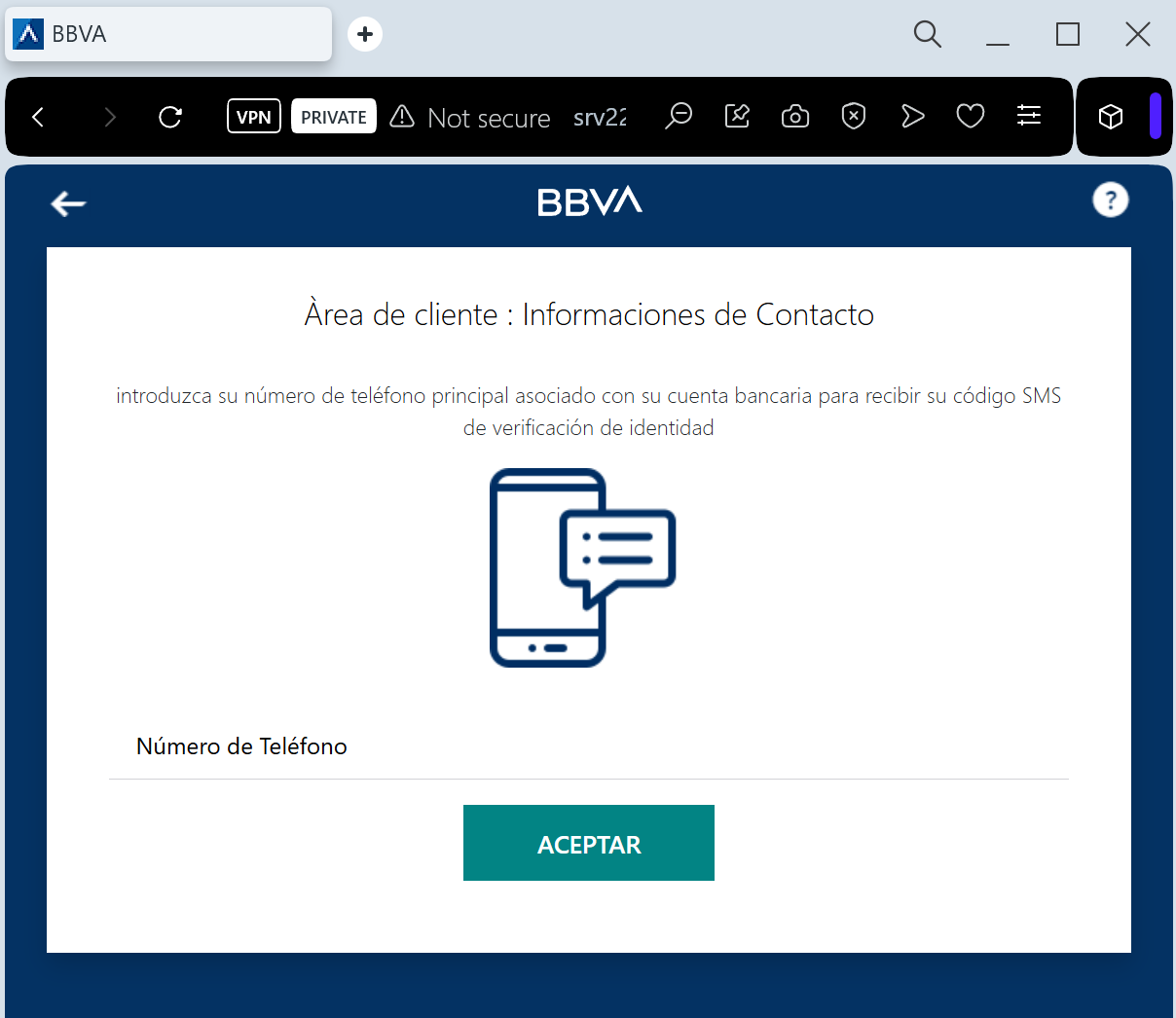
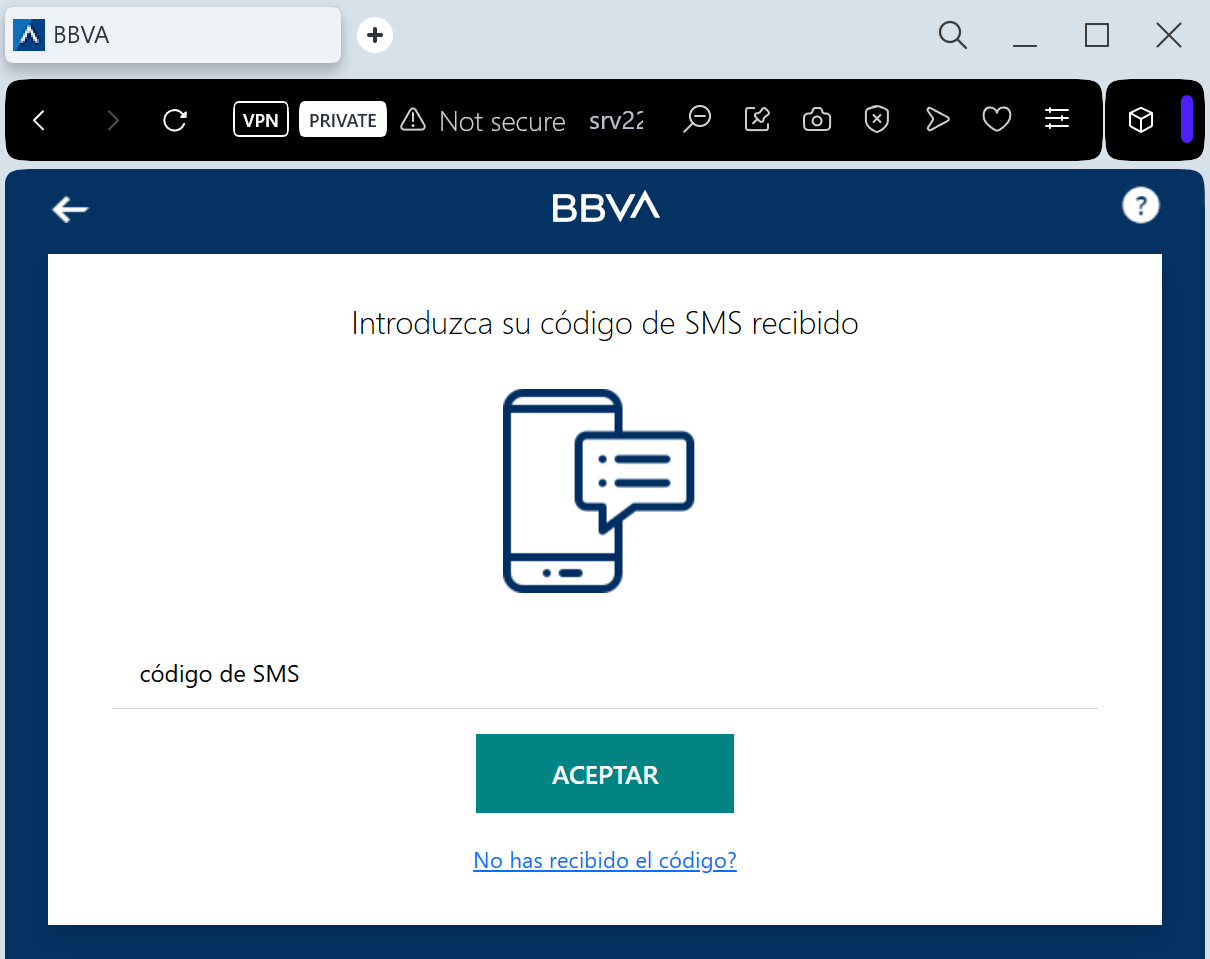
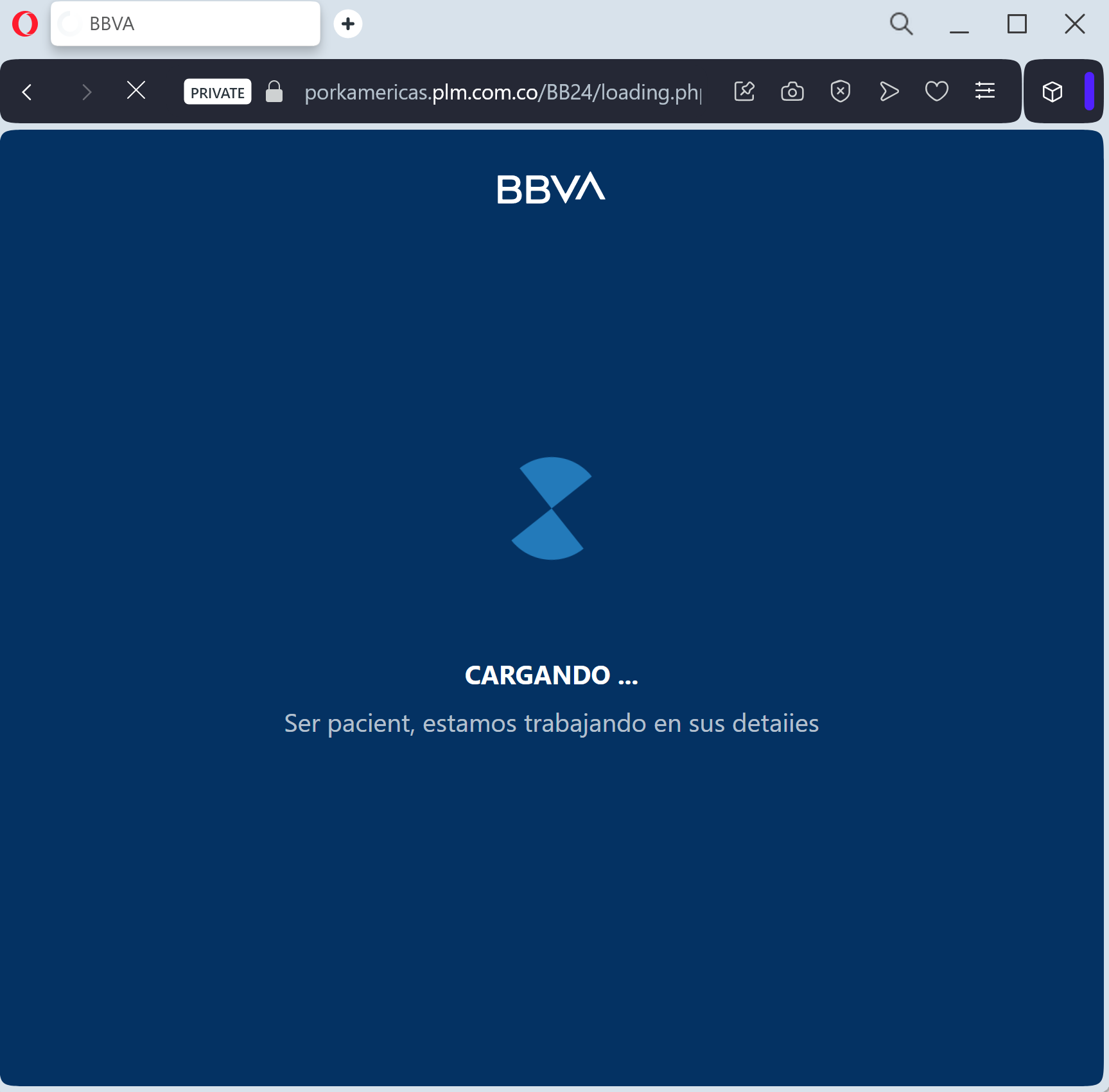
Banco Bilbao Vizcaya Argentaria (BBVA) phishing page detected

A new phishing campaign targeting BBVA customers in Spain and Latin America uses SMS-based “account block” alerts to direct victims to a fraudulent site designed to harvest credentials and real-time SMS OTP codes. The attack leverages fear-based tactics, urging users to enter their ID, password, and mobile number on a fake “Acceso Clientes” portal to bypass two-factor authentication.

BBVA “Security Alert & Device Sync” Phishing
Target: BBVA Bank Customers (Spain and Latin America)
Threat Level: Critical (Real-time Account Takeover)
Phishing Method Description
This attack relies on Urgency and Fear. The victim receives a Smishing (SMS) message claiming that an “unauthorized login” or a “new device registration” has been detected on their account. To “cancel” this action or “secure” the account, the user is pressured to click a link immediately.
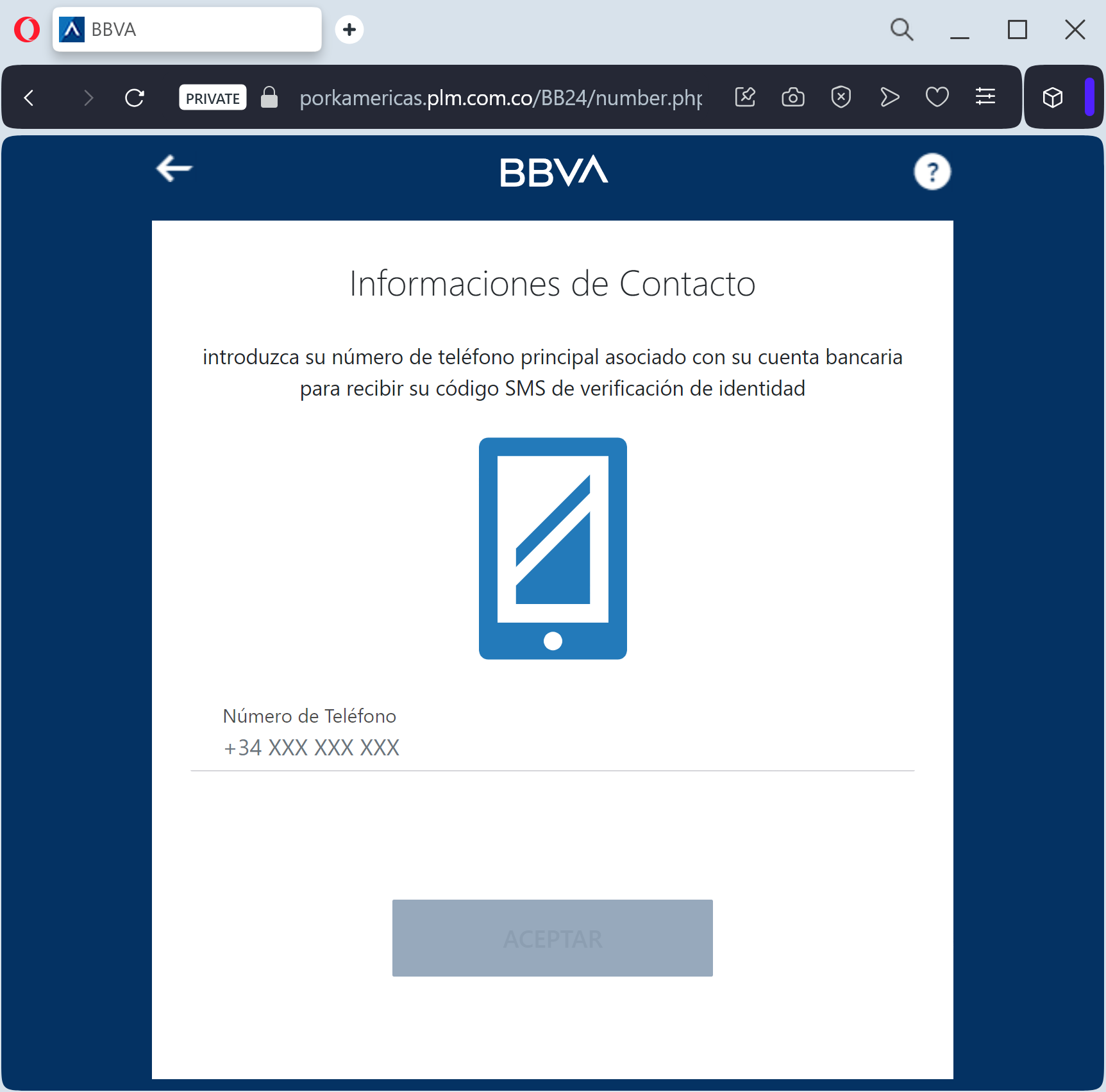
The link leads to a sophisticated clone of the BBVA “Banca Móvil” login page. The phishing kit is designed to perform a Man-in-the-Middle (MitM) attack, harvesting:
Access Credentials (Username/DNI and Password)
Phone Number
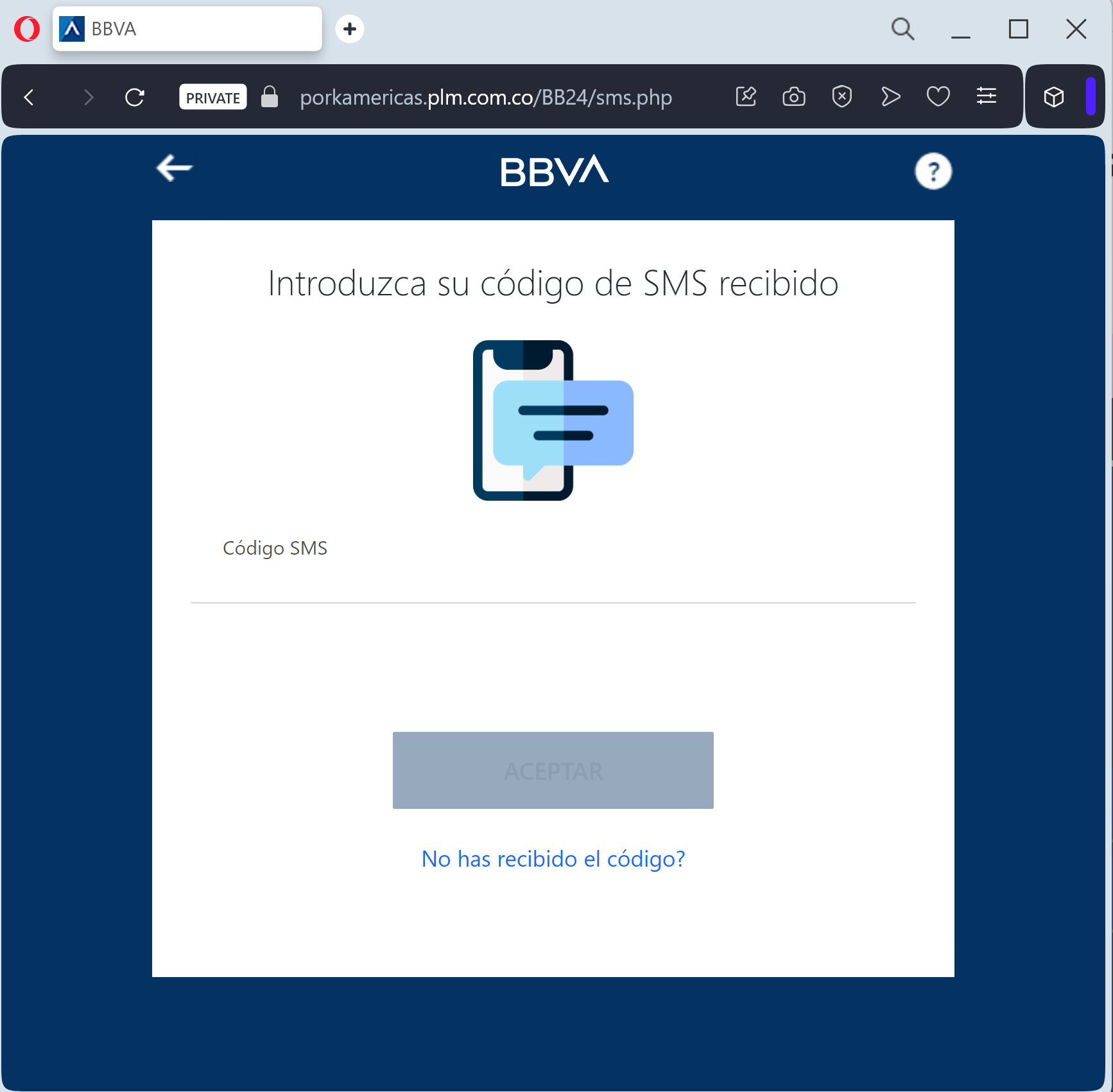
SMS OTP (One-Time Password): The fake site prompts the victim for the security code in real-time. The attacker immediately enters this code on the actual BBVA website to authorize a fraudulent transfer or to link their own device as the primary security key.
⚠️ Red Flags to Watch For
The Lookalike URL: The official domain is bbva.es. Phishing sites use deceptive addresses like bbva-seguridad-online.com, gestion-cliente-bbva.net, acceso-seguro-bbva.com, or free subdomains like bbva-portal.web.app.
Links in Security SMS: BBVA has a strict policy: they will never include clickable links in SMS messages regarding account security or “unauthorized access.”
Requesting OTP to “Cancel” an Action: A real bank will never ask you to enter an SMS code to cancel a transaction or block an unauthorized login. SMS codes are strictly for authorizing actions.
🛡️ How to Protect Yourself
Use the BBVA App: Always manage your security settings and notifications through the official BBVA App. Authentic alerts will be delivered via secure push notifications within the app.
The “No Link” Rule: If you receive a suspicious SMS, ignore the link. Open your browser and manually type www.bbva.es to log in safely.
Check the SMS Content: Read the text of the SMS containing the code. If it says “Code to authorize a transfer” but you are trying to “log in,” close the page immediately.
Immediate Action: If you have entered your credentials on a suspicious site, call the official BBVA fraud line at 900 102 801 (Spain) or your local branch immediately.


💡 Expert Security Tip:
This is a Social Engineering Trick. Scammers create a fake “security threat” to make you panic. Remember: your SMS OTP is a digital signature. Never enter it on a website reached via a link. If you didn’t initiate a transaction, any request for a code is 100% a scam.

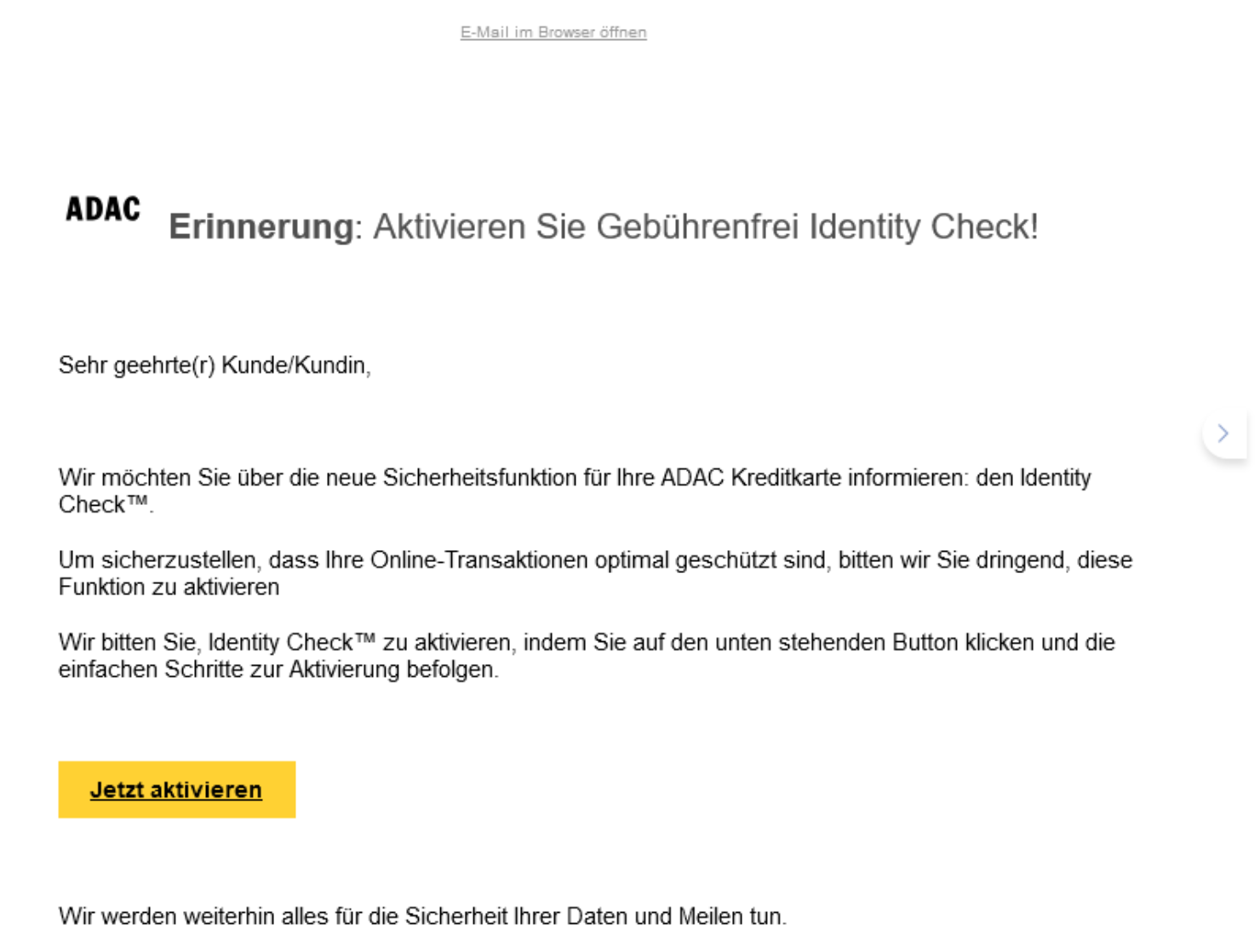
Fake ADAC email detected (Allgemeiner Deutscher Automobil-Club)

A phishing campaign targeting ADAC members uses fake “membership issue” emails to direct victims to a cloned portal designed to steal personal and credit card data. The scam creates urgency by warning of payment failures, exploiting trust in the German automobile association to steal login credentials and financial details.

Fake ADAC “Membership Payment Update” Phishing
Target: ADAC Members in Germany and Europe
Threat Level: High (Credit Card & Membership Data Theft)
Phishing Method Description
This attack uses Organization Impersonation to target the millions of members of the ADAC. Victims receive an email with a professional-looking design, claiming that their “Membership payment failed,” their “Member card is expiring,” or a “Refund” is available.
The link leads to a high-fidelity clone of the ADAC “Mein ADAC” customer portal. The phishing kit is specifically designed to harvest:
ADAC Member Number (Mitgliedsnummer)
Email Address and Password
Full Credit Card Details (Number, Expiration Date, and CVV)
Bank Account Details (IBAN/BIC for SEPA mandates)
3D-Secure SMS Codes: Intercepted in real-time to authorize fraudulent purchases or link the victim’s card to a digital wallet.
⚠️ Red Flags to Watch For
The Deceptive URL: The official domain is adac.de. Phishing sites use lookalike addresses such as mein-adac-service.online, adac-mitgliedschaft.net, zahlung-adac.com, or free hosting subdomains like adac-login.web.app.
The Sender Address: Check the email sender carefully. Official ADAC mail comes from @adac.de. Be wary of addresses like [email protected].
Urgency & Threat: Phrases like “Immediate action required to maintain your breakdown coverage” are used to create panic and force an impulsive click.
🛡️ How to Protect Yourself
The “Manual Entry” Rule: Always access your ADAC account by typing www.adac.de manually into your browser. Never use links provided in emails.
Check the Portal Directly: If you are unsure about your payment status, log into the official “Mein ADAC” area on the real website or check the official ADAC App.
Verify by Phone: If you receive a suspicious payment request, call the official ADAC membership service at 0800 5 10 11 12 (Germany) to verify.
Zero Trust for Card Requests: ADAC rarely asks for your full credit card details via a link in an email to “fix” a payment. Most memberships are handled via SEPA direct debit.


💡 Expert Security Tip:
This is a Subscription-based Phishing Attack. Scammers know that people rely on ADAC for breakdown assistance and will act quickly to “fix” a membership issue. Remember: Your breakdown coverage won’t disappear instantly because of a single email. Always verify any payment issues through the official app or website you access yourself.

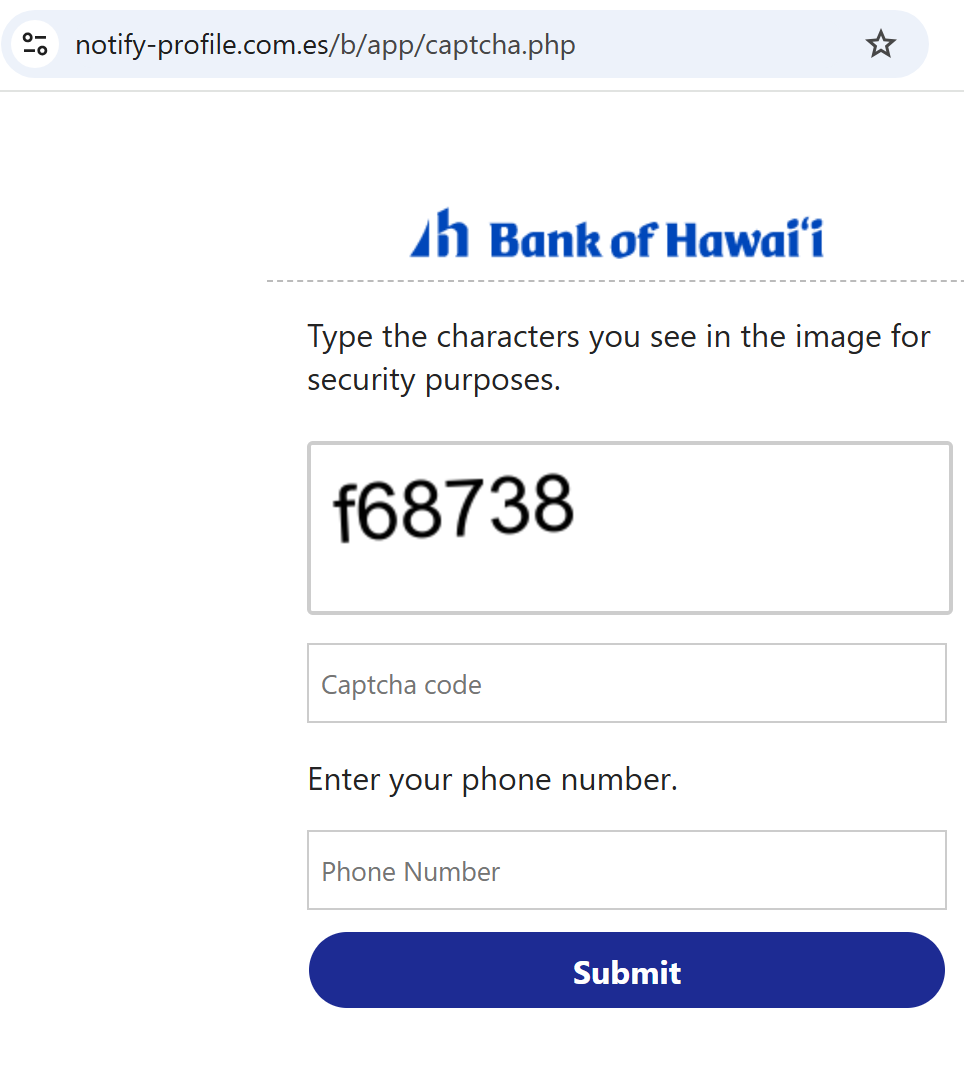
Bank of Hawai’i phishing page revealed

Bank of Hawaii “Online Access Update” Phishing
Target: Customers of Bank of Hawaii (BOH)
Threat Level: Critical (Full Account & Identity Hijacking)
Phishing Method Description
This attack uses a “Security Maintenance” pretext. Victims receive an urgent email or SMS claiming that their “e-Bankoh” online access has been temporarily suspended or that an “identity verification” is required due to a new system upgrade.
The link leads to a sophisticated, multi-step phishing portal that perfectly mimics the official Bank of Hawaii login environment. The malicious kit is specifically designed to harvest:
e-Bankoh User ID and Password
Social Security Number (SSN)
Date of Birth
Security Challenge Questions & Answers (Mother’s maiden name, childhood pet, etc.)
MFA / One-Time Passcodes (OTP): Intercepted in real-time to bypass two-factor authentication.
⚠️ Red Flags to Watch For
The URL Discrepancy: The official domain is strictly boh.com. Phishing sites use deceptive addresses like boh-online-verify.net, ebankoh-secure-login.com, bank-of-hawaii-support.org, or free hosting subdomains like boh-portal.web.app.
Excessive Information Requests: A legitimate bank will never ask you to provide your full Social Security Number and the answers to all your security questions on a single page just to “log in.”
Aggressive Urgency: Phrases like “Immediate action required to avoid permanent account closure” or “Security Alert: New device detected” are classic social engineering tactics.
🛡️ How to Protect Yourself
The “Manual Entry” Rule: Always access your bank by typing ://boh.com manually into your browser’s address bar. Never use links from unexpected emails or text messages.
Use the Mobile App: Manage your accounts through the official Bank of Hawaii Mobile Banking app. Authentic security alerts will be delivered inside the secure app environment.
Never Share Security Answers: Treat your security question answers like secondary passwords. No bank will ask for them via an unsolicited link.
Verify the SMS Source: Official alerts come from short codes. If you receive a banking alert from a standard 10-digit mobile number, treat it as a scam.


💡 Expert Security Tip:
This is an Identity Harvesting Attack. Scammers are not just trying to steal your money today; they are gathering enough data (SSN, Security Answers) to impersonate you permanently and reset your passwords at any time. If a site asks for your Full SSN and Security Questions after clicking a link, close the tab immediately.

Grove bank & Trust phishing page detected

A phishing campaign targeting Grove Bank & Trust in Florida uses “system upgrade” pretexting to steal business and personal online banking credentials and MFA codes. The attack directs users to a high-fidelity clone of the real login portal to harvest sensitive data for unauthorized account access.

Grove Bank & Trust “Secure Access” Phishing
Target: Clients and Business Partners of Grove Bank & Trust (USA / Florida)
Threat Level: High (Business & Personal Account Hijacking)
Phishing Method Description
This attack targets the Online Banking users of Grove Bank & Trust. Scammers use a Security Compliance pretext, sending out “Urgent Security Alerts” or “Account Verification” emails. They claim that due to a “System Upgrade” or “Unusual Activity,” the user must log in through a provided “Secure Link” to confirm their identity.
The link leads to a high-fidelity clone of the bank’s official portal. The phishing kit is specifically designed to harvest:
Access IDs / Usernames
Passwords
Multi-Factor Authentication (MFA) Codes: The fake site prompts the victim for their SMS or Email code in real-time. The attacker immediately uses this code on the actual bank site to perform unauthorized transfers or change account settings.
Identity Data: Fragments of personal information used for security challenge questions.
⚠️ Red Flags to Watch For
The URL Discrepancy: The official domain is grovebanktrust.com. Phishing sites often use lookalike addresses such as grovebank-secure.online, login-grovebanktrust.net, or free hosting subdomains like grovebank.web.app.
Aggressive Urgency: Phrases like “Immediate action required to avoid account suspension” or “New security protocol must be accepted” are used to induce panic.
Requests for MFA during Login: If a site asks for an MFA code immediately after you enter your password on a page you reached via a link, it is a sign of a real-time interception (MitM) attack.
🛡️ How to Protect Yourself
The “Manual Entry” Rule: Always access your banking by typing ://grovebanktrust.com manually into your browser’s address bar. Never use links from unexpected emails or text messages.
Verify the Sender: Check the sender’s email address carefully. Official bank communications come from the bank’s own domain. Be wary of addresses like [email protected].
Use the Mobile App: Manage your accounts through the official Grove Bank & Trust Mobile Banking app. Authentic security alerts will be delivered inside the secure app environment.
Protect Your MFA: Never share your One-Time Passcode (OTP) with anyone. A bank will never ask you to “verify” your identity by providing an SMS code on a page reached through a link.


💡 Expert Security Tip:
This is a Corporate Credential Harvesting attempt. Scammers are acting as a “middleman” between you and the bank. Your MFA code is the final line of defense; if you enter it on a fake site, the hackers gain full access to your funds in seconds. Never trust a login page that appears after clicking a link in an email.

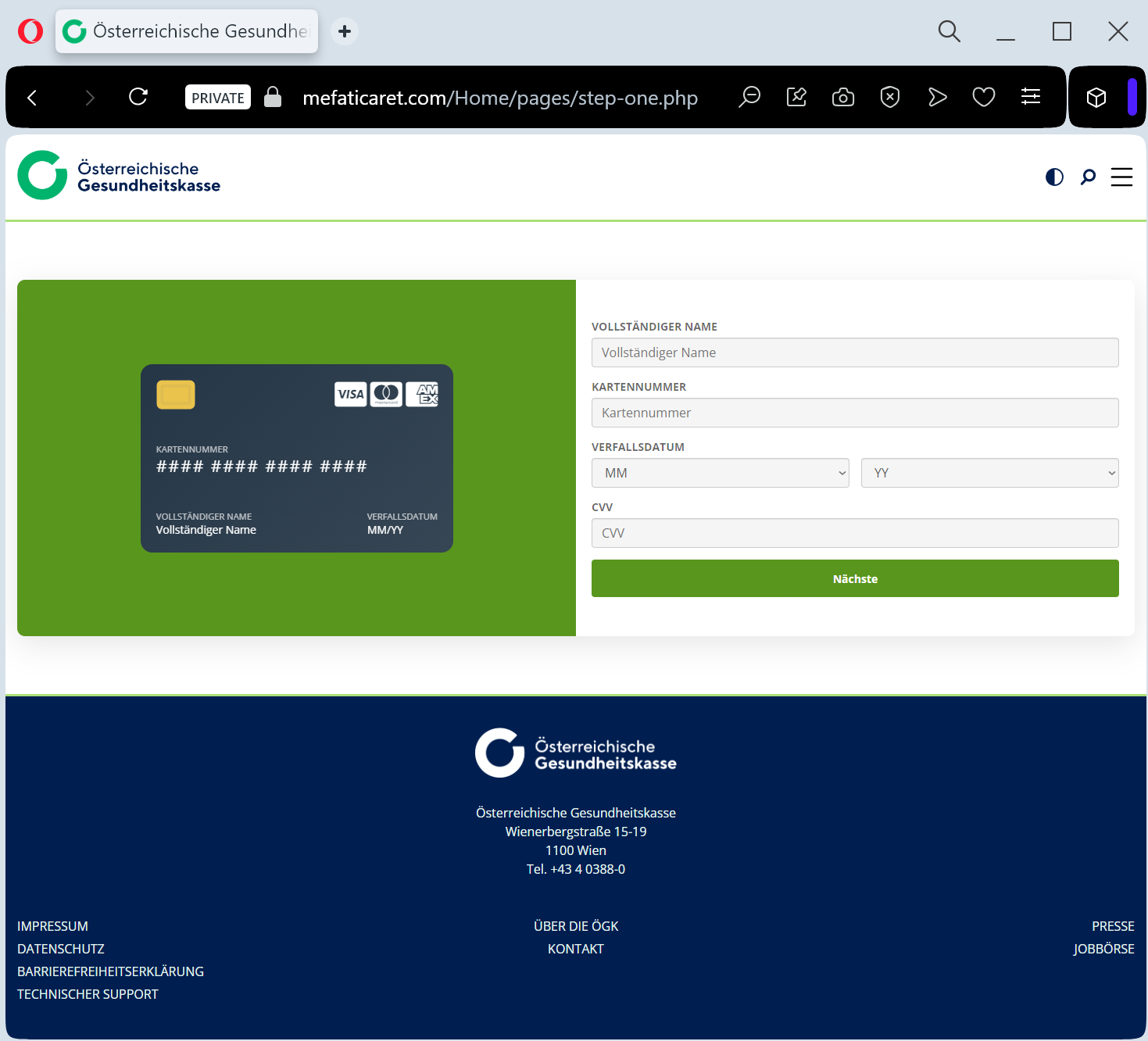
Österreichische Gesundheitskasse — Austrian Health Insurance Fund phishing page detected

A phishing campaign impersonating the Austrian Health Insurance Fund (ÖGK) is targeting residents via SMS and email with fraudulent refund claims to steal personal information and banking credentials. The attack leads to a cloned portal designed to capture identity data, credit card details, and bank login information.

Austrian Health Insurance Fund (ÖGK) “Tax/Health Refund” Scam
Target: Residents of Austria and ÖGK (Österreichische Gesundheitskasse) members
Threat Level: High (Credit Card Skimming & Identity Theft)
Phishing Method Description
This attack uses Public Institution Impersonation. Victims receive an SMS (Smishing) or Email claiming they are entitled to a “Rückerstattung” (Refund) or a “Health Tax Credit” from the Austrian Health Insurance Fund (ÖGK).
The link leads to a professional clone of the ÖGK or MeineSV (Social Insurance) portal. To “process the refund,” the victim is led through a series of forms designed to harvest:
Full Name and Address
Date of Birth (Geburtsdatum)
Mobile Phone Number
Credit/Debit Card Details (Number, Expiration Date, and CVV)
SMS 3D-Secure Codes: Intercepted in real-time to authorize fraudulent payments instead of receiving a refund.
⚠️ Red Flags to Watch For
Deceptive Domain: The official domain is gesundheitskasse.at (or meinesv.at). Phishing sites use lookalikes such as oegk-refund.online, meinesv-at.com, oegk-erstattung.net, or free subdomains like oegk-at.web.app.
Requests for Credit Card Info for a Refund: Public health funds and tax offices in Austria pay out refunds via Bank Transfer (IBAN). They will never ask for your credit card’s CVV or expiration date to “send” you money.
Language Tone: Messages claiming “Immediate action required to avoid losing your credit” are classic social engineering tactics.
🛡️ How to Protect Yourself
Use ID Austria: Whenever possible, use the official ID Austria (formerly Handy-Signatur) for secure authentication. Official portals like meinesv.at always use this secure login method.
The “No Link” Rule: Government and health agencies will never send you a link via SMS to ask for your bank or card details.
Check the Official Portal: If you are expecting a refund, log in directly to the official MeineSV portal or the ÖGK App by typing the address manually.
Verify by Phone: If in doubt, call the official ÖGK service line at 05 0766-0 to check if any refund notifications were actually sent.


💡 Expert Security Tip:
This is a Refund-to-Skimming attack. Scammers exploit the fact that people are always happy to receive “found money.” Remember: If a government agency or health fund needs to pay you, they already have your bank account on file. Never provide your CVV code to “receive” a payment.

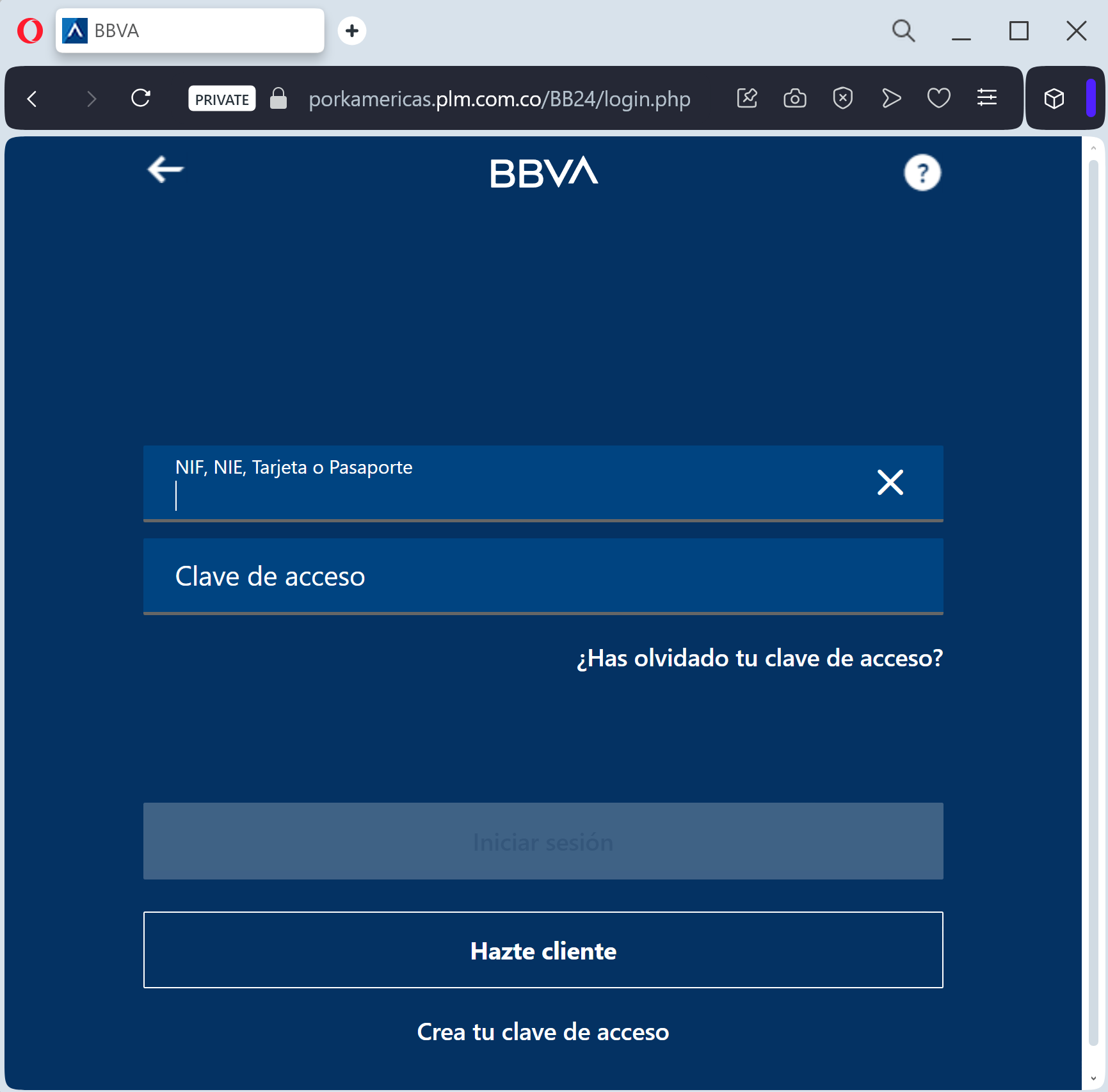
Banco Bilbao Vizcaya Argentaria phishing page detected

A phishing campaign targeting BBVA customers uses urgent SMS alerts warning of blocked accounts to steal login credentials and real-time 2FA codes. The scam directs victims to sophisticated clones of the official mobile banking portal, bypassing security measures by prompting users for immediate action. To stay safe, ignore unexpected security SMS messages with links and only use the official BBVA App or the bank’s official website to check for alerts.

BBVA “Security Key Synchronization” Smishing
Target: BBVA Bank Customers (Spain and Mexico)
Threat Level: Critical (Real-time OTP & Digital Token Theft)
Phishing Method Description
This attack is a highly effective Mobile-First Phishing campaign. Scammers send a “Smishing” (SMS) alert claiming that your “Clave de Acceso” (Access Key) has been blocked or that a “New Security Regulation” requires you to synchronize your account immediately.
The link leads to a mobile-optimized clone of the BBVA login portal. The phishing kit is specifically designed to perform a Man-in-the-Middle (MitM) attack, harvesting:
User ID / NIF / DNI
Access PIN / Password
Mobile Phone Number
SMS One-Time Password (OTP): The fake site prompts the victim to enter the security code in real-time. The attacker immediately uses this code on the actual BBVA server to authorize a fraudulent transfer or to register a new “Trusted Device.”
⚠️ Red Flags to Watch For
The Lookalike URL: The official domain is bbva.es. Phishing sites use deceptive addresses like seguridad-cliente-bbva.online, verificar-acceso-pib.net, asistencia-bbva.com, or free subdomains like bbva-login.web.app.
Links in Security SMS: BBVA has a strict policy: they will never include clickable links in SMS messages regarding account security or “blocked” access.
Requesting OTP to “Synchronize”: A real bank will never ask you to enter an SMS code to synchronize or unblock an account through a link. SMS codes are strictly for authorizing transactions you started yourself.
🛡️ How to Protect Yourself
Use the BBVA App: Always manage your security settings and notifications through the official BBVA App. It uses biometric login and secure push notifications which are much harder to phish.
The “No Link” Rule: If you receive a suspicious SMS, ignore the link. Open your browser and manually type www.bbva.es to log in safely.
Check the SMS Content: Read the text of the SMS containing the code. If it says “Code to authorize a payment” but you are just trying to “log in,” close the page immediately.
Immediate Action: If you have entered your credentials on a suspicious site, call the official BBVA fraud line at 900 102 801 (Spain) immediately.
💡 Expert Security Tip:
This is a Session Hijacking attempt. Scammers create a fake “security problem” to make you panic. Remember: your SMS OTP is a digital signature. Never enter it on a website reached via a link. If you didn’t initiate a transaction, any request for a code is 100% a scam.

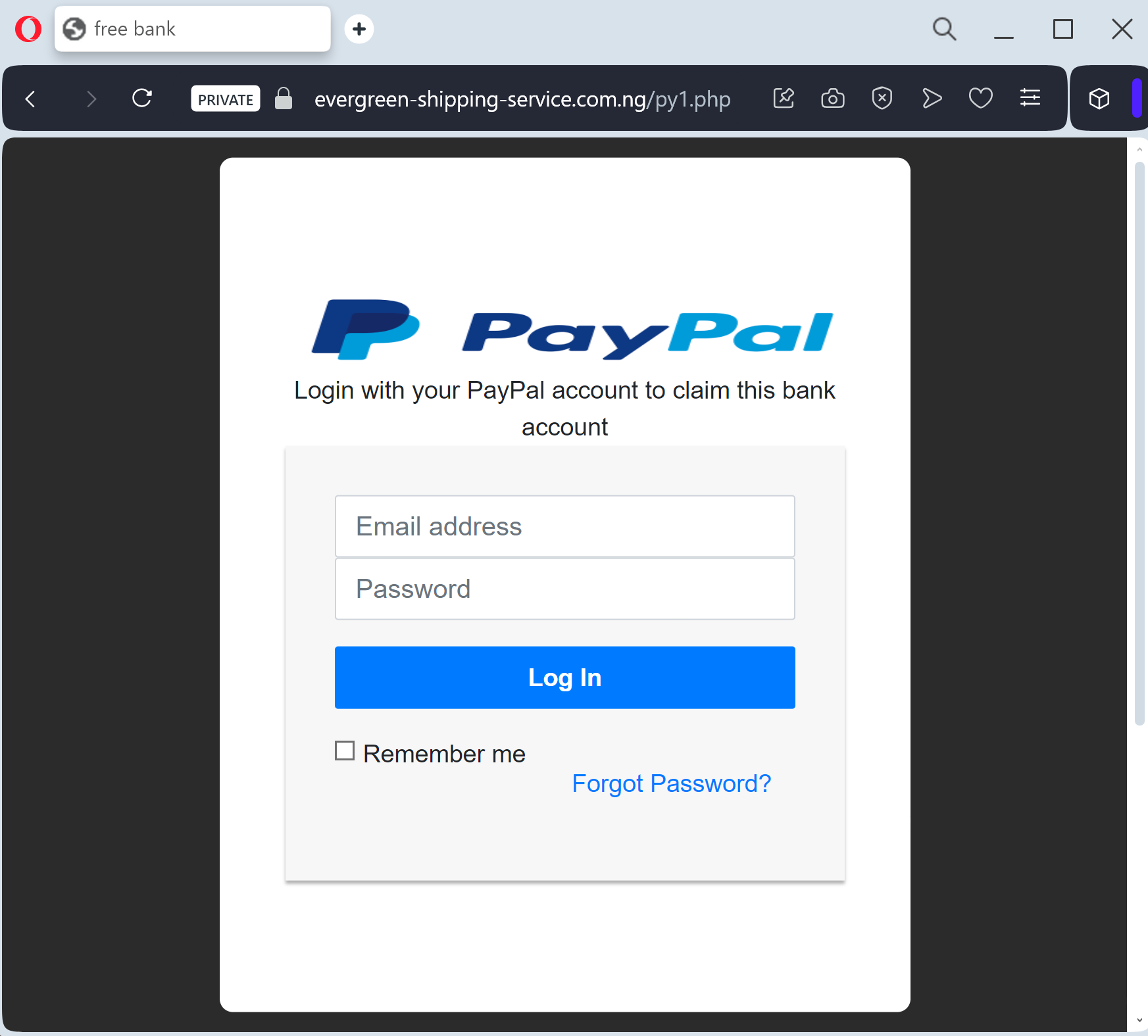
PayPal phishing page detected

A sophisticated “Account Restriction” phishing campaign targeting PayPal users aims to steal full identities (Fullz) and financial assets through a multi-step, fake verification process. The attack impersonates PayPal to harvest credentials, credit card details with CVV, and personal information via deceptive domains.

PayPal “Unauthorized Activity & Account Limitation” Phishing
Target: PayPal Users Worldwide
Threat Level: Critical (Financial & Full Identity Theft)
Phishing Method Description
This attack employs a “High-Urgency Scare” tactic. The victim receives an email or SMS (Smishing) claiming that their account has been “temporarily limited” due to “suspicious sign-in activity” or an “unauthorized transaction.” To “restore full access,” the user is forced to click a button and complete a security check.
The link leads to a sophisticated, multi-step phishing portal that mimics the official PayPal login flow. Once the victim “logs in,” the kit proceeds to harvest:
PayPal Credentials (Email and Password)
Full Personal Details (Name, Date of Birth, Home Address)
Payment Information (Credit/Debit Card Number, Expiration Date, and CVV)
Bank Account Details
Identity Verification (Often asking for a Social Security Number or Mother’s Maiden Name)
⚠️ Red Flags to Watch For
Lookalike URL: The official domain is strictly paypal.com. Phishing sites use deceptive addresses like verify-paypal-secure.com, account-resolution-paypal.net, or free subdomains like paypal-limit.web.app.
Generic Salutation: Official PayPal emails almost always address you by your full name. Be wary of emails starting with “Dear Customer,” “Dear Member,” or just your email address.
Requesting Card Details to “Unlock”: PayPal will never ask you to enter your full credit card number and CVV code just to “verify” your identity or unlock an account.
🛡️ How to Protect Yourself
The “Login Direct” Rule: Never click a link in an email to log into PayPal. Always open a new browser tab and manually type ://paypal.com or use the official PayPal App.
Check the Message Center: If there is a real issue with your account, a notification will always be waiting for you in the secure “Message Center” inside your PayPal account.
2FA is Mandatory: Enable Two-Factor Authentication (2FA). Even if scammers steal your password, they won’t be able to log in without the code from your authenticator app or SMS.
Forward to Spoof: You can report PayPal-branded phishing by forwarding the suspicious email or link to [email protected].
💡 Expert Security Tip:
This is a Full Information (Fullz) Harvesting Kit. The scammers aren’t just after your PayPal balance; they want to sell your Credit Card and Identity Data on the dark web. Remember: A “Locked Account” message is the most common bait. Always verify account status by logging in through the official app only.