
A new phishing campaign targeting BBVA customers in Spain and Latin America uses SMS-based “account block” alerts to direct victims to a fraudulent site designed to harvest credentials and real-time SMS OTP codes. The attack leverages fear-based tactics, urging users to enter their ID, password, and mobile number on a fake “Acceso Clientes” portal to bypass two-factor authentication.
Security Notice: This scam layout was detected, analyzed, and contained firsthand by the Antiphishing.biz security team during our automated link scanning workflows. To protect the public, the dangerous destination URL has been safely deactivated within our infrastructure. We document and analyze these live visual patterns to help security researchers and users spot lookalike phishing methods before financial damage occurs.

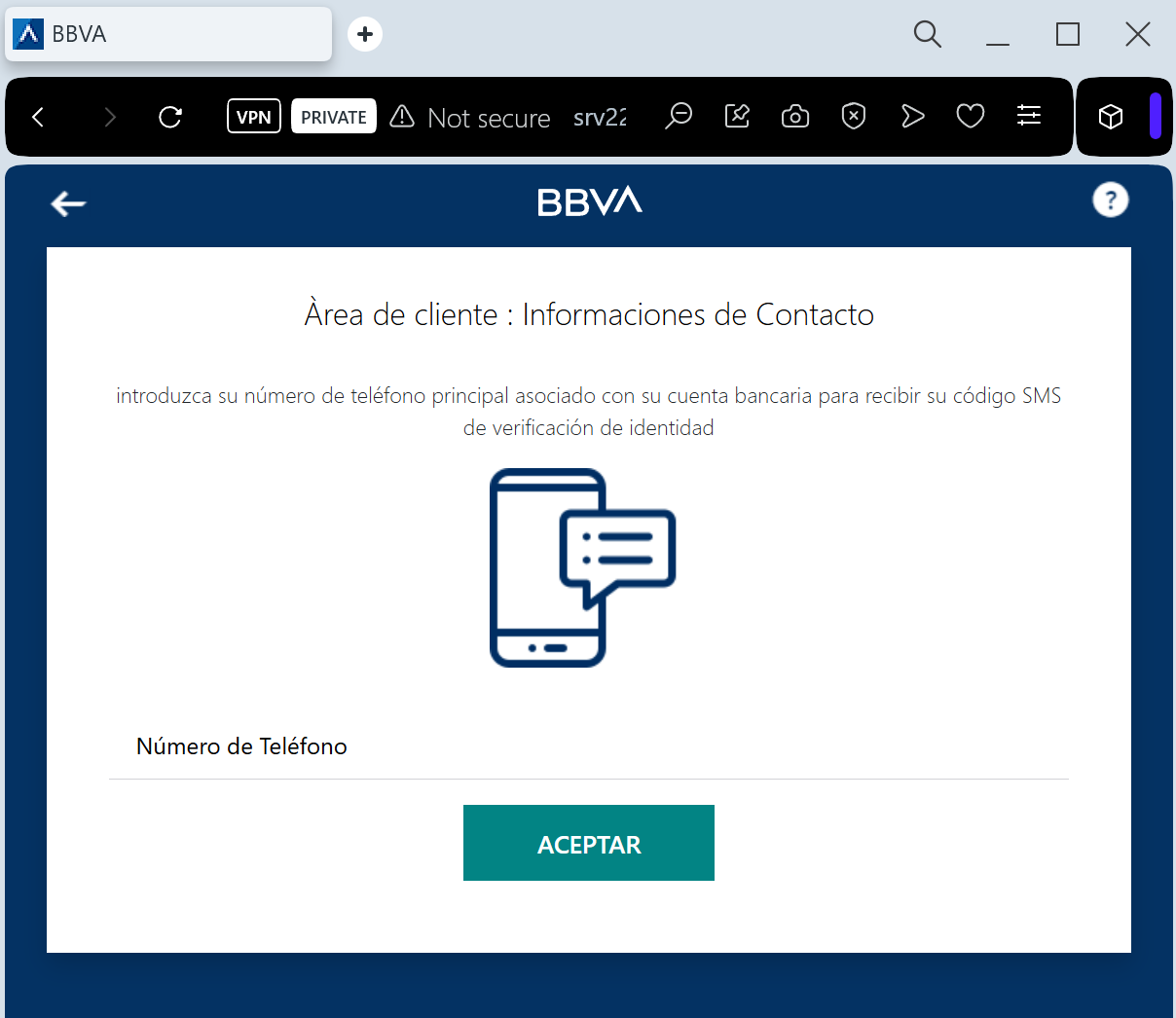
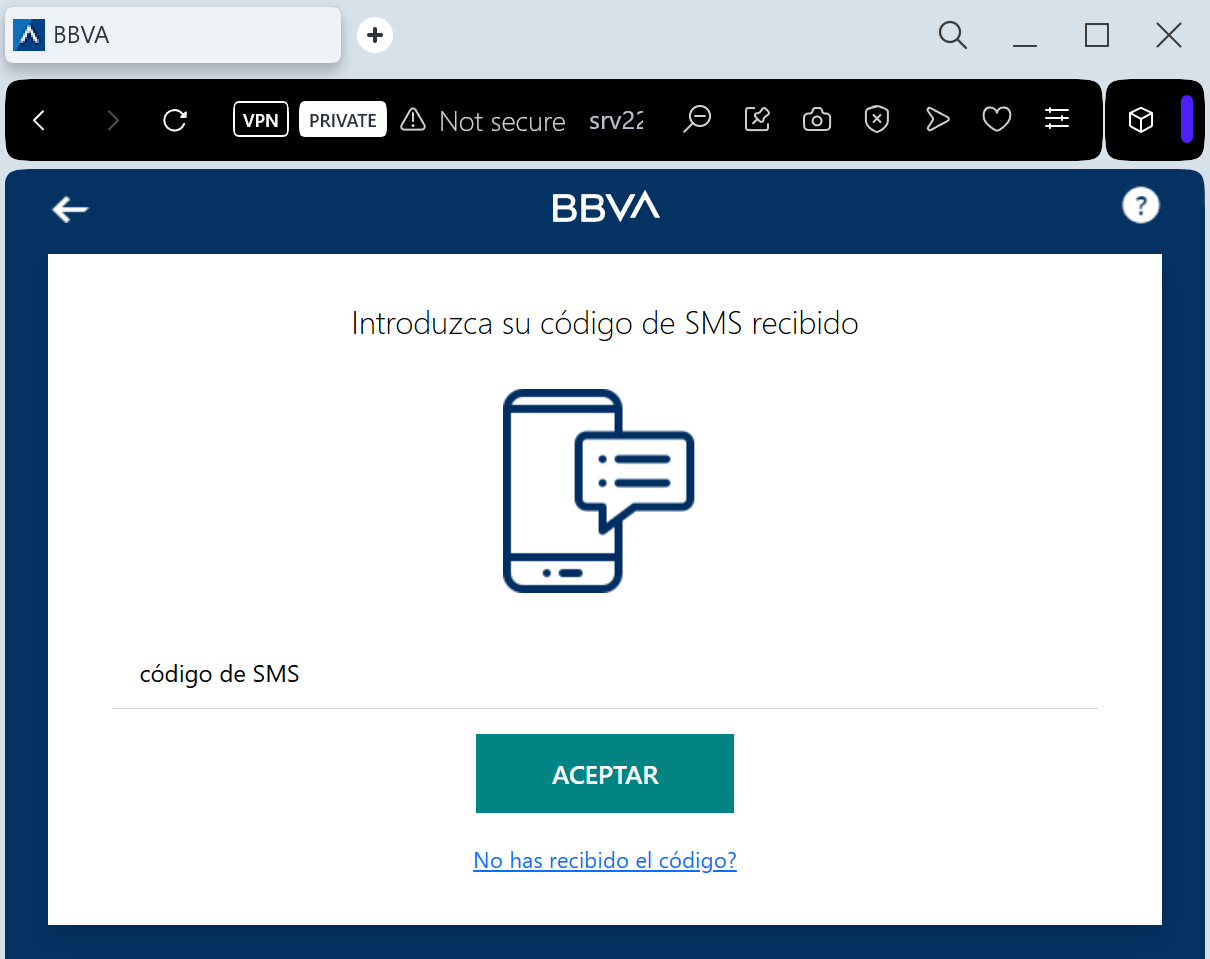
BBVA “Security Alert & Device Sync” Phishing
Target: BBVA Bank Customers (Spain and Latin America)
Threat Level: Critical (Real-time Account Takeover)
Phishing Method Description
This attack relies on Urgency and Fear. The victim receives a Smishing (SMS) message claiming that an “unauthorized login” or a “new device registration” has been detected on their account. To “cancel” this action or “secure” the account, the user is pressured to click a link immediately.
The link leads to a sophisticated clone of the BBVA “Banca Móvil” login page. The phishing kit is designed to perform a Man-in-the-Middle (MitM) attack, harvesting:
Access Credentials (Username/DNI and Password)
Phone Number
SMS OTP (One-Time Password): The fake site prompts the victim for the security code in real-time. The attacker immediately enters this code on the actual BBVA website to authorize a fraudulent transfer or to link their own device as the primary security key.
Red Flags to Watch For
The Lookalike URL: The official domain is bbva.es. Phishing sites use deceptive addresses like bbva-seguridad-online.com, gestion-cliente-bbva.net, acceso-seguro-bbva.com, or free subdomains like bbva-portal.web.app.
Links in Security SMS: BBVA has a strict policy: they will never include clickable links in SMS messages regarding account security or “unauthorized access.”
Requesting OTP to “Cancel” an Action: A real bank will never ask you to enter an SMS code to cancel a transaction or block an unauthorized login. SMS codes are strictly for authorizing actions.
How to Protect Yourself
Use the BBVA App: Always manage your security settings and notifications through the official BBVA App. Authentic alerts will be delivered via secure push notifications within the app.
The “No Link” Rule: If you receive a suspicious SMS, ignore the link. Open your browser and manually type www.bbva.es to log in safely.
Check the SMS Content: Read the text of the SMS containing the code. If it says “Code to authorize a transfer” but you are trying to “log in,” close the page immediately.
Immediate Action: If you have entered your credentials on a suspicious site, call the official BBVA fraud line at 900 102 801 (Spain) or your local branch immediately.
Expert Security Tip:
This is a Social Engineering Trick. Scammers create a fake “security threat” to make you panic. Remember: your SMS OTP is a digital signature. Never enter it on a website reached via a link. If you didn’t initiate a transaction, any request for a code is 100% a scam.