
A sophisticated “Account Restriction” phishing campaign targeting PayPal users aims to steal full identities (Fullz) and financial assets through a multi-step, fake verification process. The attack impersonates PayPal to harvest credentials, credit card details with CVV, and personal information via deceptive domains.
Security Notice: This spoofed page was logged, cross-checked, and neutralized firsthand by the
Antiphishing.bizsecurity team during our standard URL vetting operations. To protect the public, the dangerous destination URL has been completely disabled within our infrastructure. We document and analyze these live visual patterns to help security researchers and users recognize deceptive clone designs before financial damage occurs.
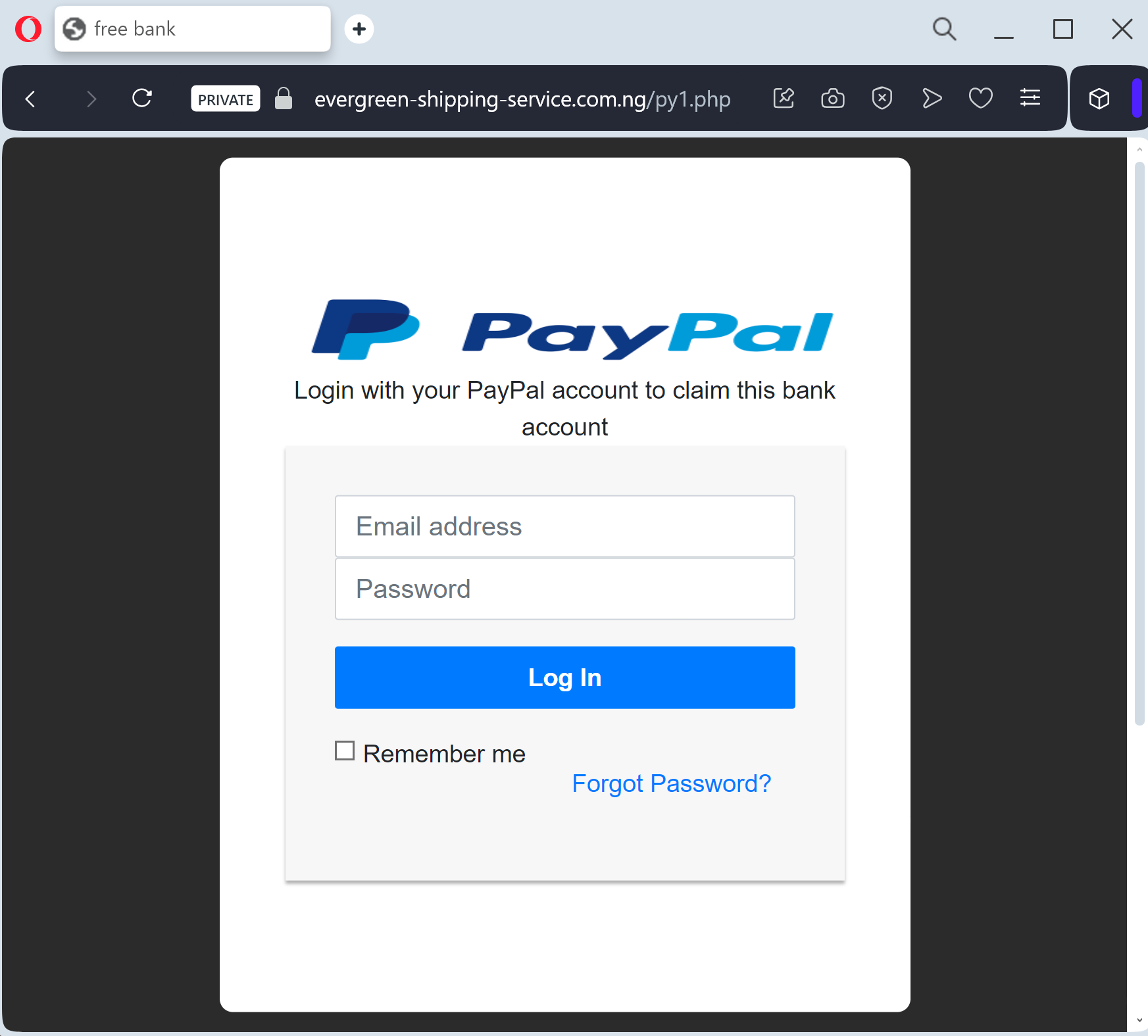
PayPal “Unauthorized Activity & Account Limitation” Phishing
Target: PayPal Users Worldwide
Threat Level: Critical (Financial & Full Identity Theft)
Phishing Method Description
This attack employs a “High-Urgency Scare” tactic. The victim receives an email or SMS (Smishing) claiming that their account has been “temporarily limited” due to “suspicious sign-in activity” or an “unauthorized transaction.” To “restore full access,” the user is forced to click a button and complete a security check.
The link leads to a sophisticated, multi-step phishing portal that mimics the official PayPal login flow. Once the victim “logs in,” the kit proceeds to harvest:
PayPal Credentials (Email and Password)
Full Personal Details (Name, Date of Birth, Home Address)
Payment Information (Credit/Debit Card Number, Expiration Date, and CVV)
Bank Account Details
Identity Verification (Often asking for a Social Security Number or Mother’s Maiden Name)
Red Flags to Watch For
Lookalike URL: The official domain is strictly
paypal.com. Phishing sites use deceptive addresses like verify-paypal-secure.com, account-resolution-paypal.net, or free subdomains like paypal-limit.web.app.Generic Salutation: Official PayPal emails almost always address you by your full name. Be wary of emails starting with “Dear Customer,” “Dear Member,” or just your email address.
Requesting Card Details to “Unlock”: PayPal will never ask you to enter your full credit card number and CVV code just to “verify” your identity or unlock an account.
How to Protect Yourself
The “Login Direct” Rule: Never click a link in an email to log into PayPal. Always open a new browser tab and manually type ://
paypal.com or use the official PayPal App.Check the Message Center: If there is a real issue with your account, a notification will always be waiting for you in the secure “Message Center” inside your PayPal account.
2FA is Mandatory: Enable Two-Factor Authentication (2FA). Even if scammers steal your password, they won’t be able to log in without the code from your authenticator app or SMS.
Forward to Spoof: You can report PayPal-branded phishing by forwarding the suspicious email or link to spoof@
paypal.com.Expert Security Tip:
This is a Full Information (Fullz) Harvesting Kit. The scammers aren’t just after your PayPal balance; they want to sell your Credit Card and Identity Data on the dark web. Remember: A “Locked Account” message is the most common bait. Always verify account status by logging in through the official app only.