
A phishing campaign targeting Lead Bank business customers uses fraudulent “unauthorized login” alerts to drive victims to a spoofed portal designed to steal credentials, personal information, and 2FA codes. The attack creates a sense of urgency to trick users into entering sensitive data on a site with a misleading domain. To protect against this threat, users should only navigate to the official Lead Bank site via secure, known channels and never enter MFA codes on suspicious sites.
Security Notice: This deceptive layout was intercepted, verified, and locked down firsthand by the
Antiphishing.bizsecurity team during our daily link moderation procedures. To protect the public, the dangerous destination URL has been fully defanged within our infrastructure. We document and analyze these live visual patterns to help security researchers and users spot lookalike phishing methods before financial damage occurs.
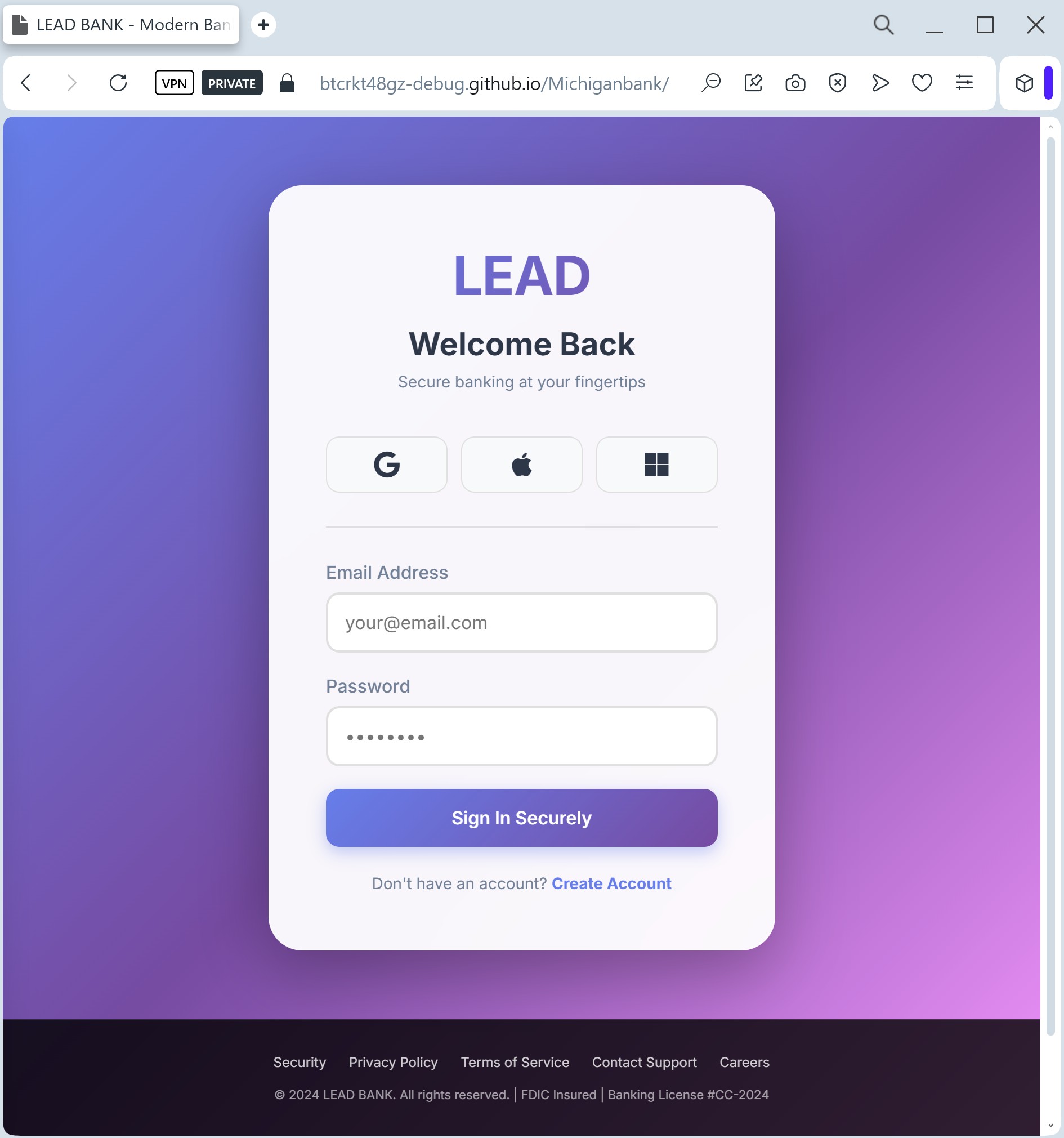
Target: Business Clients and Fintech Partners of Lead Bank (USA)
Threat Level: High (Corporate & Business Email Compromise)
Phishing Method Description
This attack targets corporate users of Lead Bank, a Kansas City-based institution known for its focus on business banking and financial technology. Scammers use a Clean Page Design strategy, creating a minimalist and professional-looking imitation of the bank’s corporate login portal.
Victims are typically reached via Spear Phishing (targeted emails) or LinkedIn messages claiming that a “Corporate Account Statement” is ready or that a “Secure Message” is waiting to be read.
The malicious page is specifically designed to harvest:
Corporate Email / Username
Business Banking Passwords
MFA / 2FA Tokens (Multi-Factor Authentication)
Red Flags to Watch For
Subtle URL Alterations: The official domain is lead.bank. Phishing sites often use common extensions like leadbank-login.com, leadbank.net, or secure-leadbank.org.
Generic Salutations: Official business banks usually address clients by their full name or company name. Phishing emails often use “Dear Client” or “Valued Business Partner.”
Inconsistent Branding: Look closely at the logo and fonts. Scammers often use low-resolution images or slightly different font weights that deviate from Lead Bank’s official corporate identity.
How to Protect Yourself
Verify the Domain Extension: Remember that Lead Bank uses the unique .bank top-level domain. This extension is restricted only to verified financial institutions. If the site ends in .com, .net, or anything else, it is a fraud.
Use Hardware Keys: For business banking, hardware security keys (like Yubikey) are much safer than SMS-based codes, as they cannot be easily phished by fake websites.
The “Slow Down” Rule: Corporate phishing often relies on a “Friday afternoon” rush. Always double-check the sender’s email address and the website URL before entering corporate credentials.
IT Reporting: If you encounter a suspicious Lead Bank login page, immediately report it to your company’s IT security department to prevent a broader Business Email Compromise (BEC) attack.