
Incident Report: This deceptive layout was logged, cross-checked, and neutralized firsthand by the
Antiphishing.bizsecurity team during our daily link moderation procedures. To protect the public, the hostile origin link has been safely deactivated within our infrastructure. We document and analyze these live visual patterns to help security researchers and users recognize deceptive clone designs before financial damage occurs.
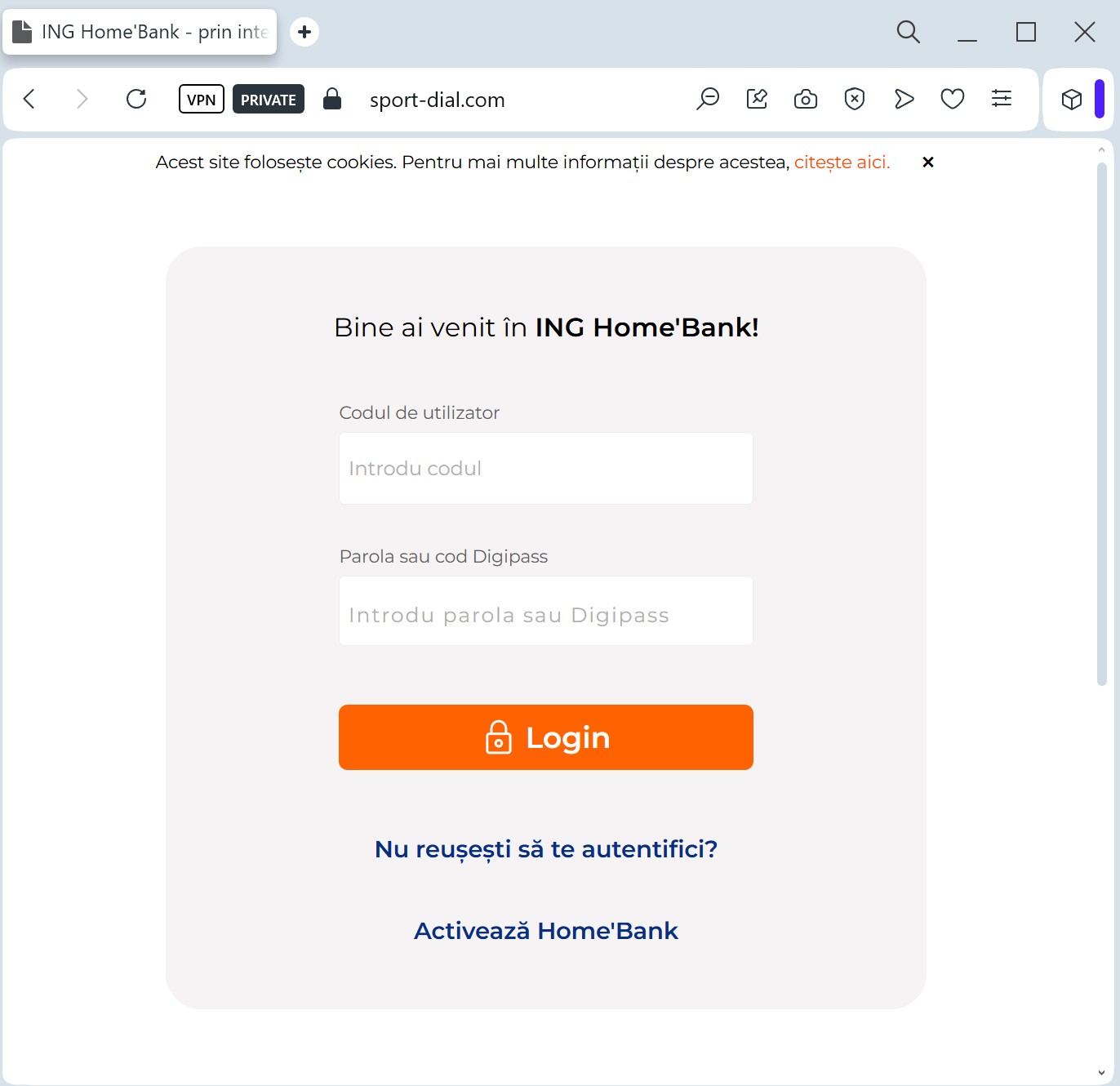
Target: ING Bank Customers (Europe/Romania/Poland)
Threat Level: Critical (Session Hijacking)
Phishing Method Description
This method focuses on Device Authorization Theft. The phishing page mimics the ING “HomeBank” interface, often using a “Synchronize your security device” or “Update HomeBank app” pretext.
The attacker’s goal is not just your password, but the Authorization Code (token) generated by your mobile app. By entering this code into the fake site, you are actually authorizing the threat actor’s device to access your bank account.
Red Flags to Watch For
Suspicious Domain: The URL might look like ing-homebank-update.com or authorization-ing.net. ING only uses its official national domains (e.g., ing.ro, ing.pl, ing.com).
Unusual Requests: Banks will never ask you to “synchronize” or “re-verify” your device through a link sent via SMS or Email.
Language Errors: Often, these pages contain subtle grammatical mistakes or incorrect font rendering that differs from the official app.
How to Protect Yourself
App Notifications: Trust only the notifications that appear inside your official ING mobile app.
Never Share Codes: Never enter a 2FA or authorization code on a website you reached via a link. Codes should only be entered in the official app or the bank’s main website that you opened yourself.
Enable Push-Alerts: Set up instant notifications for any login or transaction so you can react immediately if your account is compromised.