
Threat Intel: This deceptive layout was intercepted, verified, and locked down firsthand by the
Antiphishing.bizsecurity team during our standard URL vetting operations. To protect the public, the dangerous destination URL has been completely disabled within our infrastructure. We document and analyze these live visual patterns to help security researchers and users recognize deceptive clone designs before financial damage occurs.
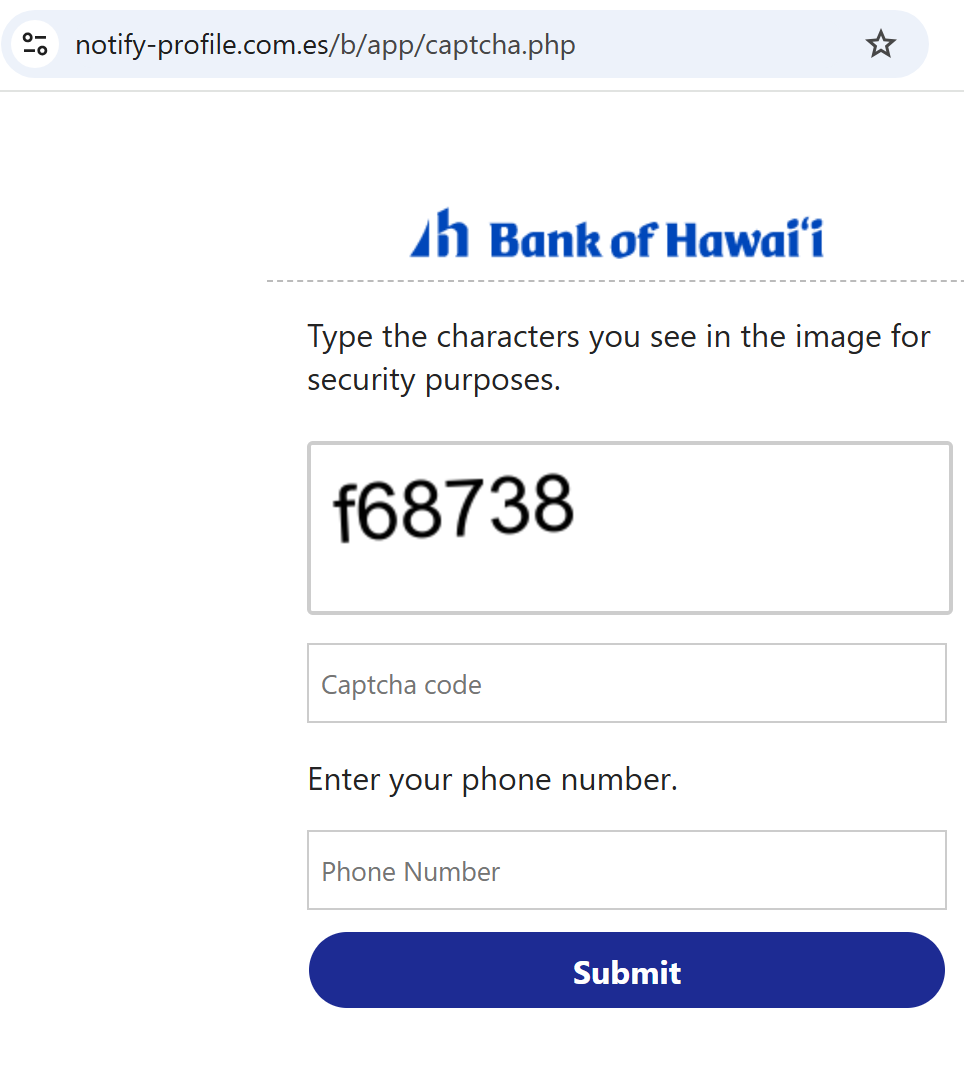

Bank of Hawaii “Online Access Update” Phishing
Target: Customers of Bank of Hawaii (BOH)
Threat Level: Critical (Full Account & Identity Hijacking)
Phishing Method Description
This attack uses a “Security Maintenance” pretext. Victims receive an urgent email or SMS claiming that their “e-Bankoh” online access has been temporarily suspended or that an “identity verification” is required due to a new system upgrade.
The link leads to a sophisticated, multi-step phishing portal that perfectly mimics the official Bank of Hawaii login environment. The malicious kit is specifically designed to harvest:
e-Bankoh User ID and Password
Social Security Number (SSN)
Date of Birth
Security Challenge Questions & Answers (Mother’s maiden name, childhood pet, etc.)
MFA / One-Time Passcodes (OTP): Intercepted in real-time to bypass two-factor authentication.
Red Flags to Watch For
The URL Discrepancy: The official domain is strictly
boh.com. Phishing sites use deceptive addresses like boh-online-verify.net, ebankoh-secure-login.com, bank-of-hawaii-support.org, or free hosting subdomains like boh-portal.web.app.Excessive Information Requests: A legitimate bank will never ask you to provide your full Social Security Number and the answers to all your security questions on a single page just to “log in.”
Aggressive Urgency: Phrases like “Immediate action required to avoid permanent account closure” or “Security Alert: New device detected” are classic social engineering tactics.
How to Protect Yourself
The “Manual Entry” Rule: Always access your bank by typing ://
boh.com manually into your browser’s address bar. Never use links from unexpected emails or text messages.Use the Mobile App: Manage your accounts through the official Bank of Hawaii Mobile Banking app. Authentic security alerts will be delivered inside the secure app environment.
Never Share Security Answers: Treat your security question answers like secondary passwords. No bank will ask for them via an unsolicited link.
Verify the SMS Source: Official alerts come from short codes. If you receive a banking alert from a standard 10-digit mobile number, treat it as a scam.
Expert Security Tip:
This is an Identity Harvesting Attack. Scammers are not just trying to steal your money today; they are gathering enough data (SSN, Security Answers) to impersonate you permanently and reset your passwords at any time. If a site asks for your Full SSN and Security Questions after clicking a link, close the tab immediately.