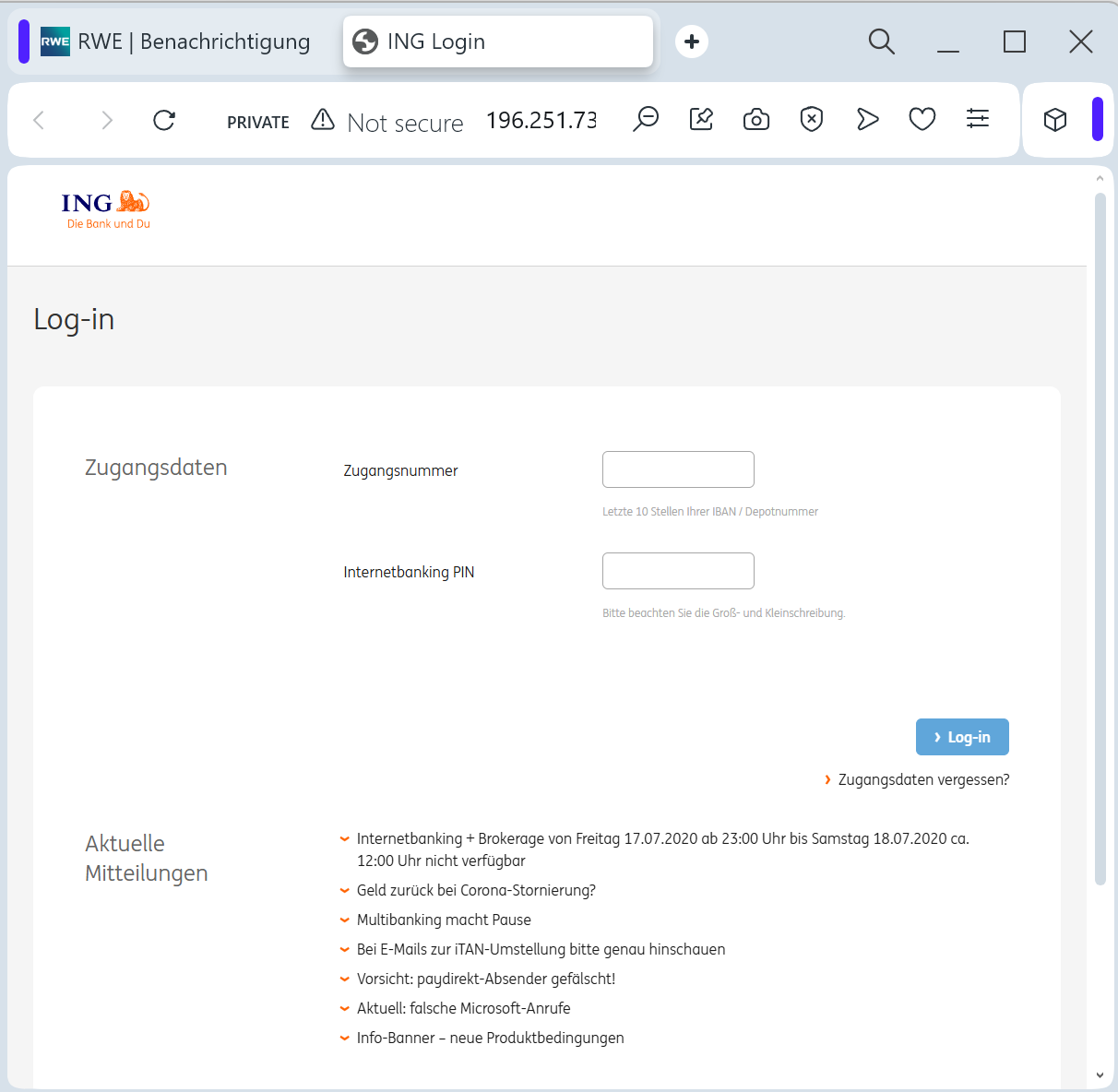
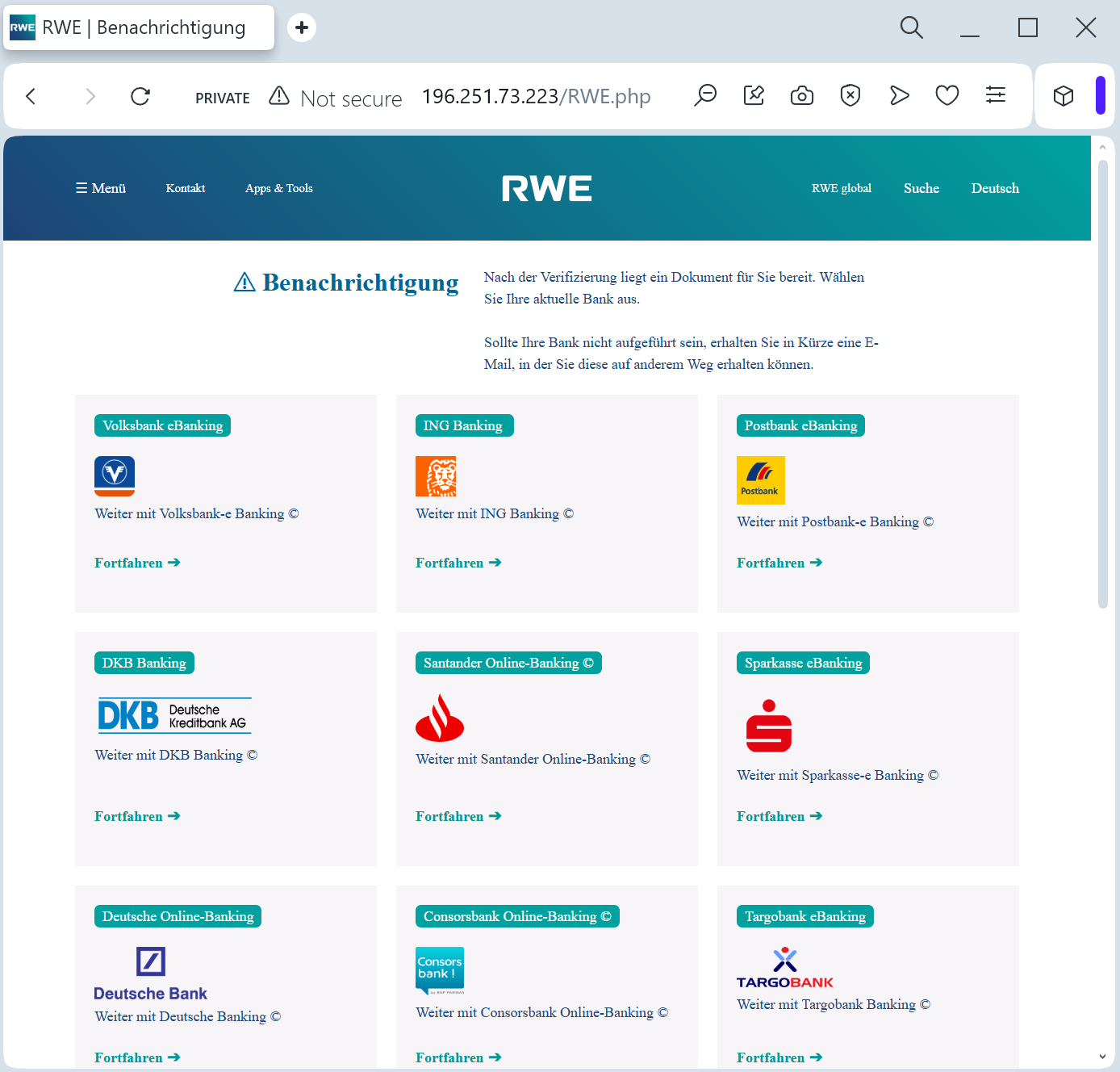
RWE (Rheinisch-Westfälisches Elektrizitätswerk) fake page with bank phishing detected

A phishing campaign targeting RWE AG customers in Germany uses fake energy refund emails to steal sensitive personal and financial data, including online banking credentials, via a fraudulent portal. The scam pressures users with urgent deadlines to claim a “refund for overpaid electricity costs” and directs them to malicious domains, such as kunden-rwe.net, to enter credentials. To protect against this threat, customers should only log in through the official rwe.com portal and report suspicious messages.
Target: RWE AG Customers and Energy Consumers in Germany
Threat Level: High (Financial Identity & Bank Access Theft)
Phishing Method Description
This attack leverages Utility Provider Impersonation. Scammers send out Phishing Emails or SMS (Smishing) claiming that due to a billing error or a government energy subsidy, the customer is entitled to a “Refund” (Guthaben) or “Climate Bonus.”
The link leads to a sophisticated fake page that mimics the RWE “Meine RWE” customer portal. To “receive the refund,” the victim is prompted to:
Select their Bank (using a multi-bank gateway menu)
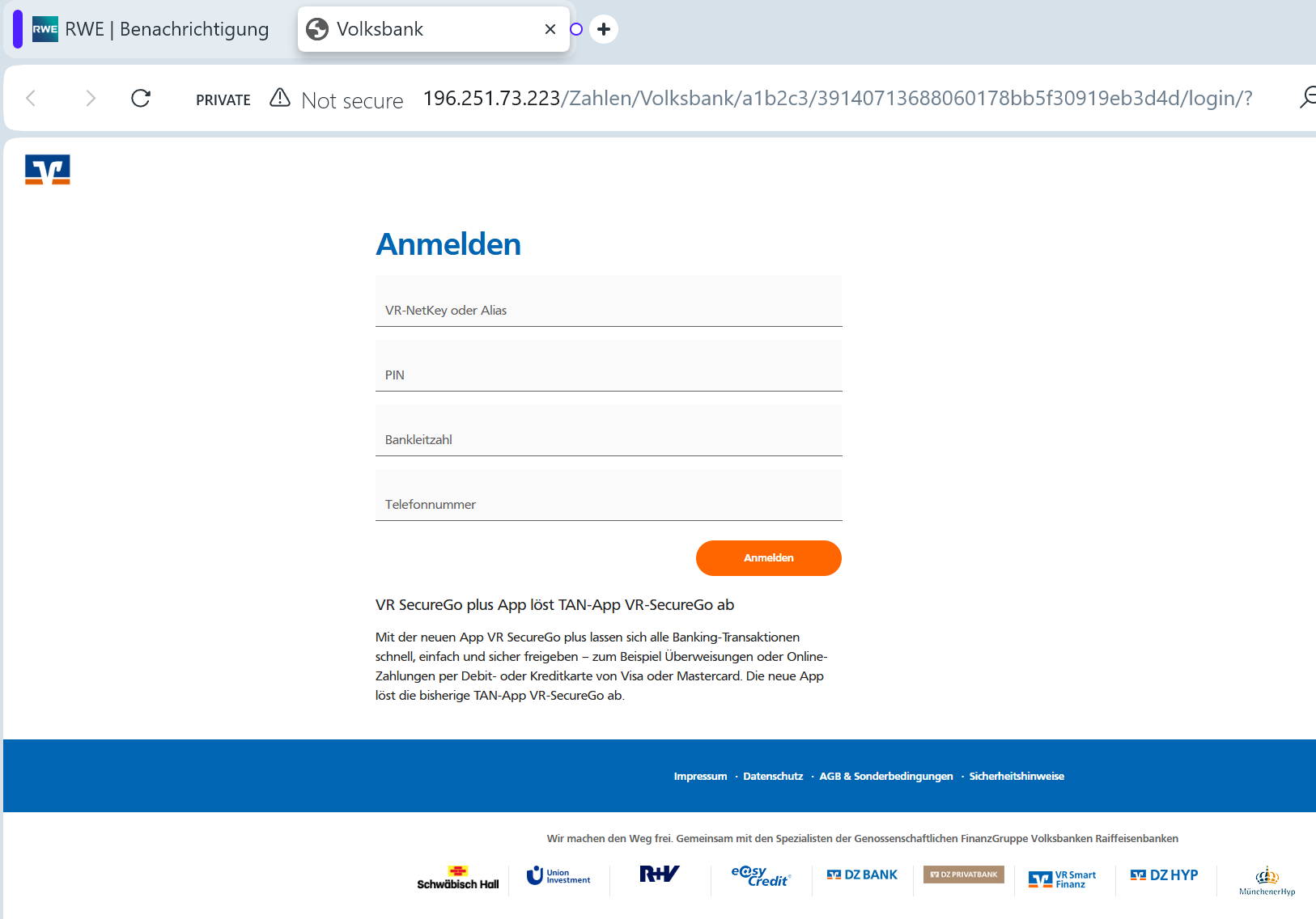
Enter Online Banking Login Credentials (PIN and Username/ID)
Provide a TAN/OTP Code: The fake site intercepts the authorization code in real-time, allowing attackers to authorize fraudulent outgoing transfers instead of depositing a refund.
⚠️ Red Flags to Watch For
Deceptive Domain: The official domain is rwe.com. Phishing sites use lookalikes such as rwe-erstattung.online, energie-guthaben.net, rwe-kundenportal.com, or compromised third-party URLs.
The “Refund” Hook: Energy companies usually settle refunds by crediting them toward your next bill or automatically transferring them to the IBAN already on file. They never send links asking you to log in to your bank to “receive” money.
Generic Communication: While the page looks professional, the initial email often lacks your specific customer contract number (Vertragskontonummer).
🛡️ How to Protect Yourself
Check Your Bill: If you are expecting a refund, check your last physical or digital bill. If there is a credit, it will be clearly stated there.
The “No Bank Login” Rule: Never log into your bank via a link provided in a utility email. If RWE needs your bank details, they will ask you to update them securely within their official portal that you access manually.
Verify the Sender: Check the sender’s email address. Official RWE communications come from @rwe.com. Be wary of addresses that look “similar” but are slightly off (e.g., @rwe-service.de).
Direct Access: Always type ://rwe.com manually into your browser to access the “Meine RWE” area.


💡 Expert Security Tip:
This is a Payment Gateway Scam. By asking you to “select your bank,” scammers are not trying to send you money—they are trying to gain access to your bank account. Real utility companies already have your bank details if you pay by SEPA direct debit. They will never ask you to “log in to your bank” to process a refund.
One Nevada Credit Union phishing page detected

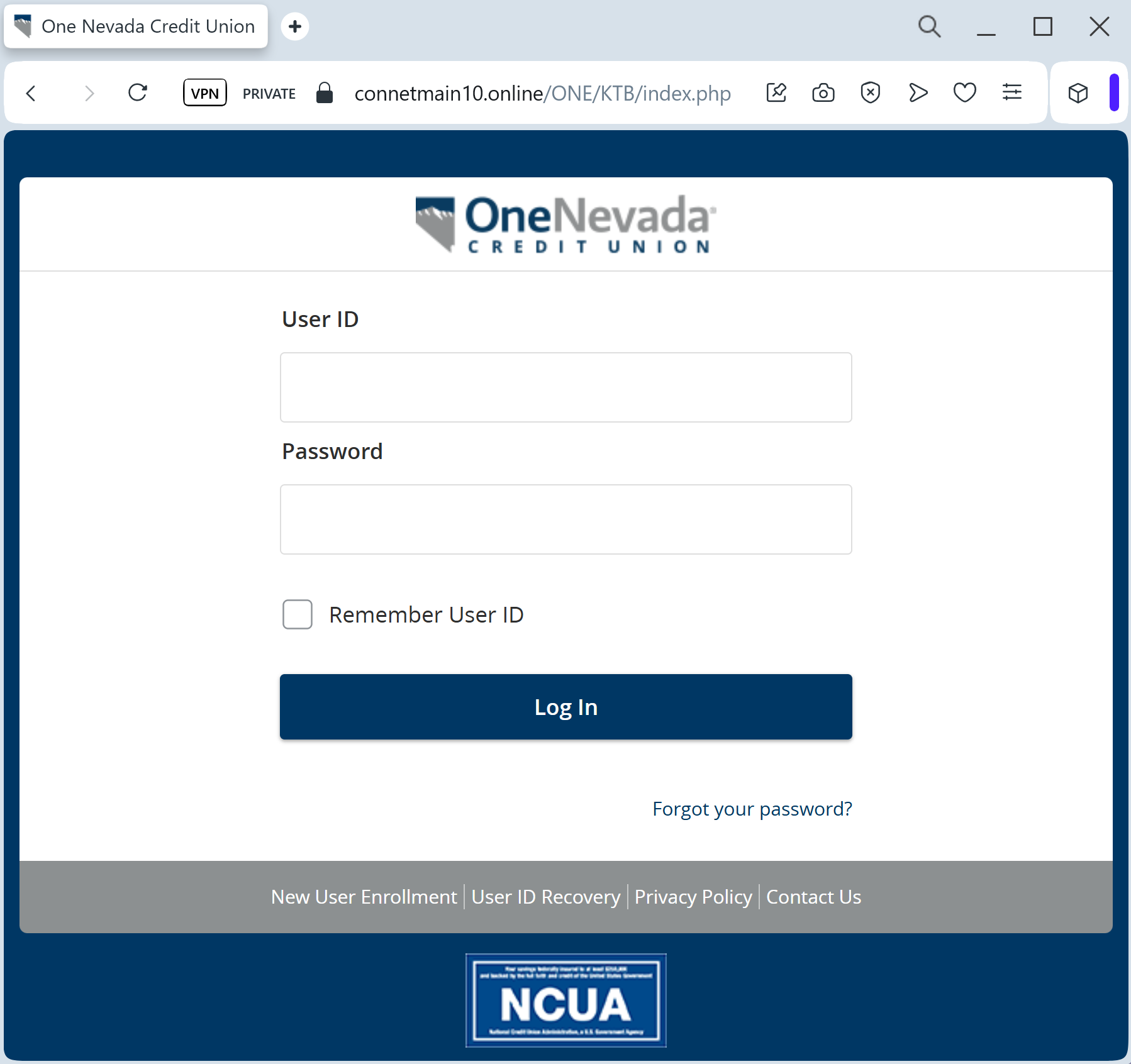
A phishing campaign impersonating One Nevada Credit Union targets members via SMS and email, aiming to harvest login credentials, security answers, and sensitive personal information like SSNs through a cloned, fraudulent portal. Attackers exploit regional brand trust to create urgency around “security verification,” targeting the legitimate onenevada.org domain with sophisticated lookalike URLs. To protect against this fraud, users should rely only on the official One Nevada app, avoid clicking links in unsolicited messages, and verify any alerts directly through official, trusted channels.

Target: Members of One Nevada Credit Union (USA)
Threat Level: High (MFA Bypass & Full Account Takeover)
Phishing Method Description
This attack targets the Digital Banking users of One Nevada Credit Union. Scammers use a Security Alert pretext, sending out Smishing (SMS) or Phishing Emails claiming that an “Unauthorized Device” has logged into the account or that a “MFA Security Update” is mandatory.
The link leads to a high-fidelity clone of the One Nevada online banking portal. The phishing kit is specifically designed to harvest:
Username / Member Number
Password
Multi-Factor Authentication (MFA) Codes: The fake site prompts the victim to enter the SMS or Email code in real-time. The attacker immediately uses this code on the real banking site to gain full access.
Personal Identity Info: Social Security Number (SSN) fragments and phone numbers for identity verification.
⚠️ Red Flags to Watch For
Deceptive Domain: The official domain is onenevada.org. Phishing sites use lookalikes such as onenevada-verify.net, secure-onenevada.com, or onenevada-login.online. Note that credit unions almost always use .org extensions.
Urgency & Pressure: Language like “Your access will be restricted” or “Unauthorized transfer detected” is used to bypass the victim’s critical thinking.
Requests for MFA during Login: If a site asks for an MFA code immediately after you enter your password on an unfamiliar page, it’s a sign of a real-time interception attack.
🛡️ How to Protect Yourself
Use the Mobile App: Always perform your banking through the official One Nevada Mobile Banking app. Secure alerts will be delivered inside the app’s secure mailbox.
The “No Link” Rule: One Nevada Credit Union will never send you a text message or email containing a link to a login page asking for your credentials. Always type the address manually into your browser.
Verify the SMS Source: Official alerts come from short codes. If you receive a banking alert from a standard 10-digit mobile number, treat it as a scam.
Immediate Action: If you have entered information on a suspicious page, call the official Member Services at (702) 457-1000 or (800) 388-3000 immediately to lock your account.


💡 Expert Security Tip:
This is a Real-Time MFA Proxy Attack. The scammers are acting as a “middleman” between you and the bank. Your One-Time Passcode (OTP) is the final key to your money. Never enter a code on a website you reached via a link. If the bank sends you a code, read the text carefully—it often says “Do not share this code with anyone.”

Banco BBVA phishing page detected

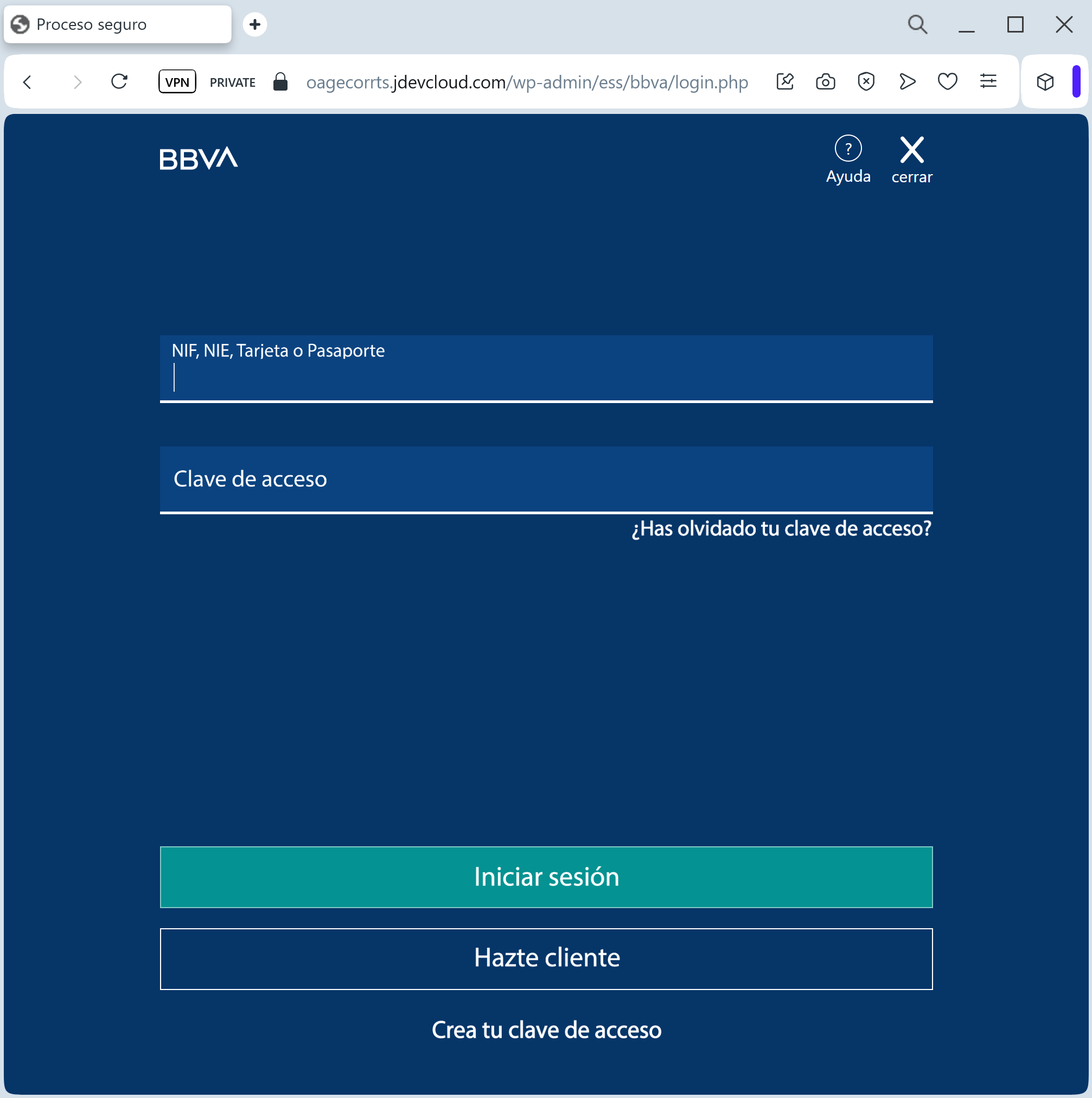
A widespread phishing campaign targeting BBVA bank customers in Spain and Latin America uses high-pressure smishing tactics to steal login credentials and SMS OTP codes. Fraudulent websites mimic the legitimate BBVA portal to intercept security codes for unauthorized transactions. Users are advised to avoid clicking links in suspicious messages and to use the official BBVA app for account management.

Target: BBVA Bank Customers (Spain, Mexico, Colombia, Peru)
Threat Level: Critical (Real-time Account Takeover & OTP Theft)
Phishing Method Description
This attack uses High-Pressure Social Engineering. Victims receive an SMS (Smishing) claiming that an “unauthorized login from a new device” has been detected or that their “security account needs to be synchronized” immediately to avoid permanent blockage.
The link leads to a pixel-perfect replica of the BBVA “Banca Móvil” or web portal. The phishing kit is specifically designed to harvest:
Customer ID / DNI / NIF (Identification Number)
Access Password (Contraseña)
Mobile Phone Number
One-Time Password (OTP): The fake site prompts the victim to enter the SMS code in real-time. The attacker uses this intercepted code on the actual BBVA site to authorize fraudulent transfers or link their own device to the account.
⚠️ Red Flags to Watch For
Deceptive Domain: The official domain is bbva.es (Spain) or bbva.mx (Mexico). Phishing sites use lookalikes such as bbva-seguridad.online, verificar-acceso-bbva.net, bbva-asistencia.com, or free subdomains like ://firebaseapp.com.
Urgent & Alarming Tone: Language like “Acceso no autorizado detectado” or “Bloqueo preventivo” is used to bypass critical thinking.
Links in SMS: BBVA has a strict policy: they will never include clickable links in SMS messages sent to customers regarding account security or login issues.
🛡️ How to Protect Yourself
Use the BBVA App: Perform all your banking and notifications through the official BBVA App. The app uses biometric login and secure push notifications which are much harder to phish.
The “No Link” Rule: If you receive a security alert via SMS, ignore the link. Manually type www.bbva.es (or your local BBVA address) into your browser to check your account status.
Verify the Sender: Official alerts from BBVA usually come from a registered “BBVA” sender ID. If the message comes from a standard 10-digit mobile number, it is 100% a fraud.
Immediate Action: If you have entered your data on a suspicious page, call the official BBVA 24-hour fraud line immediately: 900 102 801 (Spain) or 55 5226 2663 (Mexico).


💡 Expert Security Tip:
This is a Real-time Man-in-the-Middle (MitM) attack. The scammers are acting as a “bridge” between you and the real bank. Your SMS OTP is the final key to your money. Never enter a code on a website you reached via a link. If the bank sends you a code, read the text carefully—it often explicitly warns: “No compartas este código con nadie.”

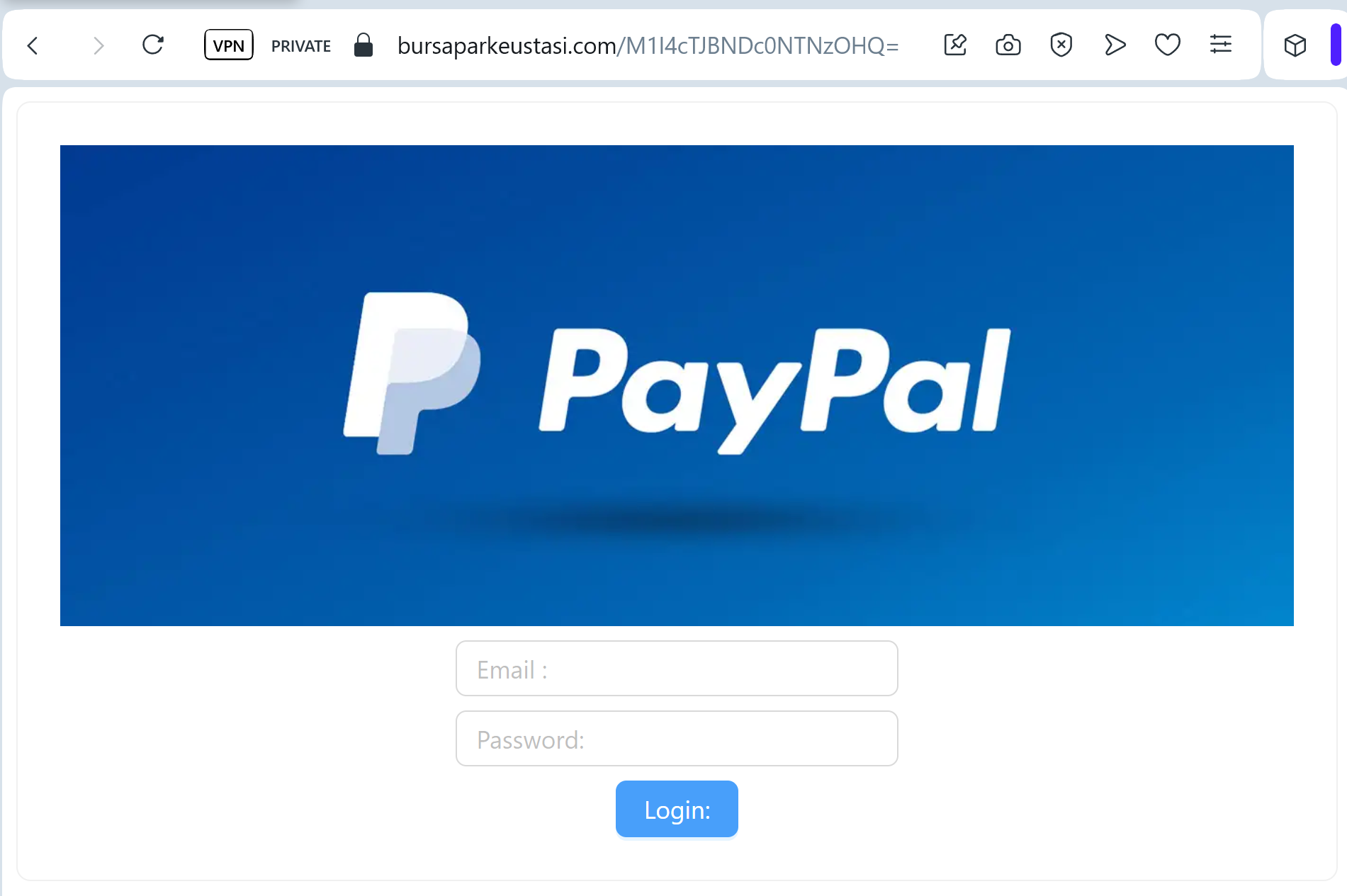
PayPal phishing page revealed

This phishing campaign against PayPal users utilizes fraudulent “Account Suspension” notifications to direct victims to a high-fidelity cloned site. The multi-step funnel steals user credentials, personal information, and credit card data, often employing deceptive domains and urgent demands to bypass security measures.

Target: PayPal Users Worldwide
Threat Level: Critical (Financial & Identity Theft)
Phishing Method Description
This attack uses a “Restricted Account” pretext. Scammers send out deceptive emails or SMS messages claiming that “Your account has been temporarily limited” or that there is “Unusual activity on your PayPal account.” To “restore access,” the victim is pressured to click a link and complete a security check.
The link leads to a high-fidelity clone of the PayPal login portal. Once the victim enters their credentials, the phishing kit directs them through a series of additional forms designed to harvest:
Email Address and Password
Full Name, Date of Birth, and Home Address
Credit/Debit Card Details (Number, Expiration Date, CVV)
Bank Account Information
Mother’s Maiden Name (to bypass security questions)
⚠️ Red Flags to Watch For
The Deceptive URL: The official domain is strictly paypal.com. Phishing sites often use lookalikes such as verify-paypal-accounts.com, paypal-security-center.net, service-paypal.info, or free subdomains like login-paypal.web.app.
Urgent & Threatening Language: Phrases like “Action Required immediately” or “Your account will be permanently closed” are classic social engineering tactics.
Non-Personalized Greetings: Official PayPal emails almost always address you by your full name (as registered on your account), not “Dear Customer” or “Valued Member.”
🛡️ How to Protect Yourself
The “Login Direct” Rule: Never log into PayPal via a link in an email or SMS. Always open a new browser tab and manually type ://paypal.com or use the official PayPal App.
Check the Message Center: If there is a real problem with your account, a notification will be waiting for you in the secure “Message Center” inside your PayPal account.
Watch for Redirection: Phishing kits often redirect you to the real PayPal website after you’ve submitted your data to make the experience feel legitimate. If the site suddenly “refreshes” or looks different, your data may have been stolen.
Reporting: You can report PayPal phishing by forwarding suspicious emails to [email protected] or suspicious SMS to the short code 7726.


💡 Expert Security Tip:
This is a Full Info (Fullz) Phishing Kit. The scammers aren’t just after your PayPal balance; they want your Credit Card and Identity. PayPal will never ask you to enter your full credit card number and CVV just to “verify” your account login. If a site asks for your card details to “unlock” your account, close the tab immediately.

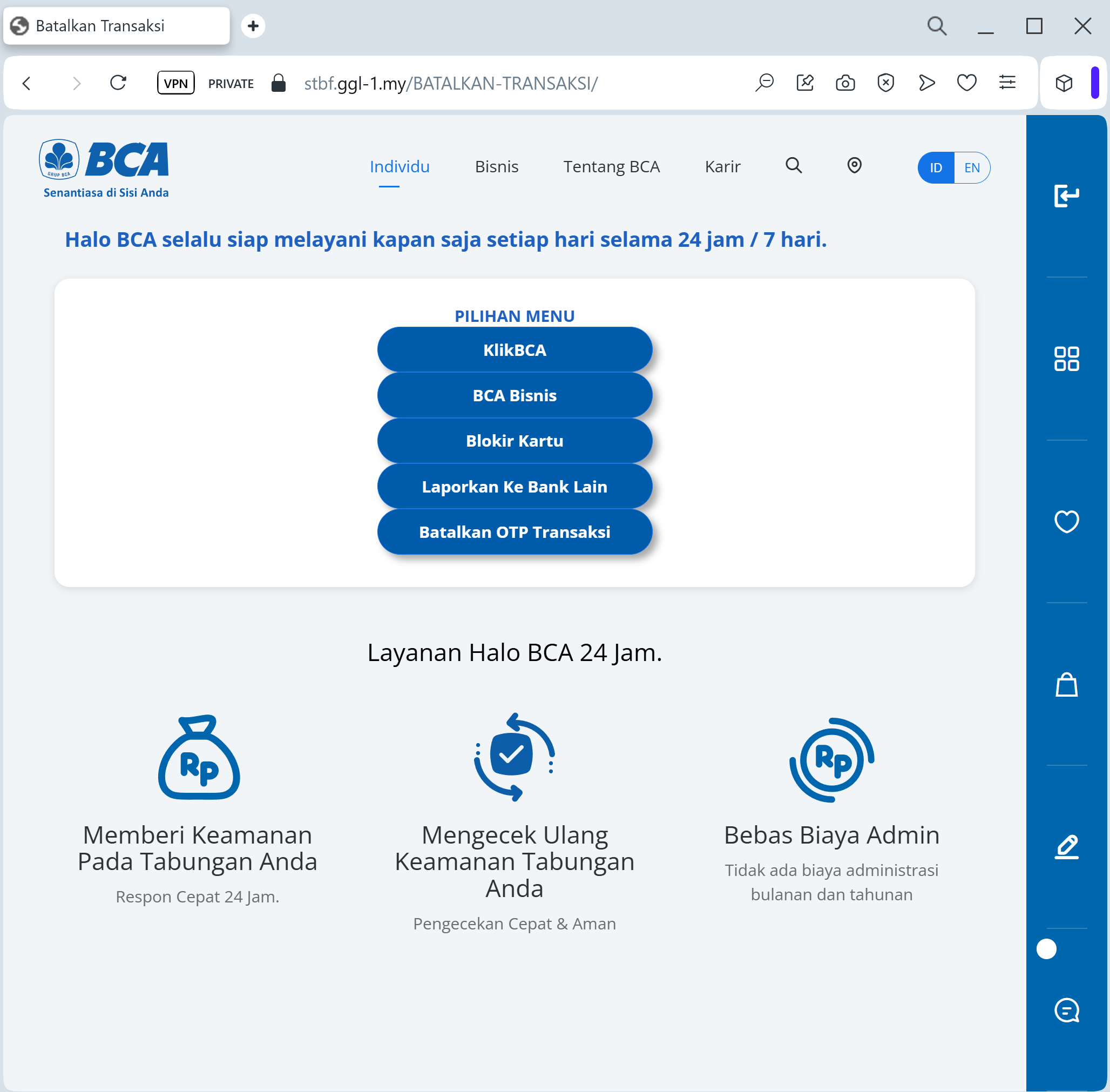
Bank Central Asia phishing page detected

A phishing campaign targeting Bank Central Asia (BCA) customers in Indonesia uses WhatsApp-based smishing to direct victims to fraudulent sites mimicking the KlikBCA login portal. Attackers aim to harvest User IDs, PINs, and KeyBCA token codes, enabling real-time, fraudulent transaction authorization. The attack is a “Token Interception” method, utilizing spoofed domains like klikbca-update.online to bypass security and steal user funds.


Target: Customers of Bank Central Asia (BCA) in Indonesia
Threat Level: Critical (KlikBCA & Individual Access Theft)
Phishing Method Description
This attack targets users of KlikBCA Individual and the BCA Mobile app. Scammers distribute fraudulent links via WhatsApp or SMS (Smishing), often using an “official-looking” announcement about a “New Service Fee Policy” (e.g., changing the monthly fee to 150,000 IDR) or a “Security Feature Update.”
The link leads to a pixel-perfect replica of the BCA login portal. The phishing kit is specifically designed to harvest:
User ID / Username
Internet Banking PIN
Mobile Phone Number
KeyBCA (Physical Token) Response: The fake site prompts the victim to generate a code on their physical KeyBCA device (using APPLI 1 or APPLI 2) and enter it. The attacker uses this code in real-time to authorize a massive fraudulent transfer.
⚠️ Red Flags to Watch For
The Deceptive URL: The official domain is bca.co.id or klikbca.com. Phishing sites often use lookalike addresses such as bca-update-layanan.com, tarif-bca-baru.net, klikbca-konfirmasi.online, or free subdomains like bca-login.web.app.
Urgent Call-to-Action: Messages that demand you “Agree” to a fee change or “Confirm” your account within a few hours are classic social engineering tactics.
Requesting KeyBCA Codes: BCA will never ask you to enter a KeyBCA token code just to “cancel a fee” or “verify your identity” through a link sent via WhatsApp.
🛡️ How to Protect Yourself
Use the BCA Mobile App: Only trust notifications that appear inside your official BCA Mobile or Halo BCA app.
The “No Link” Rule: BCA officially states they will never send links via SMS or WhatsApp asking for your personal data or PIN. Always type ://klikbca.com manually into your browser.
Verify with Halo BCA: If you receive a suspicious message, contact the official BCA call center at 1500888 or use the official Halo BCA app to verify the information.
KeyBCA Security: Treat your physical KeyBCA token as the “key to your safe.” Never use it on any website that you did not access yourself by typing the address.


💡 Expert Security Tip:
This is a Social Engineering & Token Interception attack. Scammers create a fake problem (like a high monthly fee) to make you panic and give up your KeyBCA codes. Remember: Your token codes are only for authorizing transactions you started. Never use your KeyBCA to “cancel” something or “log in” from a link.

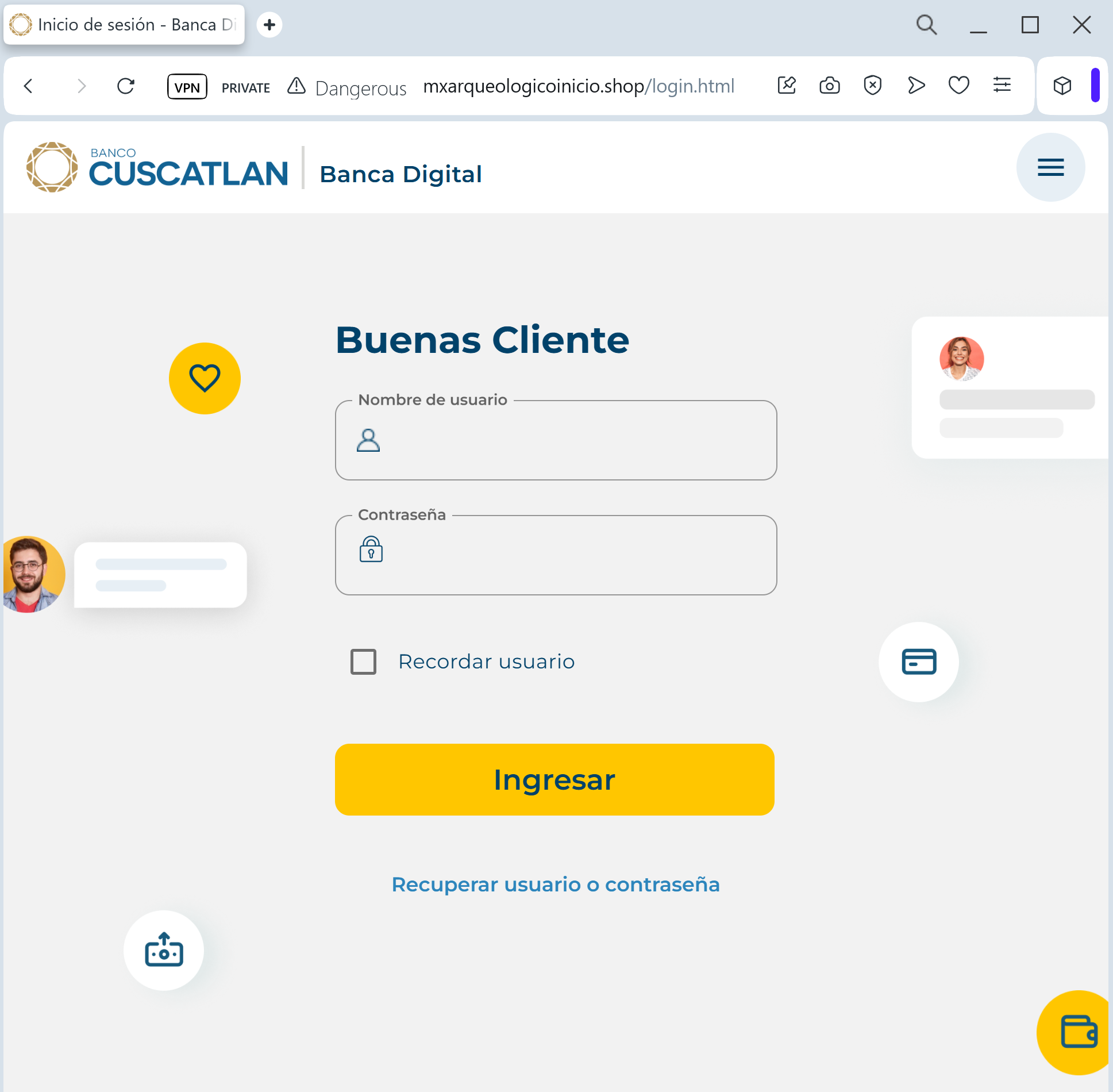
Banco CUSCATLAN phishing page detected

A phishing campaign targeting Banco Cuscatlán users in El Salvador and Guatemala uses fraudulent “digital profile update” notifications to steal netbanking credentials and OTP codes. The attack, which directs victims to a pixel-perfect replica of the legitimate site, aims to perform real-time account takeovers via deceptive domains and urgent, alarming messaging. Customers are advised to use the official Banco Cuscatlán app and to never enter security tokens on websites reached via SMS or email links.

Target: Customers of Banco Cuscatlán (El Salvador / Guatemala)
Threat Level: Critical (NetBanking Access & Digital Token Theft)
Phishing Method Description
This attack uses Data Synchronization as a pretext. Victims receive a Phishing Email or SMS (Smishing) claiming that their “Digital Key” (Clave Digital) has expired or that their personal information must be updated to comply with new banking security standards.
The link leads to a pixel-perfect replica of the Banco Cuscatlán “NetBanking” portal. The phishing kit is specifically designed to harvest:
Username / User ID (Usuario)
Password (Contraseña)
Mobile Phone Number
One-Time Password (OTP) / Digital Token: The fake site prompts the victim to enter the code from their SMS or security app in real-time. The attacker uses this intercepted code on the actual bank site to perform fraudulent transfers or change account settings.
⚠️ Red Flags to Watch For
Deceptive Domain: The official domain is bancocuscatlan.com. Phishing sites often use lookalike addresses such as cuscatlan-sv.online, bancocuscatlan-actualizacion.net, or free subdomains like cuscatlan-login.web.app.
Urgent & Threatening Tone: Phrases like “Acceso restringido temporalmente” (Access temporarily restricted) or “Evite el bloqueo de su cuenta” (Avoid account blockage) are used to force the victim to act impulsively.
Link in SMS/Email: Banco Cuscatlán explicitly states they will never send links in messages asking for your login credentials or security codes.
🛡️ How to Protect Yourself
Use the Official App: Manage your finances only through the official Banco Cuscatlán mobile app. Authentic security alerts will be handled within the secure app environment.
The “Manual Entry” Rule: Always type ://bancocuscatlan.com manually into your browser’s address bar. Never click on links provided in unexpected emails or text messages.
Verify the SMS Sender: Official alerts usually come from registered bank IDs. If you receive a message from a standard mobile number, treat it as a scam.
Immediate Action: If you have entered your credentials on a suspicious page, call the official Banco Cuscatlán fraud line immediately at 2212-2000 (El Salvador).


💡 Expert Security Tip:
This is a Session Hijacking attempt. The scammers are trying to steal your Digital Key while you are “syncing” your account. Remember: Your security codes are for authorizing actions you started. Never use your OTP or Token to “unblock” or “verify” an account through a link sent to you.

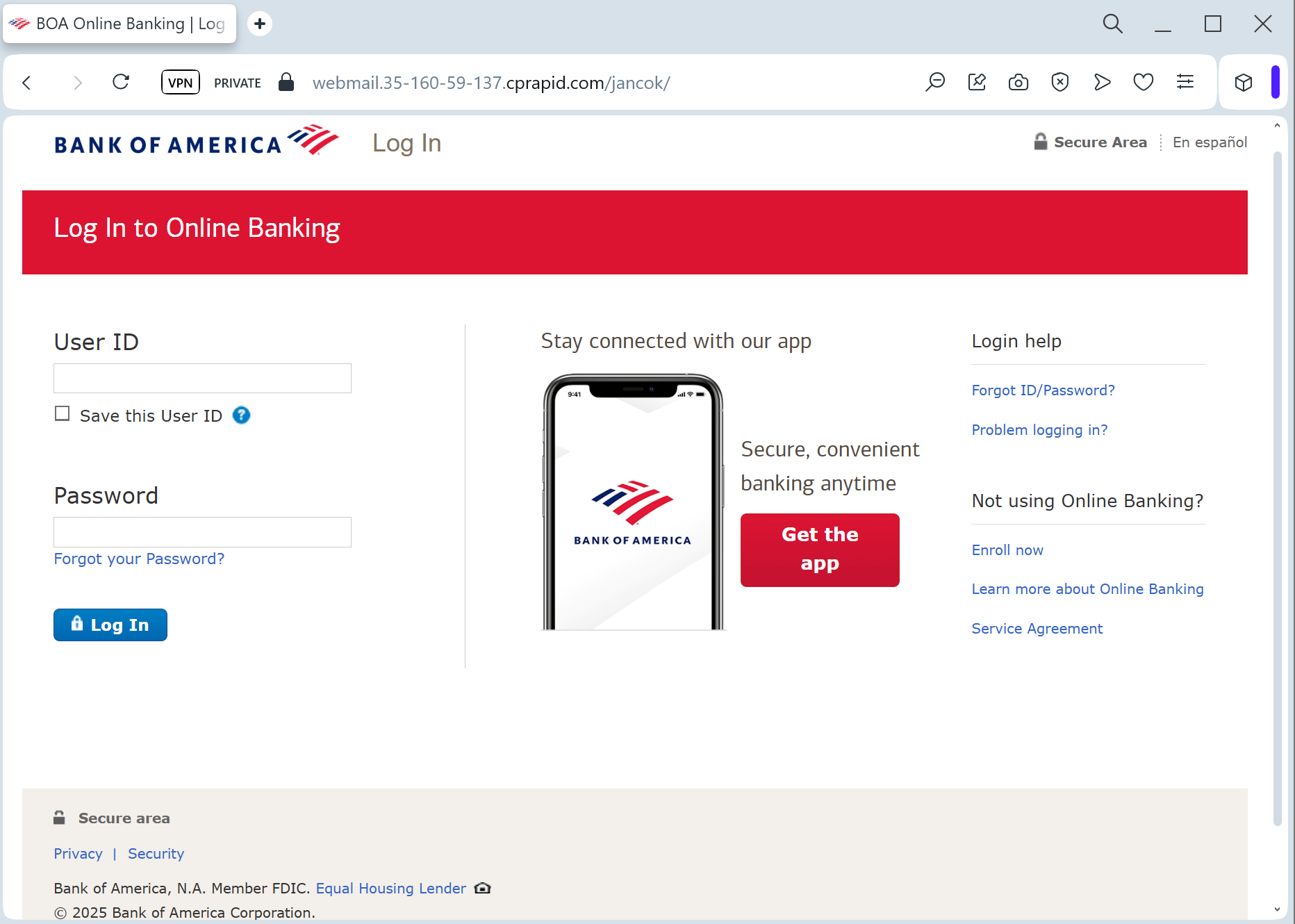
Bank of America phishing page revealed

A June 2025 phishing campaign targeting Bank of America users employs a “Compliance & Maintenance” pretext, claiming an “incomplete profile update” to steal credentials and bypass two-factor authentication [1]. The fraudulent site, often hosted on deceptive domains, attempts to capture online banking IDs, passcodes, email credentials, and real-time one-time passcodes (OTP). Users should be wary of urgent, high-fidelity clones and are advised to verify accounts only through the official banking app or by directly typing the URL.

Target: Bank of America Customers (USA)
Threat Level: Critical (Identity Theft & Full Account Hijacking)
Phishing Method Description
This attack uses an Account Verification pretext. Victims receive an urgent email or SMS stating that their “Security Profile” is outdated or that “New Security Measures” must be accepted to maintain online access.
The link leads to a multi-step phishing portal that mimics the official Bank of America login flow. Unlike simpler scams, this one is designed to harvest:
Online ID and Passcode
Social Security Number (SSN) (Full or last 4 digits)
Security Challenge Questions & Answers (Mother’s maiden name, childhood pet, etc.)
Email Account Credentials (Scammers often ask for your email password under the guise of “Synchronizing your alerts”)
⚠️ Red Flags to Watch For
Deceptive Domain Name: The official domain is strictly bankofamerica.com. Phishing sites often use variations like bofa-online-verify.com, bankofamerica-support.net, or free hosting subdomains like bofa-security.web.app.
Requests for Sensitive Personal Data: A legitimate bank will rarely ask you to provide your full SSN and answers to all your security questions on a single page, especially after clicking a link.
Aggressive Urgency: Messages claiming “Immediate action required” or “Failure to comply will result in permanent account closure” are classic social engineering tactics.
🛡️ How to Protect Yourself
The “Manual Entry” Rule: Always access Bank of America by typing the URL manually into your browser. Never use links from emails or text messages.
Use the Mobile App: Official alerts will appear within the secure Bank of America Mobile Banking app. If the app doesn’t show a notification, the email is a scam.
Never Share Security Answers: Your security questions are a secondary password. Banks will never ask for them in a bulk “update” form.
Enable Advanced 2FA: Use a hardware security key or an authenticator app if supported. If you receive an unexpected 2FA code via SMS, do not enter it on any website.


💡 Expert Security Tip:
This is an Identity Harvesting Kit. Scammers are not just trying to log in once; they are gathering enough data to bypass your security questions and reset your password at any time. Never provide the answers to your challenge questions on a page you reached via a link.

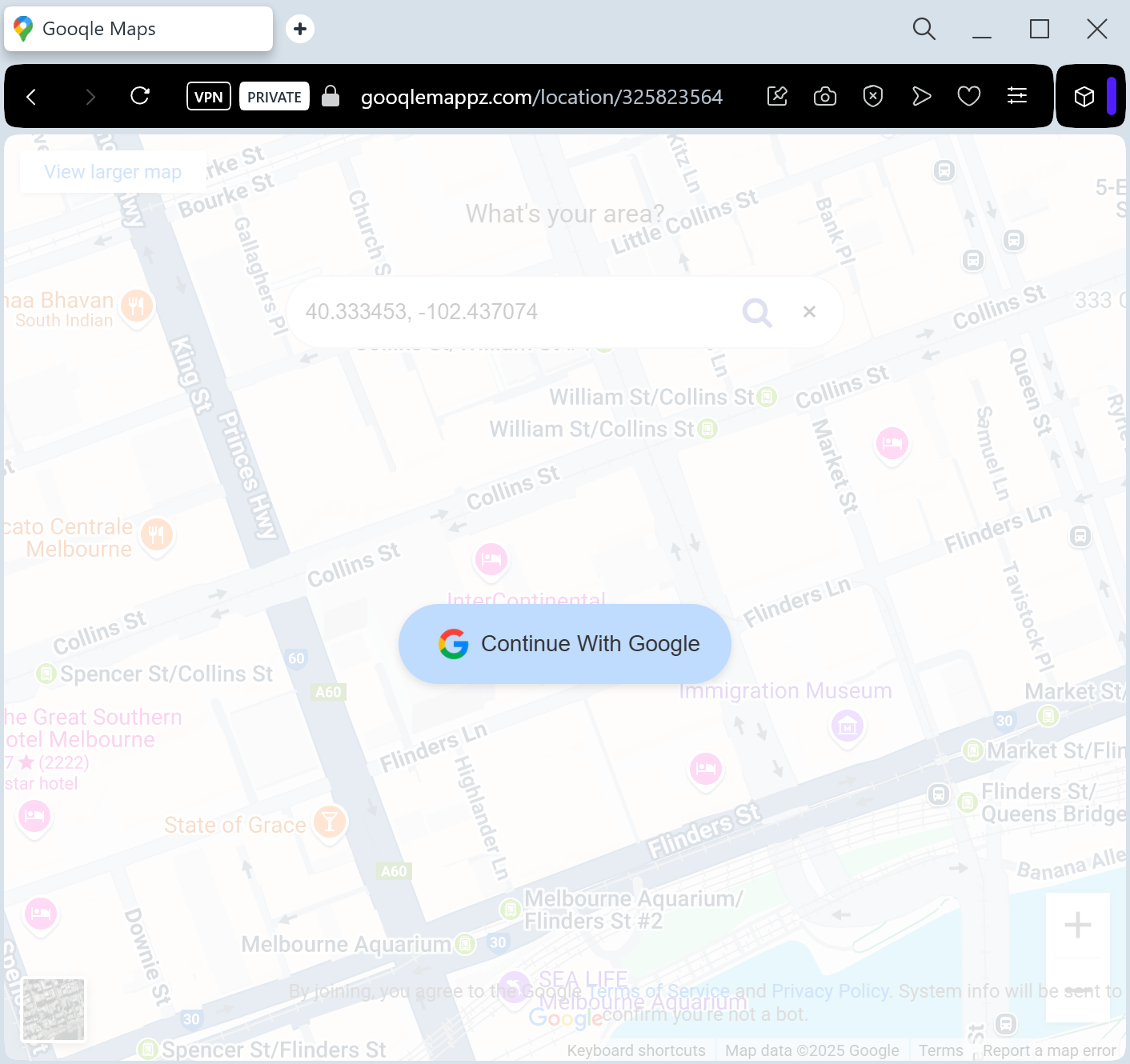
Google Maps fake page revealed

A phishing campaign impersonating Google Maps tricks users into entering credentials on fake pages to steal full Google Account access. These attacks leverage fraudulent “Location Update” alerts, often capturing 2FA codes in real-time to bypass security measures.

Target: Global Google Account Users
Threat Level: Critical (Full Google Account & Gmail Hijacking)
Phishing Method Description
This attack uses a Service Notification pretext. Victims receive an email or push-style notification claiming that “A new device is tracking your location” or “Your Google Maps Timeline is ready to review.” Another common tactic is a fake “Location Sharing” request from a stranger.
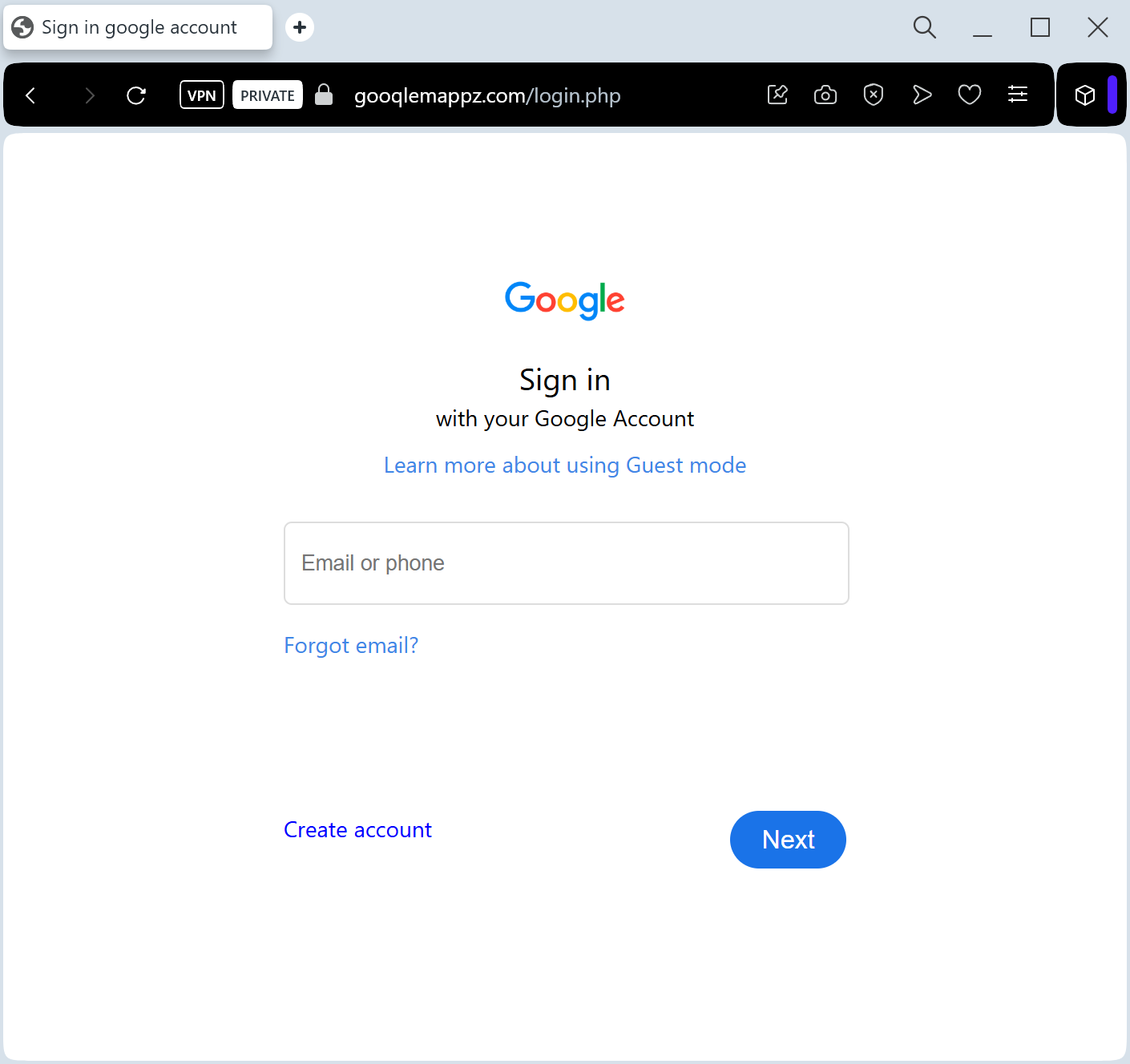
The link leads to a pixel-perfect imitation of the Google Sign-in page. This is a sophisticated Real-time Phishing Kit designed to harvest:
Google Account Email / Phone Number
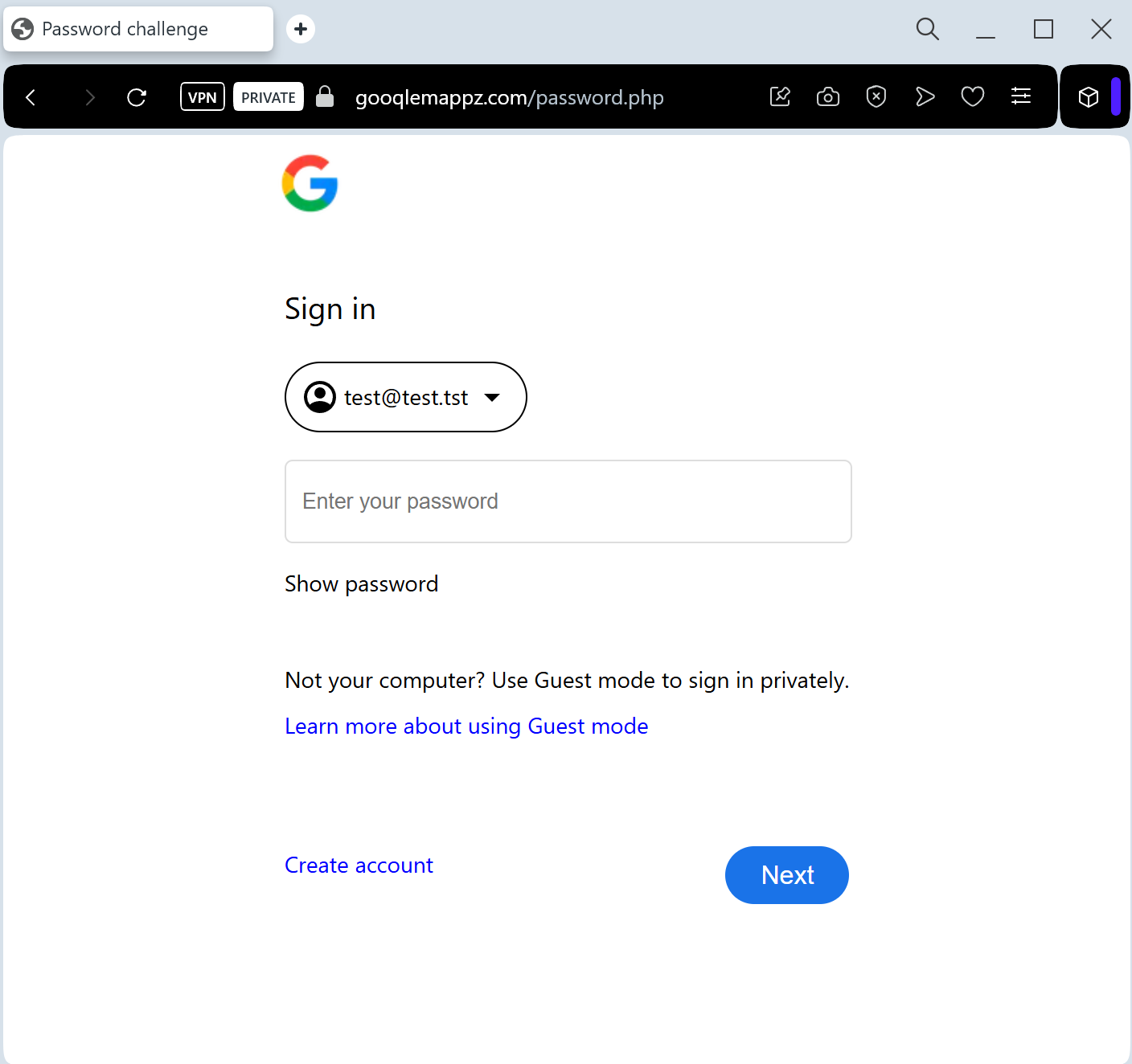
Account Password
Two-Factor Authentication (2FA) Codes: The fake site prompts the victim for their SMS code or “Google Prompt” tap in real-time, allowing the attacker to bypass security and take over the account instantly.
⚠️ Red Flags to Watch For
The URL Check: Official Google login pages always start with ://google.com. Phishing sites use deceptive addresses like google-maps-login.net, secure-account-verify.com, or free subdomains like maps-review.web.app.
Unexpected 2FA Prompts: If you receive a “Google Prompt” (the “Is it you?” screen on your phone) while browsing a site you reached via a link, tap “No” immediately.
Sender Address: Official Google notifications come from addresses ending in @google.com. Be wary of senders like [email protected].
🛡️ How to Protect Yourself
Use Security Keys: Hardware security keys (like Yubikey) are the only 100% defense against this type of real-time phishing.
The “Sign-In” Habit: Never sign into your Google account through a link in an email. If you need to check your settings, go to ://google.com by typing it manually.
Check “Third-party access”: Regularly review which apps have access to your Google account at ://google.com.
Report the URL: You can report Google-branded phishing sites directly to Google’s Safe Browsing team to help protect others.


💡 Expert Security Tip:
This is a Session Hijacking attack. Scammers aren’t just after your location; they want your Gmail. Once they have access to your primary email, they can reset passwords for your bank, social media, and other sensitive services. Never “Verify” your account through a link—Google will never ask you to do this via an unsolicited email.

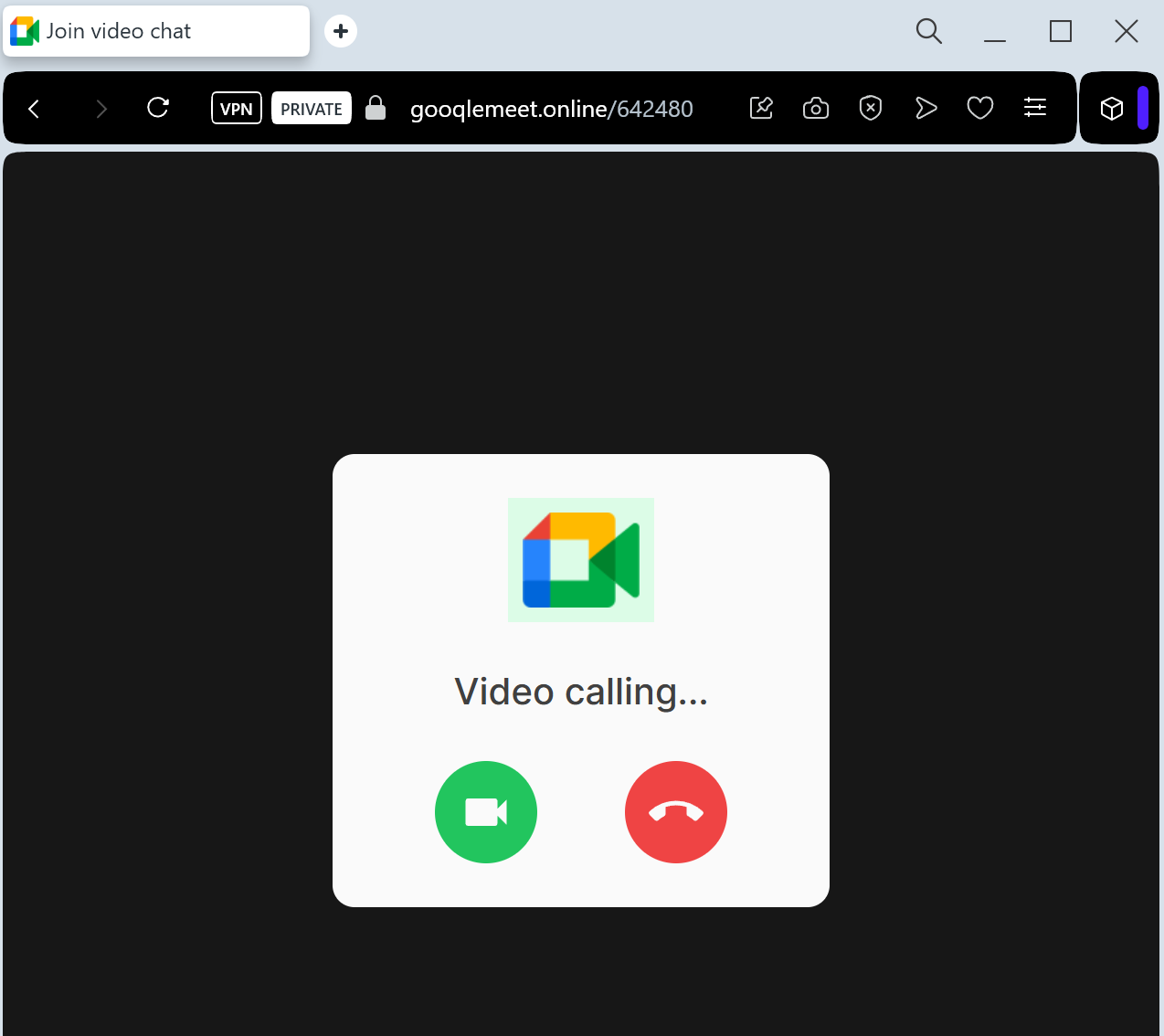
Google Meet phishing page detected

This phishing campaign abuses legitimate Windows device management (MDM) features, masquerading as a fake Google Meet update to gain full, remote control over a victim’s computer. Instead of stealing credentials, the attack tricks users into enrolling their devices into an attacker-controlled system, allowing for malicious software installation and remote file access.

Target: Corporate Employees, Job Seekers, and Freelancers
Threat Level: Critical (Business Email Compromise & Google Account Takeover)
Phishing Method Description
This attack leverages the “Fear of Missing Out” (FOMO) or professional urgency. Victims receive an email, Calendar invite, or LinkedIn message with a link to a “Scheduled Interview,” “Emergency Team Meeting,” or “Legal Consultation” via Google Meet.
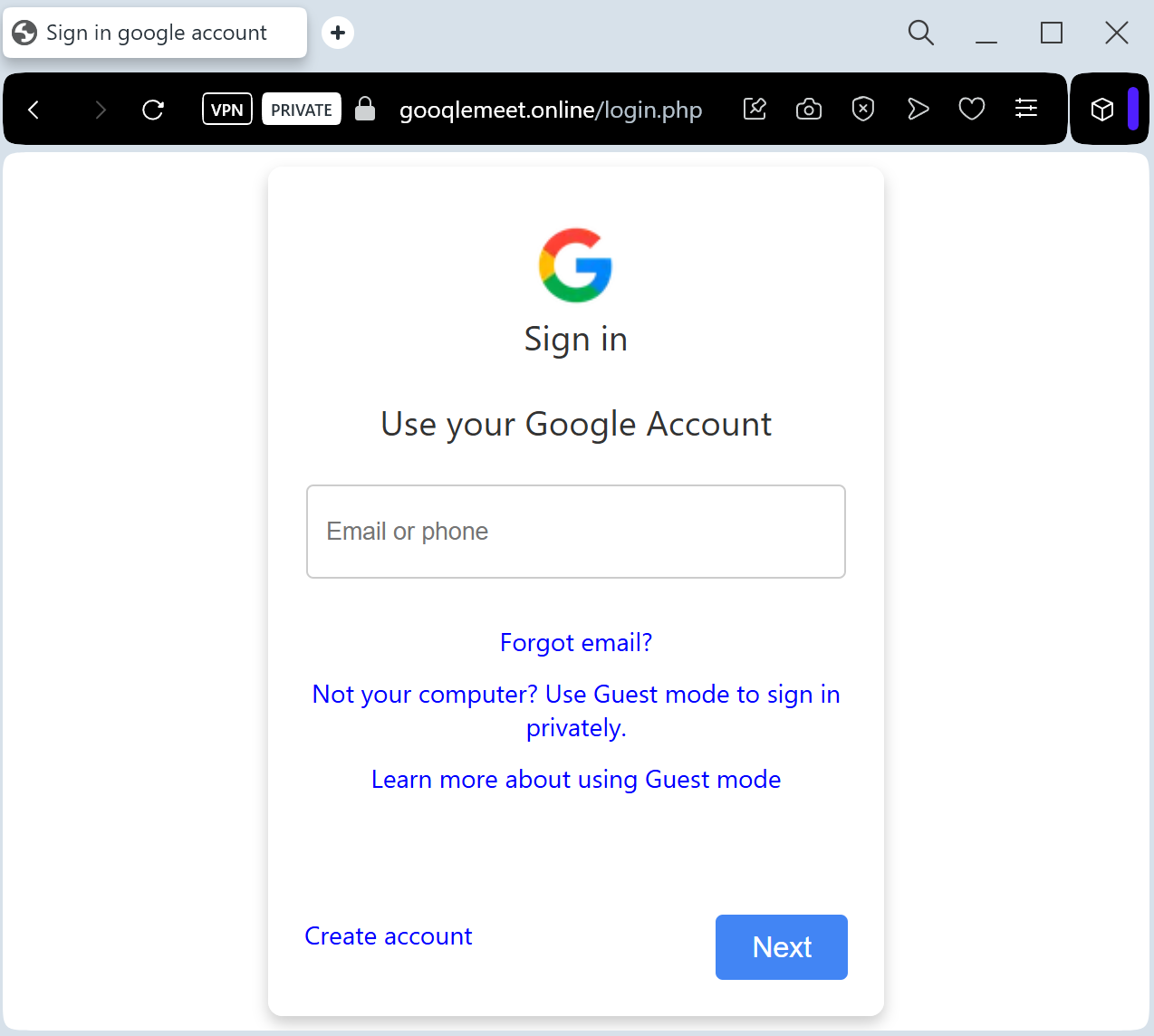
The link leads to a pixel-perfect clone of the Google Meet landing page. Before “joining” the call, the site prompts the victim to “Sign in to verify your identity.” This is a Real-time Credential Harvesting kit designed to steal:
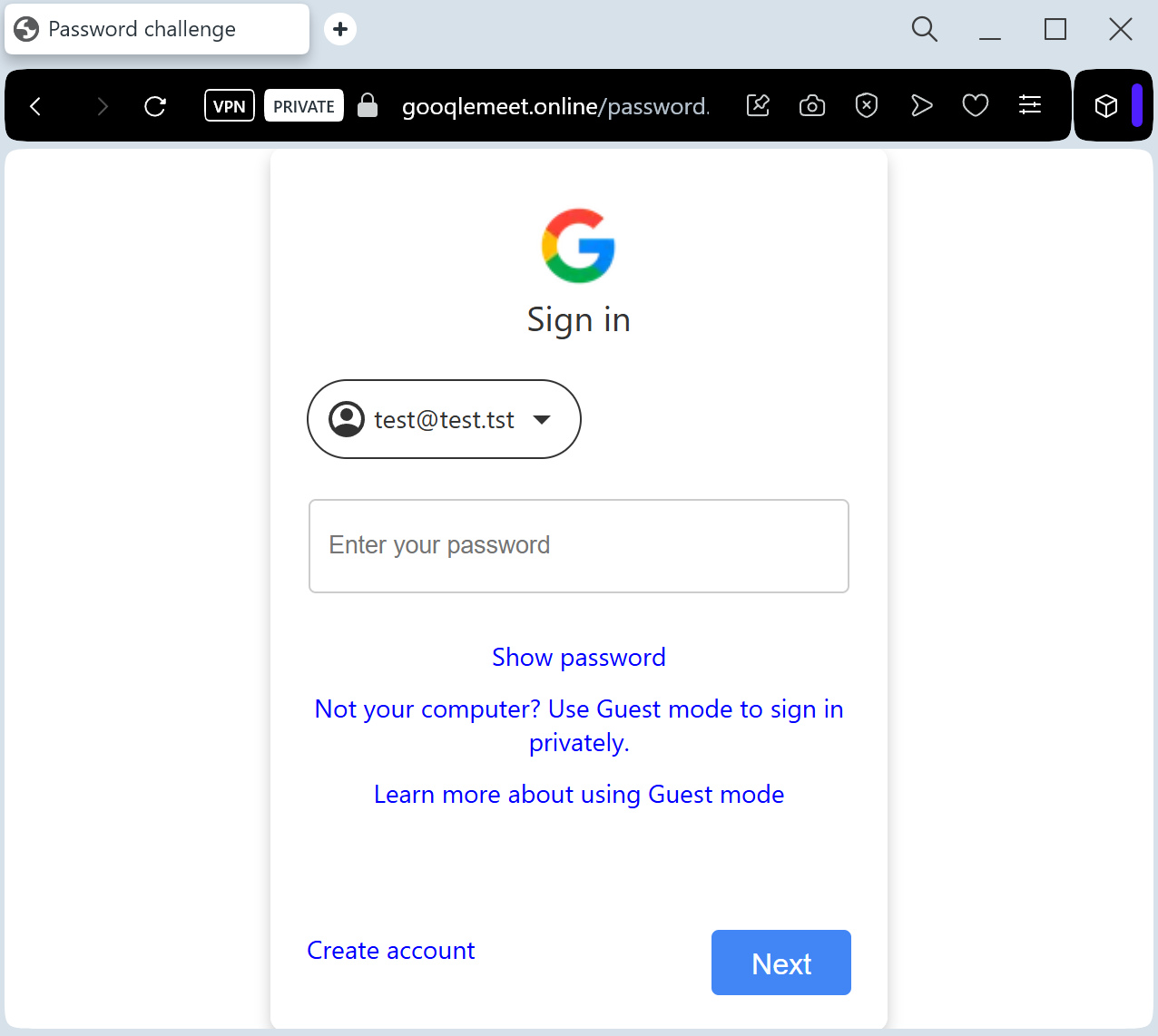
Google Account Credentials (Email and Password)
Session Cookies: To bypass Multi-Factor Authentication (MFA).
2FA Codes: The fake site intercepts SMS codes or “Google Prompts” in real-time to gain instant access to the victim’s Gmail and Drive.
⚠️ Red Flags to Watch For
The Deceptive URL: Official Google Meet links always start with ://google.com. Phishing sites use lookalikes such as meet-google-join.net, google-meet-session.com, or free subdomains like joining-meet.web.app.
Unsolicited Calendar Invites: Scammers often exploit the “automatically add invitations” feature in Google Calendar to make the meeting look legitimate and internal.
Request to Sign In: If you are already logged into your Google account in your browser, Google Meet will never ask you to re-enter your password just to join a meeting.
🛡️ How to Protect Yourself
Check the “Join” Screen: Authentic Google Meet pages show your profile picture in the top right corner if you are already logged in. If the page looks “blank” or asks for a login, close it.
Verify the Organizer: Check the email address of the person who sent the invite. If it’s from an external or suspicious domain (e.g., [email protected]), do not click.
Use Hardware 2FA: Security keys (like Yubico) prevent hackers from using stolen 2FA codes, as the key is physically tied to the legitimate google.com domain.
Disable Auto-Invites: Go to your Google Calendar settings and change “Add invitations to my calendar” to “Only if I respond to the invitation by email” to prevent “Ghost” meetings from appearing.


💡 Expert Security Tip:
This is a Credential & Session Theft attack. Scammers use the familiar Google Meet interface to lower your guard. Remember: Google will never ask for your password to join a meeting if you are already signed into your browser. If a “Meeting” page asks for your password, it is 100% a phishing trap.

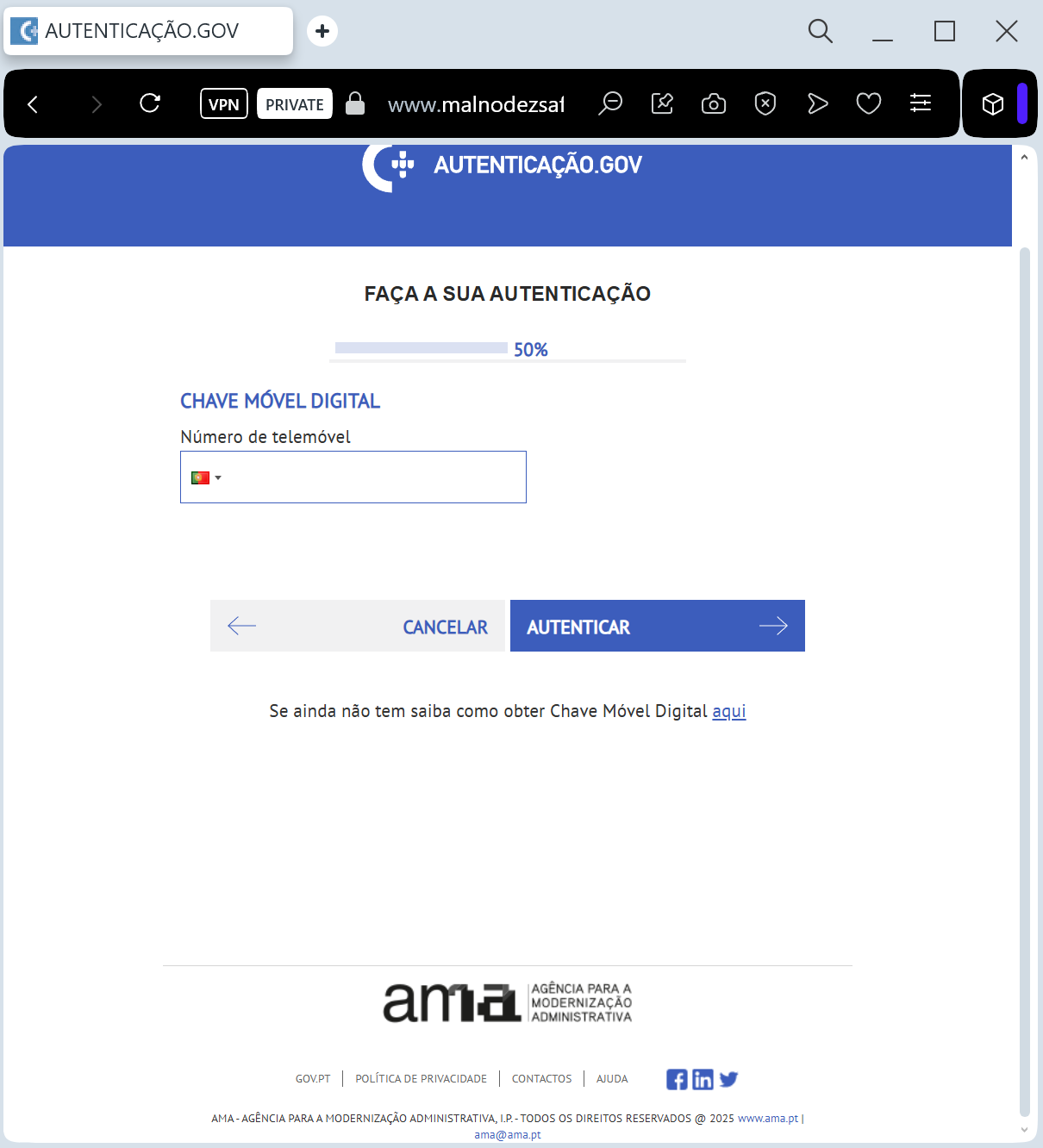
Portuguese government phishing page discovered

A May 2025 phishing campaign targeting Portuguese government and financial sectors uses the “ClickFix” method to trick users into executing malicious PowerShell commands. Posing as official tax authority (AT) alerts via WeTransfer, this attack distributes Lampion malware designed to steal data. To avoid this scam, verify that official communications use the gov.pt domain and manually enter website addresses rather than clicking links in emails.

Portuguese Government “Tax Refund / Social Security” Fraud
Target: Citizens and Residents of Portugal
Threat Level: High (Financial & Identity Theft)
Phishing Method Description
This attack uses a “Government Grant / Refund” pretext. Victims receive an SMS (Smishing) or Email claiming they are entitled to a “Reembolso” (Refund) from the Tax Authority (Autoridade Tributária) or a social subsidy from Segurança Social.
The link leads to a high-fidelity clone of the official Portuguese government portal (e-fatura or Portal das Finanças). To “receive the payment,” the victim is led through a series of forms designed to harvest:
NIF (Tax Identification Number)
Access Credentials (Password for the government portal)
Credit/Debit Card Details (Number, Expiration Date, and CVV)
Mobile Phone Number (for intercepting 3D-Secure codes in real-time)
⚠️ Red Flags to Watch For
The URL Trap: Official Portuguese government sites always end in .gov.pt. Phishing sites use deceptive addresses like reembolso-financas.com, seguranca-social-directa.net, portal-financas-gov.org, or free hosting platforms.
Requesting Card Details for a Refund: Government agencies already have your IBAN for tax refunds. They will never ask you to enter your credit card’s CVV or expiration date to “send” you money.
Urgent Deadlines: Phrases like “Último aviso” (Last warning) or “Expira em 24 horas” (Expires in 24 hours) are used to create artificial panic.
🛡️ How to Protect Yourself
The .gov.pt Rule: Always check the address bar. If the domain does not end in .gov.pt, close the page immediately.
Access via Official Portals: If you are expecting a refund, log in directly to the official Portal das Finanças (portaldasfinancas.gov.pt) or Segurança Social Direta by typing the address manually.
Use Chave Móvel Digital: Whenever possible, use the official Chave Móvel Digital for secure authentication. Scammers find it much harder to bypass this multi-factor system.
Verify SMS Senders: Official government alerts do not come from standard 9-digit mobile numbers. If the sender is an unknown mobile number, it is a scam.


💡 Expert Security Tip:
This is a Refund-to-Skimming attack. Government agencies pay out refunds via Bank Transfer (IBAN), not by “crediting” your debit card like a merchant refund. If a government site asks for your CVV code, it is 100% a phishing trap designed to empty your account.