
A phishing campaign targeting Bank Central Asia (BCA) customers in Indonesia uses WhatsApp-based smishing to direct victims to fraudulent sites mimicking the KlikBCA login portal. Attackers aim to harvest User IDs, PINs, and KeyBCA token codes, enabling real-time, fraudulent transaction authorization. The attack is a “Token Interception” method, utilizing spoofed domains like klikbca-update.online to bypass security and steal user funds.
Security Notice: This deceptive layout was detected, analyzed, and contained firsthand by the
Antiphishing.bizsecurity team during our standard URL vetting operations. To protect the public, the phishing source domain has been fully defanged within our infrastructure. We document and analyze these live visual patterns to help security researchers and users spot lookalike phishing methods before financial damage occurs.
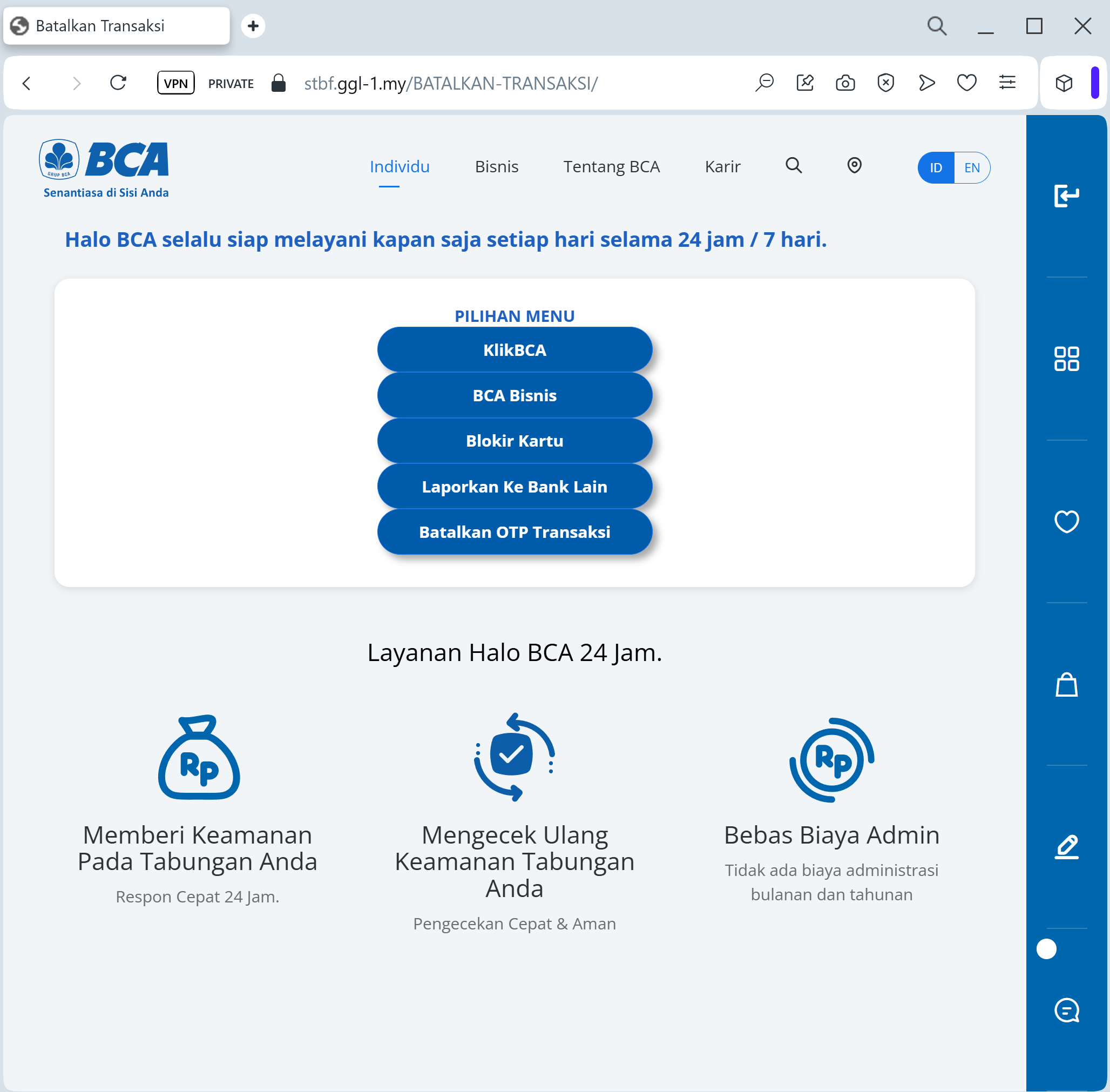
Target: Customers of Bank Central Asia (BCA) in Indonesia
Threat Level: Critical (KlikBCA & Individual Access Theft)
Phishing Method Description
This attack targets users of KlikBCA Individual and the BCA Mobile app. Scammers distribute fraudulent links via WhatsApp or SMS (Smishing), often using an “official-looking” announcement about a “New Service Fee Policy” (e.g., changing the monthly fee to 150,000 IDR) or a “Security Feature Update.”
The link leads to a pixel-perfect replica of the BCA login portal. The phishing kit is specifically designed to harvest:
User ID / Username
Internet Banking PIN
Mobile Phone Number
KeyBCA (Physical Token) Response: The fake site prompts the victim to generate a code on their physical KeyBCA device (using APPLI 1 or APPLI 2) and enter it. The attacker uses this code in real-time to authorize a massive fraudulent transfer.
Red Flags to Watch For
The Deceptive URL: The official domain is
bca.co.id or klikbca.com. Phishing sites often use lookalike addresses such as bca-update-layanan.com, tarif-bca-baru.net, klikbca-konfirmasi.online, or free subdomains like bca-login.web.app.Urgent Call-to-Action: Messages that demand you “Agree” to a fee change or “Confirm” your account within a few hours are classic social engineering tactics.
Requesting KeyBCA Codes: BCA will never ask you to enter a KeyBCA token code just to “cancel a fee” or “verify your identity” through a link sent via WhatsApp.
How to Protect Yourself
Use the BCA Mobile App: Only trust notifications that appear inside your official BCA Mobile or Halo BCA app.
The “No Link” Rule: BCA officially states they will never send links via SMS or WhatsApp asking for your personal data or PIN. Always type ://
klikbca.com manually into your browser.Verify with Halo BCA: If you receive a suspicious message, contact the official BCA call center at 1500888 or use the official Halo BCA app to verify the information.
KeyBCA Security: Treat your physical KeyBCA token as the “key to your safe.” Never use it on any website that you did not access yourself by typing the address.
Expert Security Tip:
This is a Social Engineering & Token Interception attack. Scammers create a fake problem (like a high monthly fee) to make you panic and give up your KeyBCA codes. Remember: Your token codes are only for authorizing transactions you started. Never use your KeyBCA to “cancel” something or “log in” from a link.