
This phishing campaign against PayPal users utilizes fraudulent “Account Suspension” notifications to direct victims to a high-fidelity cloned site. The multi-step funnel steals user credentials, personal information, and credit card data, often employing deceptive domains and urgent demands to bypass security measures.
Security Notice: This spoofed page was detected, analyzed, and contained firsthand by the
Antiphishing.bizsecurity team during our standard URL vetting operations. To protect the public, the dangerous destination URL has been safely deactivated within our infrastructure. We document and analyze these live visual patterns to help security researchers and users spot lookalike phishing methods before financial damage occurs.
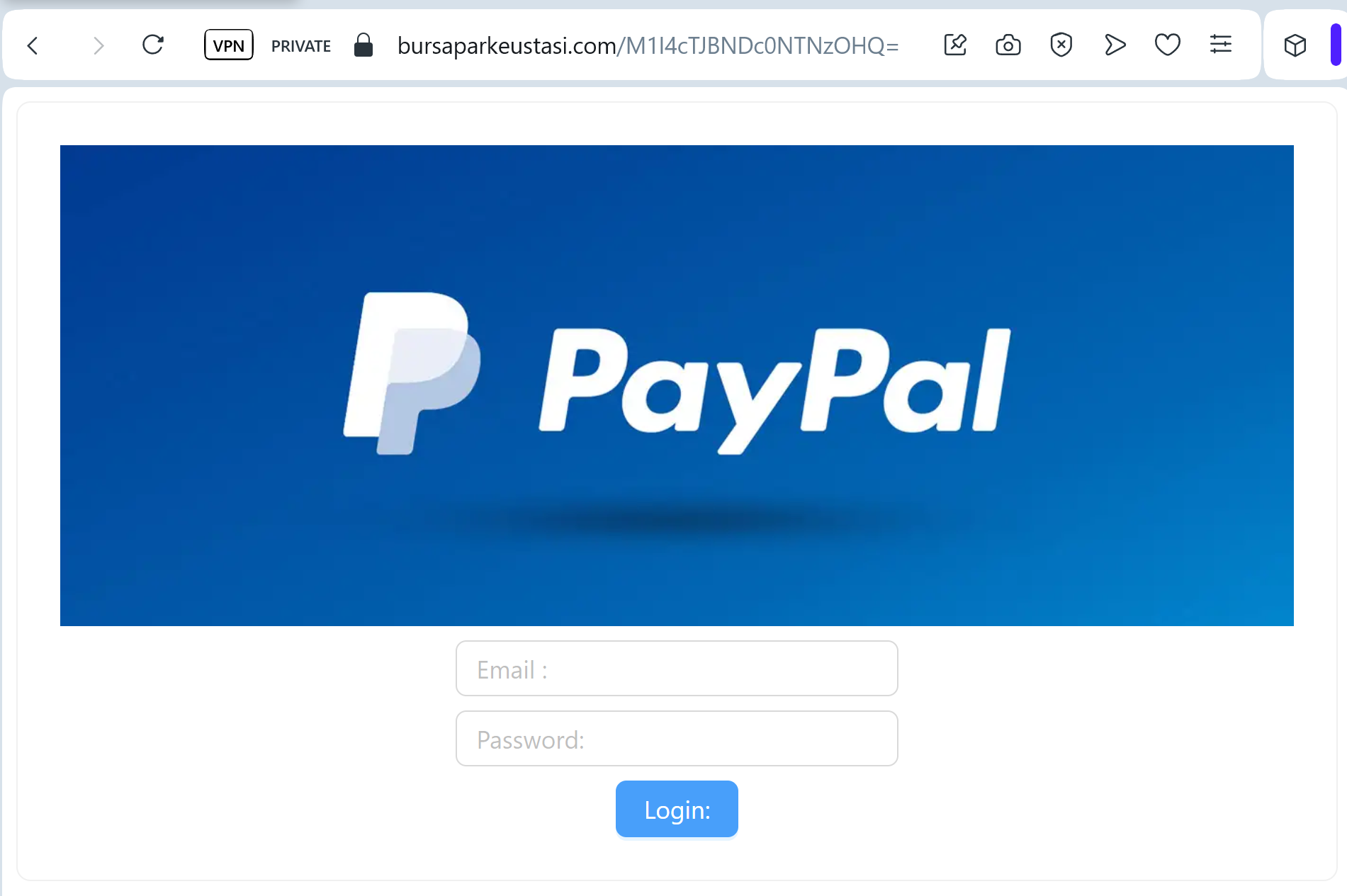
Target: PayPal Users Worldwide
Threat Level: Critical (Financial & Identity Theft)
Phishing Method Description
This attack uses a “Restricted Account” pretext. Scammers send out deceptive emails or SMS messages claiming that “Your account has been temporarily limited” or that there is “Unusual activity on your PayPal account.” To “restore access,” the victim is pressured to click a link and complete a security check.
The link leads to a high-fidelity clone of the PayPal login portal. Once the victim enters their credentials, the phishing kit directs them through a series of additional forms designed to harvest:
Email Address and Password
Full Name, Date of Birth, and Home Address
Credit/Debit Card Details (Number, Expiration Date, CVV)
Bank Account Information
Mother’s Maiden Name (to bypass security questions)
Red Flags to Watch For
The Deceptive URL: The official domain is strictly
paypal.com. Phishing sites often use lookalikes such as verify-paypal-accounts.com, paypal-security-center.net, service-paypal.info, or free subdomains like login-paypal.web.app.Urgent & Threatening Language: Phrases like “Action Required immediately” or “Your account will be permanently closed” are classic social engineering tactics.
Non-Personalized Greetings: Official PayPal emails almost always address you by your full name (as registered on your account), not “Dear Customer” or “Valued Member.”
How to Protect Yourself
The “Login Direct” Rule: Never log into PayPal via a link in an email or SMS. Always open a new browser tab and manually type ://
paypal.com or use the official PayPal App.Check the Message Center: If there is a real problem with your account, a notification will be waiting for you in the secure “Message Center” inside your PayPal account.
Watch for Redirection: Phishing kits often redirect you to the real PayPal website after you’ve submitted your data to make the experience feel legitimate. If the site suddenly “refreshes” or looks different, your data may have been stolen.
Reporting: You can report PayPal phishing by forwarding suspicious emails to spoof@
paypal.com or suspicious SMS to the short code 7726.
Expert Security Tip:
This is a Full Info (Fullz) Phishing Kit. The scammers aren’t just after your PayPal balance; they want your Credit Card and Identity. PayPal will never ask you to enter your full credit card number and CVV just to “verify” your account login. If a site asks for your card details to “unlock” your account, close the tab immediately.