
A phishing campaign impersonating Google Maps tricks users into entering credentials on fake pages to steal full Google Account access. These attacks leverage fraudulent “Location Update” alerts, often capturing 2FA codes in real-time to bypass security measures.
Threat Intel: This spoofed page was detected, analyzed, and contained firsthand by the
Antiphishing.bizsecurity team during our daily link moderation procedures. To protect the public, the dangerous destination URL has been safely deactivated within our infrastructure. We document and analyze these live visual patterns to help security researchers and users spot lookalike phishing methods before financial damage occurs.
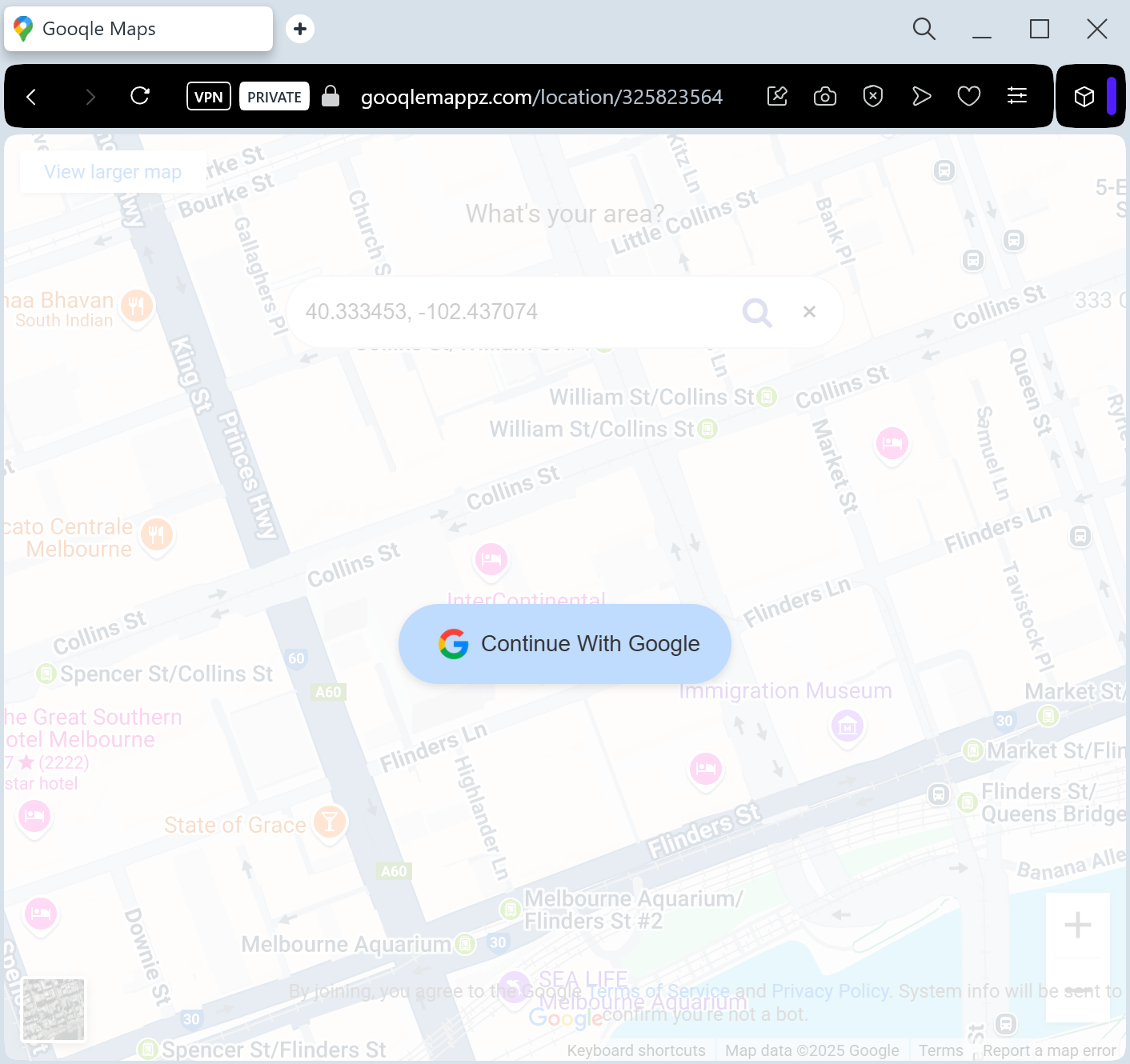
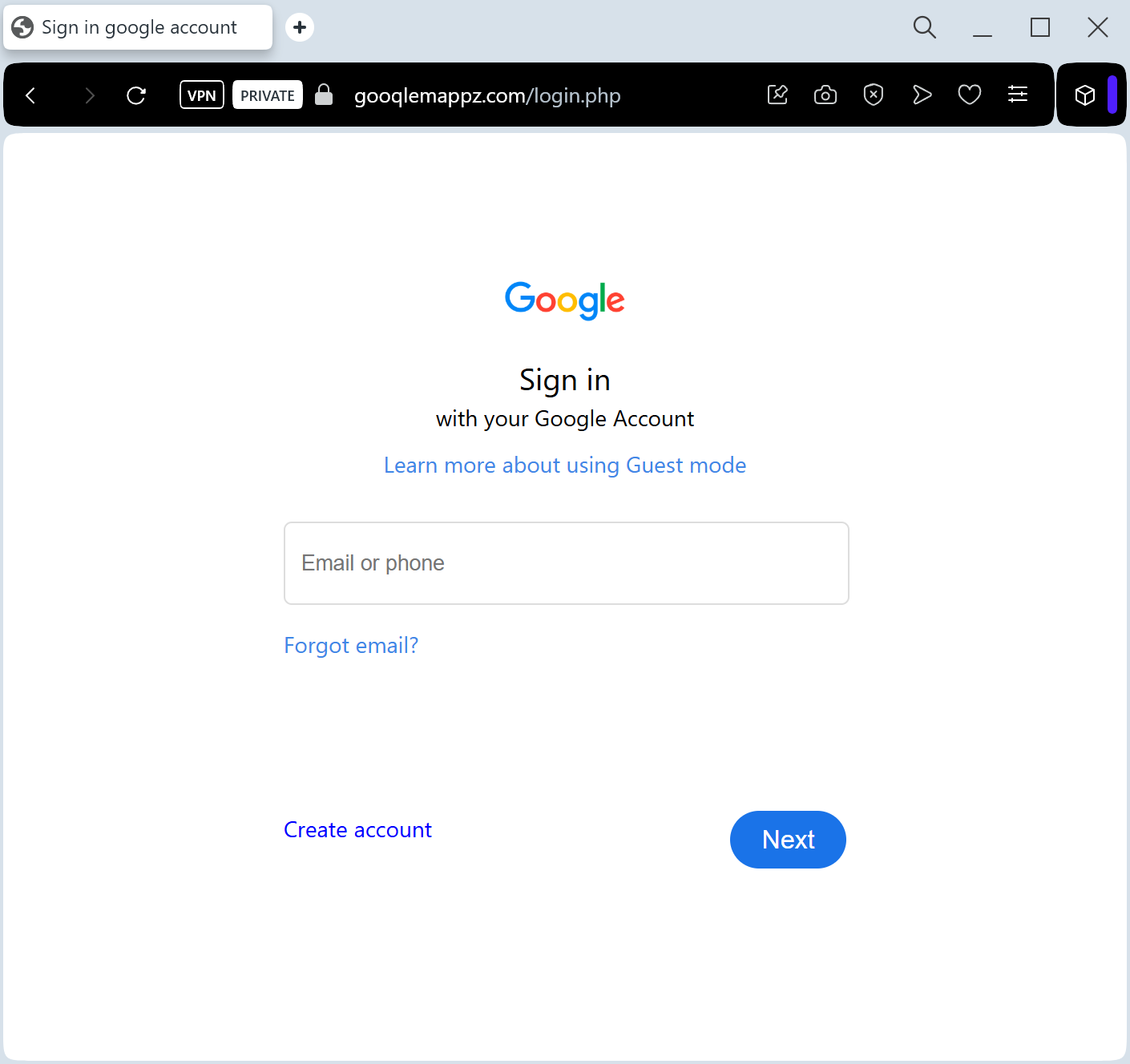
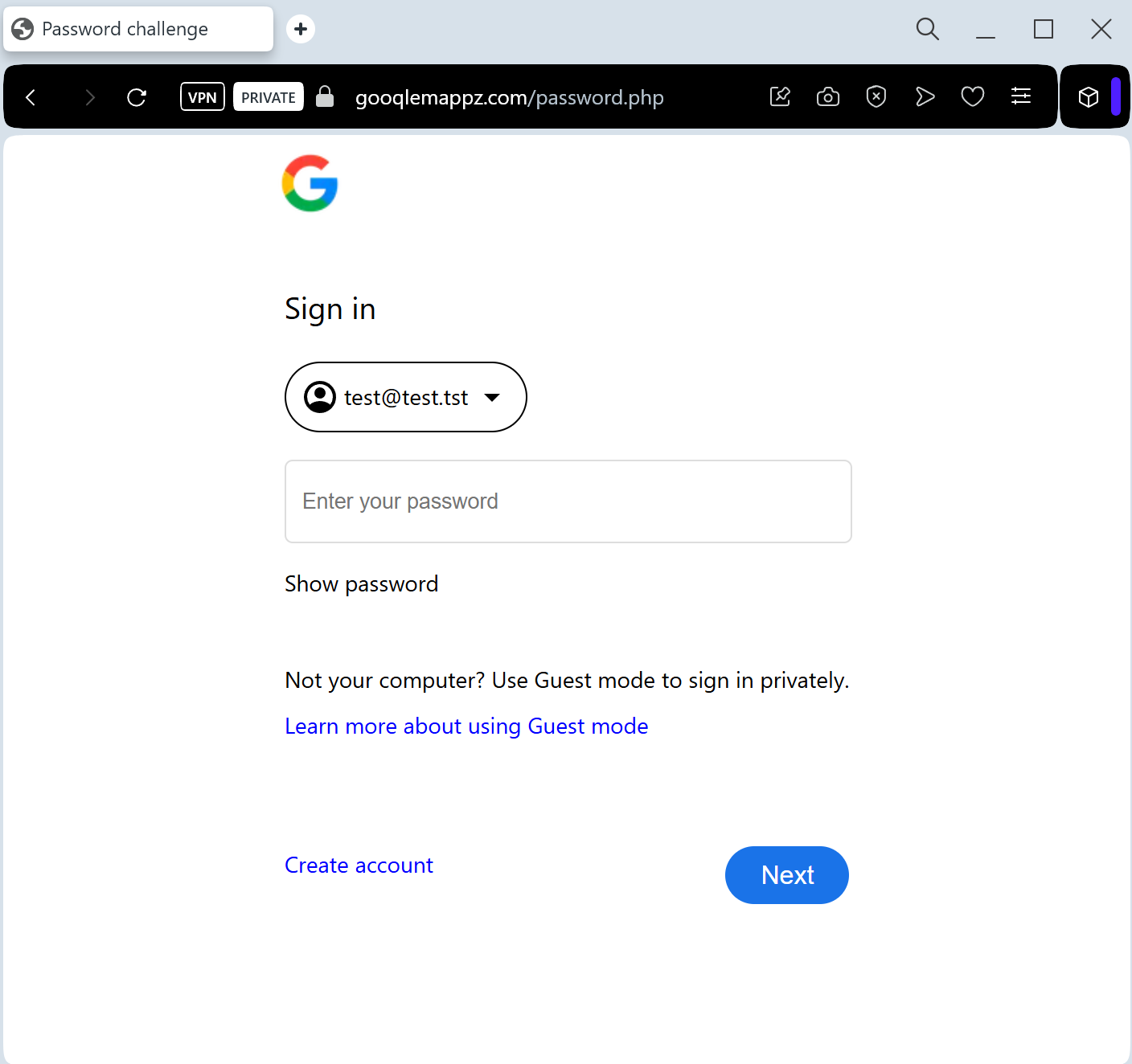
Target: Global Google Account Users
Threat Level: Critical (Full Google Account & Gmail Hijacking)
Phishing Method Description
This attack uses a Service Notification pretext. Victims receive an email or push-style notification claiming that “A new device is tracking your location” or “Your Google Maps Timeline is ready to review.” Another common tactic is a fake “Location Sharing” request from a stranger.
The link leads to a pixel-perfect imitation of the Google Sign-in page. This is a sophisticated Real-time Phishing Kit designed to harvest:
Google Account Email / Phone Number
Account Password
Two-Factor Authentication (2FA) Codes: The fake site prompts the victim for their SMS code or “Google Prompt” tap in real-time, allowing the attacker to bypass security and take over the account instantly.
Red Flags to Watch For
The URL Check: Official Google login pages always start with ://
google.com. Phishing sites use deceptive addresses like google-maps-login.net, secure-account-verify.com, or free subdomains like maps-review.web.app.Unexpected 2FA Prompts: If you receive a “Google Prompt” (the “Is it you?” screen on your phone) while browsing a site you reached via a link, tap “No” immediately.
Sender Address: Official Google notifications come from addresses ending in @
google.com. Be wary of senders like support@google-service.xyz.How to Protect Yourself
Use Security Keys: Hardware security keys (like Yubikey) are the only 100% defense against this type of real-time phishing.
The “Sign-In” Habit: Never sign into your Google account through a link in an email. If you need to check your settings, go to ://
google.com by typing it manually.Check “Third-party access”: Regularly review which apps have access to your Google account at ://
google.com.Report the URL: You can report Google-branded phishing sites directly to Google’s Safe Browsing team to help protect others.
Expert Security Tip:
This is a Session Hijacking attack. Scammers aren’t just after your location; they want your Gmail. Once they have access to your primary email, they can reset passwords for your bank, social media, and other sensitive services. Never “Verify” your account through a link—Google will never ask you to do this via an unsolicited email.