Arabic phishing Facebook pages identified.

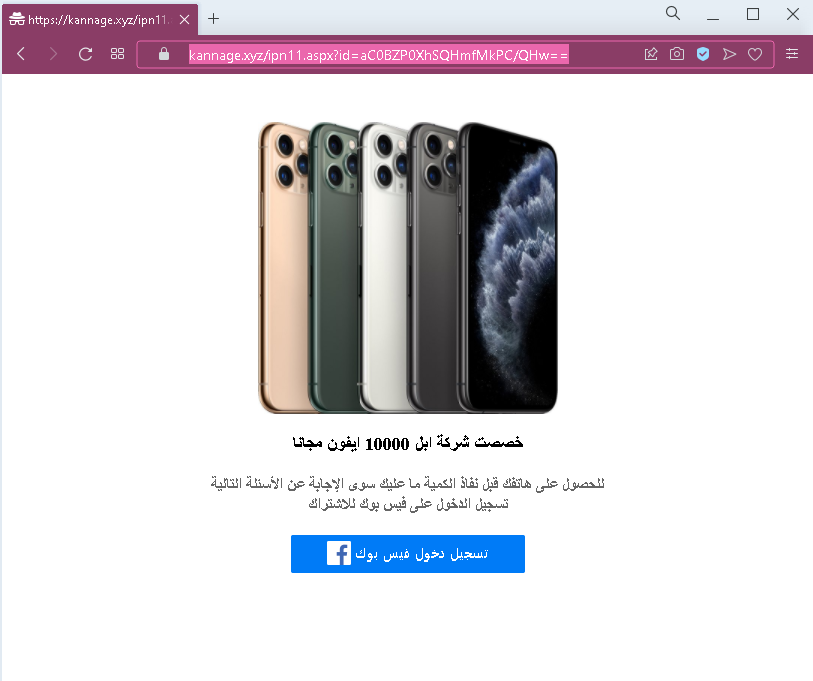
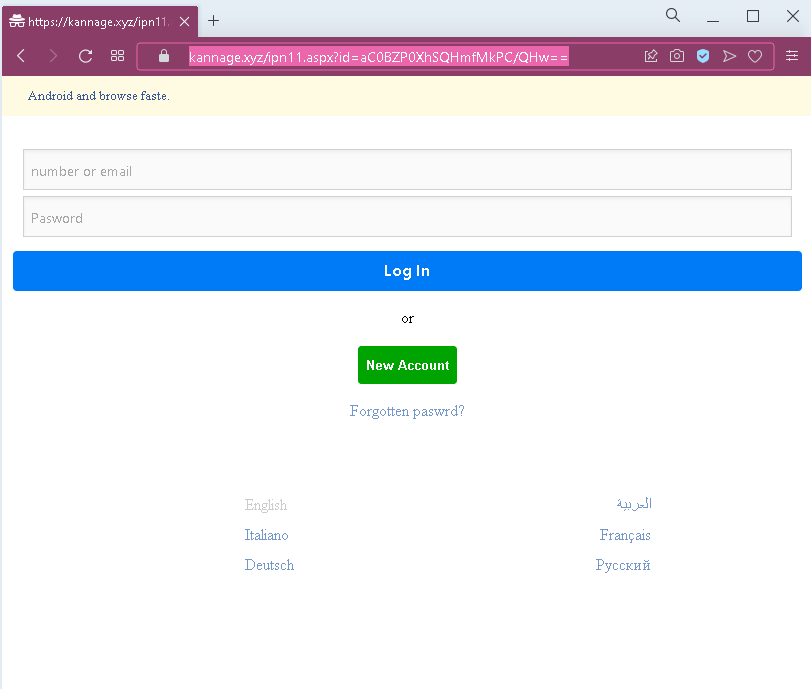
This screenshot shows an Arabic‑language phishing page impersonating Facebook. The page asks for the victim’s email address and password under the pretext of “logging in” before accessing content or claiming a reward.


Threat Analysis: Facebook Phishing – Credential Harvesting (Arabic Variant)

How it works:
The victim receives a phishing email, SMS, or social media message claiming a security alert, account verification, or a prize that requires logging in. The link leads to this page, which mimics the Facebook login interface. The victim is asked to enter their email address and password and click the login button (labeled “الاختر” – likely a typo or variant of “دخول”). The credentials are captured and sent to the attacker.

The goal:
The attacker steals Facebook account credentials to:

  • Take over the victim’s Facebook account
  • Access private messages and personal information
  • Post spam or malicious links from a trusted account
  • Use the account to spread further phishing messages to friends
  • Attempt credential reuse on other platforms (email, banking, etc.)

Red flags to watch for:

  • Suspicious URL: The page is hosted on a domain that is not facebook.com. Legitimate Facebook login pages are only on official Facebook domains.
  • Unsolicited login request: Facebook does not send links requiring users to log in to resolve account issues or claim rewards.
  • Minimal design / missing security features: The page lacks Facebook’s full branding, language selection, and two‑factor authentication options.
  • No personalization or account selection: A real Facebook login often displays a profile photo or saved account – this page does not.
  • Poor Arabic phrasing / typos: The login button text may contain a typo, which would not appear on an official Facebook page.

What to do if you encounter this:

  • Do not enter your email address or password.
  • If you have already entered your credentials, change your Facebook password immediately and enable two‑factor authentication (2FA). Also check for any unauthorized activity or connected apps.
  • Always access Facebook by typing facebook.com directly into your browser.

Protective measures:

  • Bookmark the official Facebook login page and use that bookmark.
  • Use a password manager – it will autofill only on legitimate facebook.com domains.
  • Enable two‑factor authentication on your Facebook account.
  • Be suspicious of any unsolicited message that asks you to log in via a link.

Facebook spoof pages detected

A high-risk Facebook spoofing campaign that uses urgent “security alert” pretexts to harvest user credentials and two-factor authentication codes. These attacks utilize phishing pages and redirect chains to bypass security, often impersonating Meta support to hijack user and business accounts.

This screenshot shows a generic Facebook phishing page designed to steal login credentials (email/phone number and password). The page mimics the official Facebook login interface, including language selection and footer links, but is hosted on a fraudulent domain.


Threat Analysis: Facebook Spoof Page – Credential Harvesting

How it works:
The victim receives a phishing email, SMS, or social media message claiming a security alert, account verification, or the need to log in to claim a prize or view content. The link leads to this page, which copies Facebook’s design. The victim is asked to enter their mobile number or email address and password, then click “Log In.” The credentials are captured and sent to the attacker.

The goal:
The attacker steals Facebook account credentials to:

  • Take over the victim’s Facebook account
  • Access private messages and personal information
  • Post spam, scams, or malicious links from a trusted account
  • Use the account to spread further phishing messages to friends
  • Attempt credential reuse on other platforms (email, banking, etc.)

Red flags to watch for:

  • Suspicious URL: The page is hosted on a domain that is not facebook.com. Legitimate Facebook login pages are only on official Facebook domains.
  • Unsolicited login request: Facebook does not send links requiring users to log in to resolve account issues or claim prizes.
  • Minor design inconsistencies: While the page copies Facebook’s layout, it may lack the full security indicators (e.g., proper SSL certificate, dynamic language switcher, or personalized elements).
  • No personalization or saved account info: A real Facebook login often shows a profile photo or remembered account – this page does not.

What to do if you encounter this:

  • Do not enter your email/phone or password.
  • If you have already entered your credentials, change your Facebook password immediately and enable two‑factor authentication (2FA). Also check for any unauthorized activity or connected apps.
  • Always access Facebook by typing facebook.com directly into your browser.

Protective measures:

  • Bookmark the official Facebook login page and use that bookmark.
  • Use a password manager – it will autofill only on legitimate facebook.com domains.
  • Enable two‑factor authentication on your Facebook account.
  • Be suspicious of any unsolicited message that asks you to log in via a link.

Thai phishing Facebook pages detected.

This screenshot shows a Thai‑language phishing page impersonating Facebook. The page asks for the victim’s mobile phone number or email address and password to log in, then steals the credentials.


Threat Analysis: Facebook Phishing – Credential Harvesting (Thai Variant)

How it works:
The victim receives a phishing email, SMS, or social media message claiming a security alert, account verification, or the need to log in to claim a reward or view restricted content. The link leads to this page, which mimics the Facebook login interface. The victim is asked to enter their mobile number or email and password, then click the login button (labeled “เข้าสู่ระบบ” – Log In). The credentials are captured and sent to the attacker.

The goal:
The attacker steals Facebook account credentials to:

  • Take over the victim’s Facebook account
  • Access private messages and personal information
  • Post spam or malicious links from a trusted account
  • Use the account to spread further phishing messages to friends
  • Attempt credential reuse on other platforms (email, banking, etc.)

Red flags to watch for:

  • Suspicious URL: The page is hosted on a domain that is not facebook.com. Legitimate Facebook login pages are only on official Facebook domains.
  • Unsolicited login request: Facebook does not send links requiring users to log in to resolve account issues or claim prizes.
  • Minimal design / missing security features: While the page copies Facebook’s layout, it lacks the full navigation, security notices, and two‑factor authentication options present on the real site.
  • No personalization or saved account info: A real Facebook login often displays a profile photo or remembered account – this page does not.

What to do if you encounter this:

  • Do not enter your mobile number, email, or password.
  • If you have already entered your credentials, change your Facebook password immediately and enable two‑factor authentication (2FA). Also check for any unauthorized activity or connected apps.
  • Always access Facebook by typing facebook.com directly into your browser.

Protective measures:

  • Bookmark the official Facebook login page and use that bookmark.
  • Use a password manager – it will autofill only on legitimate facebook.com domains.
  • Enable two‑factor authentication on your Facebook account.
  • Be suspicious of any unsolicited message that asks you to log in via a link.

Preparations for a phishing attack on Banco Hipotecario Argentina have been detected

This screenshot shows a phishing page impersonating Banco Hipotecario, an Argentine bank. The page presents a fake security alert or service notification, urging the victim to click a “VERIFICAR” (Verify) button, which leads to a fraudulent website designed to steal online banking credentials.


Threat Analysis: Banco Hipotecario Phishing – Fake Verification Alert

How it works:
The victim receives a phishing email, SMS, or other message claiming a security issue, account update, or service interruption. The link leads to this page, which displays a message in Spanish asking the user to click “VERIFICAR” to continue enjoying the bank’s services. Clicking the button redirects the victim to a fake login page that requests online banking credentials (username, password, and possibly additional security codes).

The goal:
The attacker aims to steal the victim’s Banco Hipotecario online banking credentials to access the account, transfer funds, and commit fraud.

Red flags to watch for:

  • Suspicious URL: The page is hosted on a domain that is not the official Banco Hipotecario domain (which would be bancohipotecario.com.ar).
  • Unsolicited verification request: Banco Hipotecario does not send messages with links requiring customers to click a button to “verify” their account or continue using services.
  • Vague threat / urgency: The message implies that failure to click will result in loss of service – a classic fear tactic.
  • Minimal design: The page lacks the bank’s full branding, security notices, and contact information that would appear on a legitimate communication.

What to do if you encounter this:

  • Do not click the “VERIFICAR” button.
  • If you are a Banco Hipotecario customer, always access online banking by typing the official URL directly into your browser.
  • If you have already clicked and entered credentials, contact the bank immediately to secure your account.
  • Report the phishing page to Banco Hipotecario’s fraud department.

Protective measures:

  • Never click links in unsolicited messages claiming you need to verify your account.
  • Always type your bank’s official website address manually.
  • Enable two‑factor authentication on your bank account if available.
  • Be suspicious of any message that creates urgency and asks you to click a button.

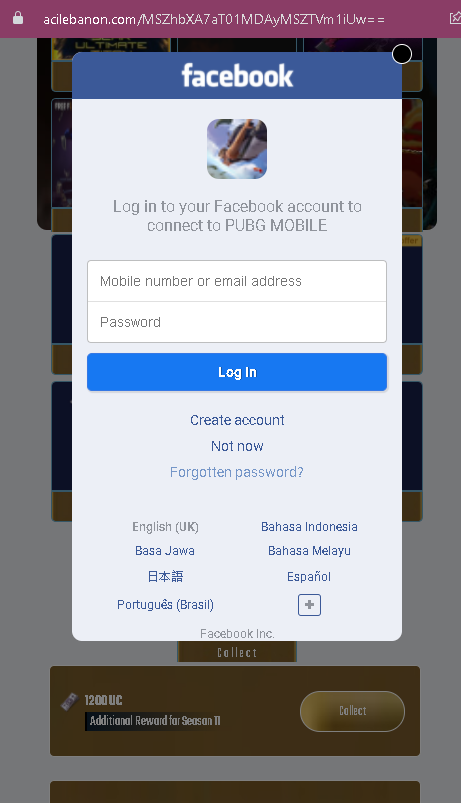
Facebook and Google phishing pages have been detected disguised as Freefire rewards

These screenshots show a phishing campaign that uses “FreeFire Rewards” as a lure to steal login credentials for either Facebook or Google. Victims are promised in-game rewards and then directed to fake login pages.


Threat Analysis: FreeFire Reward Phishing – Facebook & Google Credential Harvesting

How the scam works (common flow for both variants):

The victim receives a link (via social media, SMS, or messaging app) promising free rewards for the game FreeFire (e.g., diamonds, skins, or other in-game currency). The link leads to a page titled “Rewards Redemption Site.” The victim is told they must log in to claim the reward. Depending on the variant, the page mimics either the Facebook or Google login interface.

Variant 1 – Fake Facebook Login Page (First Screenshot)
The page asks for:

  • Mobile number or email address
  • Password

It includes Facebook branding, language options, and a copyright notice for Garena to appear legitimate.

Variant 2 – Fake Google Login Page (Second Screenshot)
The page asks for:

  • Phone, email, or username
  • Password

It includes Google branding and additional “redemption rules” (e.g., “account wallet automatically,” “expiration date,” “bind your account to Facebook or VK”) to make the offer seem credible.

The goal:
The attacker steals the victim’s Facebook or Google credentials to:

  • Take over the victim’s account
  • Access linked FreeFire (Garena) game progress
  • Use the compromised account to spread the scam to friends
  • Attempt credential reuse on other platforms

Red flags to watch for (both variants):

  • Suspicious URL: The pages are hosted on domains that are not facebook.com or google.com. Legitimate login pages are only on official domains.
  • Reward lure: FreeFire does not distribute in-game currency through third‑party “Rewards Redemption Sites” that require logging in via Facebook or Google.
  • No official branding / inconsistencies: While the pages copy logos and layout, they lack the full security indicators (e.g., proper SSL certificate, two‑factor authentication prompts, personalized security images).
  • Unsolicited offer: Any unsolicited message promising free game rewards in exchange for logging in via a link is almost certainly a scam.
  • Copyright notice for Garena: The presence of a Garena copyright on a fake Facebook page does not make it legitimate – attackers copy such text to appear credible.

What to do if you encounter this:

  • Do not enter your Facebook or Google credentials.
  • If you have already entered your credentials, change your password immediately on the real platform (Facebook or Google) and enable two‑factor authentication (2FA).
  • Always access official game rewards through the FreeFire app itself – never through external links.
  • Report the phishing pages to Facebook, Google, and Garena.

Protective measures:

  • Bookmark the official login pages for Facebook (facebook.com) and Google (google.com), and use those bookmarks.
  • Use a password manager – it will not autofill on fake domains.
  • Enable two‑factor authentication on all your accounts.
  • Remember: no legitimate reward requires you to log in via a link sent in a message.

Preparation of phishing attack on Argentine digital Brubank revealed

Updated 2021-09-17.

New phishing attack detected:

Below are the descriptions for the two phishing screenshots.


1. Brubank Phishing – Fake “Open in App” Redirect

Threat Analysis:
This page impersonates Brubank, a digital bank in Argentina. The victim is shown a prompt claiming they need to open the link in the Brubank mobile app to continue an action. The URL contains a subdomain of ngrok.io – a legitimate service often abused by attackers to host phishing pages. The “USAR BRUBANK APP” button likely leads to a fake login page or attempts to trigger a malicious redirect.

How it works:
The victim receives a phishing message (SMS, email, or chat) stating that an action requires app confirmation. The link leads to this page, which mimics Brubank’s interface. Clicking the button may open a fraudulent website designed to steal the victim’s banking credentials, one-time passwords (OTP), or session tokens.

Red flags:

  • The domain is ngrok.io, not the official Brubank domain.
  • Legitimate banking apps do not ask users to click external links to “open the app” for verification.
  • The page is minimal and lacks official branding beyond a copied logo.

What to do:

  • Do not click any button.
  • Always access your bank by typing the official URL directly or using the official app from a trusted store.
  • If you already clicked and entered credentials, contact Brubank immediately.

2. Generic Account Blocked Phishing – Fake Security Alert

Threat Analysis:
This page uses a fake security alert claiming that the user’s account has been blocked. A button labelled “DESBLOQUEAR” (Unlock) is presented. Clicking it leads to a credential‑harvesting page, likely asking for email address, password, or other personal information.

How it works:
The victim receives an unsolicited email or message stating their account is blocked due to suspicious activity. The link leads to this page. The victim is pressured to click the unlock button, which redirects to a fake login portal that steals credentials.

Red flags:

  • Generic branding (“YOUR WEBSITE”) and template text copied from a free website theme.
  • No legitimate company name or logo is displayed.
  • Threat of account blockage is a classic fear tactic.
  • The “Contact us” section contains placeholder information (e.g., [email protected]).

What to do:

  • Do not click any button.
  • Legitimate security alerts from real companies will not ask you to unlock your account via an external link.
  • Always log in directly through the official website of the service in question.
  • If you have already entered credentials, change your passwords immediately and enable two‑factor authentication.

Be careful, preparations are underway to attack Instagram with fake password reset pages

This screenshot shows a phishing page impersonating Instagram’s password reset process. The page asks for the victim’s old password and a new password (twice), tricking the victim into revealing their current login credentials while believing they are updating their account security.


Threat Analysis: Instagram Password Reset Phishing – Credential Harvesting

How it works:
The victim receives a phishing email, SMS, or message claiming a security alert or that their Instagram password needs to be updated. The link leads to this page, which mimics Instagram’s password reset interface. The victim is asked to enter:

  • Old password (current password)
  • New password (entered twice)

When the victim clicks “Aceptar” (Accept), the information is sent to the attacker. The attacker now has the victim’s current Instagram password and may also attempt to use it to log in immediately. The victim may then be redirected to the real Instagram login page, believing the password change was successful, when in fact no change occurred.

The goal:
The attacker steals Instagram account credentials to:

  • Take over the victim’s Instagram account
  • Access private messages, photos, and personal information
  • Post spam or malicious links from a trusted account
  • Use the account to spread further phishing messages to followers
  • Attempt credential reuse on other platforms

Red flags to watch for:

  • Suspicious URL: The page is hosted on a domain that is not instagram.com. Legitimate Instagram password reset pages are only on official Instagram domains.
  • Unsolicited password reset request: Instagram does not send links requiring users to change their password via external pages.
  • Poor design / generic footer: The footer reads “© whataform | Reportar abuso” – this is not Instagram’s copyright. Official Instagram pages have proper legal notices.
  • No Instagram branding / missing security features: The page lacks Instagram’s logo, security icons, and two‑factor authentication prompts.
  • Request for old password on a reset page: A legitimate password reset typically asks for a new password after verifying identity via email or SMS – it does not ask for your current password in plain text.

What to do if you encounter this:

  • Do not enter your old password, new password, or any other information.
  • If you have already entered your credentials, change your Instagram password immediately on the real Instagram website or app (type instagram.com directly). Enable two‑factor authentication (2FA).
  • Always access Instagram password reset by going directly to instagram.com and using the official “Forgot password” link.
  • Report the phishing page to Instagram.

Protective measures:

  • Bookmark the official Instagram login page and use that bookmark.
  • Use a password manager – it will not autofill on fake domains.
  • Enable two‑factor authentication on your Instagram account.
  • Never click links in unsolicited messages claiming you need to reset your password.

Beware, a phishing attack on orange mail is being prepared

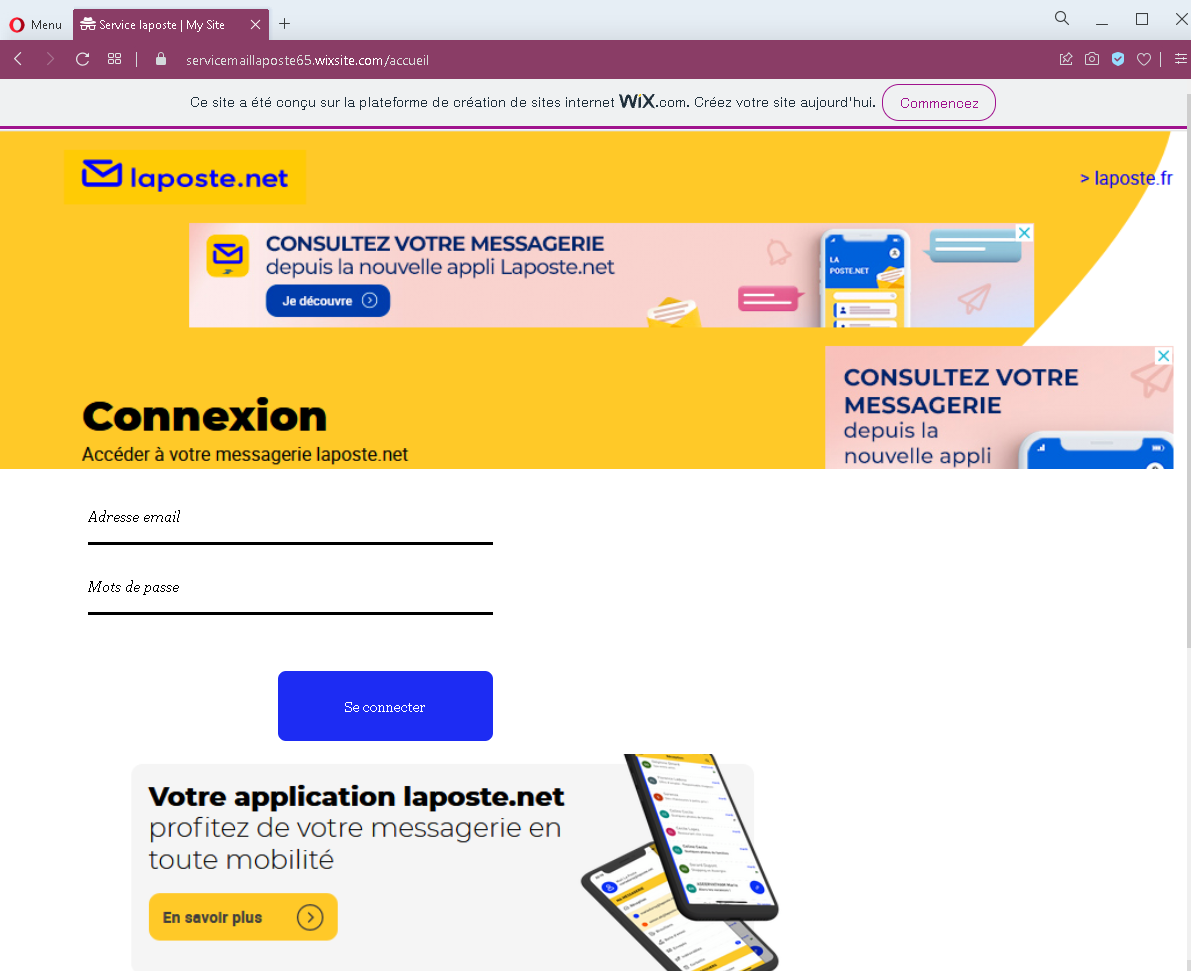
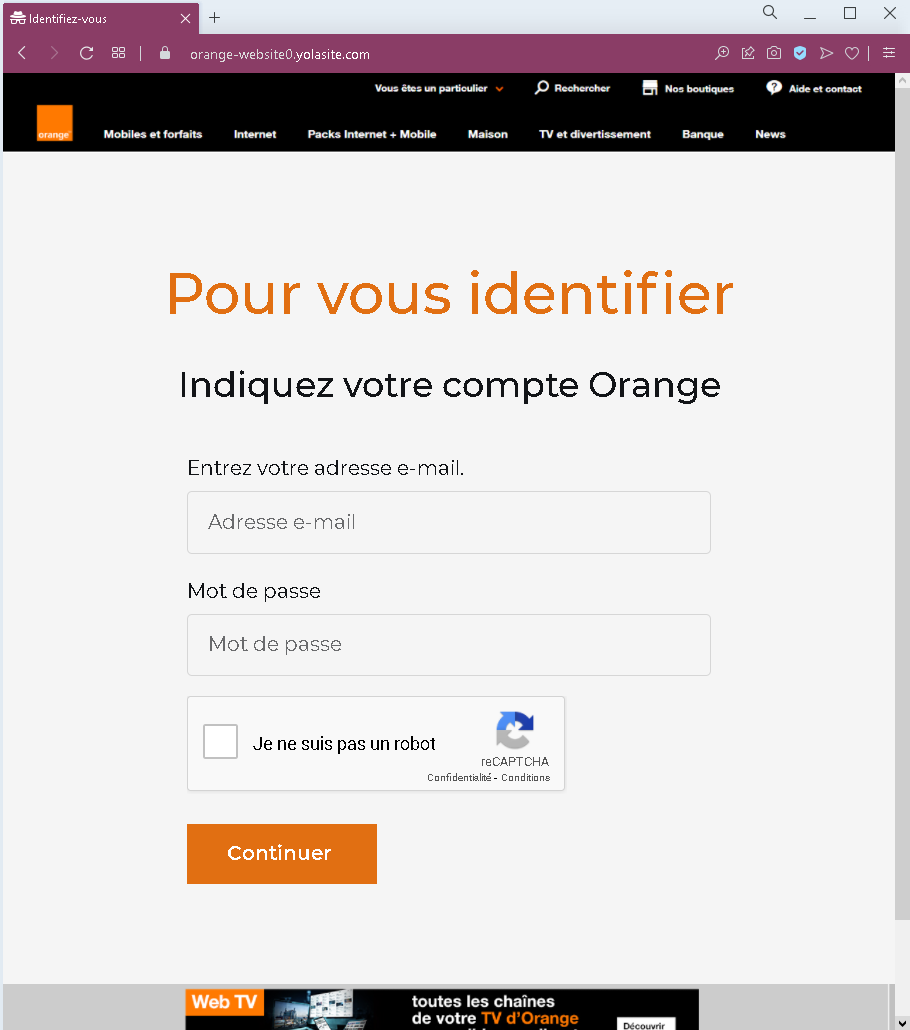
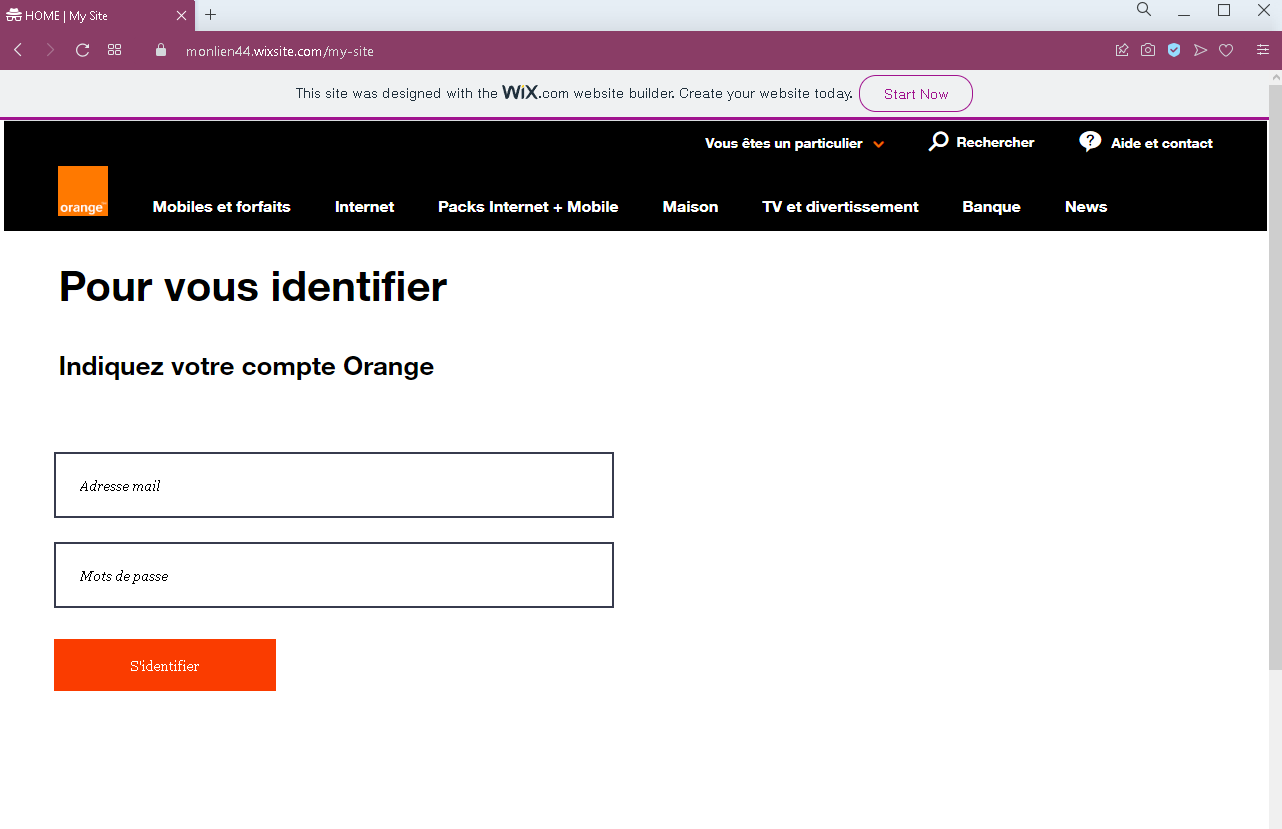
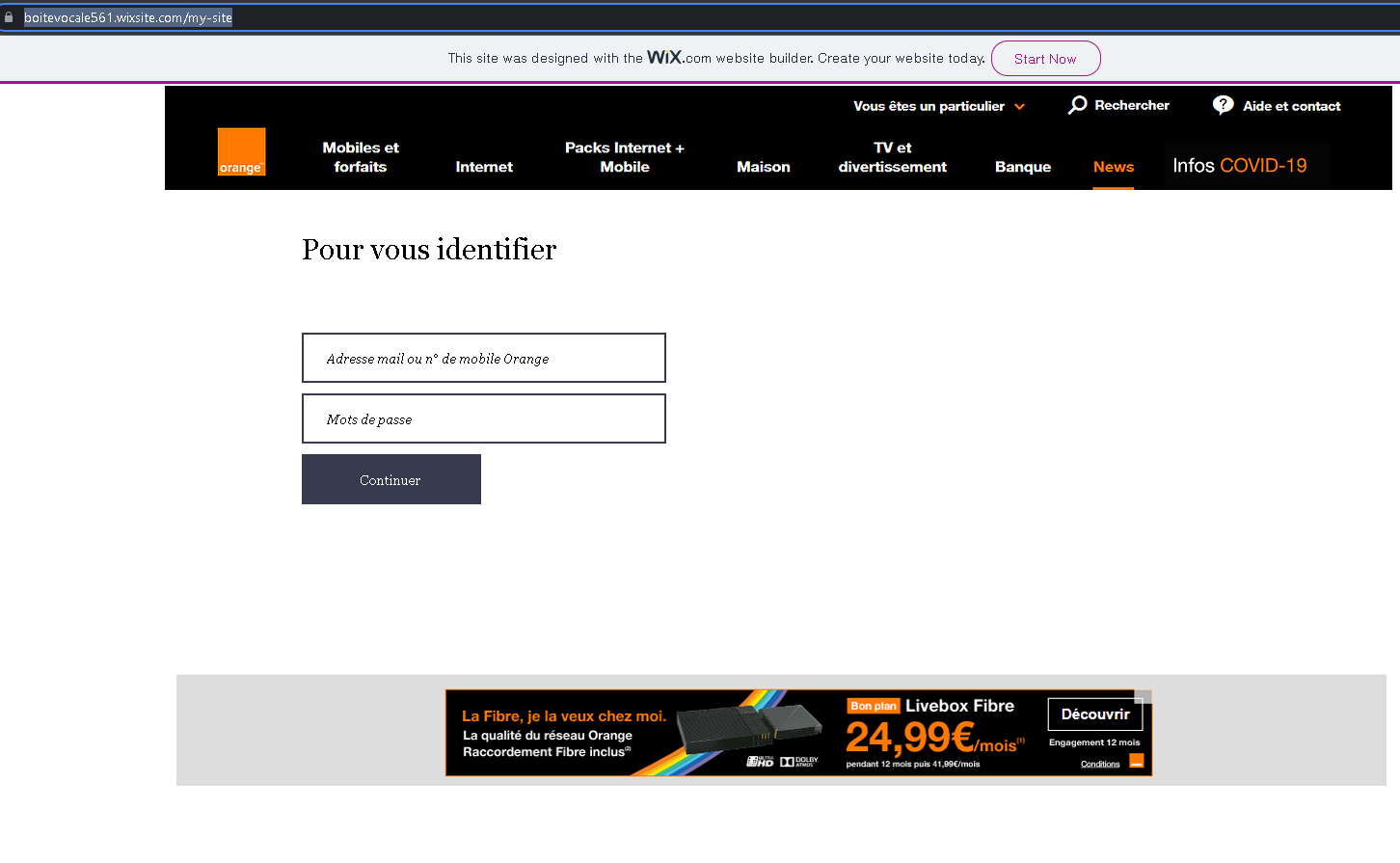
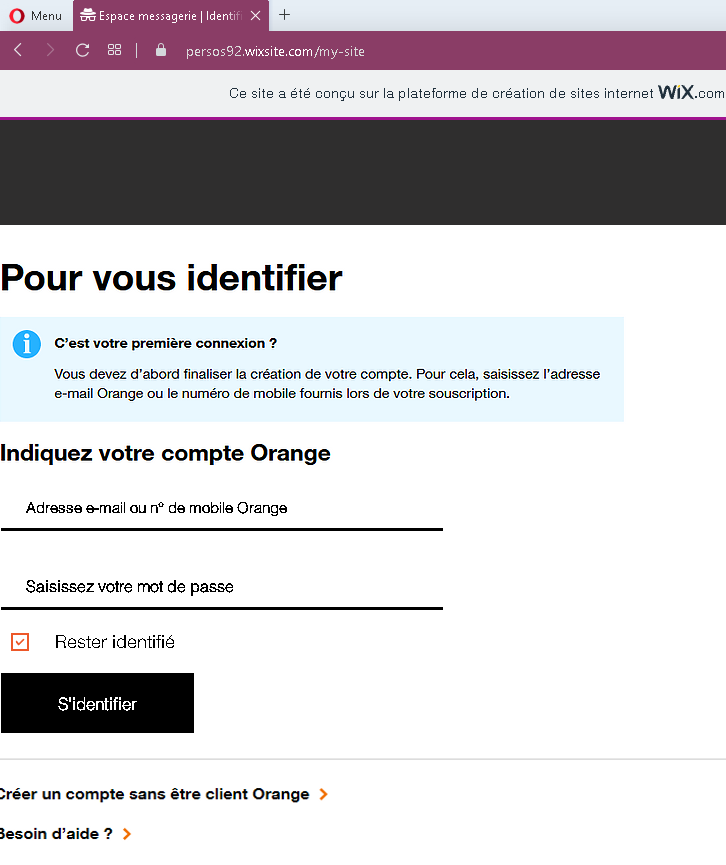
This screenshot shows a phishing page impersonating Orange Mail (Orange.fr), a major French telecommunications provider. The page asks for the victim’s email address and password, claiming they must log in to access their mailbox or client space.


Threat Analysis: Orange Phishing – Fake “Espace Client” Login Page

How it works:
The victim receives a phishing email, SMS, or other message claiming a security alert, account issue, or the need to verify their mailbox. The link leads to this page, which mimics the Orange Mail login interface. The page asks for:

  • Email address (Adresse email)
  • Password (Mot de passe)

The victim is then prompted to click “S’IDENTIFIER” (Sign in). The credentials are captured and sent to the attacker. A note about creating an account without being an Orange customer and a help link are added to appear legitimate.

The goal:
The attacker steals Orange account credentials to:

  • Access the victim’s email and personal information
  • Reset passwords for other online accounts linked to that email
  • Perform SIM swapping (porting the victim’s phone number) to bypass SMS‑based two‑factor authentication for banking or other services
  • Use the account to send further phishing messages

Red flags to watch for:

  • Suspicious URL: The page is hosted on a subdomain of uflorist.pro, not orange.fr. Legitimate Orange login pages are only on official Orange domains.
  • “Not secure” browser warning: The URL bar shows “Not secure” – a clear indicator that the page lacks a valid SSL certificate for Orange’s official site.
  • “powered by ukit” footer: Official Orange pages do not include “powered by ukit” – this indicates the page was built on a free website builder (Ukit), which is not used by legitimate telecom providers for login portals.
  • Unsolicited login request: Orange does not send links requiring customers to log in to resolve account issues.
  • Minimal design / missing security features: The page lacks the full branding, security notices, and two‑factor authentication options present on the real Orange login page.

What to do if you encounter this:

  • Do not enter your email address or password.
  • If you are an Orange customer, always access your mailbox by typing orange.fr directly into your browser or using the official Orange app.
  • If you have already entered your credentials, change your Orange password immediately and contact Orange customer service to watch for SIM swapping attempts.
  • Report the phishing page to Orange’s fraud team (e.g., via [email protected]).

Protective measures:

  • Bookmark the official Orange login page and use that bookmark.
  • Use a password manager – it will not autofill on fake domains.
  • Enable two‑factor authentication on your Orange account if available.
  • Never log in via a link in an unsolicited message – always type the URL manually.
  • Avoid entering credentials on pages built with free website builders (Ukit, Wix, Weebly, etc.) – legitimate providers do not use these for secure login portals.

Be aware of fake Amazon pages.

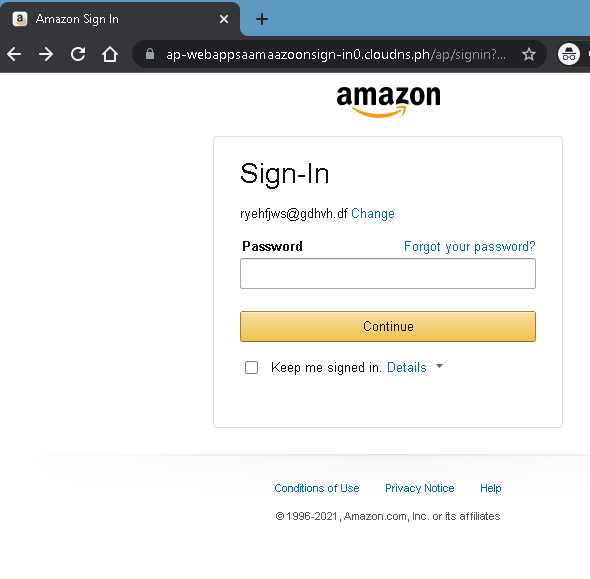
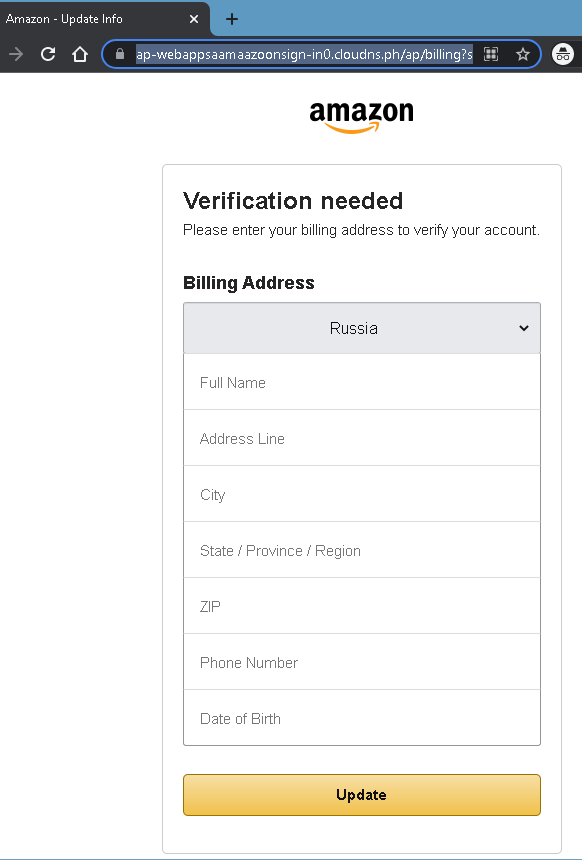
This screenshot shows a phishing page impersonating Amazon’s sign‑in interface. The page asks for the victim’s email (or phone number) and password, then sends the credentials to the attacker.


Threat Analysis: Amazon Phishing – Fake Sign‑In Page

How it works:
The victim receives a phishing email, SMS, or other message claiming an order problem, account suspension, or the need to verify payment information. The link leads to this page, which mimics the Amazon login portal. The victim is asked to enter their email (or mobile number) and password, then click “Sign in.” The credentials are captured and sent to the attacker. After theft, the victim may be redirected to the real Amazon website, making the scam less noticeable.

The goal:
The attacker steals Amazon account credentials to:

  • Make fraudulent purchases using saved payment methods
  • Access order history and personal information
  • Change account settings (shipping addresses, email, password) to lock out the victim
  • Use the same email/password combination to compromise other accounts (credential stuffing)

Red flags to watch for:

  • Suspicious URL: The page is hosted on a subdomain of cloudns.cl (e.g., ap-webappsnetto27.cloudns.cl), not amazon.com. Legitimate Amazon sign‑in pages are only on official Amazon domains.
  • Outdated copyright: The footer shows “© 1996-2021” – the year 2021 is outdated for a screenshot likely taken later, a common sign of a copied phishing template.
  • Unsolicited login request: Amazon does not send links requiring customers to log in to resolve account issues. Always type amazon.com manually.
  • Missing security indicators: The page lacks the expected security badges, personalized elements (e.g., a saved email or security image), and two‑factor authentication prompts that appear on the real Amazon sign‑in page.

What to do if you encounter this:

  • Do not enter your email/phone or password.
  • If you have already entered your credentials, change your Amazon password immediately, enable two‑factor authentication, and check your account for unauthorized orders or changes.
  • Always access Amazon by typing amazon.com (or your local Amazon domain) directly into your browser.

Protective measures:

  • Bookmark the official Amazon sign‑in page and use that bookmark.
  • Use a password manager – it will autofill only on legitimate Amazon domains.
  • Enable two‑factor authentication on your Amazon account.
  • Be suspicious of any unsolicited message that asks you to log in via a link.
  • Check the URL carefully – look for misspellings, extra words, or unusual top‑level domains (e.g., .cl, .cloudns.cl).

FreeFire NewEven phishing page with fake Facebook Login-window detected

This screenshot shows a phishing page that uses a fake “Free Fire New Event” as a lure to trick victims into logging in with Facebook. The page mimics the Facebook login interface to steal the victim’s credentials.


Threat Analysis: Free Fire Event Phishing – Facebook Credential Harvesting

How it works:
The victim receives a link (via social media, SMS, or messaging app) promising exclusive rewards or access to a new event for the game Free Fire. The link leads to a page that claims the victim must log in with their Facebook account to participate. The page asks for:

  • Mobile number or email address
  • Password

After the victim enters their credentials and clicks “Log In,” the information is sent to the attacker. The victim may then be redirected to the real Free Fire or Facebook website, making the scam less noticeable.

The goal:
The attacker steals Facebook credentials to:

  • Take over the victim’s Facebook account
  • Access the linked Free Fire (Garena) game account and steal or sell it
  • Post spam, scams, or malicious links from a trusted account
  • Attempt credential reuse on other platforms (email, banking, etc.)

Red flags to watch for:

  • Suspicious URL: The page is hosted on a domain that is not facebook.com or freefire.com. Legitimate Facebook login pages are only on official Facebook domains.
  • Free Fire event lure: Garena does not require you to log in via an external link to access events – all in‑game events are accessed directly through the Free Fire app.
  • Login page on a third‑party site: A legitimate event would either take place inside the game or on an official Garena website, not on a page that asks for Facebook credentials.
  • Unsolicited offer: Any unsolicited message promising free in‑game rewards in exchange for logging in via a link is almost certainly a scam.

What to do if you encounter this:

  • Do not enter your Facebook email/phone or password.
  • If you have already entered your credentials, change your Facebook password immediately and enable two‑factor authentication (2FA). Also check your Free Fire account for unauthorized access.
  • Always access Free Fire events through the official game app – never through external links.
  • Report the phishing page to Facebook and to Garena.

Protective measures:

  • Bookmark the official Facebook login page and use that bookmark.
  • Use a password manager – it will not autofill on fake domains.
  • Enable two‑factor authentication on your Facebook account.
  • Be suspicious of any message that asks you to log in to claim game rewards.