
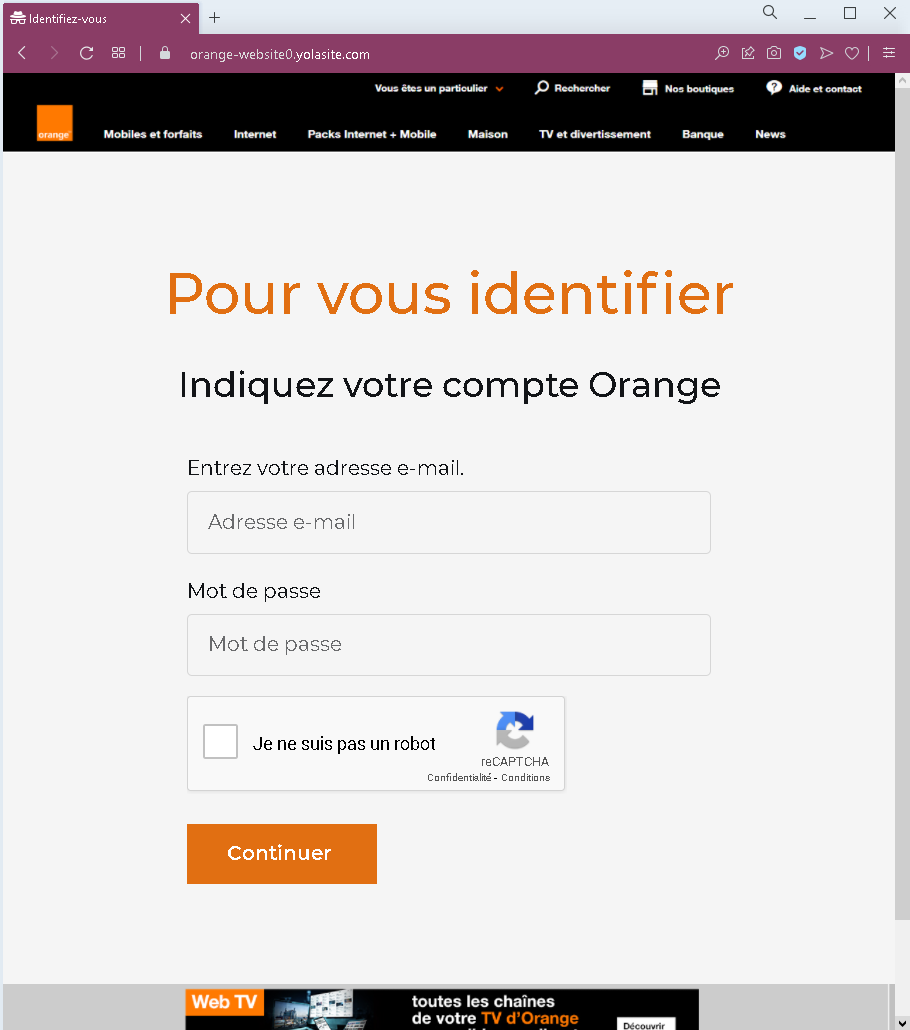
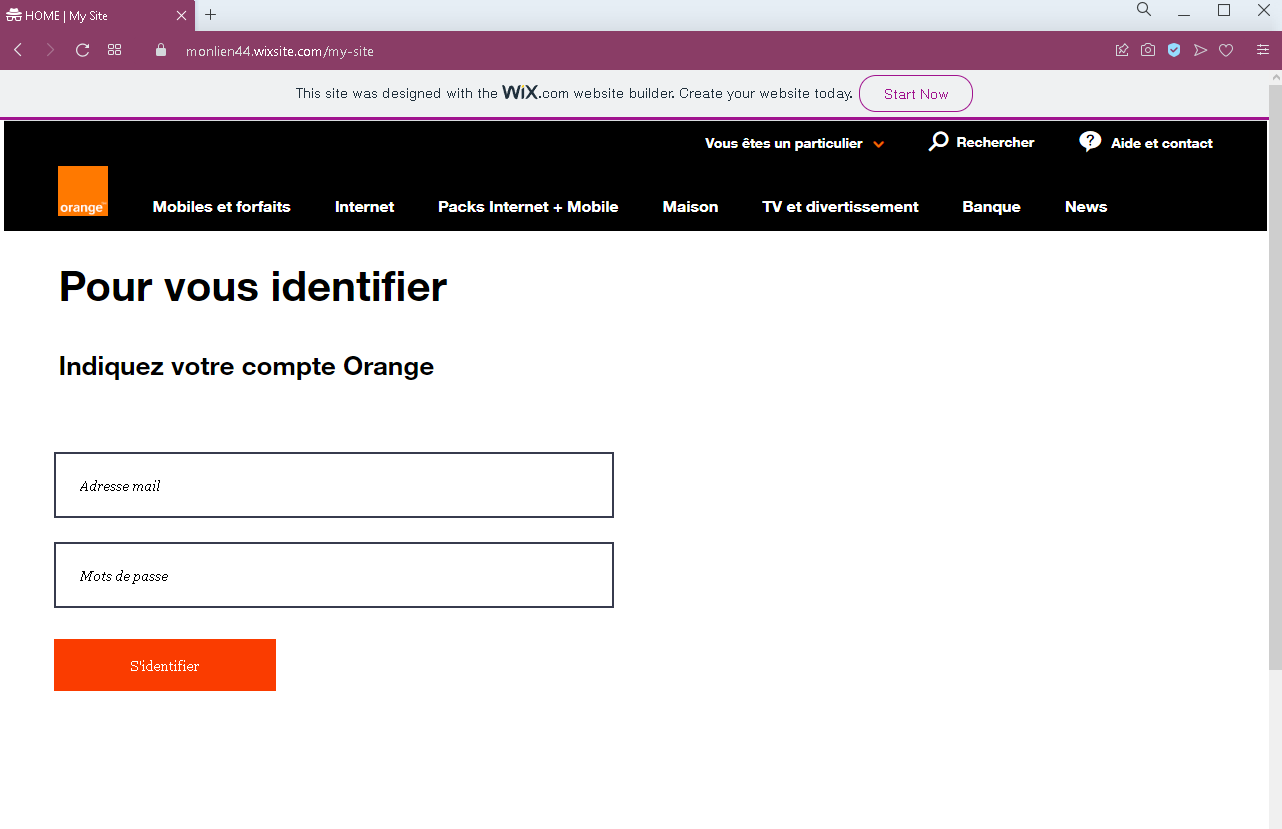
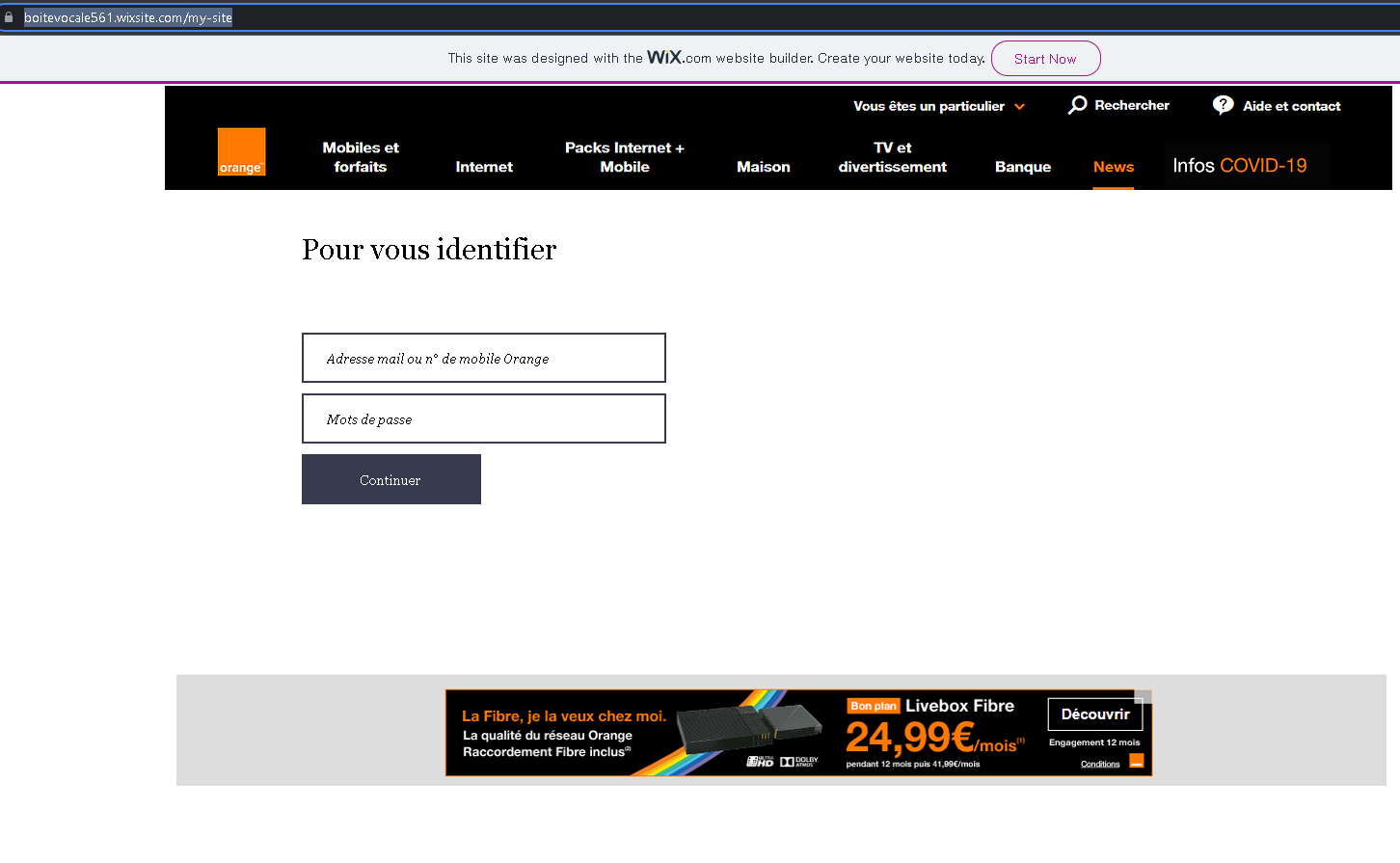
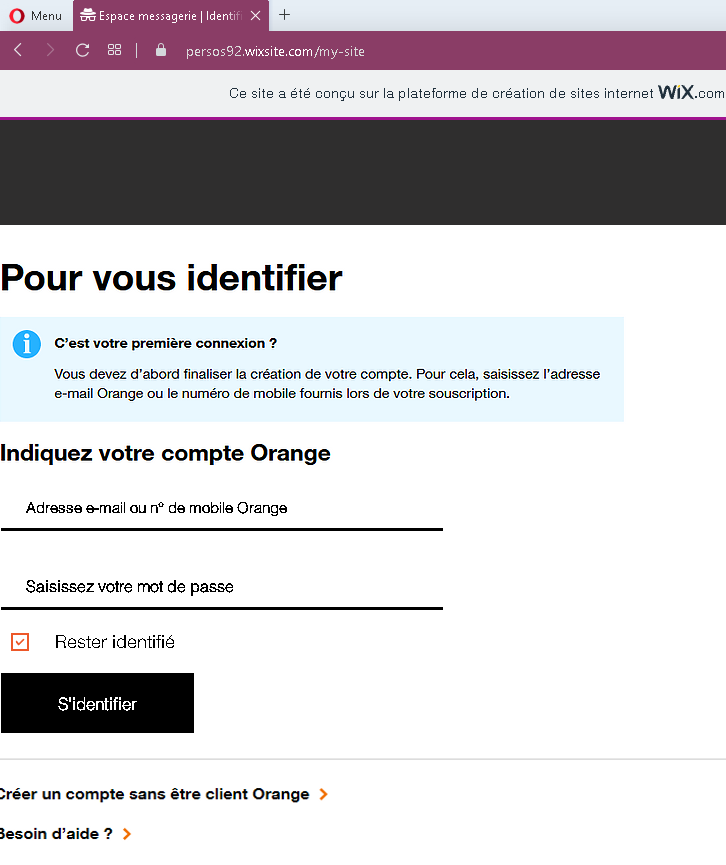
These screenshots show multiple phishing pages impersonating Orange, a major French telecommunications provider. The pages are designed to steal customers’ login credentials (email/mobile number and password). Several of them are hosted on free website builders (Wix), which is a clear red flag.
Threat Analysis: Orange Phishing – Fake Login Pages (French Telecom Scam)
This phishing campaign targets Orange customers in France. The scam uses various fake login pages that mimic the official Orange authentication portal. The goal is to trick victims into entering their Orange account identifier (email address or mobile number) and password.
How it works:
The victim receives a phishing email, SMS, or other message claiming a security alert, account issue, unpaid bill, or the need to verify their information. The message includes a link to a fraudulent login page. The page looks similar to the real Orange login interface, often including copied branding, menu items, and even fake CAPTCHA or “reCAPTCHA” badges to appear legitimate. Once the victim enters their credentials and clicks a button (e.g., “Continuer” or “S’identifier”), the information is sent to the attacker.
The goal:
The attacker steals Orange account credentials to:
- Access the victim’s personal information, billing details, and mobile/internet services
- Perform SIM swapping (porting the victim’s phone number) to bypass SMS‑based two‑factor authentication for banking or other accounts
- Use the compromised account to send further phishing messages to contacts
- Sell the credentials on criminal markets
Red flags to watch for (across all variants):
- Suspicious URL: The pages are hosted on domains that are not
orange.fr. Some are on free website builders likewixsite.com. Legitimate Orange login pages are only on official Orange domains. - Visible “Wix.com” or other free‑hosting banners: These banners appear on several screenshots (“This site was designed with the WIX.com website builder”) – a clear sign of a fake page.
- Unsolicited login request: Orange does not send links requiring customers to log in to resolve account issues. Always type
orange.frdirectly. - Generic or missing security features: Real Orange login pages may display a security phrase or personalized greeting. These fake pages lack such personalization.
- Fake reCAPTCHA / CAPTCHA badges: Some pages include a “I am not a robot” checkbox or reCAPTCHA label to appear more trustworthy, but this does not guarantee legitimacy.
What to do if you encounter this:
- Do not enter your Orange identifier or password.
- If you are an Orange customer, always access your account by typing
orange.frdirectly into your browser or using the official Orange app. - If you have already entered your credentials, change your Orange password immediately and contact Orange customer service to watch for SIM swapping attempts.
- Report the phishing page to Orange’s fraud team (e.g., via
[email protected]or their official reporting form).
Protective measures:
- Bookmark the official Orange login page and use that bookmark exclusively.
- Use a password manager – it will only autofill on legitimate
orange.frdomains. - Enable two‑factor authentication on your Orange account if available.
- Never log in via a link in an unsolicited message – always type the address manually.
- Avoid entering credentials on pages hosted on free platforms (Wix, Weebly, Strikingly, etc.) – legitimate telecom providers do not use these for login portals.