Preparation for La Banque Postale phishing attack detected

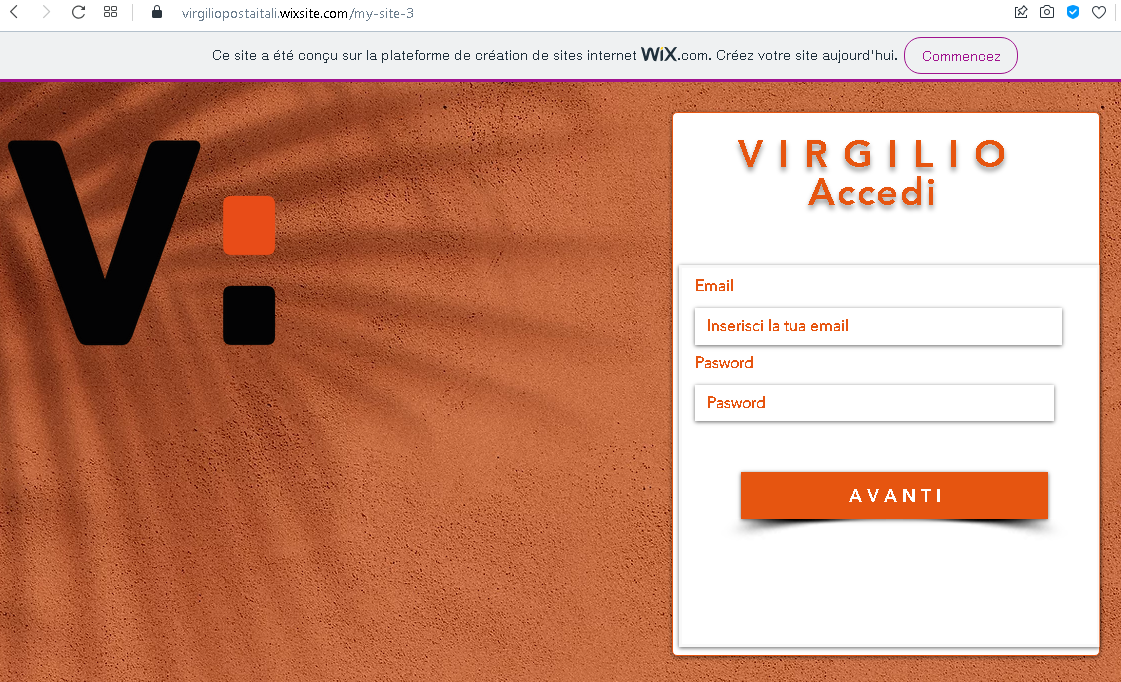
An analysis of a La Banque Postle phishing campaign reveals a sophisticated “pre-attack” staging phase designed to hijack user credentials and bypass Certicode Plus security. The attack utilizes a multi-page phishing kit to capture user IDs, passwords via virtual keypads, and personal security data, highlighting the importance of early detection to disrupt the fraud kill chain.

🛡️ Cybersecurity Measures: How to Avoid La Banque Postale “Pre-emptive” Phishing

To protect your La Banque Postale credentials and your Certicode Plus mobile security, follow these essential safety rules:

1. Trust Only the Official URL (The “.fr” Rule)

Phishing pages are often hosted on temporary or compromised domains (e.g., labanquepostale-verif-compte.com, lbp-securite-mobile.online, or free subdomains like l-b-p.web.app).

  • Action: The only official web address for your online banking is www.labanquepostale.fr. Always check the address bar manually. If the link was sent via SMS or email, do not trust it.

2. The “Certicode Plus” Warning

This phishing kit is specifically designed to hijack the Certicode Plus activation process.

  • Action: La Banque Postale will never ask you to “synchronize,” “reactivate,” or “test” your Certicode Plus via a link in a text message. If your phone prompts you to authorize a new device or a transaction that you didn’t start, reject it immediately.

3. Beware of “Suspicious Activity” Alerts

Attackers use psychological pressure, claiming that an unauthorized purchase was made or your access is “blocked.”

  • Action: If you receive such an alert, close the message. Open your browser, manually type www.labanquepostale.fr, and log in. If there is a real problem, a notification will be waiting for you in your secure “Message Center” (Messagerie).

4. Inspect the Virtual Keypad

The official bank login uses a specific numeric grid for password entry. Phishing sites often use a slightly different layout, lower-resolution images, or a “laggy” interface.

  • Action: If the virtual keyboard looks suspicious or behaves strangely, it is capturing your keystrokes in real-time. Exit the site immediately.

5. Check for “SMS Spoofing”

Scammers can make their messages appear in the same thread as legitimate bank notifications by “spoofing” the sender’s name (e.g., “LBP”).

  • Action: Just because a message is in the same thread as old bank messages doesn’t mean it’s real. If the message contains a link to “verify your account,” it is a phishing trap.

6. Use a Password Manager

Tools like Bitwarden, 1Password, or Google Password Manager recognize sites by their exact URL.

  • Action: If you are on a fake site, your password manager will not offer to auto-fill your ID. This is a critical technical warning that you are on a fraudulent domain.

Orange phishing page revealed

An Orange-themed phishing attack targeting French customers uses fake refund or unpaid bill notifications to harvest credentials and credit card details. The fraudulent site, often utilizing deceptive domains, captures 3D-Secure codes in real-time to facilitate immediate fraudulent transactions.

This screenshot shows a phishing page impersonating Orange, a major French telecommunications provider. The page mimics the Orange login portal to steal phone number, email address, and password.


Threat Analysis: Orange Phishing – Fake “Identifiez-vous” Login Page

How it works:
The victim receives a phishing email, SMS, or message claiming a security alert, account issue, or the need to verify their information. The link leads to this page, which looks like the Orange login interface. The victim is asked to enter their:

  • Phone number
  • Email address
  • Password

After clicking “S’identifier” (Sign in), all three pieces of information are captured and sent to the attacker.

The goal:
The attacker steals Orange account credentials to:

  • Access the victim’s personal information, billing details, and phone services
  • Perform SIM swapping (porting the victim’s phone number) to bypass SMS‑based two‑factor authentication for banking or other accounts
  • Use the email and password combination to attempt credential stuffing on other platforms

Red flags to watch for:

  • Suspicious URL: The page is hosted on a domain that is not orange.fr or any official Orange domain. Legitimate Orange login pages are only on official domains.
  • Unusual combination of fields: A real Orange login typically asks for either a phone number or an email address, not both at the same time. Asking for both is a sign of a phishing page trying to collect as much data as possible.
  • Unsolicited login request: Orange does not send links requiring customers to log in to resolve account issues.
  • Outdated copyright: The footer shows “© Orange 2021” – while plausible, combined with other red flags it adds to suspicion. The real site would have the current year.
  • No personalization or security image: Legitimate Orange login pages often display a security phrase or personalized greeting after identifier entry. This page lacks that.

What to do if you encounter this:

  • Do not enter your phone number, email, or password.
  • If you are an Orange customer, always access your account by typing orange.fr directly into your browser or using the official Orange app.
  • If you have already entered your credentials, change your Orange password immediately and contact Orange customer service to secure your account and watch for SIM swapping attempts.
  • Report the phishing page to Orange’s fraud team (e.g., via spam.orange.fr).

Protective measures:

  • Bookmark the official Orange login page and use that bookmark.
  • Use a password manager – it will autofill only on legitimate orange.fr domains.
  • Enable two‑factor authentication on your Orange account if available.
  • Be suspicious of any unsolicited message that asks you to log in via a link.

Snapchat phishing page detected

A phishing campaign targeting Snapchat users employs fake “account locked” alerts to steal login credentials and bypass two-factor authentication. The attack, often utilizing deceptive domains like unlock-snapchat.com, drives users to a cloned site designed to harvest usernames, passwords, and 2FA codes, allowing attackers to seize control of personal accounts.


🛡️ Snapchat “Account Security/Unlock” Phishing

Target: Snapchat Users Worldwide
Threat Level: Critical (Complete Account & Privacy Takeover)

Security Measures to Stay Safe:

  • 1. Snapchat Never Sends DMs about Security:
    Official Snapchat support will never send you a Direct Message (DM) with a link to “verify” or “unlock” your account. Real security alerts are sent via email from @snapchat.com or appear as in-app system notifications.
  • 2. Verify the URL (The “.com” Rule):
    The only official web portal for managing your account is ://snapchat.com. Look out for fake domains like snapchat-unlock.net, verify-snap-account.com, or snap-support.xyz.
  • 3. Use App-Based 2FA:
    Enable Two-Factor Authentication (2FA) in Snapchat settings (Settings > Two-Factor Authentication). Use an Authentication App (like Google Authenticator) rather than SMS, as it is much harder for phishers to intercept.
  • 4. Beware of “Phished Friends”:
    If a friend sends you a strange link in a Snap or Chat (e.g., “Check out this video of you!”), do not click it. Their account has likely been hacked. Contact them through another platform to warn them.

Twitter phishing page revealed

This case study details a Twitter (X) phishing attack using fake copyright violations or verification requests to steal credentials and 2FA codes, allowing attackers to seize account control. The fraudulent sites mimic official login pages, often featuring urgent, threatening language designed to induce panic in users.

🛡️ Cybersecurity Measures: How to Avoid Twitter (X) Account Phishing

To protect your Twitter/X profile and prevent hackers from hijacking your identity to spread spam or scams, follow these essential safety rules:

1. Verify the Domain (The URL Rule)

Phishing sites often use deceptive lookalike domains (e.g., twitter-help-center.net, x-verify-account.com, twitter-support-portal.org).

  • Action: The only official web address for Twitter/X is twitter.com or x.com. Before entering your username or password, check the address bar manually. If you reached the page via a DM or email link, it is likely a scam.

2. Twitter Never DMs About “Copyright” or “Verification”

A common tactic is sending a Direct Message (DM) claiming you have a “Copyright Infringement” or that you need to “Re-verify your badge” to avoid suspension.

  • Action: Official Twitter/X support will never send you a DM with a clickable link to resolve a security or legal issue. Genuine notices are sent via email from @twitter.com or @x.com and appear in your official account notifications.

3. Mandatory Two-Factor Authentication (2FA)

Password theft is the primary goal of this phishing page. 2FA is your most powerful defense.

  • Action: Enable Two-Factor Authentication in your settings (Settings > Security and account access > Security > Two-factor authentication). Use an Authentication App (like Google Authenticator) or a Security Key (like YubiKey) instead of SMS for maximum protection.

4. Beware of “Phished Friends” and Viral Links

If a trusted contact sends you a strange link (e.g., “Is this you in this video?” or “Help me win this contest!”), their account may have been compromised.

  • Action: Do not click the link. Contact your friend through another platform (WhatsApp, call) to ask if they actually sent it. Usually, they are unaware their account is spreading malware.

5. Check “Connected Apps” Regularly

Some phishing sites don’t just steal passwords; they trick you into authorizing a “Malicious App” to access your account.

  • Action: Periodically review your Connected Apps in settings. Revoke access for any application you don’t recognize or no longer use.

6. Use a Password Manager

Tools like Bitwarden, 1Password, or iCloud Keychain identify sites by their exact URL.

  • Action: If you are on a fake Twitter/X site, your password manager will not offer to auto-fill your credentials. This is a definitive technical warning that the site is a fraud.

UPS phishing page revealed

A high-level UPS phishing scam where attackers use fake “address correction” messages to steal credit card data and 3D-Secure codes. This logistics-based threat exploits urgent SMS or email notifications to lure victims to a fraudulent site designed to harvest personal information and payment details, often by requesting a nominal re-delivery fee.

🛡️ Cybersecurity Measures: How to Avoid UPS “Delivery Fee” Phishing

To protect your financial data and personal information from international shipping scams, follow these essential safety rules:

1. The “Small Fee” Red Flag (Micro-payments)

Phishing sites often claim that a tiny amount (e.g., $1.99 or 2.00€) is required for “customs clearance” or “redelivery.”

  • Action: This is a psychological trick. Legitimate shipping companies like UPS do not request such payments via SMS links. If a site asks for your CVV code (the 3 digits on the back of your card) to pay a minimal fee, it is 100% a scam designed to harvest your full credit card credentials.

2. Verify the Official Domain (The URL Rule)

Scammers use deceptive URLs that look official at first glance (e.g., ups-package-check.com, tracking-ups-verify.net, ups-redelivery-service.xyz).

  • Action: The only official website for UPS is ://ups.com. Before entering any details, ensure the address bar shows exactly this domain. Any variation, even with “ups” in the name, is fraudulent.

3. Ignore “Action Required” SMS/Email Links

Scammers send “Smishing” (SMS phishing) messages claiming: “Your package is held at our hub due to a missing house number. Please update your details here.”

  • Action: UPS never sends unsolicited text messages asking for personal or payment information in exchange for package delivery. If you receive such a text, do not click the link.

4. Use the Official UPS Tracking Tool

If you are genuinely expecting a shipment, verify its status through secure, official channels only.

  • Action: Go to ://ups.com manually and enter your tracking number directly, or use the official UPS Mobile app. If there is a real issue with your address or a pending fee, it will be clearly flagged there without needing to follow a suspicious link.

5. Look for “Urgent” Countdown Tactics

Phishing pages often feature timers or warnings like “Your package will be returned to sender in 12 hours” to force you into making a mistake.

  • Action: Stay calm. Check the sender’s email address or phone number. If the email comes from a public domain (like @gmail.com or @outlook.com) or the phone number is a standard 10-digit mobile line, it is a scam.

6. Report the Fraud

Reporting helps prevent others from falling victim to the same infrastructure.

  • Action: You can report UPS-themed phishing by forwarding the fraudulent email to [email protected] or by using your phone’s “Report Junk” feature for SMS messages.

Netflix phishing page detected in Montreal

🛡️ Netflix “Account On Hold” Phishing

Target: Netflix Subscribers Worldwide (Detected in Montreal/Canada)
Threat Level: High (Credit Card Skimming & Account Hijacking)

Security Measures to Stay Safe:

  • 1. Verify the Official Domain (The “.com” Rule):
    Official Netflix pages always reside on netflix.com. Phishing sites use deceptive lookalike addresses like netflix-payments.online, update-netflix-account.net, mon-compte-netflix.fr, or free subdomains like netflix.web.app. Always check the address bar manually.
  • 2. Netflix Never Asks for Card Details via SMS/Email Links:
    If there is a real problem with your billing, Netflix will notify you inside the official app or on the website after you log in safely. They will never send a link to a form asking for your credit card number, CVV, and expiration date directly in an email or text message.
  • 3. The “Manual Entry” Policy:
    If you receive an alert saying “Your account is on hold” or “Update your payment method,” do not click the link. Instead, open a new browser tab, manually type ://netflix.com, and log in. If there is a real issue, you will see a banner at the top of your profile.
  • 4. Check for “Urgent” Pressure Tactics:
    Scammers use alarming language like “Your subscription will be cancelled in 24 hours” to make you panic. This is a clear red flag. Legitimate services usually give you several days or grace periods to resolve billing issues.
  • 5. Inspect the Sender’s Address:
    Official Netflix emails always come from @netflix.com. Be wary of senders with random domains, misspelled names (e.g., [email protected]), or generic addresses.
  • 6. Use a Password Manager:
    Tools like Bitwarden or 1Password recognize sites by their exact URL. If you are on a fake Netflix site, your password manager will not offer to auto-fill your login. This is your best technical warning that the site is a fraud.

New preparation for Credit Agricole phishing revealed

An analysis of a phishing campaign targeting Crédit Agricole customers reveals attackers preparing fraudulent infrastructure to intercept “SécuriPass” multi-factor authentication. The pre-emptive case study shows attackers setting up fake login pages designed to harvest account numbers and PINs to bypass security measures. The report highlights crucial indicators of compromise, including suspicious non-official domains and unsolicited “urgent” security alerts.

Screenshot #1 (Identifiant): This page captures the 11-digit account number, validating the victim’s customer status in real-time.

Screenshot #2 (Code Personnel): A fake virtual keypad captures password digits via keylogging, mimicking bank security.

Screenshot #3 (Processing Screen): The “wait” screen allows attackers time to use stolen credentials for unauthorized access on the real banking site.

A “staging” phishing attack against Crédit Agricole, allowing for early detection of infrastructure designed to capture account IDs and 6-digit codes via a cloned virtual keypad and real-time interception. The phishing campaign utilizes a fake login screen (“Identifiant”) and a deceptive loading screen to log credentials and facilitate a Man-in-the-Middle attack.


Protection Measures:

  • Verify that the URL is exactly www.credit-agricole.fr.
  • Never log in via links in emails or SMS.
  • Reject unexpected SécuriPass notifications.
  • Use the official “Ma Banque” mobile app.

Preparation for Amazon phishing detected in Bandung, Indonesia

A sophisticated Amazon phishing kit originating from Bandung, Indonesia, and linked to the “Indonesian Cyber Army” targets customers with fake Prime subscription or security alerts. The attack harvests credentials and financial information by directing users to a high-fidelity replica of the login page. To protect against such scams, consumers should verify alerts directly through the Amazon app or website.

To avoid phishing scams targeting Amazon accounts, always manually enter “amazon.com” in the browser and verify that communications appear in the official “Message Center” within the user’s account dashboard. Crucial defenses include enabling two-step verification, checking the sender’s actual email address for a “@amazon.com” domain, and using a password manager to detect fake, lookalike URLs.

Fake Microsoft Office 2021 Professional Plus revealed

This screenshot shows a fraudulent online store (instantdigi.com) selling what appears to be an extremely discounted copy of Microsoft Office Professional Plus 2021. The price is marked down from $49.99 to $9.99 – a clear red flag for a scam or counterfeit software operation.


Threat Analysis: Fake Software Store – Counterfeit or Non‑Delivery Scam

How it works:
The victim encounters this site via an ad, search result, or social media link. The page mimics a legitimate e‑commerce store, complete with product descriptions, categories, and a fake discount (“80% OFF”). The victim is tempted to buy a genuine Microsoft Office key for $9.99. After payment, one of three things happens:

  1. No product delivered – the victim receives nothing, and their payment information is stolen.
  2. Fake / already‑used key – the victim receives a key that is invalid, blocked, or previously activated.
  3. Credential harvesting – the checkout page may ask for personal and payment details, which are captured by attackers.

The goal:
The attacker aims to:

  • Steal credit card details entered during checkout
  • Collect personal information (name, address, email) for identity theft or future scams
  • Receive direct payment for a product that is never delivered or is counterfeit

Red flags to watch for:

  • Too‑good‑to‑be‑true price: A genuine Microsoft Office Professional Plus 2021 key typically costs $100–$250. $9.99 is impossible for a legitimate license.
  • Suspicious domain: instantdigi.com is not an authorized Microsoft reseller. Official Microsoft products are sold through Microsoft.com or trusted retailers (Amazon, Best Buy, etc.).
  • Generic design and inflated discount: The “80% OFF” and “0 reviews” are common tactics to pressure impulse buying.
  • No clear company information: Legitimate stores provide verifiable contact details, return policies, and business registration. This site lacks transparency.

What to do if you encounter this:

  • Do not purchase anything or enter any payment information.
  • If you have already entered card details, contact your bank immediately to block the card and dispute any unauthorized charges.
  • Only buy software directly from the official Microsoft website or from authorized, well‑known retailers.

Protective measures:

  • Remember: if the price is drastically lower than market value, it is almost certainly a scam.
  • Check the domain – authorized Microsoft partners are listed on Microsoft’s website.
  • Use a credit card with fraud protection for online purchases, and monitor statements regularly.
  • Read reviews – search for the store name + “scam” before buying.

Fake Microsoft Windows 11 detected

Fake Windows 11 upgrade scams use malicious search engine ads and fraudulent websites to impersonate the official Microsoft Download Center. These sites distribute infostealers like RedLine Stealer or steal Microsoft account credentials through fake login prompts. Users are advised to only update Windows via the built-in system settings and to verify that all download domains are strictly “microsoft.com”.

This screenshot shows another page from the same fraudulent online store (instantdigi.com), this time offering Microsoft Windows 11 Professional at an 85% discount – from $39.99 down to $5.99. This is a clear scam, either selling counterfeit or non‑functional license keys, or simply stealing payment information without delivering anything.


Threat Analysis: Fake Software Store – Counterfeit Windows License Scam

How it works:
The victim sees an ad or search result for an incredibly cheap Windows 11 Pro license. The page mimics a legitimate e‑commerce store. The victim is tempted to buy a “genuine” license key for $5.99. After payment, the attacker either:

  • Provides a fake, already‑used, or blocked key
  • Delivers nothing at all
  • Steals the credit card details entered during checkout

The goal:
The attacker aims to:

  • Steal credit card information for fraudulent transactions
  • Collect personal data (name, address, email) for identity theft
  • Receive direct payment for a worthless or non‑existent product

Red flags to watch for:

  • Too‑good‑to‑be‑true price: A legitimate Windows 11 Pro license costs $100–$200. $5.99 is impossible for a genuine retail key.
  • Suspicious domain: instantdigi.com is not an authorized Microsoft reseller. Microsoft sells licenses directly or through trusted partners (Amazon, Best Buy, Newegg, etc.).
  • 85% discount + “0 reviews”: The extreme discount and lack of genuine customer feedback are common pressure tactics.
  • Same fraudulent site as previous example: The identical layout, “INSTANT DIGI” branding, and unrealistic pricing confirm it is part of the same scam operation.

What to do if you encounter this:

  • Do not purchase anything or enter any payment information.
  • If you have already entered card details, contact your bank immediately to block the card and dispute any unauthorized charges.
  • Always buy software licenses directly from Microsoft or authorized retailers.

Protective measures:

  • If the price seems too good to be true, it is a scam.
  • Verify the domain – Microsoft’s official store is microsoft.com, not random third‑party sites.
  • Use a credit card with fraud protection and monitor your statements.
  • Search for “[store name] scam” before buying from an unfamiliar site.