Mirae Asset Credit phishing pages in Vietnamese detected

This screenshot shows a phishing page impersonating Mirae Asset (a financial services company), targeting Vietnamese‑speaking users. The page asks for a phone number and password, with options to log in or register.


Phishing Analysis Mirae Asset Credit Login Scam (Vietnamese)

How it works:
The victim receives a phishing email or SMS claiming an account issue, investment opportunity, or security update. The link leads to this fake login page. The victim enters their phone number and password, then clicks “đăng nhập” (login). Credentials are captured.

Red flags:

  • Suspicious URL: The page is hosted on a domain that is not the official Mirae Asset Vietnam domain (which would end with .com.vn or similar).
  • Generic design: No Mirae Asset logo, security notices, or personalized elements.
  • Unsolicited login request: Mirae Asset does not send links requiring users to log in via third‑party pages.

What to do:

  • Do not enter your phone number or password.
  • If you are a Mirae Asset customer, always access your account by typing the official website URL directly.
  • If you already entered credentials, contact Mirae Asset immediately and change any reused passwords.

Facebook Messenger phishing page revealed

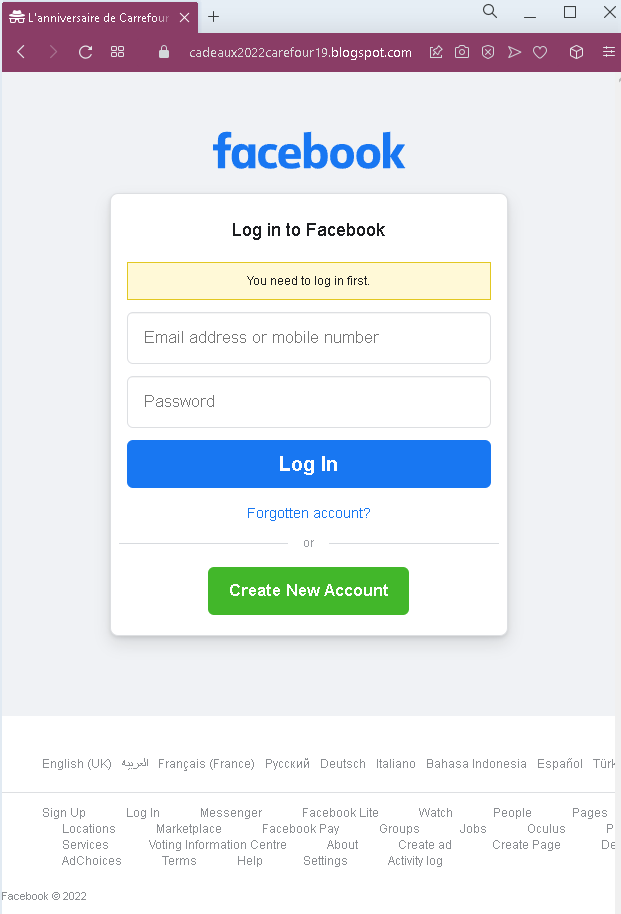
This phishing campaign targeting Facebook Messenger users utilizes social engineering, where compromised accounts send fake “shocking video” links to contacts, leading to fraudulent, mobile-optimized login pages. Attackers capture credentials and 2FA codes in real-time, enabling account takeover and further distribution of the malware.

🛡️ Cybersecurity Measures: How to Avoid Messenger Phishing

To protect your Facebook account and personal data from being hijacked, follow these essential safety rules:

1. The “Think Before You Click” Rule

Phishing messages in Messenger often use “Bait” phrases like:

  • “Is this you in this video?”
  • “Look what someone said about you…”
  • “I found this old photo of us!”
    Action: Even if the message comes from a friend, do not click the link. Their account may have already been hacked and is now automatically sending spam to all their contacts.

2. Verify the Login Page (URL)

If you click a link and it asks you to “Log in to Facebook to see the content,” check the address bar immediately:

  • Official: facebook.com or ://facebook.com.
  • Fake: facebook-login-video.net, secure-fb-check.online, m-facebook.web.app.
    Action: If the URL looks strange or long, close the tab. Facebook will never ask you to log in again if you are already using the Messenger app.

3. Enable Two-Factor Authentication (2FA)

This is your most powerful defense. If a scammer steals your password, they still won’t be able to log in without the code from your phone.

  • Action: Go to Settings > Security and Login > Use two-factor authentication. Use an Authentication App (like Google Authenticator) instead of SMS for maximum security.

4. Use the “In-App” Verification

If you receive a suspicious message from a friend, contact them through a different channel (call them, text them via WhatsApp, or speak in person).

  • Action: Ask them: “Did you just send me a link in Messenger?” Usually, they will be surprised to learn their account is sending spam.

5. Keep Your Browser and Apps Updated

Modern browsers (Chrome, Safari, Firefox) have built-in “Safe Browsing” features that block known phishing sites.

  • Action: Always install the latest updates for your smartphone and browser to ensure you have the newest anti-phishing filters.

6. Use a Password Manager

Password managers (like Bitwarden, LastPass, or 1Password) identify sites by their URL.

  • Action: If you are on a fake Facebook site, your password manager will not auto-fill your credentials. This is a clear technical warning that the site is a fraud.

Orange phishing page detected

This screenshot shows a phishing page impersonating Orange, a major French telecommunications provider. The page is hosted on a free website builder (Strikingly) and mimics Orange’s login portal to steal email address / mobile number and password.


Threat Analysis: Orange Phishing – Fake “PortalOrange” Login Page

How it works:
The victim receives a phishing email, SMS, or message claiming a security alert, account issue, or unread notifications. The link leads to this page, which mimics the Orange login interface. The victim is asked to enter their Orange account identifier (email or mobile number) and password, then click “S’identifier” (Sign in). The credentials are captured and sent to the attacker.

The goal:
The attacker steals Orange account credentials to:

  • Access the victim’s personal information, billing details, and phone services
  • Port the victim’s phone number (SIM swapping) to bypass SMS‑based two‑factor authentication for banking or other accounts
  • Use the account to send further phishing messages

Red flags to watch for:

  • Suspicious URL: The page is hosted on a Strikingly subdomain (site-7190390-1998-7617.mystrikingly.com), not orange.fr or any official Orange domain. Strikingly is a free website builder – legitimate telecom providers do not use it for login pages.
  • Generic design / missing security features: The page uses the Orange logo but lacks the full navigation, security notices, and two‑factor authentication options present on the real Orange login portal.
  • Unsolicited login request: Orange does not send links requiring customers to log in to resolve account issues or check notifications.
  • “PORTALORANGE” and “AUTHENTIFICATION” wording: While these terms are used by Orange, the overall layout and the fact that it is on a third‑party domain are clear giveaways.

What to do if you encounter this:

  • Do not enter your Orange identifier or password.
  • If you are an Orange customer, always access your account by typing orange.fr directly into your browser or using the official Orange app.
  • If you have already entered your credentials, change your Orange password immediately and contact Orange customer service to secure your account and watch for SIM swapping attempts.
  • Report the phishing page to Orange’s fraud team (e.g., via spam.orange.fr).

Protective measures:

  • Bookmark the official Orange login page and use that bookmark.
  • Use a password manager – it will not autofill on fake domains.
  • Enable two‑factor authentication on your Orange account if available.
  • Be suspicious of any unsolicited message that asks you to log in via a link.
  • Never log in on pages hosted on free website builders (Strikingly, Wix, Weebly, etc.) – these are almost never legitimate for banking or telecom services.

Microsoft phishing page in Spanish detected

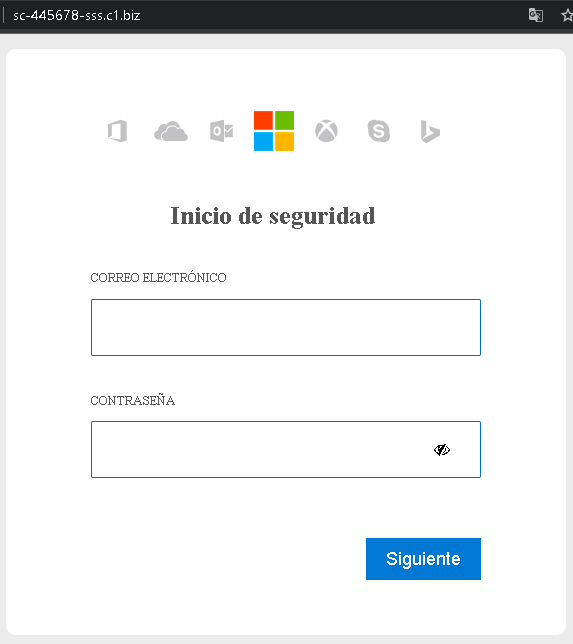
A Spanish-language phishing campaign targeting Microsoft 365, Outlook, and OneDrive users utilizes fake document-sharing notifications to harvest credentials via cloned login pages. This attack pressures victims with a “Shared Document” pretext to enter their email and password on a fraudulent site designed to steal login data and bypass security checks. The case emphasizes the need to inspect URLs for official Microsoft domains and verify unexpected shared document notifications.

🛡️ Cybersecurity Measures: How to Avoid Microsoft Phishing (Spanish/Global)

To protect your Microsoft / Office 365 account and prevent sensitive documents from being stolen, follow these essential safety rules:

1. Verify the Domain (The URL Rule)

Phishing sites often use lookalike domains to trick Spanish-speaking users (e.g., microsoft-inicio.com, seguridad-office365.online, verificar-cuenta.net).

  • Action: Official Microsoft login pages always reside on microsoft.com, live.com, or outlook.com. If the address bar shows anything else, close the window immediately.

2. Inspect the Language and Tone

Scammers use urgent phrases in Spanish to induce panic, such as:

  • “Su cuenta será suspendida en 24 horas.” (Your account will be suspended in 24 hours.)
  • “Error de entrega de mensajes entrantes.” (Incoming message delivery error.)
  • “Actualización obligatoria de seguridad.” (Mandatory security update.)
  • Action: Microsoft will never threaten to delete your account via an email link. Real alerts appear in your official Microsoft 365 Admin Center or via system notifications.

3. Mandatory Two-Factor Authentication (2FA)

Password theft is the primary goal of this phishing page. 2FA is your final line of defense.

  • Action: Enable Microsoft Authenticator or an app-based 2FA. Even if the attacker steals your password, they cannot access your files without the approval notification on your smartphone.

4. The “No-Link” Policy for Login

Emails with a “Login” or “Verify Now” button are the most common entry points for hackers.

  • Action: Never log in through a link sent in an email. If you receive an alert, open a new browser tab and manually type ://office.com or outlook.com to check your status safely.

5. Check the Sender’s Address

Scammers often spoof the sender’s name to say “Microsoft Support,” but the actual email address is a random domain (e.g., [email protected]).

  • Action: Hover your mouse over the sender’s name to see the real email address. If it doesn’t end in @microsoft.com, it is a scam.

6. Use a Password Manager

Tools like Bitwarden, Dashlane, or 1Password are designed to identify sites by their URL.

  • Action: If you are on a phishing page, your password manager will not offer to auto-fill your credentials. This is a definitive technical warning that the site is a fraud.

Fake Facebook page detected

This screenshot shows a phishing page that mimics Facebook’s sign‑up form, designed to collect full name, email address, password, and birthday – enough personal information to steal or create a Facebook account, or to use for credential stuffing on other services.


Threat Analysis: Facebook Fake Registration Phishing – Full Profile Harvesting

How it works:
The victim lands on this page via a malicious link (e.g., “Claim your prize,” “Verify your account,” or “Get a free gift”). The page looks exactly like Facebook’s real sign‑up interface. The victim is asked to provide:

  • First name and last name
  • Email address (and re‑enter it)
  • New password
  • Birthday
  • Gender

After clicking “Sign Up,” the data is sent to the attacker. The victim may then be redirected to the real Facebook website, making the scam harder to detect.

The goal:
The attacker collects:

  • Email and password – to compromise the victim’s Facebook account (if the same credentials are used) or to attempt credential stuffing on other platforms
  • Full name, birthday, and gender – for identity theft, social engineering, or selling complete profiles on criminal markets

Red flags to watch for:

  • Suspicious URL: The page is hosted on a domain that is not facebook.com. Legitimate Facebook registration is only on official Facebook domains.
  • Outdated copyright: The footer shows “© Facebook © 2014” – real Facebook updates this year every year. A 2014 date on a 2022 screenshot is a clear sign of a copied, old phishing template.
  • Unsolicited registration page: You would only see a sign‑up form if you intentionally went to Facebook to create an account. Receiving a link to a sign‑up page is always suspicious.
  • No HTTPS / security indicators: While not always visible in a screenshot, phishing pages often lack valid SSL certificates or show a “not secure” warning.

What to do if you encounter this:

  • Do not enter any personal information.
  • If you have already entered your email and password, change that password immediately on the real Facebook website (type facebook.com directly) and enable two‑factor authentication. Also change any other accounts that use the same password.
  • Always access Facebook by typing facebook.com directly into your browser.

Protective measures:

  • Never click links that take you to a Facebook login or sign‑up page. Type the URL manually.
  • Use a password manager – it will only autofill on legitimate facebook.com domains.
  • Enable two‑factor authentication on your Facebook account.
  • Be suspicious of any unsolicited link that asks you to sign up or log in, even if the page looks identical to the real one.

Credit Agricole phishing page revealed

A high-risk Crédit Agricole phishing campaign targeting French customers to steal credentials and bypass the SécuriPass system. Utilizing Man-in-the-Middle (MitM) techniques via smishing, the fake site tricks users into authorizing fraudulent device registration, allowing attackers to hijack accounts in real-time.

🛡️ Cybersecurity Measures: How to Avoid Crédit Agricole Phishing

To protect your Crédit Agricole account and prevent unauthorized transfers, follow these essential safety rules:

1. Verify the Domain (The URL Rule)

Phishing sites often use lookalike domains (e.g., mon-espace-credit-agricole.net, securite-ca-fr.online, verification-identite-client.com).

  • Action: The only official website for Crédit Agricole is www.credit-agricole.fr. Always check that the address bar shows exactly this domain before entering your 6-digit personal code.

2. Inspect the Virtual Keyboard

Crédit Agricole uses a randomized virtual numeric keypad to enter your personal code. Phishing sites often have a “frozen” or laggy version of this keypad to capture your clicks in real-time.

  • Action: If the virtual keyboard looks different, has low-resolution numbers, or doesn’t respond instantly, close the tab. It is a script designed to steal your PIN.

3. The “SécuriPass” Golden Rule

The most dangerous part of this phishing attack is the attempt to bypass SécuriPass (the bank’s mobile authorization system).

  • Action: Never validate a SécuriPass notification on your smartphone if you are not currently performing a specific transaction you initiated yourself. If a site asks you to “synchronize” or “update” SécuriPass by entering an SMS code, it is 100% a scam.

4. Beware of “Urgent” Account Suspension Messages

Scammers use panic-inducing phrases in French, such as:

  • “Votre compte a été temporairement suspendu.” (Your account has been temporarily suspended.)
  • “Mise à jour obligatoire de vos informations de sécurité.” (Mandatory update of your security information.)
  • Action: Crédit Agricole will never send you an email or SMS with a link to “unblock” your account. Real alerts will always be visible in your secure “Message Center” inside the official Ma Banque app.

5. Check the SMS Sender

Official bank messages often come from short codes (e.g., 36105). Scammers use standard 10-digit mobile numbers or spoofed names like “Info CA”.

  • Action: If you receive a banking alert from a mobile number you don’t recognize, delete it. Do not click the link.

6. Use the “Ma Banque” App for Everything

The safest way to manage your accounts is through the official Ma Banque app downloaded from the App Store or Google Play.

  • Action: Avoid using web browsers for banking on your mobile device. The app provides a sandboxed environment that is much harder for phishing sites to intercept.

La Banque Postale phishing page detected

A phishing campaign targeting La Banque Postale users in France utilizes a sophisticated Man-in-the-Middle (MitM) attack to hijack credentials and Certicode Plus codes in real-time. Scammers use SMS and email, mimicking the official bank portal, to steal login IDs, PINs, and mobile numbers, urging victims to authorize fake “security synchronizations” that actually enable fraudulent transfers.

🛡️ Cybersecurity Measures: How to Avoid La Banque Postale Phishing

To protect your La Banque Postale account and prevent unauthorized access to your funds, follow these essential safety rules:

1. Verify the Domain (The URL Rule)

Phishing sites often use deceptive lookalike domains (e.g., espace-client-labanquepostale.net, securite-labanquepostale.online, connexion-lpb-fr.com).

  • Action: The only official website for La Banque Postale is www.labanquepostale.fr. Always verify that the address bar displays exactly this domain before entering your user ID or your 6-digit personal password.

2. Watch Out for the “Virtual Keypad” Trap

La Banque Postale uses a randomized virtual numeric keypad to enter your password. Phishing kits often use a fake version of this keypad to capture your digits in real-time.

  • Action: If the virtual keypad looks blurry, takes too long to load, or behaves strangely, close the tab. This is a script designed to steal your PIN.

3. The “Certicode Plus” Golden Rule

The most critical part of this attack is the attempt to hijack Certicode Plus (the bank’s mobile security system).

  • Action: Never validate a Certicode Plus notification on your smartphone if you did not personally initiate a specific transaction (like adding a beneficiary or making a transfer). If a website asks you to “synchronize” or “reactivate” Certicode Plus by clicking a link, it is 100% a scam.

4. Ignore “Urgent” Account Security Alerts

Scammers use fear to induce panic, sending messages like:

  • “Accès bloqué : identité à confirmer.” (Access blocked: identity to be confirmed.)
  • “Mise à jour réglementaire de vos coordonnées.” (Regulatory update of your contact details.)
  • Action: La Banque Postale will never send you an email or SMS containing a link that leads directly to a login page. Real alerts are only accessible through your secure “Message Center” within the official app.

5. Check the SMS Sender Name

Official messages from the bank usually come from verified short codes. Scammers often use standard 10-digit mobile numbers or spoofed names like “Info-LBP”.

  • Action: If you receive a banking alert from a standard mobile number, do not trust it. Delete the message and do not click the link.

6. Use the Official “La Banque Postale” App

The safest way to manage your accounts is through the official mobile app downloaded from the App Store or Google Play Store.

  • Action: Whenever possible, use the app instead of a mobile browser. The app’s environment is much more secure against redirection and phishing attacks.

Fake USPS tracking page detected

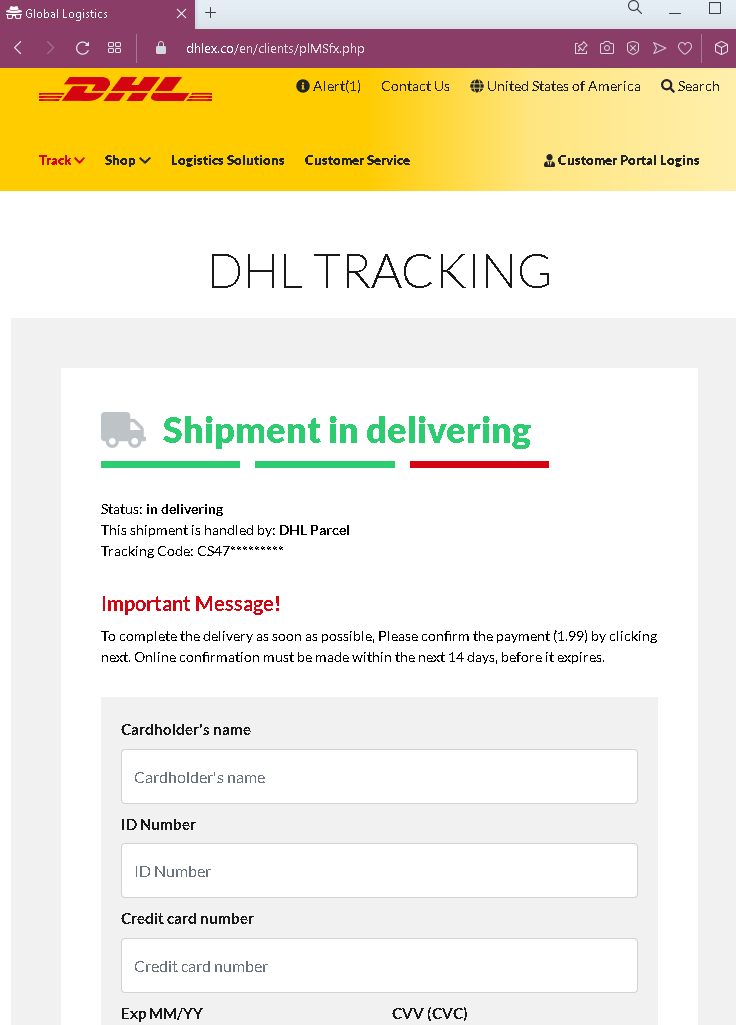
The fake USPS tracking case is a logistics impersonation attack that utilizes smishing to steal credit card data under the guise of an “incomplete address” or small fee. Victims are directed to a cloned website that captures personal, shipping, and banking details to be used for identity theft or sold on the dark web. The official USPS domain is usps.com, and any SMS link requesting payment is a scam, as official notifications do not contain such links.

🛡️ Cybersecurity Measures: How to Avoid USPS “Delivery Failure” Phishing

To protect your credit card details and personal information from package delivery scams, follow these essential safety rules:

1. The “Redelivery Fee” Red Flag

Phishing sites almost always claim that a small fee (e.g., $0.30 or $1.99) is required to “redeliver” a package due to an “incomplete address.”

  • Action: USPS does not charge redelivery fees via text message links. If a site asks for your CVV code (the 3 digits on the back of your card) to pay a tiny fee for a parcel, it is 100% a scam designed to steal your full card data.

2. Verify the Official Domain (The URL Rule)

Scammers use lookalike URLs that mimic the official USPS tracking page (e.g., usps-delivery-update.com, track-usps-package.net, redeliver-usps.xyz).

  • Action: The only official website for the United States Postal Service is ://usps.com. Before entering any information, ensure the address bar shows exactly this domain. Any other variations are fraudulent.

3. Ignore “Address Verification” SMS Links

Scammers send “Smishing” (SMS phishing) messages claiming: “The USPS package has arrived at the warehouse but cannot be delivered due to incomplete address information.”

  • Action: USPS never sends unsolicited text messages with clickable links. If you receive a text about a package you didn’t expect (or even one you did), do not click the link.

4. Use the Official USPS Tracking Tool

If you are actually expecting a package, the safest way to check its status is directly through official channels.

  • Action: Go to ://usps.com manually and type your tracking number into the search bar, or use the official USPS Mobile app. If there is a real address issue, it will be flagged there without requiring a credit card.

5. Look for “Generic” Urgent Language

Phishing messages use high-pressure tactics to bypass your critical thinking (e.g., “Action required within 12 hours” or “Package will be returned to sender”).

  • Action: Take a breath and look at the sender’s phone number. If it’s a standard 10-digit number (often with a non-US area code) or an email from a random domain (like @gmail.com or @outlook.com), it is a fraud.

6. Report the Scam

By reporting these messages, you help telecommunications companies block these numbers for everyone.

  • Action: In the USA, you can forward suspicious SMS messages to 7726 (SPAM). You can also report USPS-themed phishing to uspis.gov (U.S. Postal Inspection Service).

Be aware COX TV phishing page

A phishing campaign targeting Cox Communications customers uses deceptive emails and text messages to steal user credentials and credit card information, often by creating a false sense of urgency regarding payment updates. The scam directs victims to a fraudulent website that clones the official Cox portal to harvest sensitive data. To stay safe, users should only enter credentials on the legitimate cox.com domain, never use links from messages, and enable multi-factor authentication.

🛡️ Cybersecurity Measures: How to Avoid Cox Communications Phishing

To protect your Cox.com account and prevent hackers from accessing your personal billing information and email, follow these essential safety rules:

1. Verify the Official Domain (The URL Rule)

Phishing sites often use lookalike domains (e.g., cox-login-secure.com, myaccount-cox.net, verification-cox-tv.online).

  • Action: The only official website for Cox Communications is ://cox.com. Before entering your User ID or Password, ensure the address bar shows exactly this domain. Any other variation is a fraud.

2. Beware of “Account Suspension” Threats

Scammers use high-pressure tactics to bypass your critical thinking, sending alerts like:

  • “Your Cox service will be disconnected in 24 hours due to a billing error.”
  • “Unusual activity detected: Please sign in to verify your identity.”
  • Action: Cox will never threaten to immediately cut off your services via a link in an email or text. Real billing issues will be listed in your official “Statement” section after a safe login.

3. Mandatory Two-Step Verification (2FA)

Password theft is the primary goal of this phishing page. 2FA is your final line of defense.

  • Action: Enable Two-Step Verification in your Cox account settings. This way, even if a scammer steals your password, they cannot log in without the code sent to your trusted mobile device.

4. The “Manual Entry” Policy

Emails with a “Login Now” or “Update Payment” button are common entry points for hackers.

  • Action: Never log in through a link sent in an email. If you receive an alert, open a new browser tab and manually type ://cox.com or use the official Cox App to check your account status.

5. Inspect the Email Sender

Scammers often spoof the sender’s name to look like “Cox Support,” but the actual email address is unrelated (e.g., [email protected]).

  • Action: On a computer, hover your mouse over the sender’s name to see the real email address. If it doesn’t end in @cox.com or @cox.net, it is a scam.

6. Use a Password Manager

Tools like Bitwarden, LastPass, or iCloud Keychain are designed to identify sites by their URL.

  • Action: If you are on a phishing page, your password manager will not offer to auto-fill your credentials. This is a definitive technical warning that the site is a fraud.

A fake page of the German government revealed

Fake phishing sites mimicking German government portals, such as the Bayerisches Staatsministerium für Wirtschaft, use COVID-19 subsidy themes to steal personal, tax, and banking information. Key security measures include verifying official .de or .bund.de domains, ignoring urgent demands for information, and avoiding clicking links in emails, utilizing direct, official navigation instead.

🛡️ Cybersecurity Measures: How to Avoid Government-Themed Phishing (Germany/Global)

To protect your personal data and banking credentials from fraudulent “Government Support” or “Tax Refund” scams, follow these essential safety rules:

1. Verify the Domain (The “.gov” or “.de” Rule)

Official German government websites always use specific domain structures, such as .bund.de or deutschland.de.

  • Action: Phishing sites use deceptive lookalikes like bund-regelung.com, hilfe-bundesregierung.net, or soforthilfe-deutschland.org. If the URL does not end in a verified government domain, it is a scam.

2. Beware of “Free Money” or “Compensation” Bait

Scammers use psychological triggers by promising “Financial Aid,” “Energy Relief,” or “Tax Refunds” to induce excitement and lower your guard.

  • Action: Government agencies in Germany (like the Finanzamt or Bundesregierung) never notify citizens of refunds or aid via SMS or email links that require immediate credit card input. Official communication is almost always sent via physical mail (Post) or through the secure ELSTER portal.

3. Never Provide Banking Data via Email/SMS Links

A common tactic in this case is asking for your IBAN, Credit Card Number, or Online Banking PIN to “verify your eligibility” for a payout.

  • Action: No legitimate government portal will ask for your full credit card CVV code or your bank PIN to send you money. If a site asks for these, it is a “Skimming” operation designed to drain your account.

4. Check the Official Sources Manually

If you hear about a new government support program, do not click the link in a social media ad or message.

  • Action: Open a new browser tab and manually search for the program on the official www.bundesregierung.de website. If the program exists, you will find instructions on how to apply through official, secure channels.

5. Inspect the Language and Legal Notice (Impressum)

Legitimate German sites are legally required to have a detailed Impressum (Legal Notice) and a Datenschutzerklärung (Privacy Policy).

  • Action: Phishing sites often have “broken” links for these sections or provide generic, fake information. If the site’s German has grammatical errors or uses an overly urgent tone (e.g., “Handeln Sie jetzt!”), it is a red flag.

6. Use an Ad-Blocker and Safe Browsing

Many of these fake government pages are promoted via “Malvertising” (fake ads in search engines).

  • Action: Use a browser with built-in phishing protection and consider an ad-blocker. Always look for the “Ad” or “Sponsored” label in Google search results; scammers often pay to have their fake site appear above the real one.