Fake Carousell”Safe Payment” Receipt

🛡️ Phishing Alert: The “Fake Buyer” Marketplace Scam

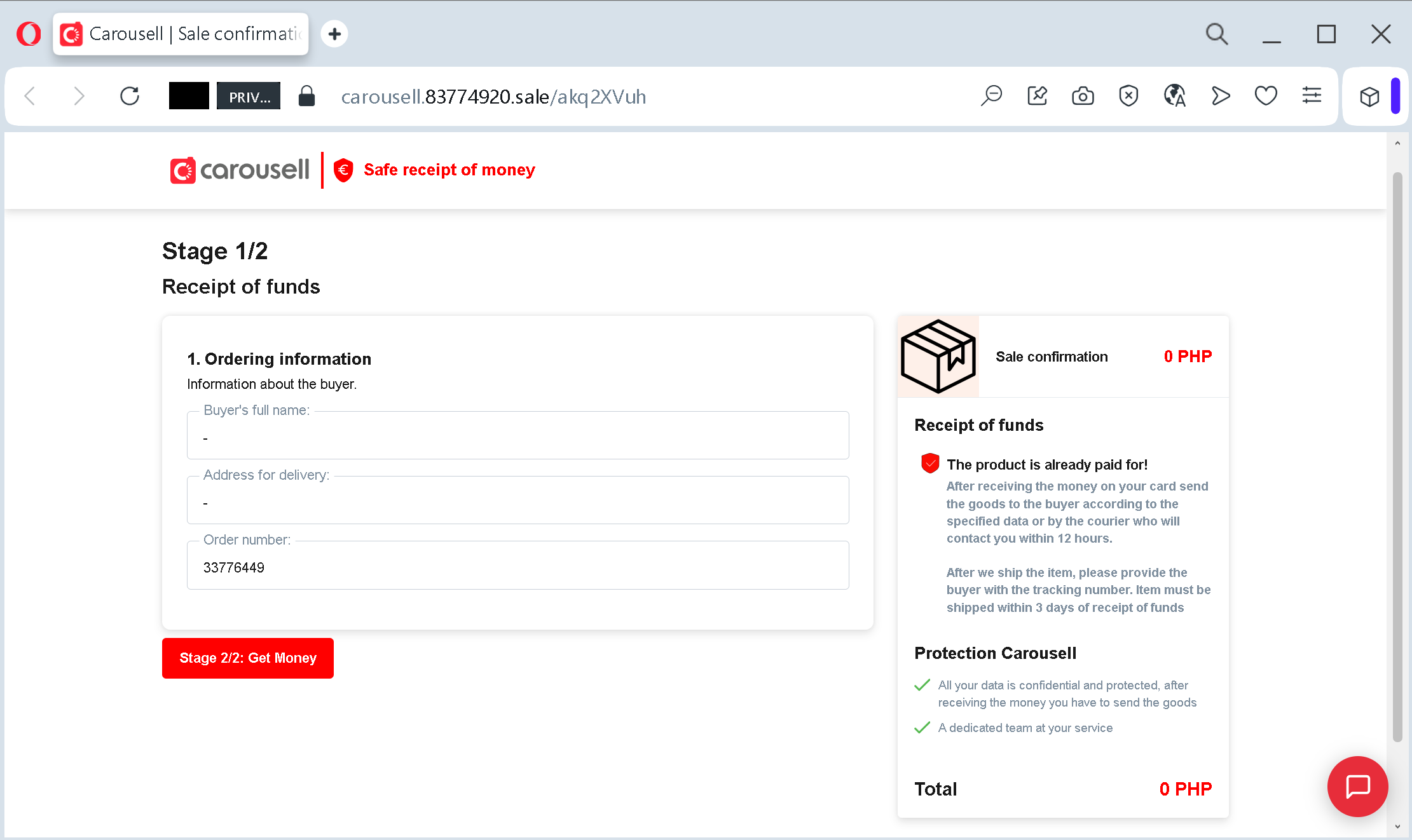
This screenshot demonstrates a common and dangerous phishing tactic used on classifieds and marketplace platforms (like Carousell, Olx, or Avito).
Here is a breakdown of how this scam works to steal your banking information:

1. The Domain Deception

Look closely at the URL: carousell.83774920.sale/….

  • The Trap: Scammers use a subdomain that includes the brand name (carousell) to create a false sense of security.
  • The Reality: The actual domain is 83774920.sale. Official Carousell transactions will never happen on a random numeric domain or a .sale extension. They always stay within carousell.ph or the official app.

2. The Emotional Hook: “Receipt of Funds”

The page is designed to look like a legitimate “Safe Receipt of Money” portal.

  • The Tactic: The scammer contacts a seller and claims they have already paid for the item. They send this link to the seller, claiming it’s the only way to “accept” or “receive” the money.
  • The Red Flag: Legitimate marketplaces do not require you to enter your full card details or address on a third-party link to receive a payment.

3. Psychological Manipulation

  • Urgency: The text states the item “must be shipped within 3 days,” pushing the victim to act quickly.
  • False Protection: Using terms like “Protection Carousell” and “Dedicated team” is a social engineering trick to make the victim lower their guard.
  • The “Get Money” Button: The bright red button “Stage 2/2: Get Money” is the final trap. Clicking it will typically lead to a fake bank login page or a form asking for your card number, CVV, and SMS OTP.

How to Stay Safe:

  • Stay on the App: Never follow links sent by buyers in external messengers (WhatsApp, Viber, Telegram).
  • Verify the URL: Always check the main domain. If it’s not the official platform address, it’s a scam.
  • No Card Info for Receiving: You do not need to provide your CVV or a one-time password (OTP) to receive money. These are only for sending money.
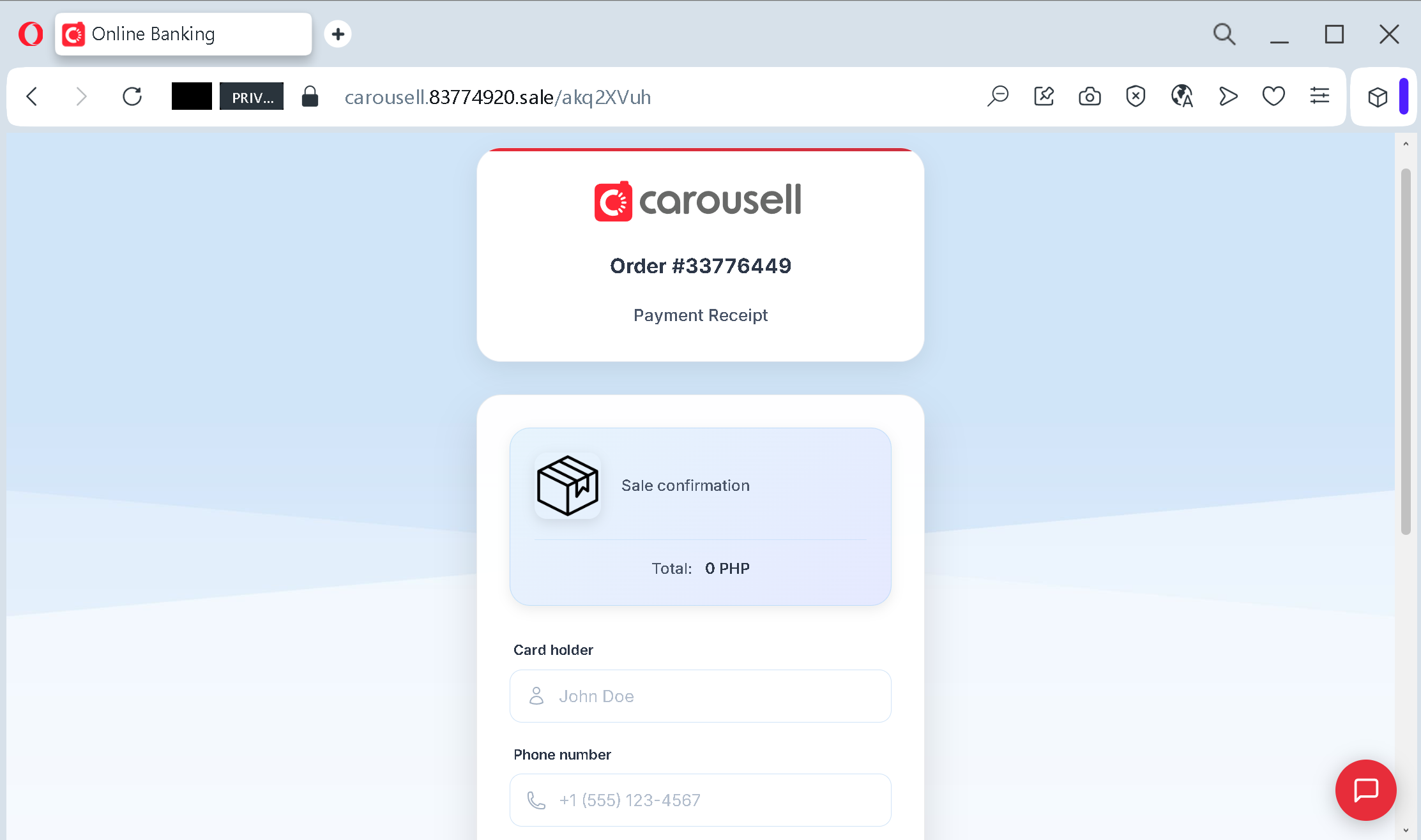
Phishing Scheme: Fake “Safe Payment” Receipt
How the scam works:
The Approach: A scammer contacts a seller on a marketplace (Carousell), posing as a legitimate buyer. They claim to have already made the payment through the platform’s internal “safe deal” system.
The Link: The scammer sends a generated link (like the one above) via an external messenger (WhatsApp/Viber), claiming it’s the official “Receipt of Funds” page.
The Trap: The page looks identical to the official marketplace design. It displays a “Stage 1/2: Receipt of Funds” form, asking the seller to confirm their details.
The Theft: When the seller clicks “Get Money,” they are redirected to a fake payment gateway that asks for Full Card Number, Expiry Date, CVV, and even an SMS OTP (One-Time Password). Instead of receiving funds, the victim’s account is drained.
Warning Signs:
External Links: Official platforms never send payment links via third-party messengers.
Fake Domain: Always check the root domain. In this case, it is 83774920.sale, which has nothing to do with the official carousell.ph.
Receiving Money Doesn’t Require CVV: You never need to provide your card’s CVV or an SMS confirmation code to receive a payment.
Pinkoi Fake Suspension Notice detected

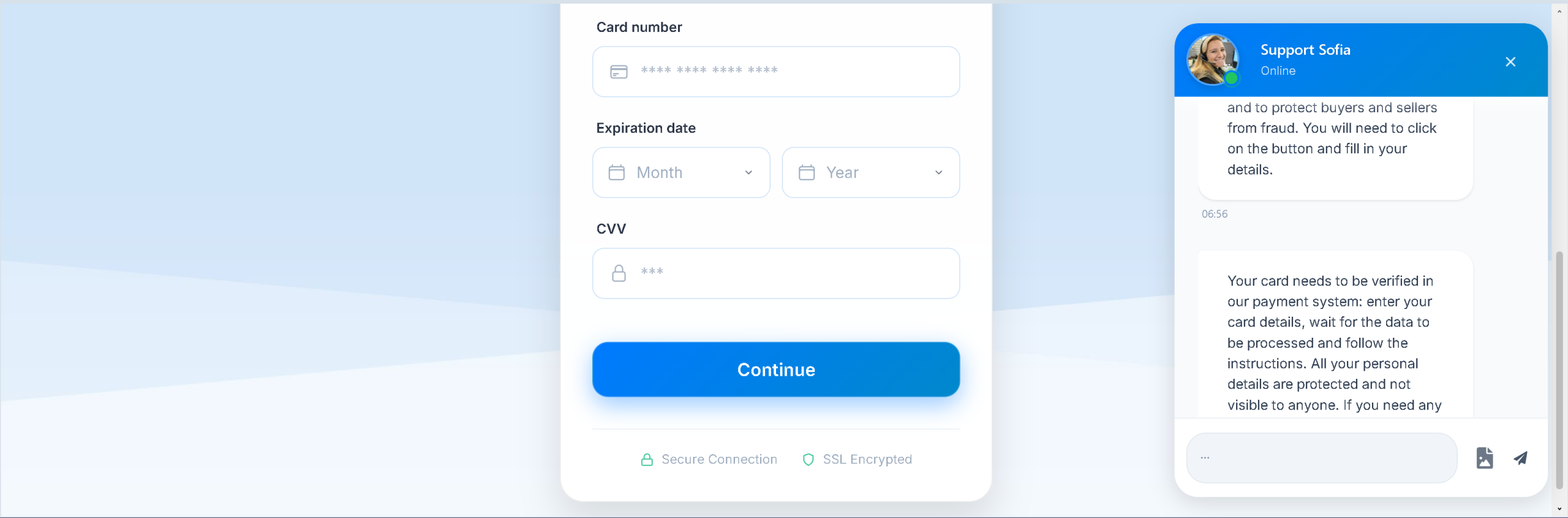
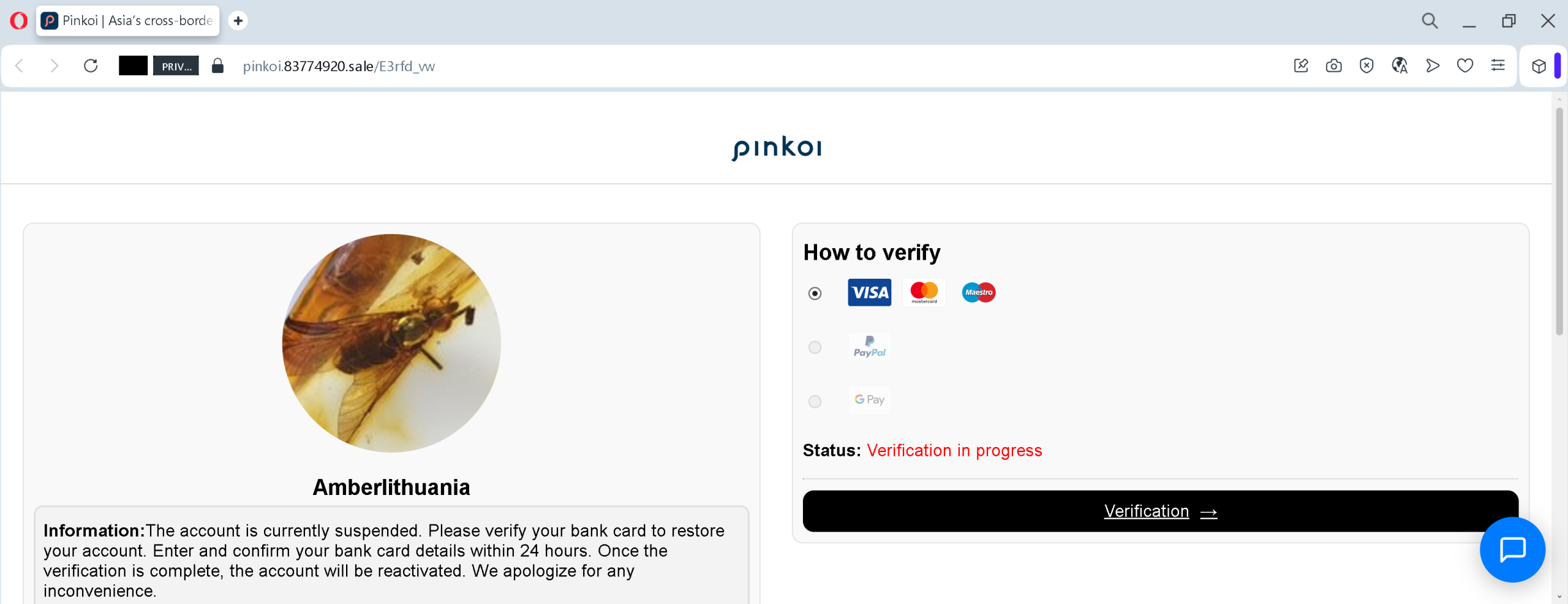
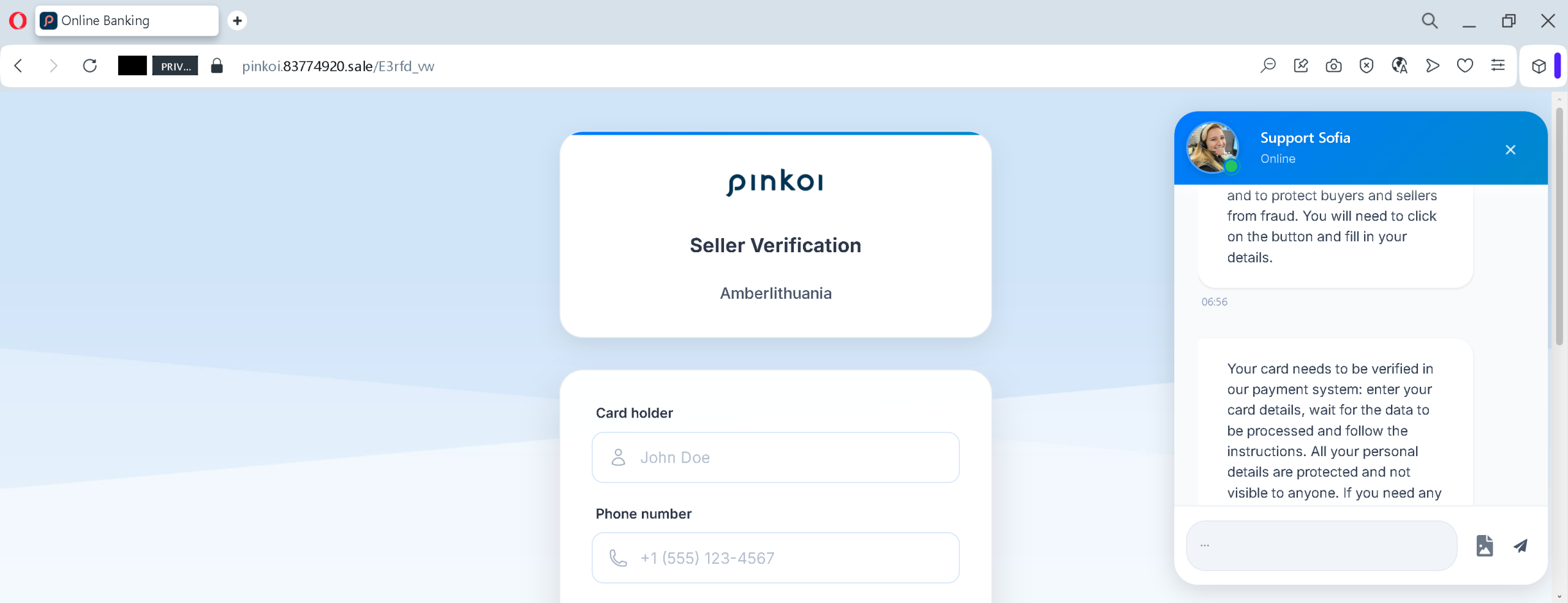
These screenshots show a phishing campaign impersonating Pinkoi (a popular e‑commerce platform for designers and handmade goods) and an associated seller named “Amberlithuania”. The scam uses a fake account suspension notice to trick victims into providing full bank card details and personal information.


Threat Analysis: Pinkoi Seller Phishing – Fake “Account Suspended” / Card Verification Scam

How it works:

  1. Fake Suspension Notice – The victim (likely a seller or buyer on Pinkoi) sees a page claiming that the “Amberlithuania” account is suspended and must verify a bank card within 24 hours to restore access. Logos of Visa, Mastercard, PayPal, and Google Pay are shown to create a false sense of security.
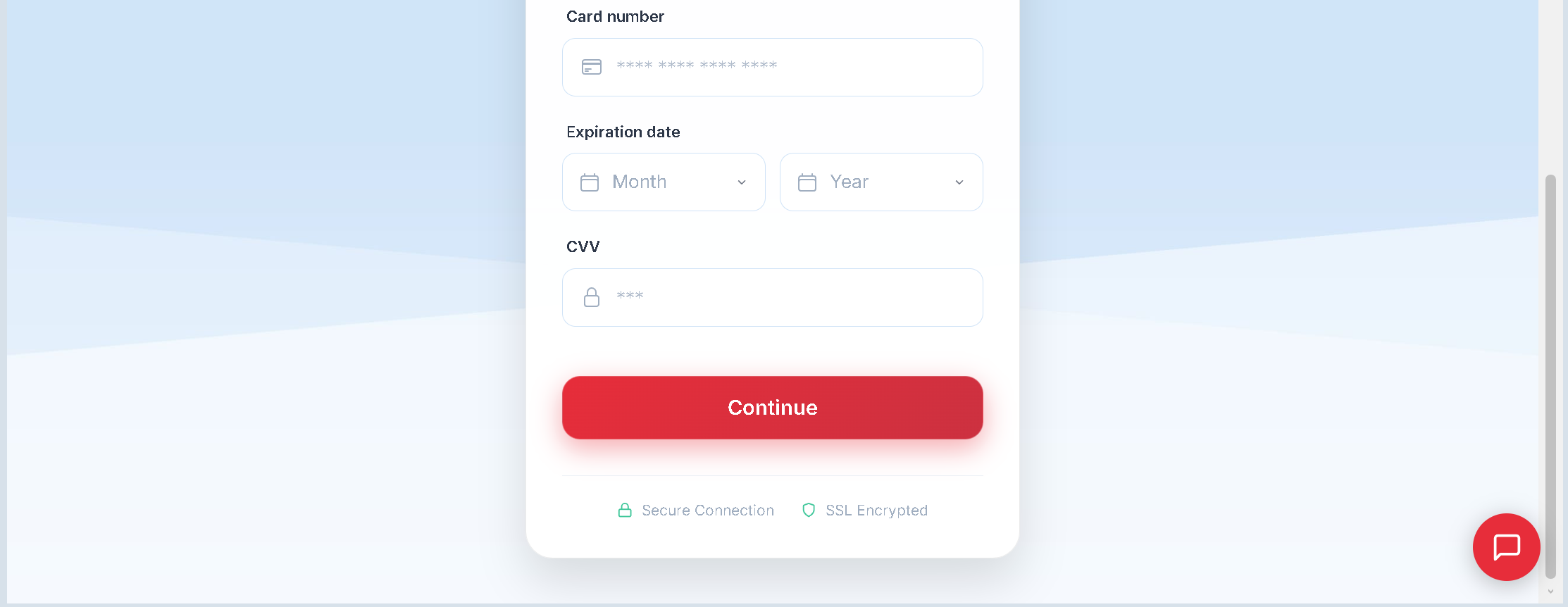
  2. Card Details Request – The victim is directed to a page that asks for card number and later cardholder name and phone number. A fake “Secure Connection” badge and SSL claim are added to appear legitimate.
  3. Urgency and False Reassurance – The message states that verification must be completed within a limited time (24 hours) and claims that all personal details are protected and not visible to anyone – a common tactic to lower suspicion.

The goal:
The attacker steals:

  • Full credit/debit card number
  • Cardholder name
  • Phone number

With this information, the attacker can make fraudulent online purchases, clone the card, or sell the data on criminal markets. There is no actual account suspension – the entire notice is fabricated.

Red flags to watch for:

  • Suspicious URL: The page is hosted on a domain like pinkoi.83774920.sale, not the official Pinkoi domain (pinkoi.com).
  • Request for full card details to “verify” an account: Legitimate platforms never ask for your card number, expiration date, or CVV to reactivate a suspended account. Such verification would happen through official payment gateways or by contacting support directly.
  • Threat of immediate suspension / limited time: The 24‑hour deadline is a classic pressure tactic to prevent victims from thinking critically.
  • Fake “Secure Connection” badge and SSL claim: These are copied from legitimate sites but do not guarantee safety – the page is still a phishing site.
  • Poor design / generic layout: The pages lack the full Pinkoi branding, navigation, and security notices that would appear on the real site.

What to do if you encounter this:

  • Do not enter any card details, personal information, or phone number.
  • If you are a Pinkoi user, always access your account by typing pinkoi.com directly into your browser. Check your account status through official channels.
  • If you have already entered card details, contact your bank immediately to block the card and dispute any unauthorized charges.
  • Report the phishing page to Pinkoi’s security team.

Protective measures:

  • Never click links in unsolicited messages claiming your account is suspended or needs verification.
  • Always type the official website URL directly into your browser.
  • Never provide your card details, CVV, or expiration date in response to an account suspension notice.
  • Enable two‑factor authentication on your e‑commerce and email accounts.
  • Check the URL carefully – look for misspellings, extra words, or unusual top‑level domains (e.g., .sale, .xyz).

Easybank phishing page detected

A phishing campaign targeting easybank (a German direct bank), based on the two screenshots.


Threat Analysis: easybank Phishing – Fake Online Banking Login with Fake Waiting Page

This phishing campaign impersonates easybank, a German online bank. The attack is designed to steal the victim’s online banking credentials (username and password) and then use a fake “processing” page to reduce suspicion.

How it works:

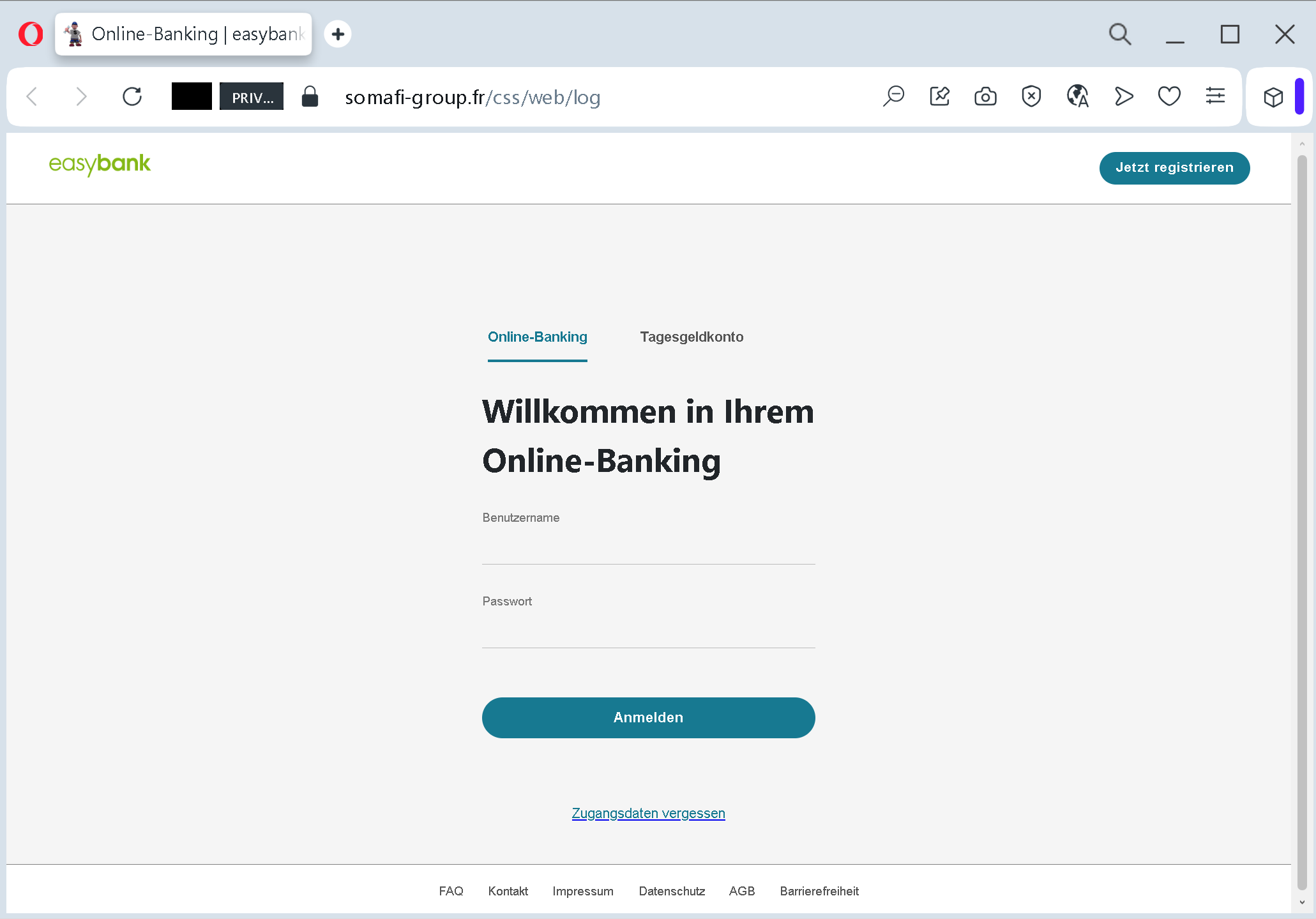
Step 1 – Fake Login Page (First Screenshot)
The victim receives a phishing email, SMS, or other message claiming a security alert, account issue, or the need to log in. The link leads to this page, which mimics the easybank Online‑Banking login portal. The page asks for:

  • Benutzername (username)
  • Passwort (password)

A link for “Zugangsdaten vergessen” (forgotten credentials) is added to appear legitimate. The page also includes a “Jetzt registrieren” (register now) option and references to “Tagesgeldkonto” (overnight money account) – all copied from the real bank’s website.

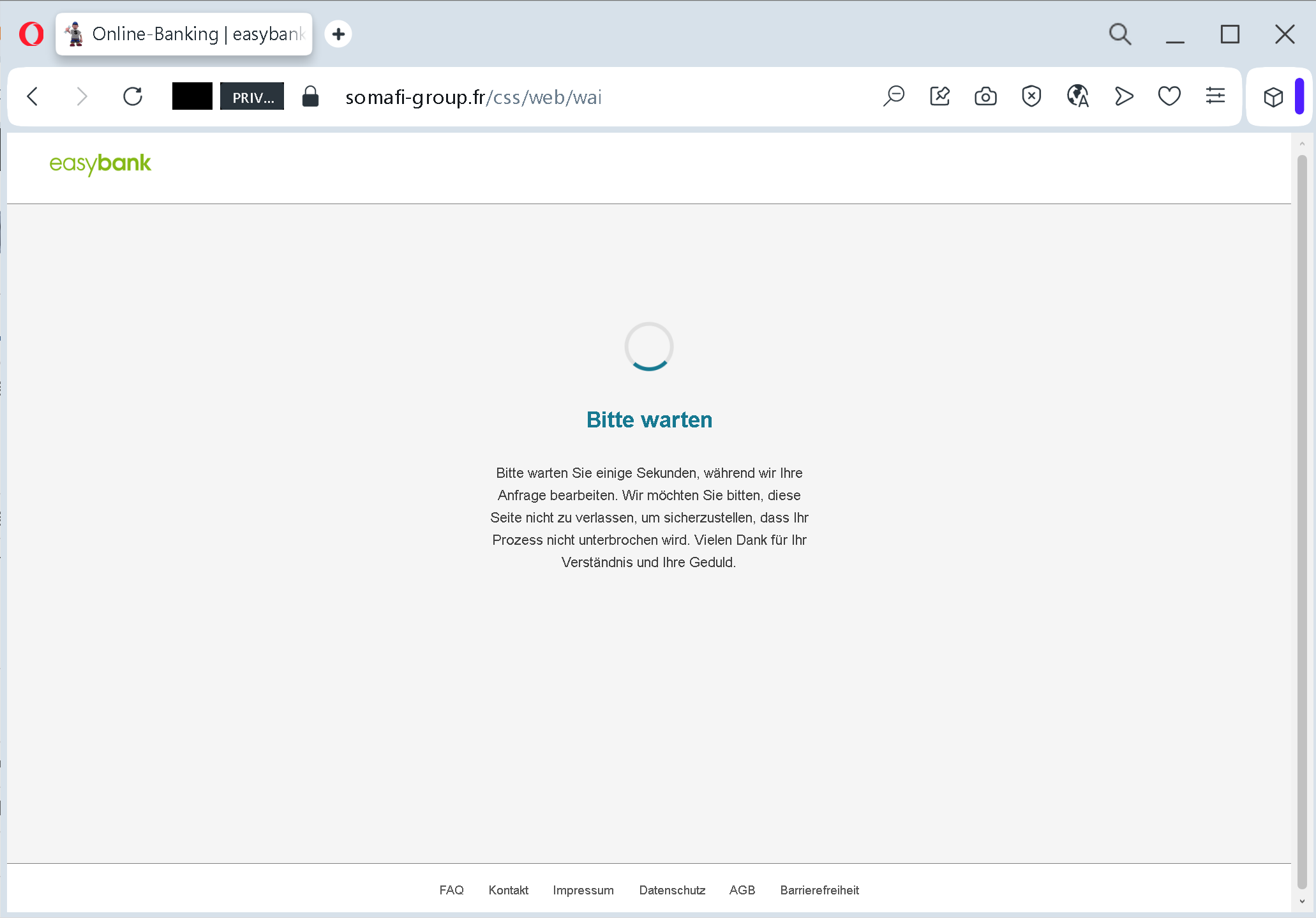
Step 2 – Fake Waiting Page (Second Screenshot)
After the victim submits their credentials, they are taken to this page. It claims that the request is being processed and asks the victim not to leave the page to avoid interruption. This serves two purposes:

  • It buys time for the attacker to use the stolen credentials to log into the real easybank portal.
  • It reduces suspicion – the victim believes the login was successful and that the system is working normally.

In reality, the credentials have already been captured, and the attacker may be using them to access the victim’s real account, transfer funds, or change settings.

The goal:
The attacker steals easybank login credentials to:

  • Access the victim’s bank account
  • View balances, transfer money, and make unauthorized payments
  • Commit fraud or identity theft

Red flags to watch for:

  • Suspicious URL: The login page is hosted on a domain that is not easybank.de or the official easybank domain. The URL contains somafi-group.fr – an unrelated French domain, not the bank’s official address.
  • Unsolicited login request: easybank does not send links requiring customers to log in to resolve account issues. Always type the official URL directly.
  • Generic waiting page: A legitimate online banking system does not display a simple “please wait” page after login – the user is either logged in or shown an error. This waiting page is a classic phishing tactic to stall while the attacker works.
  • Minimal design / missing security features: The fake login page lacks the full branding, security notices, and multi‑factor authentication prompts (e.g., chipTAN, pushTAN) that would appear on the real easybank site.

What to do if you encounter this:

  • Do not enter your username or password.
  • If you have already entered your credentials, contact easybank immediately to block your account and change your access data.
  • Always access online banking by typing easybank.de directly into your browser or using the official easybank app.
  • Report the phishing page to easybank’s fraud department.

Protective measures:

  • Bookmark the official easybank login page and use that bookmark.
  • Use a password manager – it will autofill only on legitimate domains.
  • Enable two‑factor authentication (chipTAN, pushTAN, or mobileTAN) – but be aware that attackers may also try to intercept these codes if they have already captured your credentials.
  • Be suspicious of any unsolicited message that asks you to log in via a link.
  • Check the URL carefully – look for misspellings, extra words, or unusual top‑level domains.

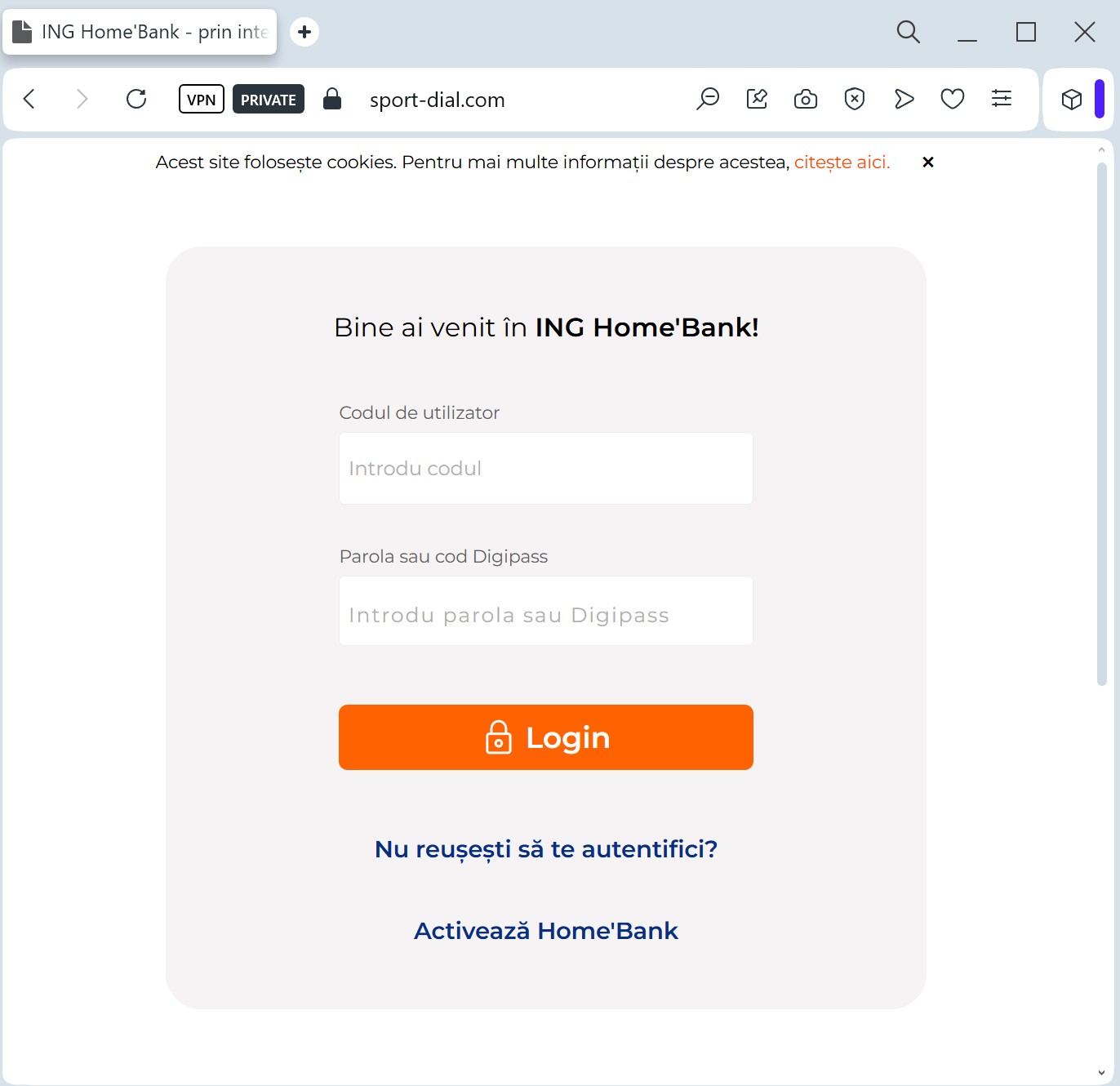
ING Home’Bank phishing page revealed

Target: ING Bank Customers (Europe/Romania/Poland)
Threat Level: Critical (Session Hijacking)
Phishing Method Description
This method focuses on Device Authorization Theft. The phishing page mimics the ING “HomeBank” interface, often using a “Synchronize your security device” or “Update HomeBank app” pretext.
The attacker’s goal is not just your password, but the Authorization Code (token) generated by your mobile app. By entering this code into the fake site, you are actually authorizing the hacker’s device to access your bank account.
⚠️ Red Flags to Watch For
Suspicious Domain: The URL might look like ing-homebank-update.com or authorization-ing.net. ING only uses its official national domains (e.g., ing.ro, ing.pl, ing.com).
Unusual Requests: Banks will never ask you to “synchronize” or “re-verify” your device through a link sent via SMS or Email.
Language Errors: Often, these pages contain subtle grammatical mistakes or incorrect font rendering that differs from the official app.
🛡️ How to Protect Yourself
App Notifications: Trust only the notifications that appear inside your official ING mobile app.
Never Share Codes: Never enter a 2FA or authorization code on a website you reached via a link. Codes should only be entered in the official app or the bank’s main website that you opened yourself.
Enable Push-Alerts: Set up instant notifications for any login or transaction so you can react immediately if your account is compromised.

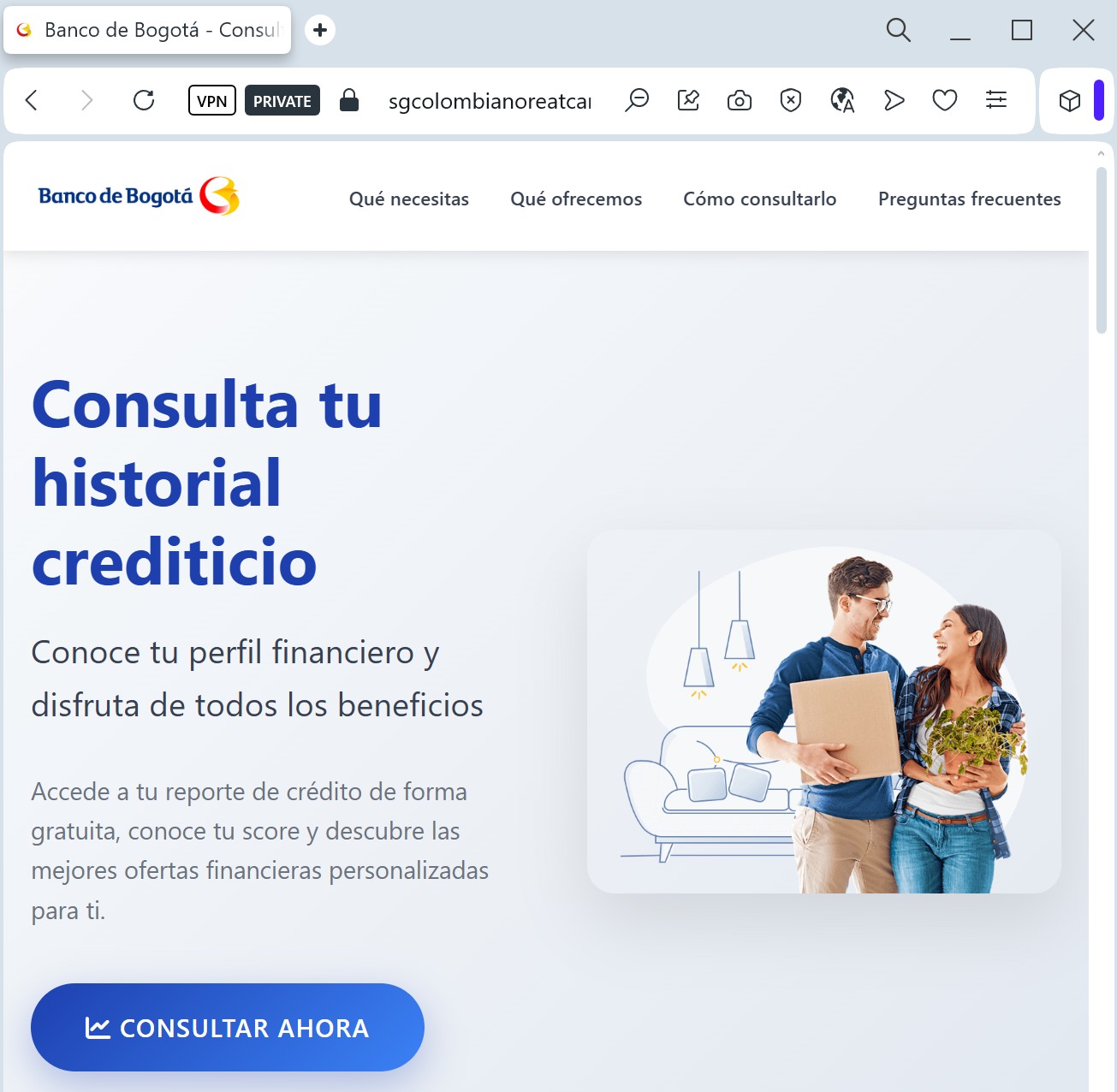
Banco de Bogota phishing page detected

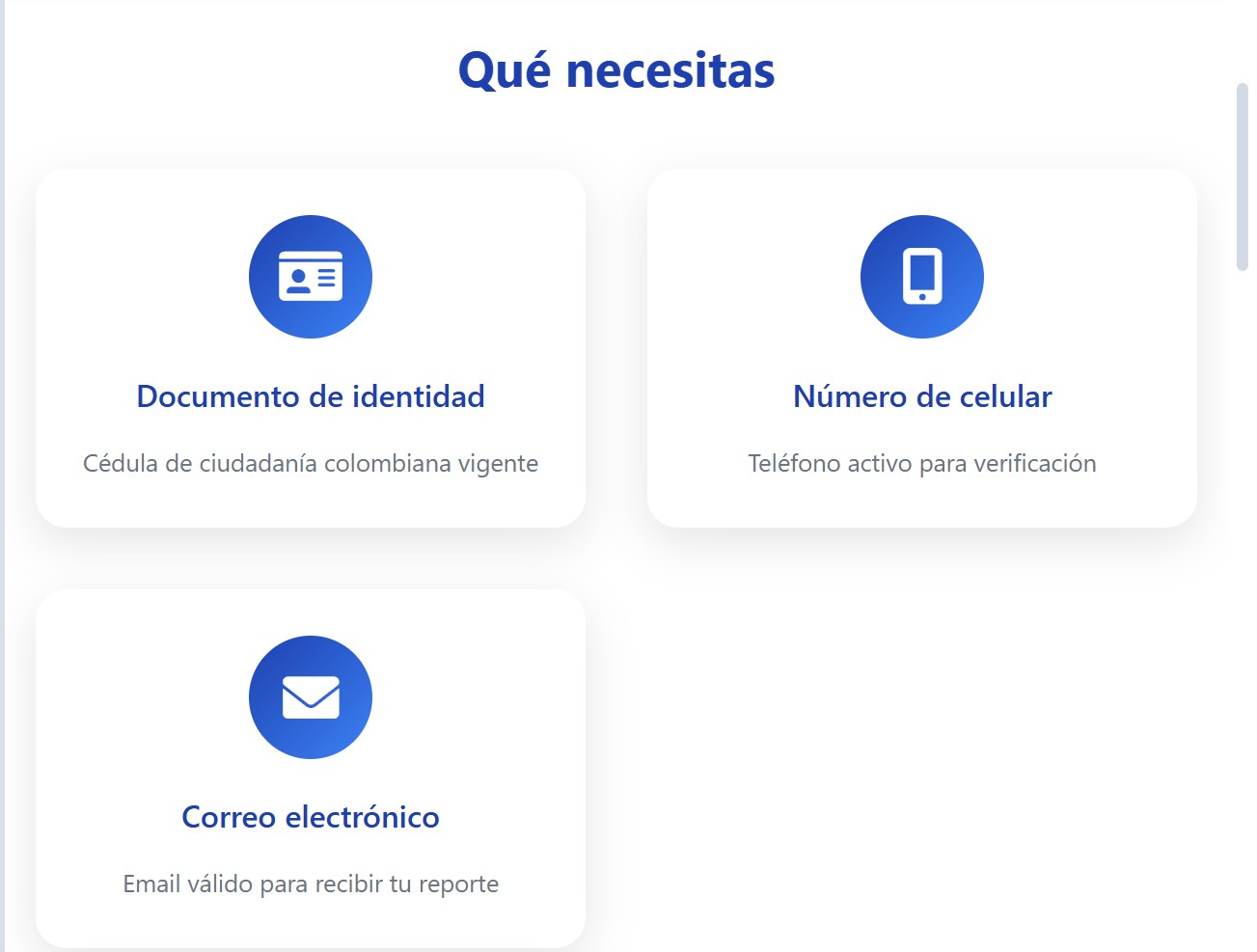
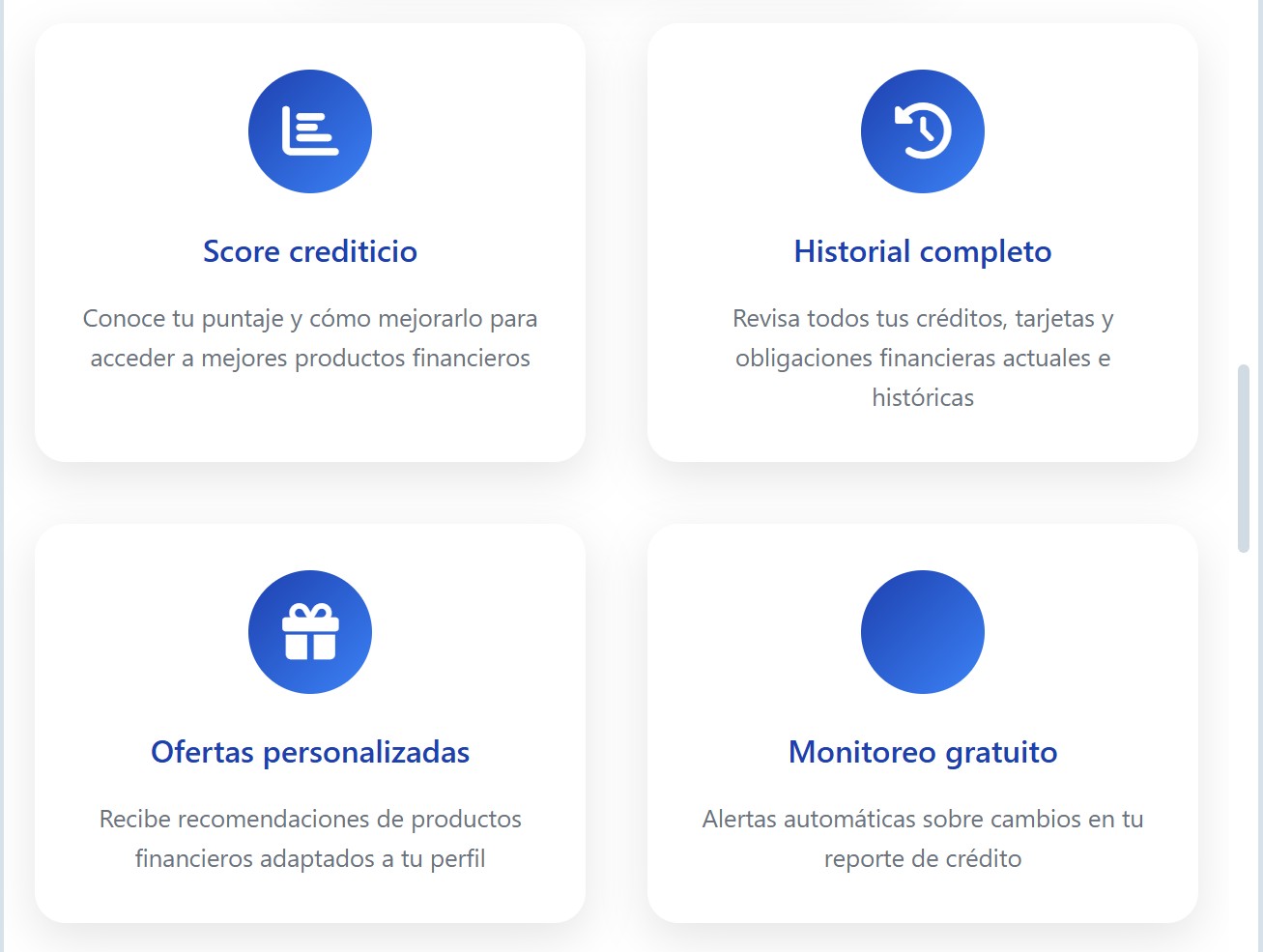
A sophisticated phishing campaign targeting Banco de Bogotá in Colombia uses deceptive “security update” messages to steal user credentials, including identification numbers and full credit card details. This fraudulent site imitates the official banking portal to bypass security checks and solicit sensitive information through high-pressure tactics.

Target: Customers of Banco de Bogotá (Colombia)
Threat Level: High (Credit Card & Identity Theft)
Phishing Method Description
This attack uses Visual Impersonation to mimic the “Banca Virtual” (Virtual Banking) portal of Banco de Bogotá. Scammers typically distribute these links via SMS (Smishing) or Email, claiming that the user’s digital key has expired or that an “unusual transaction” requires immediate verification.
The fake site is designed to harvest:
Customer ID / Username (Documento de Identidad)
Online Banking Password
Token / OTP Codes (One-Time Passwords)
Full Debit/Credit Card Details (Number, Expiration Date, and CVV)
⚠️ Red Flags to Watch For
The URL Trap: The official domain is bancodebogota.com. Phishing links often use strange subdomains or lookalike addresses like bancodebogota-seguro.com, validar-bogota.net, or free hosting platforms.
Requesting the CVV: Real banking login pages never ask for your 3-digit CVV code (on the back of your card) just to log into your account. This is a clear sign of a credit card “skimmer.”
Mixed Languages/Broken Links: Often, the “Help” or “Contact Us” buttons on these fake pages lead nowhere or return a 404 error, as only the login form is functional.
🛡️ How to Protect Yourself
Type, Don’t Click: Always manually type ://bancodebogota.com into your browser address bar. Never click on links in SMS messages.
Verify the SMS Sender: Banco de Bogotá sends alerts from official short codes. If you receive a security alert from a regular 10-digit mobile number, it is 100% a scam.
Use the Official App: Perform all sensitive operations and balance checks through the official “Banca Móvil” app downloaded from the App Store or Google Play.
Identify Verification: If the site asks you to enter multiple codes from your Token one after another, close the page immediately. Scammers do this to perform unauthorized transfers in real-time.

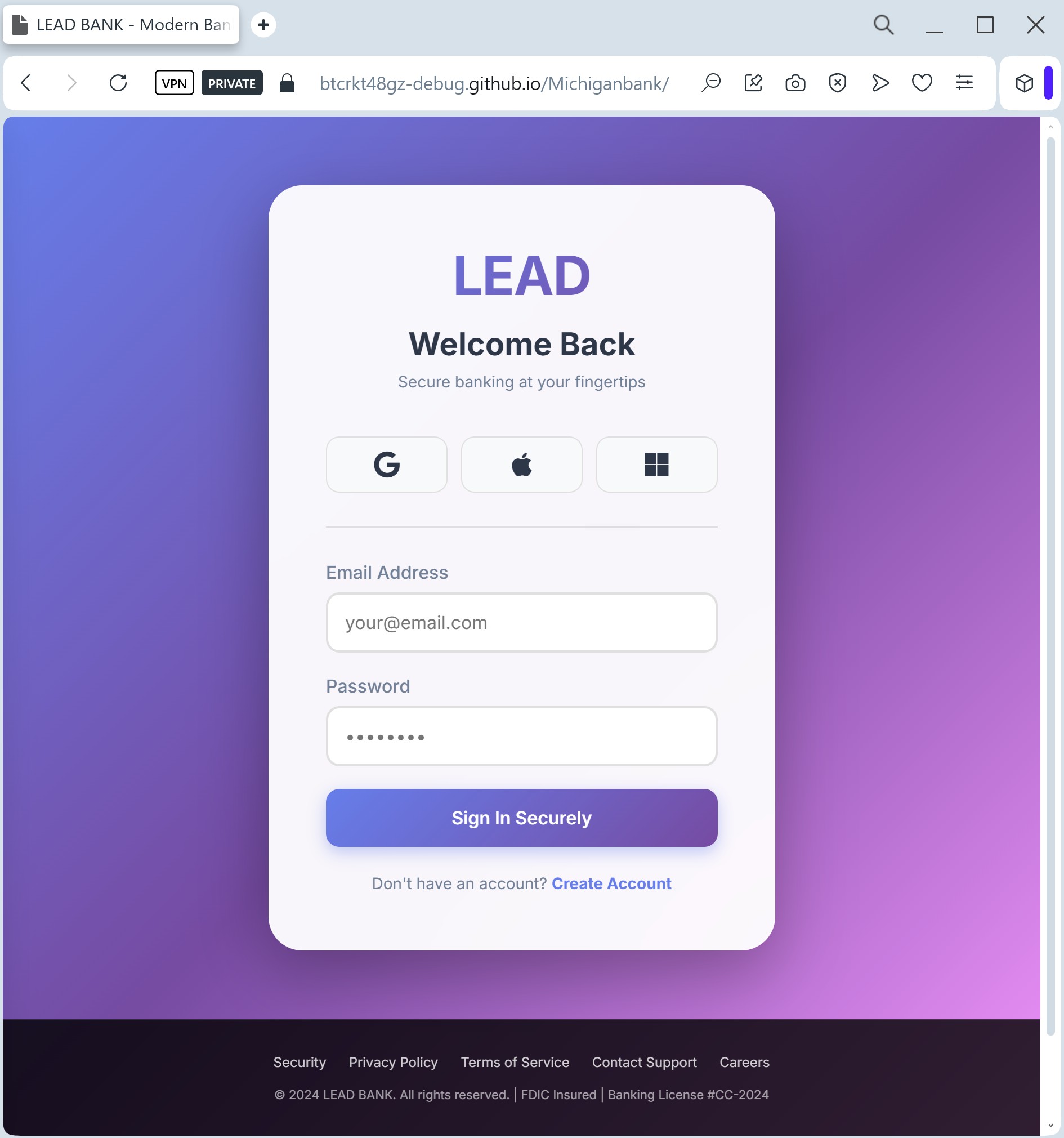
LEAD Bank phishing page detected

A phishing campaign targeting Lead Bank business customers uses fraudulent “unauthorized login” alerts to drive victims to a spoofed portal designed to steal credentials, personal information, and 2FA codes. The attack creates a sense of urgency to trick users into entering sensitive data on a site with a misleading domain. To protect against this threat, users should only navigate to the official Lead Bank site via secure, known channels and never enter MFA codes on suspicious sites.

Target: Business Clients and Fintech Partners of Lead Bank (USA)
Threat Level: High (Corporate & Business Email Compromise)
Phishing Method Description
This attack targets corporate users of Lead Bank, a Kansas City-based institution known for its focus on business banking and financial technology. Scammers use a Clean Page Design strategy, creating a minimalist and professional-looking imitation of the bank’s corporate login portal.
Victims are typically reached via Spear Phishing (targeted emails) or LinkedIn messages claiming that a “Corporate Account Statement” is ready or that a “Secure Message” is waiting to be read.
The malicious page is specifically designed to harvest:
Corporate Email / Username
Business Banking Passwords
MFA / 2FA Tokens (Multi-Factor Authentication)
⚠️ Red Flags to Watch For
Subtle URL Alterations: The official domain is lead.bank. Phishing sites often use common extensions like leadbank-login.com, leadbank.net, or secure-leadbank.org.
Generic Salutations: Official business banks usually address clients by their full name or company name. Phishing emails often use “Dear Client” or “Valued Business Partner.”
Inconsistent Branding: Look closely at the logo and fonts. Scammers often use low-resolution images or slightly different font weights that deviate from Lead Bank’s official corporate identity.
🛡️ How to Protect Yourself
Verify the Domain Extension: Remember that Lead Bank uses the unique .bank top-level domain. This extension is restricted only to verified financial institutions. If the site ends in .com, .net, or anything else, it is a fraud.
Use Hardware Keys: For business banking, hardware security keys (like Yubikey) are much safer than SMS-based codes, as they cannot be easily phished by fake websites.
The “Slow Down” Rule: Corporate phishing often relies on a “Friday afternoon” rush. Always double-check the sender’s email address and the website URL before entering corporate credentials.
IT Reporting: If you encounter a suspicious Lead Bank login page, immediately report it to your company’s IT security department to prevent a broader Business Email Compromise (BEC) attack.

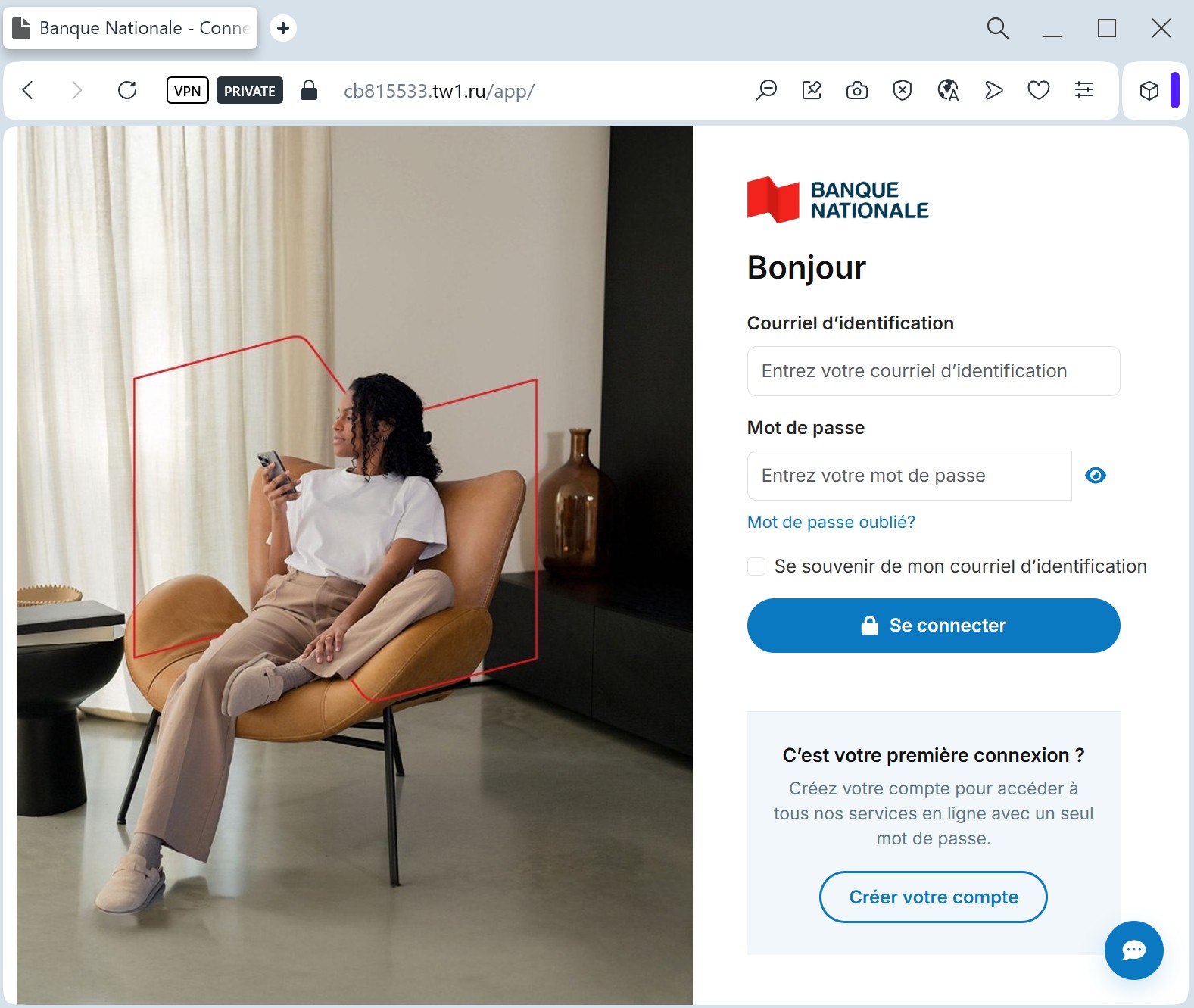
Banque Nationale phishing page detected

A phishing campaign targeting National Bank of Canada (Banque Nationale) clients uses fake “Interac e-Transfer” notifications to steal login credentials, security questions, and OTPs. The fraudulent pages, often mimicking the official BNC portal, are designed to capture data from users in Canada and Quebec. To protect against this threat, users are advised to enable Interac Autodeposit and verify the URL for signs of a scam.

Target: Customers of National Bank of Canada (Banque Nationale du Canada)
Threat Level: Critical (Banking Access & Funds Theft)
Phishing Method Description
This attack leverages the popularity of Interac e-Transfer in Canada. Scammers send a text message (SMS) or email stating that a “Refund,” “Government Rebate,” or “Payment” is waiting to be deposited.
The link leads to a sophisticated Brand Impersonation page that mimics the National Bank’s “Telnat” or “EasyPay” login interface. The fake site is designed to capture:
Access ID / Username
Password / Secret Question Answers
Direct Deposit Information
Card Number and Expiration Date
⚠️ Red Flags to Watch For
Lookalike URL: The official domain is nbc.ca (or bnc.ca). Phishing sites use deceptive addresses like nbc-verification-login.com, nbc-interac.online, or client-bnc.net.
Unexpected Money: Be suspicious of any notification for an e-transfer you weren’t expecting. If you didn’t sell anything or aren’t expecting a specific rebate, it’s likely a scam.
The “Deposit” Trap: Real Interac e-Transfers allow you to choose your bank from a list. Phishing pages often take you directly to a pre-selected fake login page for one specific bank.
🛡️ How to Protect Yourself
Set Up Autodeposit: This is the best defense. If you have Interac Autodeposit enabled, any legitimate transfer will go straight into your account without you needing to click any links or answer security questions.
The SMS Sender Check: Official alerts from National Bank usually come from short codes, not standard 10-digit mobile numbers. If the sender looks like a personal cell phone, delete the message.
Access via Official App: If you receive a notification, don’t click the link. Open your official National Bank (BNC) mobile app directly to check for any pending transfers or messages.
Report Phishing: You can forward suspicious SMS messages to the short code 7726 (SPAM) to help carriers block the sender.

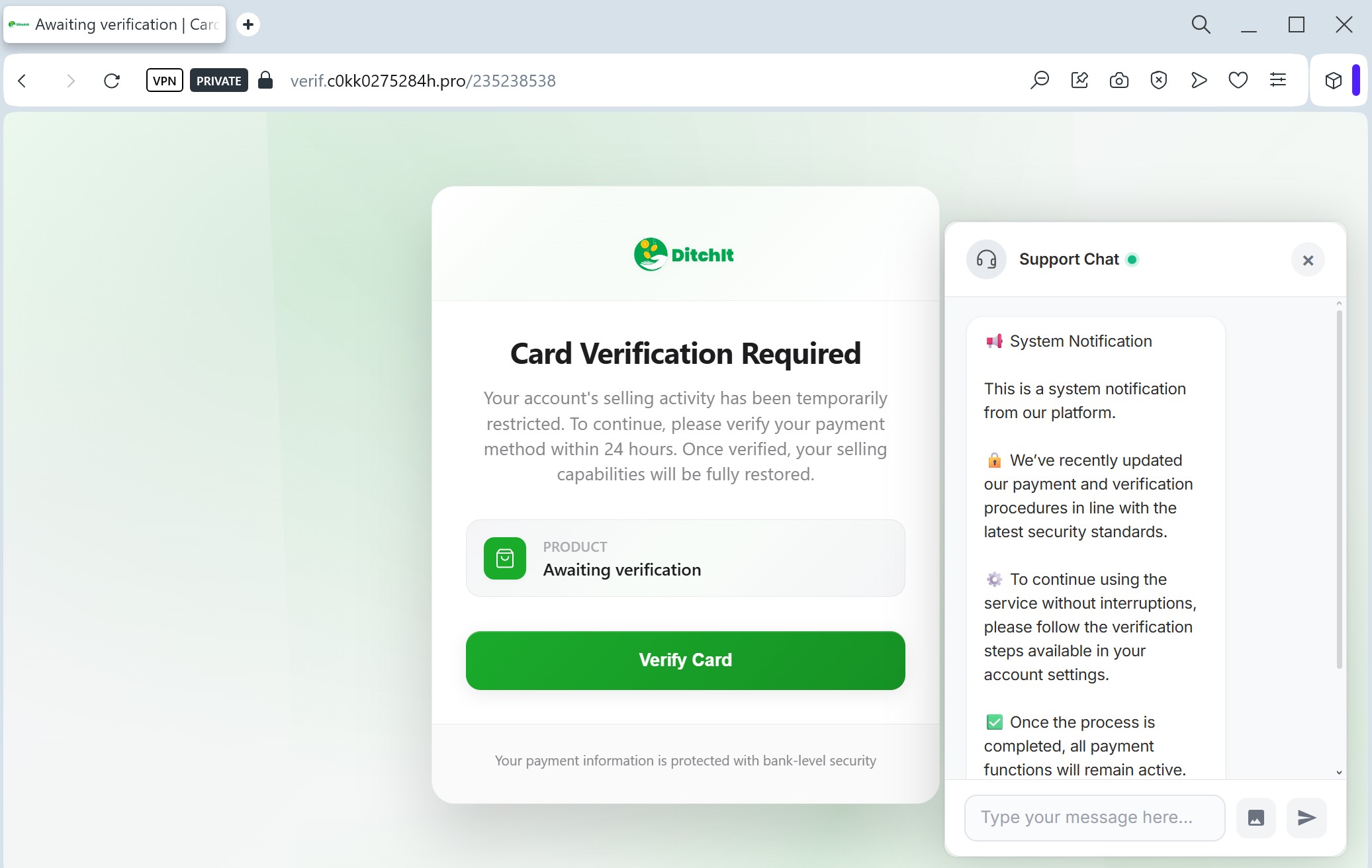
Fake Ditchit card verification page detected

The fake DitchIt card verification scam is a high-level phishing threat targeting users on classified marketplaces, utilizing fake, secure-looking checkout pages to steal full credit card details and cardholder information. This fraud technique often involves directing users off-platform, requesting balance verification, and harvesting data to drain user accounts.

Target: Users of DitchIt (Marketplace & Resale App)
Threat Level: High (Credit Card Skimming)
Phishing Method Description
This attack uses a “Payment Verification” pretext. Scammers often contact sellers on the DitchIt app, pretending to be interested buyers. They claim they have already paid for the item and send a link to “verify your card” or “receive your funds.”
The link leads to a professional-looking clone of a DitchIt-branded page. Instead of a login, the page features a Card Data Entry Form designed to harvest:
Full Name
Credit/Debit Card Number
Expiration Date
CVV Code (Security code on the back)
Account Balance (Scammers ask for this to know how much they can steal immediately).
⚠️ Red Flags to Watch For
Third-Party Links: DitchIt processes payments within the app. If a “buyer” sends you an external link to ditchit-payout.com or verification-ditchit.net, it is 100% a scam.
The “Balance” Request: Legitimate payment processors never ask you to type in your current card balance to receive money. This is a common tactic in Eastern European and North American marketplace scams.
Urgent Tone: The page often says, “You must verify your card within 10 minutes to receive the payment,” forcing the victim to act without thinking.
🛡️ How to Protect Yourself
Stay In-App: Never leave the official DitchIt application to complete a transaction or “verify” your identity. All legitimate prompts will happen inside the app’s secure environment.
The “Receiving Money” Logic: To receive money, you usually only need to provide an email (for Interac) or a bank account number. You never need to provide your CVV or your card’s expiration date to get paid.
Check the URL: DitchIt’s official domain is ditchit.ca. Any other variation, especially those ending in .xyz, .top, or .info, should be closed immediately.
Zero Trust for SMS/Chat Links: If someone you don’t know sends you a link via the in-app chat or SMS claiming to be “Support,” treat it as a threat.

Bank of America fake page detected

A sophisticated Bank of America phishing campaign is active, using fake “account lock” alerts to steal online credentials, Social Security numbers, and OTP codes. The attack utilizes pixel-perfect clones of the Bank of America portal, often combined with telephone spoofing, to harvest full financial access. Users should avoid clicking links in alerts and instead navigate directly to bankofamerica.com to verify account status.

Target: Customers of Bank of America (USA)
Threat Level: Critical (Full Account & Identity Takeover)
Phishing Method Description
In this attack, scammers use Advanced Credential Harvesting. The victim typically receives an urgent SMS or email stating that their account has been “locked due to suspicious activity.”
The link leads to a pixel-perfect clone of the Bank of America Online Banking login page. This multi-step phishing kit is designed to steal:
Online ID and Passcode
Social Security Number (SSN) (last 4 digits or full)
Email Address and Email Password (Claiming it’s for “identity verification”)
One-Time Passwords (OTP) intercepted in real-time.
⚠️ Red Flags to Watch For
The Lookalike URL: The official domain is bankofamerica.com. Phishing sites often use deceptive addresses like bofa-online-security.com, bankofamerica-verification.net, or short links like bit.ly or t.co in the initial message.
Requesting Email Credentials: A legitimate bank will never ask for the password to your personal email account (Gmail, Yahoo, Outlook) to “verify” your identity.
Sensitive Personal Info: While banks may ask for a part of your SSN on their official site, a sudden request for your full SSN and card PIN on a page you reached via a link is a major red flag.
🛡️ How to Protect Yourself
Use the Mobile App: Always use the official Bank of America Mobile Banking app for any alerts. If there is a real issue, you will see a notification inside the secure app environment.
“Sign-In ID” Check: Bank of America uses a “SiteKey” or persistent recognition features. If the login page looks “generic” and doesn’t recognize your browser/device as it usually does, close it immediately.
Protect Your Email: Enable Two-Factor Authentication (2FA) on your email account. Even if scammers steal your bank password, they won’t be able to access your email to reset it if your email is properly secured.
Reporting: You can report Bank of America phishing directly by forwarding suspicious emails to [email protected].