OTP bank phishing page detected

OTP Bank “Account Access Verification” Phishing
Target: OTP Bank Customers (Hungary, Russia, Romania, Serbia, etc.)
Threat Level: Critical (Real-time OTP Interception & Account Hijacking)

Phishing Method Description
This attack relies on Psychological Pressure. Victims receive a Smishing (SMS) or Email claiming that their “OTPdirekt access has been suspended” or that a “Suspicious login attempt” was detected from a new device.

The link leads to a high-fidelity clone of the OTP Bank login page. This sophisticated phishing kit is designed for a Man-in-the-Middle (MitM) attack, harvesting:

User ID / Account Number (HAZ / ID)
Password / PIN
Mobile Phone Number
Mobile Signature (SMS OTP): The fake site prompts the victim to enter the 6-digit security code received via SMS in real-time. The attacker immediately uses this code on the actual bank site to authorize a fraudulent transfer or link their own device to the account.

⚠️ Red Flags to Watch For
Deceptive Domain: The official domains are otpbank.hu, otpbank.ru, otpbanka.rs, etc.. Phishing sites use lookalikes such as otpbank-security.online, verific-otp.net, or free subdomains like otp-login.web.app.
Requesting OTP for “Blocking” or “Updates”: A real bank will never ask you for an SMS code to cancel a transaction or unblock an account. Codes are strictly for authorizing actions you started yourself.
Urgent Tone: Messages demanding you “Act within 2 hours” to avoid a total block are clear signs of a scam.

🛡️ How to Protect Yourself
Use the Mobile App: Manage your security exclusively through the official OTP SmartBank or m-bank app.
The “Manual Entry” Rule: Always type the official address manually into your browser’s address bar. Never click on links in bank messages.
Verify the SMS Source: Official alerts come from registered bank IDs. If a message comes from a standard mobile number, delete it.
Immediate Action: If you have entered data on a suspicious site, call the official OTP Bank support immediately at +36 1 3666 666 (Hungary) or +7 495 783-54-00 (Russia) to freeze your account.

💡 Expert Security Tip: The “Live Proxy” Hazard
The Method:
This case highlights the Real-Time Token Relay tactic. Scammers use automated kits that act as a “live bridge” between you and the real bank.

The Trap:
When you enter your Mobile Signature SMS code on the fake site, you aren’t “verifying” anything. You are providing the final authorization for a transaction the hacker has already prepared in the background.

How to Protect Yourself:
Read the SMS Content Carefully: If the SMS says “Code to authorize a transfer of X amount” while you are just trying to “log in,” do not enter it.
Switch to Biometric Auth: Use Fingerprint or FaceID inside the official app. These methods are much harder to phish than 6-digit SMS codes.
One-Time Rule: An OTP is meant for one specific action. If the site asks you to enter multiple codes in a row for a single “verification,” close the page—they are draining your account transaction by transaction.

PayPal phishing page detected

PayPal “Account Suspension Alert” Phishing
Target: PayPal Users Worldwide
Threat Level: Critical (Financial & Full Identity Theft)
Phishing Method Description
This attack uses a “High-Pressure Security” pretext. Victims receive an email or SMS (Smishing) claiming that “Your account has been temporarily suspended” or that “Unusual activity was detected on your account.” To “restore full access” or “cancel a fraudulent payment,” the victim is pressured to click a link and complete a verification process.
The link leads to a sophisticated, multi-step phishing portal that mimics the official PayPal login flow. This “Fullz” kit is designed to harvest:
PayPal Credentials (Email and Password)
Full Personal Identity (Name, Date of Birth, and Home Address)
Credit/Debit Card Details (Number, Expiration Date, and CVV)
Bank Account Information
Security Challenge Answers: Intercepted to bypass future password recovery attempts.
⚠️ Red Flags to Watch For
Deceptive Domain: The official domain is strictly paypal.com. Phishing sites use lookalikes such as verify-paypal-secure.com, account-resolution-paypal.net, or free subdomains like paypal-limit.web.app.
Generic Salutation: Official PayPal emails almost always address you by your full name. Be wary of emails starting with “Dear Customer,” “Dear Member,” or just your email address.
Requesting Card Details to “Unlock”: PayPal will never ask you to enter your full credit card number and CVV code just to “verify” your identity or unlock a login.
🛡️ How to Protect Yourself
The “Login Direct” Rule: Never click a link in an email to log into PayPal. Always open a new browser tab and manually type ://paypal.com or use the official PayPal App.
Check the Message Center: If there is a real issue with your account, a notification will always be waiting for you in the secure “Message Center” inside your PayPal account.
2FA is Mandatory: Enable Two-Factor Authentication (2FA). Even if scammers steal your password, they won’t be able to log in without the code from your authenticator app or SMS.
Forward to Spoof: You can report PayPal-branded phishing by forwarding the suspicious email or link to [email protected].
💡 Expert Security Tip: The “Fullz” Harvesting Hazard
The Method:
This case highlights a Full Identity (Fullz) Extraction. Scammers are not just trying to steal your PayPal balance; they are gathering enough data to impersonate you permanently.
The Trap:
By providing your CVV code, SSN/National ID, and Security Answers, you are giving the hackers the power to open new credit lines in your name or take over your other financial accounts.
How to Protect Yourself:
CVV is for Buying, Not Logging: Your CVV (the 3 digits on the back) is only for authorizing a purchase. Never enter it on a page that claims to be for “identity verification” or “account unlocking.”
Zero Trust for Links: A “Locked Account” message is the most common bait. Always verify account status by logging in through the official app only.
Use Virtual Cards: For online services like PayPal, use a virtual card with a spending limit. This protects your main bank account even if your card details are phished.

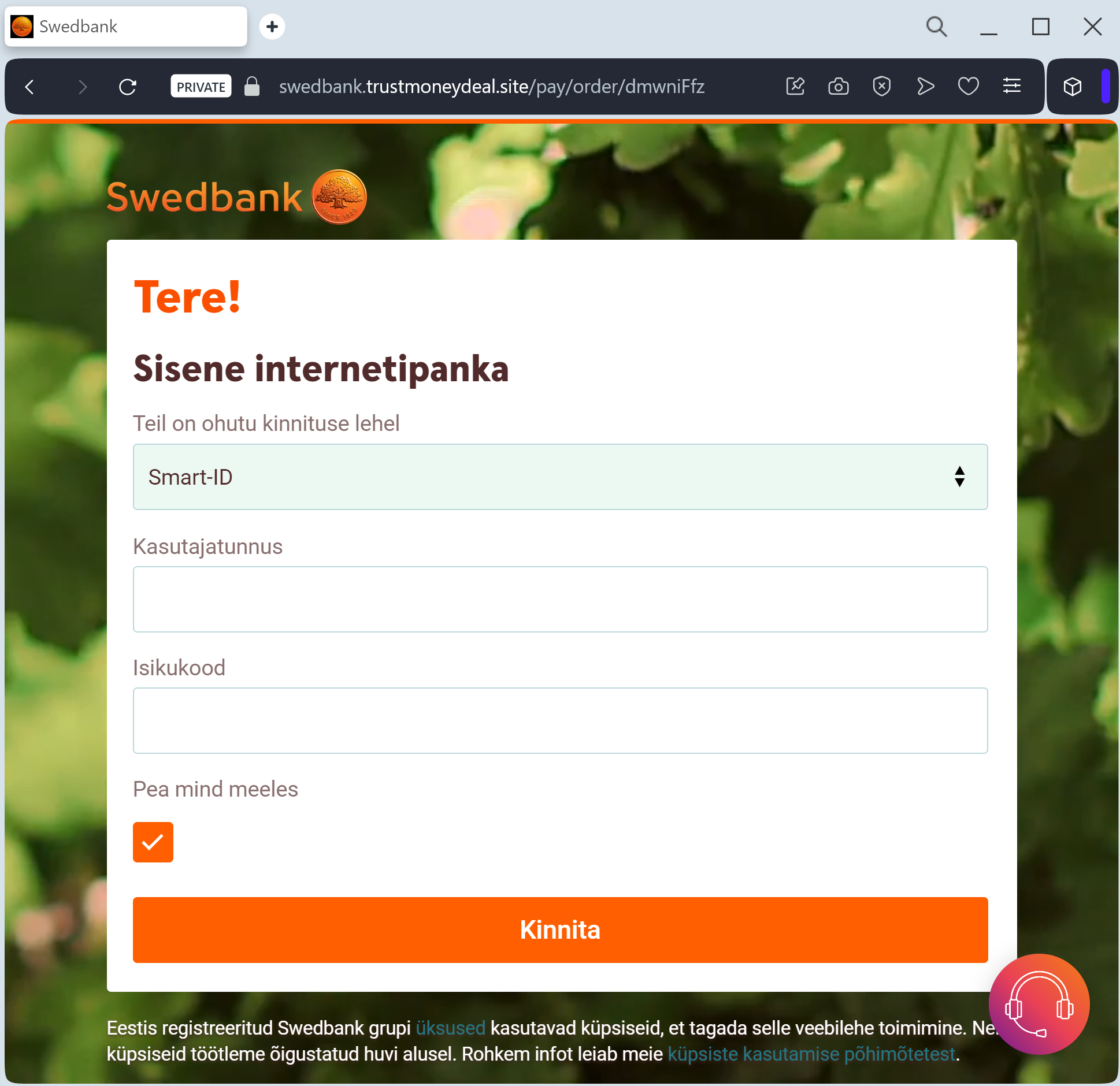
Blocket fake page in Swedish detected

Blocket “Safe Payment / Shipping” Phishing
Target: Buyers and Sellers on Blocket (Sweden)
Threat Level: Critical (Bank Account Takeover & BankID Hijacking)
Phishing Method Description
This attack targets users of the Swedish marketplace Blocket. Scammers usually contact a seller or buyer via WhatsApp or SMS, claiming they want to use “Blocket Paket” (shipping service) or a fake “Direct Payment” system to complete the deal.
The link leads to a high-fidelity clone of the Blocket or BankID verification page. The phishing kit is specifically designed to harvest:
Personal Identity Number (Personnummer)
Credit/Debit Card Details (Number, Expiry, CVV)
BankID Authentication: The fake site triggers a real BankID or Mobile BankID request on the victim’s phone. Thinking they are “verifying the payment,” the victim enters their PIN, which actually authorizes the attacker to log into their real bank account or sign a fraudulent transaction.
⚠️ Red Flags to Watch For
Deceptive Domain: The official domain is blocket.se. Phishing sites use lookalikes such as blocket-betalning.online, verifera-blocket.net, frakt-blocket.com, or free subdomains like blocket-portal.web.app.
Off-Platform Communication: If a buyer or seller insists on moving the conversation from Blocket’s internal chat to WhatsApp or SMS, it is a major warning sign.
Urgent Payment Links: Blocket will never send you a link via SMS or WhatsApp asking you to “enter your card details to receive money.”
🛡️ How to Protect Yourself
Stay on the Platform: Use only the official Blocket Paket and payment systems integrated directly into the Blocket app or website.
The “No Link” Rule: Never click on links sent by other users to “confirm a payment” or “track a package.” If the payment is real, it will show up in your official Blocket account.
Verify BankID Context: Before entering your PIN in the BankID app, always check the “Requester” (Mottagare) and the action. If you are selling an item, you should not be “signing” or “authenticating” a login to your bank.
Zero Trust for Card Requests: You do not need to provide your CVV code to receive money. If a site asks for it to “verify your account for a payout,” it is a scam.
💡 Expert Security Tip: The “BankID Relay” Attack
The Method:
This case highlights a Real-Time Authentication Relay. Scammers are acting as a “live bridge” between the victim and their bank.
The Trap:
When you enter your Personnummer on the fake Blocket site, the attacker enters it on the real bank website. You receive a BankID notification. If you sign it, you aren’t “confirming a sale”—you are signing the attacker into your bank account.
How to Protect Yourself:
Check the App carefully: In the BankID app, it will show who is requesting the identification (e.g., “Logga in på [Din Bank]”). If you see your bank’s name while you are supposedly on “Blocket,” cancel immediately.
Never trust “Verification” links: Blocket and banks in Sweden will never ask you to identify yourself via BankID through a link sent in a private message.

Fake French Police page revealed

French National Police (ANTAI) “Unpaid Fine” Phishing
Target: Residents and Visitors in France
Threat Level: Critical (Real-time Credit Card Skimming & Identity Theft)
Phishing Method Description
This attack impersonates the ANTAI (Agence Nationale de Traitement Automatisé des Infractions), the official agency for traffic and parking fines in France. Victims receive a “Smishing” (SMS) or Phishing Email claiming they have an unpaid fine (often 35€ or 135€) that will increase if not settled immediately.

The link leads to a highly realistic clone of the official French government portal, often displaying the “Marianne” and ANTAI logos. The phishing kit harvests:

Personal Identity Data: Name, address, and email.
Payment Details: Full credit/debit card information (Number, Expiry, CVV).
3D-Secure / OTP Codes: The fake site intercepts verification codes in real-time, allowing attackers to authorize large, fraudulent purchases instead of a small fine payment.

⚠️ Red Flags to Watch For
The URL Trap: The only official website for paying fines in France is www.amendes.gouv.fr. Scam sites use lookalikes such as portails-amendes-gouv.com, antai-fines.net, or amendes-gouv-infractions.fr.
No SMS for Reminders: ANTAI only sends SMS messages for immediate payment during a direct interaction with an officer on the ground. They never send unsolicited SMS reminders for old or “unpaid” fines.
Generic Sender Addresses: Real emails from ANTAI always end in @antai.gouv.fr (specifically [email protected]). Be wary of senders with .mu, .br, or free domains.

🛡️ How to Protect Yourself
The “Manual Entry” Rule: Never click on a link to pay a fine. Always type www.amendes.gouv.fr manually into your browser or use the official amendes.gouv app.
Wait for the Paper Copy: Genuine fine notices are almost always sent via physical mail to the address on your vehicle registration (carte grise). If you haven’t received a letter, the message is likely a scam.
Report Smishing: In France, you can forward fraudulent SMS messages to 33700 or report them to signal-spam.fr.

💡 Expert Security Tip: The “Real-Time Fine” Verification
The Method:
This case highlights a Real-Time Token Relay attack. Scammers are banking on the fact that drivers are often stressed by the threat of increased fines and legal action.

The Trap:
When you enter your card details on a fake ANTAI site, the attackers are simultaneously using that data on a real payment gateway for a high-value purchase. The OTP/3D-Secure code you enter to “pay your fine” is actually the final signature the hackers need to empty your bank account.

How to Protect Yourself:
Use the Reference Number: Every legitimate fine has a 14 or 18-digit reference number. If the website doesn’t ask for this specific number or doesn’t show your car registration plate, it is 100% a scam.
Zero Trust for QR Codes: Be cautious of QR codes on fake physical tickets left on windscreens, a new tactic used to bypass digital spam filters.
Check the App Context: If your bank’s authorization app asks you to “confirm a payment” of a different amount than the fine while you are on a “government” site, cancel immediately

Phishing DHL email

The link above leads to the phishing site:

DHL Package Delivery Scam (Smishing/Email Phishing)

This phishing campaign impersonates the international shipping company DHL. The email informs the recipient that a package cannot be delivered due to a problem with the address or a failed delivery attempt, creating a sense of urgency.

How it works:
The email contains a link that leads to a fake DHL tracking page (as shown in your screenshot). If the victim clicks the link, they are taken to a fraudulent website designed to collect personal and financial information. The final step of the scam typically asks for credit or debit card details under the guise of a small “redelivery fee” or “customs processing fee.” Once entered, the card information is stolen and can be used for fraudulent transactions.

Red Flags to Watch For:

Sender’s email address: The email often comes from a generic or misspelled domain, not an official @dhl.com address.

Generic greeting: Legitimate DHL communications usually include your name or a reference number; phishing emails often start with “Dear Customer” or “Dear User.”

Spelling and grammar: Look for awkward phrasing or minor errors in the subject line and body.

The link: Hover over the link without clicking—if the URL does not match dhl.com or contains unusual characters, it is a phishing site.

Request for payment: DHL does not ask for payment via a link in an email for redelivery. Always log in to the official DHL website or app directly to verify any outstanding charges.

What to Do if You Receive This Email:

Do not click any links or download any attachments.

Do not enter any personal or banking information.

If you are expecting a package, go directly to the official DHL website (dhl.com) and use your tracking number to verify its status.

Report the phishing attempt to DHL and forward the email to your local anti-phishing authorities (e.g., in the US: [email protected]).

By understanding these tactics, you can avoid falling victim to this type of scam and protect your financial information.

Etsy phishing page detected

Etsy Seller Payment Scam (Fake Order Notification)

This phishing page is designed to target Etsy sellers by impersonating a legitimate order notification. The page mimics Etsy’s interface and claims that a buyer has purchased an item—in this case, “Jeans schwarz mit …” for €79.50—and that the payment is awaiting release.

How it works:
The victim (an Etsy seller) receives an email or a direct message with a link to this page, claiming a buyer has placed an order. The page shows fake buyer details (name, address), a fabricated order summary, and a “Payment status: Receiving funds” message. To “proceed to receiving” the funds, the seller is prompted to enter sensitive financial information—most likely credit card details, bank account information, or login credentials on the next screen.

The goal:
Instead of receiving a legitimate order, the seller unknowingly hands over their payment credentials or login details to the attacker. Because the page looks like a genuine Etsy order confirmation, sellers who frequently manage orders may click through without suspicion.

Red flags to watch for:

Unsolicited link: The page is accessed via a link from an email or message, not through the official Etsy dashboard or app.

Fake payment status: Etsy does not display “Receiving funds” in this manner; legitimate payment processing occurs within your seller dashboard, not on a standalone page accessed via an external link.

Buyer details: The name and address shown (e.g., “Ernestine Herz”) are often fabricated or generic.

“Proceed to receiving” button: This is a fake call-to-action designed to lead to the credential-harvesting form. On the real Etsy site, sellers do not need to click an external button to “receive” funds—payments are automatically processed.

URL mismatch: The page is hosted on antiphishing.biz (your own site), but in a real attack, it would be on a fraudulent domain. Sellers should always check that the URL matches etsy.com before entering any information.

What to do if you encounter this:

Do not click “Proceed to receiving” or enter any personal, banking, or login information.

If you are an Etsy seller, always log in to Etsy directly by typing etsy.com into your browser and checking your Shop Manager → Finances → Payment account for real orders.

Report the phishing attempt to Etsy’s trust and safety team by forwarding the original email or link to [email protected].

This scam exploits the trust sellers place in order notifications. Staying vigilant about checking URLs and verifying orders directly through the official platform can prevent account takeover and financial loss.

Banco BISA phishing page detected

Banking Phishing – Fake Virtual Keyboard & Credential Harvesting

This phishing page impersonates the online banking portal of Banco BISA (a Bolivian bank). The page is designed to steal customers’ login credentials by mimicking the bank’s legitimate authentication interface.

How it works:
The victim receives a phishing email, SMS, or other fraudulent message claiming there is an issue with their account, a security alert, or a promotion. The link leads to this fake login page. The page requests the user’s “usuario” (username) and features a “Teclado virtual” (virtual keyboard) button—a common security feature used by Latin American banks to protect against keyloggers.

The twist:
Cybercriminals replicate the virtual keyboard to trick users into thinking the page is legitimate. When the victim clicks the virtual keyboard button and enters their credentials, the information is captured and sent directly to the attacker. The fake “Siguiente” (Next) button then leads to a second page that likely requests additional sensitive data, such as a password, security token, or one-time code.

Red flags to watch for:

URL mismatch: The page is not hosted on the official bank domain. Banco BISA’s legitimate online banking URL would be something like www.bisa.com or a secure subdomain—not a random or unrelated address.

Generic promotion: The footer text about “Ahorro Plus” (earning 3.85% interest) is copied from the real bank’s marketing, but phishing pages often use outdated or slightly mismatched promotional content.

Virtual keyboard context: While many banks do use virtual keyboards, phishing pages replicate them. Always verify you are on the official site before interacting with any login form.

Lack of personalization: Legitimate banking portals often display a partial account number, security image, or personal greeting after entering the username—this fake page does not.

What to do if you encounter this:

Do not enter your username, click the virtual keyboard, or press “Siguiente.”

If you are a Banco BISA customer, always type the official bank URL directly into your browser or use the official mobile banking app.

Report the phishing page to Banco BISA’s fraud department so they can work to have it taken down.

Why this scam is dangerous:
Once the attacker obtains the username and password, they can attempt to log in to the victim’s real bank account. If the bank uses two-factor authentication (2FA), the phishing site may also ask for the 2FA code on a subsequent page, allowing real-time account takeover.

Vipps phishing page in Norwegian detected

Vipps Payment Phishing – BankID Credential Theft

This phishing page impersonates Vipps, a widely used mobile payment app in Norway. The page is designed to steal victims’ fødselsnummer (Norwegian national ID number) and subsequently their BankID credentials, which would allow attackers to take over bank accounts and authorize fraudulent transactions.

How it works:
The victim receives a phishing email, SMS, or social media message claiming a payment issue, a refund, or a request to verify their Vipps account. The link leads to this fake page hosted on a suspicious domain (dreamwp.com). The page asks for the victim’s 11-digit fødselsnummer (birth number) and then prompts them to authenticate with “BankID Identifiering PÅ MOBIL” (BankID identification on mobile)—a common authentication method in Norway.

The goal:
If the victim enters their fødselsnummer and proceeds, they are likely taken to a subsequent fake BankID page that captures their BankID password or confirms a fraudulent transaction. With these credentials, the attacker can log in to the victim’s online banking, transfer money, or authorize payments in real time.

Red flags to watch for:

Suspicious URL: The page is hosted on fh9ujj9i.dreamwp.com, which is clearly not the official Vipps domain (vipps.no). Attackers often use compromised WordPress sites (like dreamwp.com) to host phishing pages.

Poor design and formatting: The page shows a distorted Vipps logo (“V:pps”) with inconsistent spacing and visual errors. Legitimate Vipps pages are professionally designed.

Immediate request for fødselsnummer: Vipps does not randomly ask for your full national ID number via a link sent in a message. Official authentication happens within the Vipps app or via BankID on a trusted, verified page.

Generic content: The page lacks personalization (no name, no partial account reference) that a legitimate payment service would display.

What to do if you encounter this:

Do not enter your fødselsnummer or any other personal information.

Do not click the “BankID Identifiering” button or attempt to authenticate.

If you are a Vipps user, always open the Vipps app directly to check for notifications or pending actions. Never click links in unsolicited messages claiming to be from Vipps.

Report the phishing page to Vipps’ security team at [email protected] (or via their official support channels).

Why this scam is particularly dangerous:
In Norway, the combination of fødselsnummer + BankID provides near-complete access to a person’s banking, tax, and healthcare records. Once compromised, victims may face significant financial loss and identity theft. These phishing pages often mimic BankID’s interface seamlessly, making them difficult to distinguish from the real thing.

Banco De Oro phishing page detected

BDO Online Banking Phishing – Credential Harvesting

This phishing page impersonates the login portal of BDO (Banco de Oro Unibank) , one of the largest banks in the Philippines. The page is designed to steal customers’ User ID and Password, giving attackers direct access to their bank accounts.

How it works:
The victim receives a phishing email, SMS, or social media message claiming a security alert, account suspension, or a “problem with your account.” The link leads to this fake BDO login page. The page closely mimics the real BDO Online Banking interface, including legitimate-looking footer links (Privacy Policy, Terms and Conditions, Toll-Free numbers) to appear authentic. When the victim enters their User ID and Password and clicks “Login,” the credentials are captured and sent to the attacker.

The goal:
With stolen User ID and Password, the attacker can log in to the victim’s real BDO account, transfer funds, pay bills, or even enroll in additional services to further compromise the account. Because BDO uses two-factor authentication (2FA) for some transactions, the attacker may attempt to use the credentials immediately or combine them with social engineering to obtain the 2FA code.

Red flags to watch for:

Suspicious URL: The page is hosted on a domain that is not bdo.com.ph. Attackers often use domains that look similar but contain misspellings, extra words, or unrelated extensions.

“Legin” typo: The page header says “Legin to BDO Online Banking” instead of “Log in to BDO Online Banking.” This typo is a clear indicator of a fake page.

Generic login form: Legitimate BDO Online Banking often displays a security image or personalized greeting after entering the User ID—this page does not.

Fake footer: While the footer contains real BDO information (toll-free numbers, etc.), phishing pages copy this text to appear credible. Always check the URL first, not the content.

What to do if you encounter this:

Do not enter your User ID, Password, or any other personal information.

Do not click any links on the page, including the “Forgot your password?” links—they may lead to additional phishing pages.

If you are a BDO customer, always type www.bdo.com.ph directly into your browser or use the official BDO mobile app to access your account.

Report the phishing page to BDO’s fraud department at [email protected] or through their official customer service hotline.

Why this scam is effective:
BDO has millions of online banking users in the Philippines, and phishing pages like this are often distributed via SMS (“smishing”) claiming “Your BDO account has been temporarily locked.” Because the page includes authentic-looking footer content (toll-free numbers, privacy policy links), many users mistakenly trust it. The typo “Legin” is one of the few visual red flags—underscoring how carefully users must scrutinize every detail.

Česká pošta fake page detected

Česká Pošta Package Delivery Scam – Fake Redelivery Fee

This phishing page impersonates Česká pošta (Czech Post) , the national postal service of the Czech Republic. The page is designed to trick victims into paying a small “confirmation fee” (1.99, presumably in euros or Czech koruna) under the guise of completing a package delivery.

How it works:
The victim receives a phishing email, SMS, or messaging app notification claiming that a package is awaiting delivery or that a delivery attempt failed. The message includes a link to this fake Česká pošta tracking page. The page displays:

A fake tracking number (CS471210241CZ)

A status: “v dodávce” (in delivery)

A message claiming the package is being sent cash on delivery (dobírka) and that a payment of 1.99 must be confirmed online within 14 days

When the victim clicks “Další” (Next), they are taken to a payment page designed to steal credit card or bank account details.

The goal:
The attacker aims to collect credit card information, including card number, expiration date, and CVV. Because the requested amount is small (€1.99 or roughly 50 CZK), victims may not hesitate to “pay” it, assuming it is a legitimate redelivery or handling fee. Once the card details are entered, the attacker can make unauthorized charges or sell the information.

Red flags to watch for:

Suspicious URL: The page is hosted on a domain that is not ceskaposta.cz. Always check the address bar.

Mixed language: The page mixes Czech (“Sledování zásilek,” “Doprava na dobírku”) with English (“Important Message!”), which is unusual for an official postal service page.

Request for payment via link: Česká pošta does not request payment for redelivery or “confirmation” through a link in an unsolicited email or SMS. Legitimate customs or handling fees are paid in person upon delivery, at the post office, or through the official app after logging in.

Vague wording: The message says “Please confirm the payment (1.99)” without specifying the currency or exactly what the fee is for. Official communications are precise.

Fake tracking number: The tracking number format may appear plausible, but it is fabricated. You can verify any real tracking number directly on the official Česká pošta website.

What to do if you encounter this:

Do not click “Další” or enter any payment information.

If you are expecting a package, go directly to the official Česká pošta website (www.ceskaposta.cz) and enter your real tracking number.

Report the phishing attempt to Česká pošta’s security team or forward the original message to your local anti-phishing authorities.

Why this scam is effective:
Package delivery scams are among the most common phishing tactics worldwide because people frequently order online and expect delivery notifications. The small “fee” lowers suspicion, and the fake tracking number gives the page an air of authenticity. Victims may only realize they have been scammed when they see unauthorized charges on their card days or weeks later.