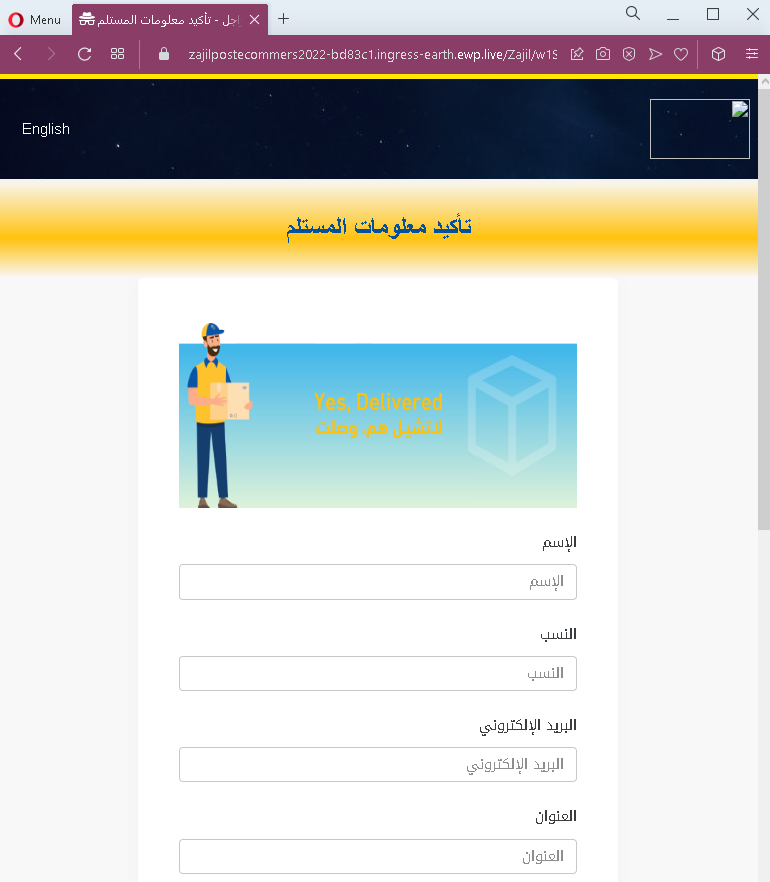
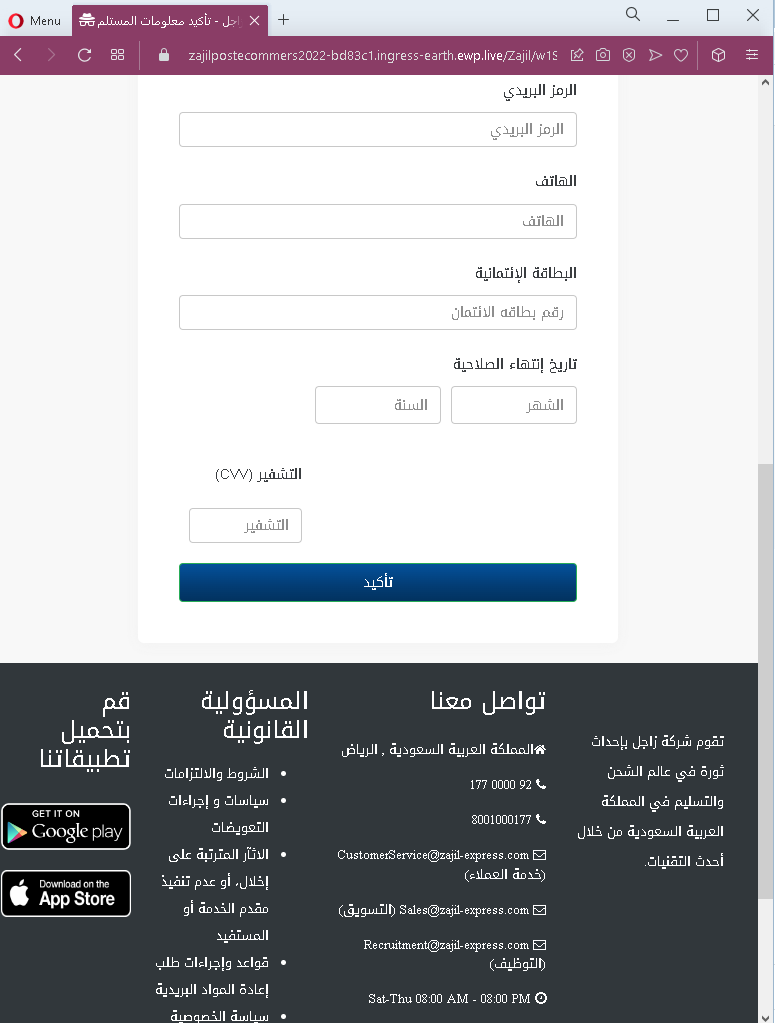
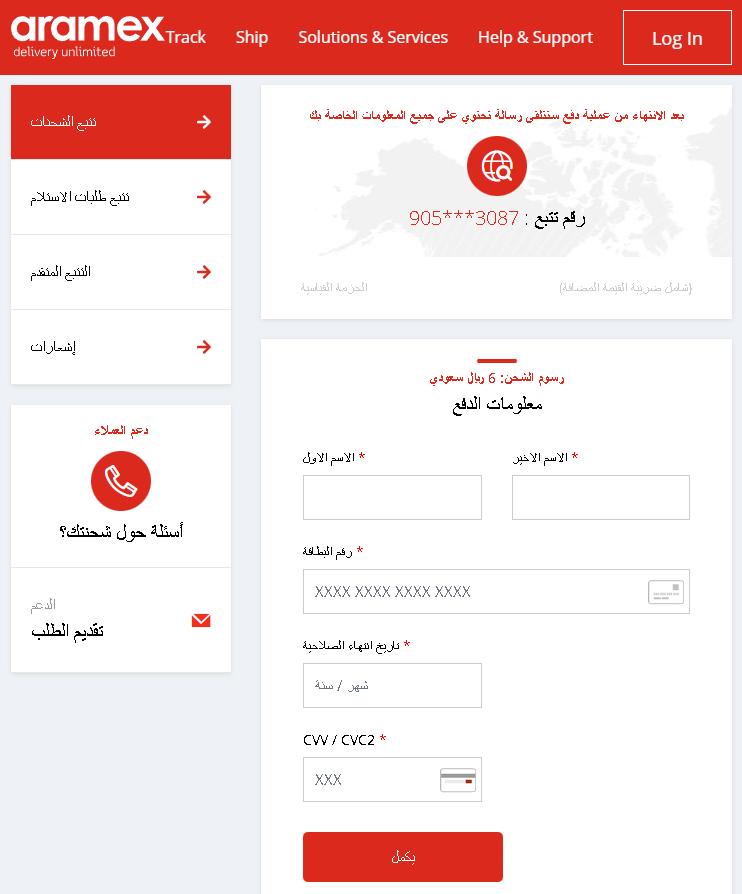
Fake Saudi Post page in Arabic revealed

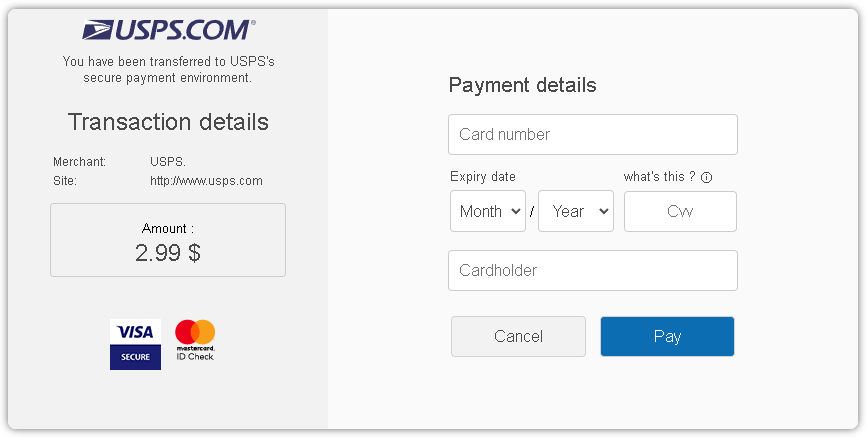
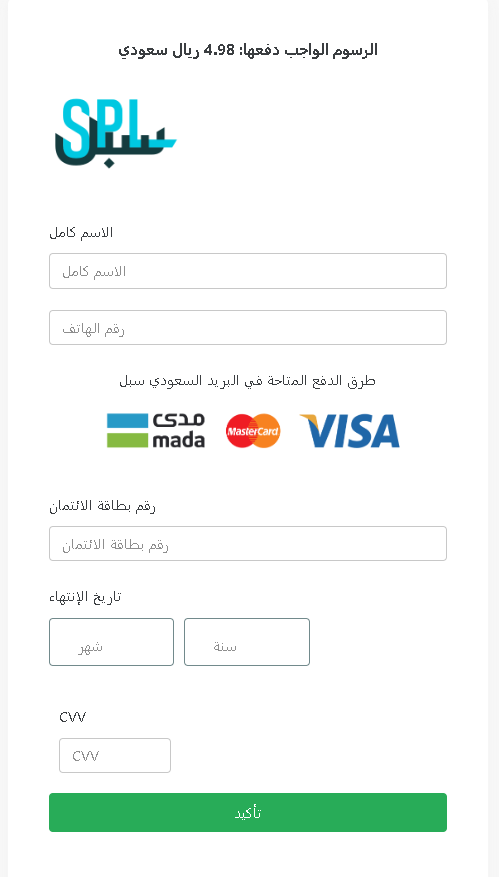
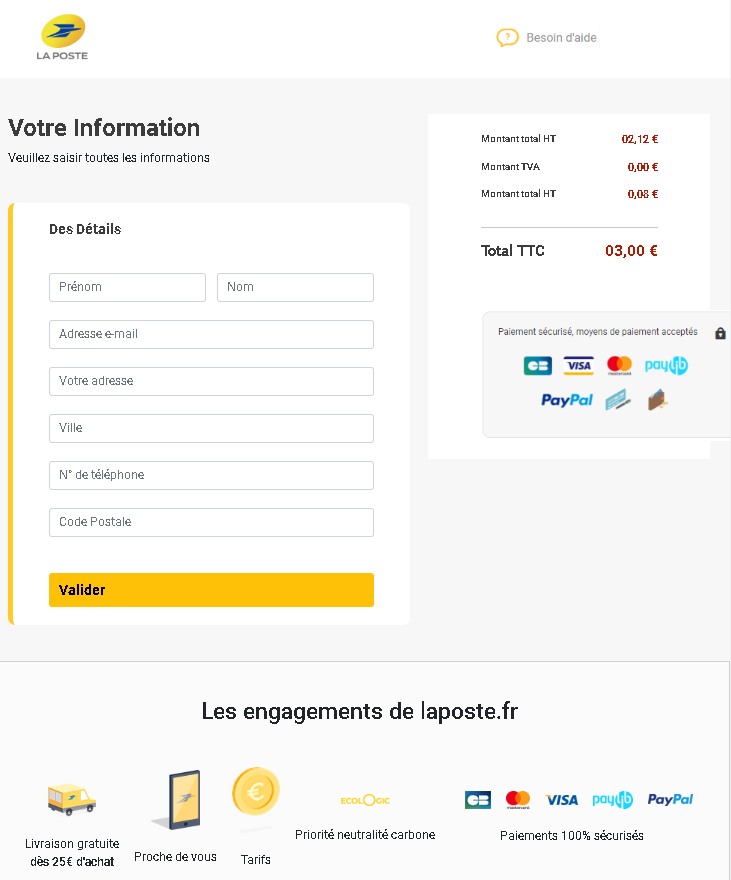
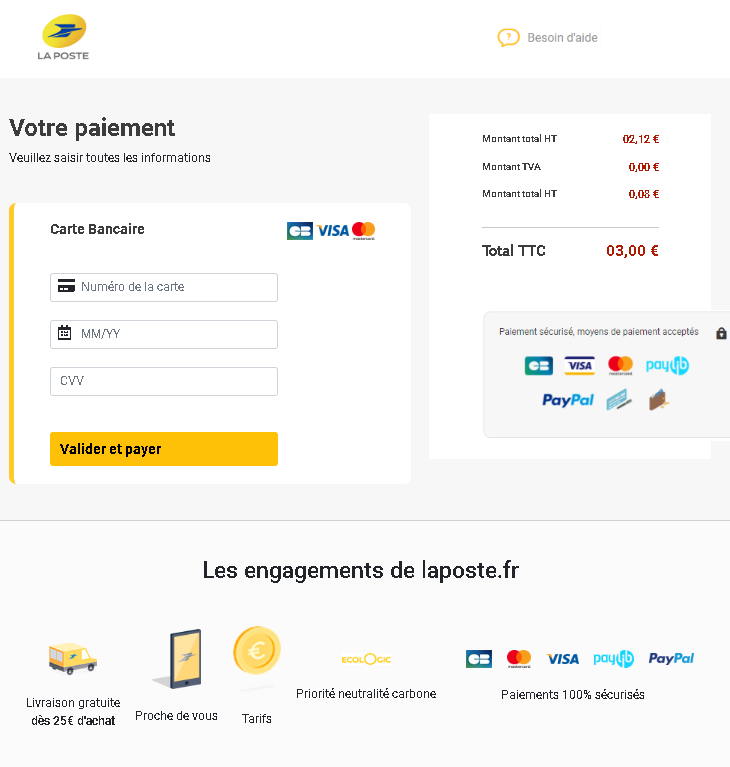
A phishing campaign targeting residents in Saudi Arabia impersonates Saudi Post (SPL) via SMS to steal personal information and credit card data through a fake “address correction” page. The attack uses realistic clones of the official SPL portal to harvest credentials and intercept one-time passwords (OTPs) for fraudulent transactions.


These phishing cases highlight attackers’ use of urgent, fake alerts to steal credentials and financial data through compromised “password reset,” billing, and parcel delivery scenarios. Key protections include ignoring unexpected links, verifying URLs against official domains, and using app-based 2FA to prevent account takeovers.

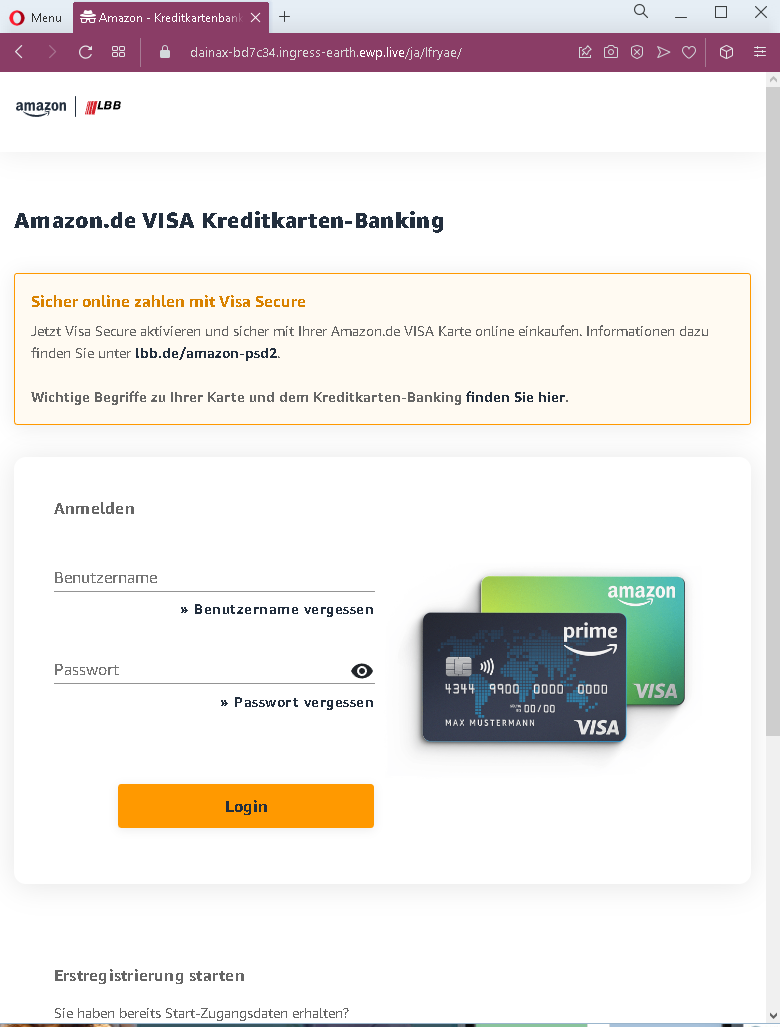
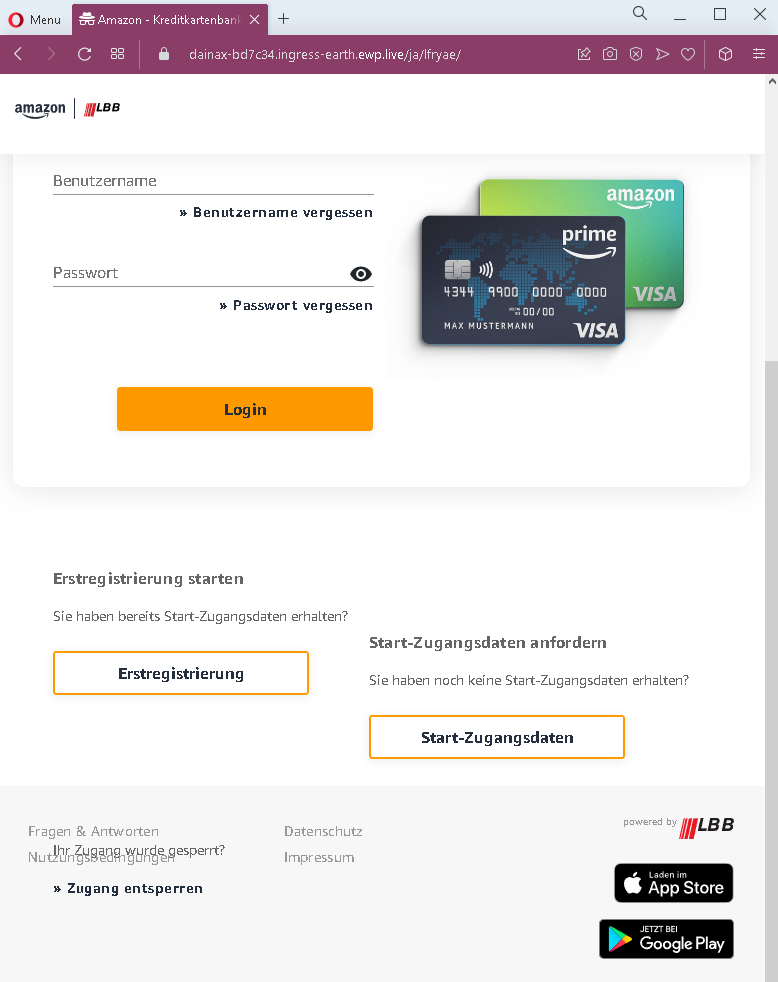
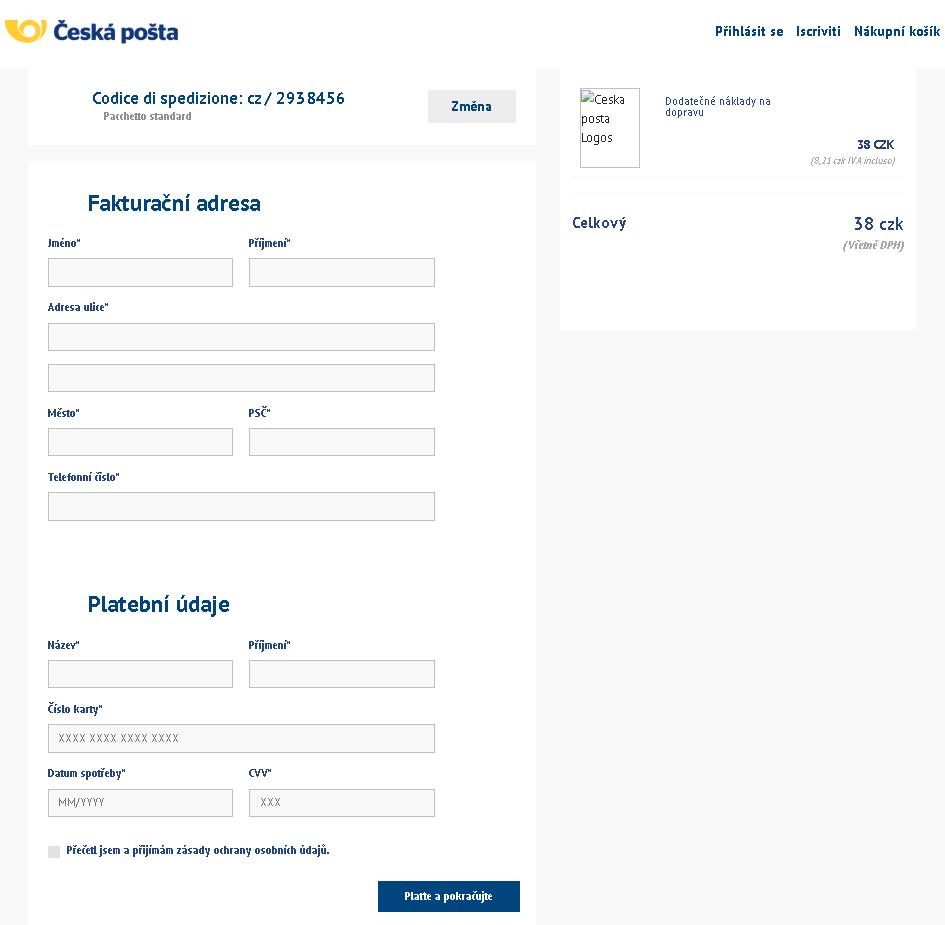
Recent phishing campaigns are exploiting trusted brands through urgent, fake security or billing notifications designed to harvest account credentials and financial data. Attackers are using real-time interception of 2FA codes and small, fake “delivery fees” to bypass security and steal sensitive personal information, including SSNs and CVVs. Always verify alerts directly through official apps rather than links in SMS or email messages.

Fake Emirates Post pages detected


Threat Analysis: Emirates Post Phishing – Small Fee & Card Harvesting

How it works:
The victim receives an SMS, email, or messaging app alert claiming a package requires a small delivery fee or customs payment. The link leads to this page, which mimics the Emirates Post payment interface. The victim is asked to provide:

  • Cardholder name
  • Full card number
  • Expiration date (MM/YY)
  • CVV security code

Logos for Verified by Visa, MasterCard SecureCode, and PayPal are displayed to create a false sense of security. A small amount (AED 12.15) is shown to make the payment seem trivial.

The goal:
The attacker captures complete credit/debit card information (number, expiry, CVV) along with the cardholder’s name to make fraudulent purchases or sell the data.

Red flags to watch for:

  • Suspicious URL: The page is hosted on kaeru.happyspotclub.org, not emiratespost.com or any official Emirates Post domain.
  • Request for CVV: A legitimate postal service never asks for your card security code to collect a delivery fee.
  • Small fee trick: AED 12.15 is a trivial amount intended to lower suspicion.
  • No tracking or package reference: The victim cannot verify the supposed shipment.
  • Copied payment logos: The Visa, MasterCard, and PayPal badges are used to appear legitimate but do not guarantee safety.

What to do if you encounter this:

  • Do not enter any card or personal information.
  • If you are expecting a delivery, track it directly by typing emiratespost.com into your browser.
  • If you have already entered card details, contact your bank immediately to block the card.
  • Report the phishing page to Emirates Post Group and to the relevant authorities.

Protective measures:

  • Never click links in unsolicited delivery messages. Always go directly to the official courier website.
  • Never pay a “redelivery fee” via a link. Legitimate fees are handled in person, through the official app, or after logging into your account.
  • Check the URL carefully: Official Emirates Post domains end with emiratespost.com. Look for misspellings, extra words, or unusual top‑level domains.
  • Enable transaction alerts on your bank account.

Fake Carrefour page revealed

This phishing campaign against Carrefour uses a “reward survey” scheme to steal credit card data and register victims for hidden subscriptions, often promoted via social media. The multi-stage attack involves fake surveys and “lucky” games, designed to trick users into paying a small shipping fee, which is actually a pretext to capture sensitive banking information.

Screenshot 1 (Landing Page): Uses legitimate branding and fake social proof (comments) to establish credibility.

Screenshot 2 (Survey): Simple questions are used to boost engagement and reduce suspicion.

Screenshot 3 (Prize Game): A rigged box-opening game creates a false sense of winning to entice further action.

Screenshot 4 (Payment Form): Steals full credit card details (Number, Expiry, CVV) for fraudulent charges and subscriptions.

Protection Measures:
Verify the Domain: Official promotions only occur on the retailer’s official website.
Too Good to Be True: Large prizes for simple surveys are guaranteed scams.
Never Pay for Prizes: Legitimate companies do not charge fees to receive gifts.
Monitor Accounts: Check bank statements for fraudulent charges or unexpected subscriptions.

Microsoft phishing page in Spanish detected

This screenshot shows a Spanish‑language phishing page designed to steal email credentials (correo electrónico and contraseña). The page is minimal and generic, making it adaptable to impersonate various services (Microsoft, Google, a bank, or an email provider).


Threat Analysis: Generic “Inicio de seguridad” Phishing – Credential Harvesting

How it works:
The victim receives a phishing email, SMS, or message claiming a security alert, account suspension, or the need to verify their information. The link leads to this page, which asks for:

  • Email address
  • Password

The “Siguiente” (Next) button suggests a multi‑step flow, where the victim would be taken to another fake page (e.g., for two‑factor authentication or additional personal data).

The goal:
The attacker steals the victim’s email credentials to:

  • Access the email account (search for sensitive information, reset passwords for other services)
  • Send further phishing messages to the victim’s contacts
  • Use the credentials to compromise other accounts where the same password is reused

Red flags to watch for:

  • Suspicious URL: The page is hosted on a domain like sc-445678-sss.c1.biz, which is not an official domain for any legitimate service (e.g., google.com, microsoft.com, outlook.com).
  • Generic design: The page has no logo, no company branding, and no personalized elements – a strong indicator of a broad phishing campaign.
  • “Inicio de seguridad” pretext: This vague “security start” phrase is meant to create a false sense of urgency but lacks the professionalism of a real security alert.
  • Unsolicited login request: No legitimate service sends links requiring users to log in to resolve “security” issues.

What to do if you encounter this:

  • Do not enter your email or password.
  • If you have already entered credentials, change your password immediately for that email account and for any other accounts using the same password. Enable two‑factor authentication (2FA) on your email account.
  • Always access your email or online services by typing the official URL directly into your browser.

Protective measures:

  • Never click links in unsolicited messages claiming security issues.
  • Use a password manager – it will not autofill on fake domains.
  • Enable two‑factor authentication on your email and other critical accounts.
  • Check the URL carefully: Look for misspellings, extra words, or unusual top‑level domains.

IAA phishing page detected (Online car marketplace)

This screenshot shows a phishing page impersonating IAA (Insurance Auto Auctions) , a legitimate online vehicle auction platform. The page is designed to steal victims’ login credentials (email and password) used to access their IAA accounts.


Threat Analysis: IAA Phishing – Credential Harvesting

How it works:
The victim receives a phishing email, SMS, or message claiming an issue with their IAA account (e.g., a bid alert, payment problem, or account suspension). The link leads to this fake login page. The victim enters their email and password and clicks “Log In.” The credentials are captured and sent to the attacker.

The goal:
The attacker aims to steal IAA account credentials to:

  • Access the victim’s auction account
  • View bidding history, payment information, and personal data
  • Place fraudulent bids or transfer vehicles
  • Use the same email/password combination to compromise other accounts (if the victim reuses credentials)

Red flags to watch for:

  • Suspicious URL: The page is hosted on videooprema.in.rs/iaai.com/ – this is not the official IAA domain. Legitimate IAA login pages are on iaai.com or regional subdomains (e.g., buy.iaai.com).
  • Generic design: The page is minimal and lacks the full branding, security notices, and personalized elements found on the real IAA login page.
  • No multi‑factor authentication prompt: IAA supports MFA; a genuine login page may prompt for a second factor after credentials – this page does not.
  • Unsolicited login request: IAA does not send links requiring users to log in to resolve account issues.

What to do if you encounter this:

  • Do not enter your email or password.
  • If you are an IAA customer, always access the site by typing iaai.com directly into your browser.
  • If you have already entered your credentials, change your IAA password immediately. If you use the same password elsewhere, change those accounts as well. Enable two‑factor authentication on your IAA account if available.
  • Report the phishing page to IAA’s security team.

Protective measures:

  • Bookmark the official IAA login page and use that bookmark.
  • Use a password manager – it will autofill only on legitimate domains.
  • Enable two‑factor authentication on your IAA account and email.
  • Be suspicious of any unsolicited message that asks you to log in.

DHL phishing page revealed

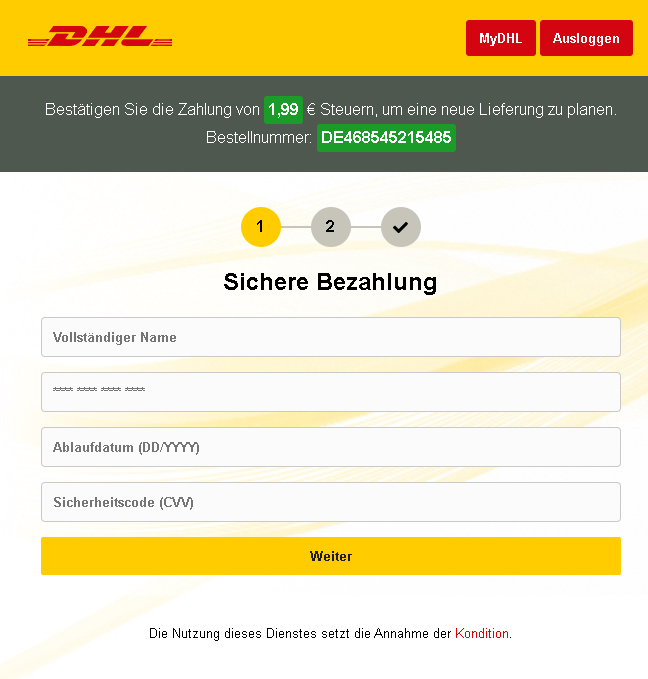
This screenshot shows a phishing page impersonating DHL, targeting users with a fake package delivery notification. The scam demands a small payment (1.99) to complete delivery and collects full card details, cardholder name, and an ID number (likely a national ID or passport).


Threat Analysis: DHL Phishing – Fake “Delivery Confirmation” & Card Harvesting

How it works:
The victim receives an SMS or email claiming a package is in transit and requires a small payment to complete delivery. The link leads to this page, which mimics DHL tracking interface. It displays:

  • A fake tracking code
  • A fake status (“in delivering”)
  • A message urging payment within a limited time (14 days)

The victim is asked to provide:

  • Cardholder name
  • ID number (national identification)
  • Full credit card number
  • Expiration date (MM/YY)
  • CVV (CVC)

The goal:
The attacker captures:

  • Full credit/debit card details (number, expiry, CVV)
  • Cardholder name and ID number – which can be used for identity theft or to answer security questions
  • The small payment request (1.99) is intended to lower suspicion

Red flags to watch for:

  • Suspicious URL: The page is hosted on a domain that is not dhl.com or an official DHL domain.
  • Request for CVV and ID number: DHL never asks for your card security code or national ID to confirm a delivery.
  • Small fee trick: 1.99 is a trivial amount meant to make the payment seem insignificant.
  • Fake tracking code: The tracking code cannot be verified on the real DHL website.
  • Poor English / formatting: The page contains grammatical inconsistencies that would not appear on an official DHL page.

What to do if you encounter this:

  • Do not enter any personal, ID, or card information.
  • If you are expecting a DHL shipment, track it directly by typing dhl.com into your browser.
  • If you have already entered card details, contact your bank immediately to block the card.
  • Report the phishing page to DHL’s fraud team.

Protective measures:

  • Never click links in unsolicited delivery messages. Always go directly to the official courier website.
  • Never pay a “redelivery fee” via a link. Legitimate fees are handled in person or through the official site after logging in.
  • Check the URL carefully: Official DHL domains end with dhl.com or country-specific variants like dhl.de.
  • Enable transaction alerts on your bank account.

Twitter fake login page detected

This screenshot shows a phishing page impersonating Twitter (now X) , designed to steal login credentials (email/phone/username and password). The page is hosted on a suspicious domain unrelated to Twitter.


Threat Analysis: Twitter Phishing – Credential Harvesting

How it works:
The victim receives a phishing email, SMS, or direct message claiming a security alert, account suspension, or unusual login activity. The link leads to this fake Twitter login page. The victim enters their phone, email, or username and password, then clicks “Login.” The credentials are captured and sent to the attacker.

The goal:
The attacker steals Twitter account credentials to:

  • Access private messages and personal information
  • Post spam or malicious links from a trusted account
  • Spread the phishing attack to the victim’s followers
  • Use the same email/password combination to compromise other accounts (if credentials are reused)

Red flags to watch for:

  • Suspicious URL: The page is hosted on obgyn.click, not twitter.com or x.com. Legitimate Twitter login pages are only on official domains.
  • Generic design: The page mimics Twitter’s interface but lacks the full security indicators (e.g., proper SSL certificate, official footer links).
  • Unsolicited login request: Twitter does not send links requiring users to log in to resolve account issues.
  • No two‑factor authentication prompt: A real login page may ask for a second factor after credentials; this page does not.

What to do if you encounter this:

  • Do not enter your login credentials.
  • If you have already entered them, change your Twitter password immediately and enable two‑factor authentication (2FA). Also change any other accounts that use the same password.
  • Always access Twitter by typing twitter.com or x.com directly into your browser.

Protective measures:

  • Bookmark the official Twitter login page and use that bookmark.
  • Use a password manager – it will not autofill on fake domains.
  • Enable two‑factor authentication on your Twitter account (using an authenticator app or security key, not SMS).
  • Be suspicious of any unsolicited message that asks you to log in.

Gmail phishing page detected

This screenshot shows a phishing page impersonating Google / Gmail, targeting users who read Arabic and French (likely in North Africa or the Middle East). The page asks for email/phone and password to steal login credentials.


Threat Analysis: Google/Gmail Phishing – Credential Harvesting

How it works:
The victim receives a phishing email, SMS, or message claiming a security alert, account issue, or the need to verify their information. The link leads to this page, which mimics the Gmail login interface. The victim enters their email/phone and password, then clicks “LOGIN.” The credentials are captured and sent to the attacker.

The goal:
The attacker steals Google account credentials to:

  • Access Gmail (searching for sensitive information, password reset links)
  • Compromise other Google services (Drive, Photos, etc.)
  • Use the account to send further phishing messages to the victim’s contacts
  • Attempt credential reuse on other platforms

Red flags to watch for:

  • Suspicious URL: The page is hosted on a domain that is not google.com or accounts.google.com.
  • Mixed languages: The page uses Arabic for the title (“تسجيل الدخول” – login) but French for the field labels (“Gmail ou téléphone”). Official Google login pages are consistently localized in one language.
  • Minimal design: The page lacks Google’s full branding, security notices, and two‑factor authentication options.
  • No personalization: Legitimate Google login pages often show a security image or account selection after entering an email.
  • Unsolicited login request: Google does not send links requiring users to log in to resolve account issues.

What to do if you encounter this:

  • Do not enter your email/phone or password.
  • If you have already entered your credentials, change your Google password immediately and enable two‑factor authentication (2FA).
  • Always access Gmail by typing gmail.com directly into your browser.

Protective measures:

  • Bookmark the official Google login page and use that bookmark.
  • Use a password manager – it will autofill only on legitimate google.com domains.
  • Enable two‑factor authentication on your Google account (using an authenticator app or security key).
  • Be suspicious of any unsolicited message that asks you to log in.

Fake Microsoft account creation page detected

This phishing campaign utilizes a high-fidelity clone of the Microsoft account creation page to steal user credentials, personal data, and backup contact information under the guise of creating a new profile. The fake form, which often appears after clicking a deceptive link, captures the “new” password, which is frequently a recycled, primary password, along with PII that can be used to bypass 2FA on actual accounts. To stay safe, users should always verify that the URL resides on microsoft.com, live.com, or outlook.com and manually type addresses rather than clicking links.

Screenshot #1: The Data Entry Form

The Trap: The page is a pixel-perfect replica of the live.com registration screen. It asks for a new email address and a password.

The Psychology: Victims feel safe because they think they are creating information, not giving it away. However, most people use the same 1–2 passwords for everything. Once you click “Next,” your “new” password is sent directly to the attacker’s server.

Screenshot #2: Personal Data Collection

The Trap: After the password, the kit asks for First Name, Last Name, and Date of Birth.

The Intent: This is “Fullz” harvesting. This data is used to answer security questions on your real accounts or to perform identity theft and open fraudulent credit lines.

Screenshot #3: Verification & Backup Data

The Trap: The final step often asks for a Backup Email or Phone Number.

The Impact: By capturing your recovery methods, the attacker can try to take over your other accounts (Gmail, Facebook, Bank) by initiating password resets using the phone number or backup email you just provided.

Then user will be redirected to the true Microsoft website:

🛡️ Fake Microsoft Account Creation Page

Target: Global users of Outlook, OneDrive, and Azure services.
Threat Level: Critical (Credential Harvesting & Identity Theft)

Phishing Method Description

This attack targets users by mimicking the official Microsoft account creation (Sign-up) flow. Instead of stealing an existing password, scammers trick victims into “registering” for a new service or “validating” their identity. The goal is to capture a fresh set of credentials (Email + Password) which the victim likely reuses for other sensitive accounts.

🛡️ Protection Measures

  • 1. Check the Top-Level Domain (TLD):
    Official Microsoft registration only happens on microsoft.com, live.com, or outlook.com. If you see a URL like microsoft-account-verify.net or signup-live.xyz, close the tab immediately.
  • 2. The “Recycled Password” Danger:
    Never use your primary password when “registering” for a new, unknown service. Scammers rely on the fact that you will likely use your “standard” strong password, which they can then test against your banking and social media accounts.
  • 3. Look for the “Padlock” and Certificate:
    While many phishing sites now use HTTPS (the lock icon), you can click it to see who the certificate was issued to. If it’s a random string of characters or an unrelated company, it’s a scam.
  • 4. Use a Password Manager:
    A password manager (like Bitwarden or 1Password) will refuse to auto-fill your data if the domain is even slightly different from the real one. This is your best technical defense against lookalike sites.

Fake increasing of Instagram subscribers in Thai

This screenshot shows a phishing page in Arabic that promises to increase the number of followers for a social media account (likely Instagram, TikTok, or Twitter). The victim is asked to provide their username, password, and desired number of followers – a classic credential‑harvesting scam.


Threat Analysis: Social Media Follower Booster Phishing – Credential Harvesting

How it works:
The victim encounters an ad, email, or direct message promoting a free or cheap service to gain thousands of followers instantly. The link leads to this page, which asks for:

  • Username (social media login name)
  • Password
  • Desired number of followers (to make the offer seem customizable)

After the victim submits this information, the attacker captures the credentials. The victim may be redirected to a fake “processing” page or asked to complete a “verification” (e.g., a human verification survey), but the damage is already done.

The goal:
The attacker steals social media account credentials to:

  • Take over the account and lock out the original owner
  • Post spam, scams, or malicious links from a trusted account
  • Use the account to send phishing messages to the victim’s followers
  • Sell the account or its data on criminal markets

Red flags to watch for:

  • Suspicious URL: The page is hosted on a domain that is not the official social media platform (e.g., not instagram.com, tiktok.com, or twitter.com).
  • Request for password: No legitimate follower‑boosting service requires your account password. This is always a scam.
  • Too good to be true offer: Promises of instant, free, or cheap followers are classic lures for credential theft.
  • Poor design and generic Arabic phrasing: The page lacks the branding and security features of the real platform.

What to do if you encounter this:

  • Do not enter your username or password.
  • If you have already entered your credentials, change your password immediately on the real social media platform. Enable two‑factor authentication (2FA) if available.
  • Report the phishing page to the social media platform being impersonated.

Protective measures:

  • Never share your password with any third‑party service claiming to boost followers, likes, or views.
  • Use a password manager – it will not autofill on fake domains.
  • Enable two‑factor authentication on all social media accounts.
  • Be suspicious of any unsolicited offer that promises easy growth for your account.