

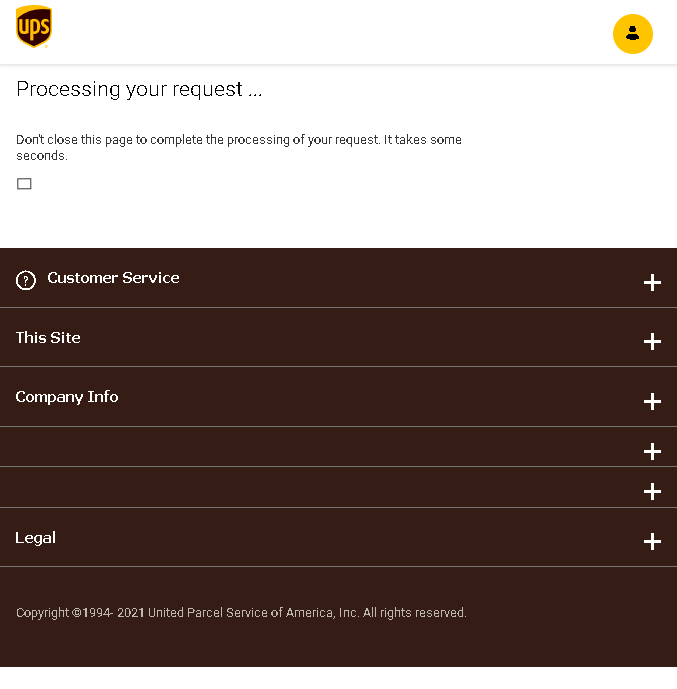
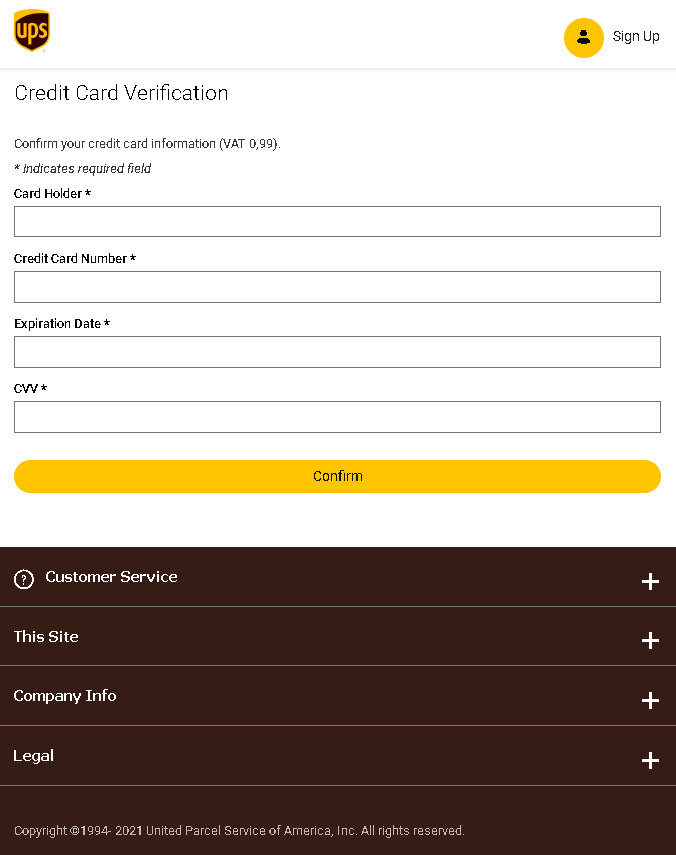
These three screenshots show a three‑step UPS phishing campaign designed to harvest personal information, create a new account credential, and steal full credit card details under the guise of a small “verification” fee.
Threat Analysis: UPS Phishing – Personal Info, Account Creation & Card Harvesting
This scam impersonates UPS (United Parcel Service) . The victim is told that a package is waiting and they must update their shipping information to receive it. The campaign is structured in three steps:
Step 1 – Personal & Password Page (First Screenshot)
The victim is asked to provide:
- Full name, address, city, ZIP code
- Phone number, email address
- A new password (and confirmation)
This page captures personal identity information and creates a new credential that the attacker can use later.
Step 2 – Fake Processing Page (Second Screenshot)
A waiting screen claims the request is being processed. This creates a sense of legitimacy and buys time while the attacker prepares the next step.
Step 3 – Card Verification Page (Third Screenshot)
The victim is told to “verify” their credit card with a small fee (VAT 0.99) to complete the delivery. The page asks for:
- Cardholder name
- Full card number
- Expiration date
- CVV
The goal:
The attacker collects:
- Personal information (name, address, phone, email)
- A new password (likely for a fake account they create)
- Complete card details (number, expiry, CVV) for fraud
With this data, they can make unauthorized purchases, clone the card, or sell the information.
Red flags to watch for:
- Suspicious URL: The pages are hosted on a domain that is not
ups.com. Always check the address bar. - Request for a password: UPS does not require you to create a new password just to update shipping information.
- Request for card details to “verify” a package: A legitimate courier never asks for your credit card CVV to release a package.
- Fake processing page: Real shipping updates do not include artificial loading screens.
- Outdated copyright (1994‑2021): The footer date is inconsistent with a 2022 campaign.
What to do if you encounter this:
- Do not enter any personal information, passwords, or card details.
- If you are expecting a UPS delivery, track it directly by typing
ups.cominto your browser and using your tracking number. - If you have already entered card details, contact your bank immediately to block the card.
Protective measures:
- Never click links in unsolicited delivery messages. Always go directly to the official courier website.
- Never pay a “small fee” via a link to receive a package. Legitimate couriers handle fees through their official site or upon delivery.
- Use a password manager – it will not autofill on fake domains.