
An analysis of a La Banque Postle phishing campaign reveals a sophisticated “pre-attack” staging phase designed to hijack user credentials and bypass Certicode Plus security. The attack utilizes a multi-page phishing kit to capture user IDs, passwords via virtual keypads, and personal security data, highlighting the importance of early detection to disrupt the fraud kill chain.
Security Notice: This malicious interface was detected, analyzed, and contained firsthand by the Antiphishing.biz security team during our automated link scanning workflows. To protect the public, the dangerous destination URL has been completely disabled within our infrastructure. We document and analyze these live visual patterns to help security researchers and users spot lookalike phishing methods before financial damage occurs.
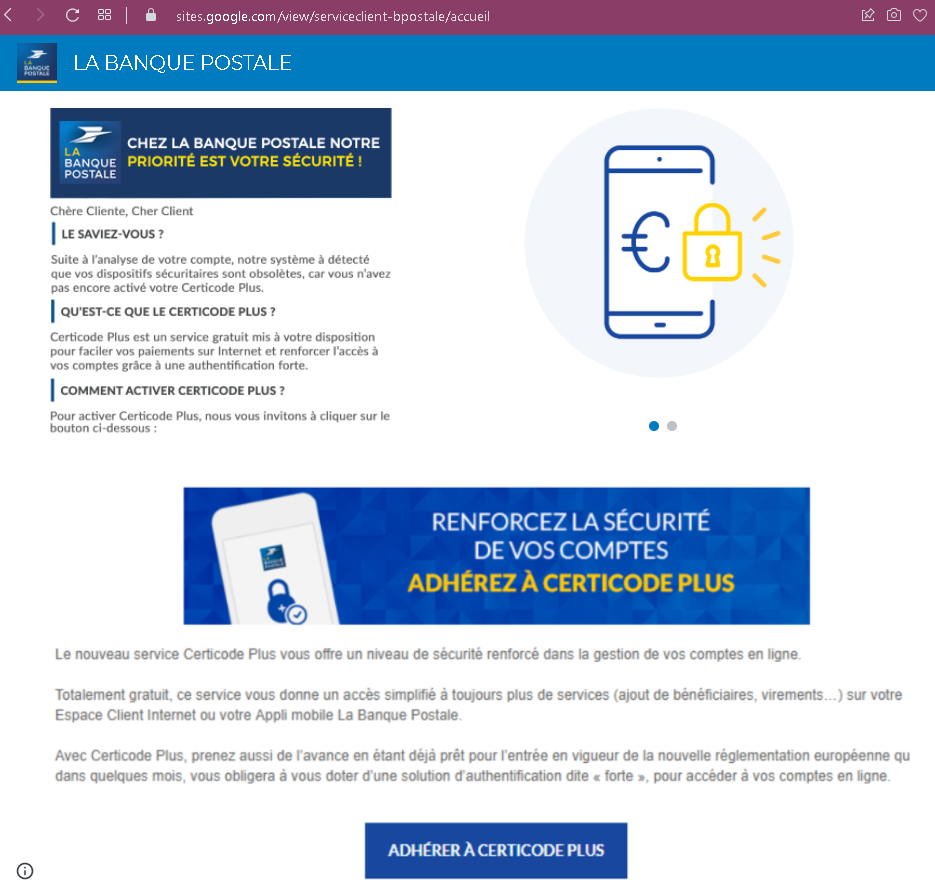
Cybersecurity Measures: How to Avoid La Banque Postale “Pre-emptive” Phishing
To protect your La Banque Postale credentials and your Certicode Plus mobile security, follow these essential safety rules:
1. Trust Only the Official URL (The “.fr” Rule)
Phishing pages are often hosted on temporary or compromised domains (e.g., labanquepostale-verif-compte.com, lbp-securite-mobile.online, or free subdomains like l-b-p.web.app).
- Action: The only official web address for your online banking is www.labanquepostale.fr. Always check the address bar manually. If the link was sent via SMS or email, do not trust it.
2. The “Certicode Plus” Warning
This phishing kit is specifically designed to hijack the Certicode Plus activation process.
- Action: La Banque Postale will never ask you to “synchronize,” “reactivate,” or “test” your Certicode Plus via a link in a text message. If your phone prompts you to authorize a new device or a transaction that you didn’t start, reject it immediately.
3. Beware of “Suspicious Activity” Alerts
Attackers use psychological pressure, claiming that an unauthorized purchase was made or your access is “blocked.”
- Action: If you receive such an alert, close the message. Open your browser, manually type www.labanquepostale.fr, and log in. If there is a real problem, a notification will be waiting for you in your secure “Message Center” (Messagerie).
4. Inspect the Virtual Keypad
The official bank login uses a specific numeric grid for password entry. Phishing sites often use a slightly different layout, lower-resolution images, or a “laggy” interface.
- Action: If the virtual keyboard looks suspicious or behaves strangely, it is capturing your keystrokes in real-time. Exit the site immediately.
5. Check for “SMS Spoofing”
Scammers can make their messages appear in the same thread as legitimate bank notifications by “spoofing” the sender’s name (e.g., “LBP”).
- Action: Just because a message is in the same thread as old bank messages doesn’t mean it’s real. If the message contains a link to “verify your account,” it is a phishing trap.
6. Use a Password Manager
Tools like Bitwarden, 1Password, or Google Password Manager recognize sites by their exact URL.
- Action: If you are on a fake site, your password manager will not offer to auto-fill your ID. This is a critical technical warning that you are on a fraudulent domain.