
A phishing campaign targeting Snapchat users employs fake “account locked” alerts to steal login credentials and bypass two-factor authentication. The attack, often utilizing deceptive domains like unlock-snapchat.com, drives users to a cloned site designed to harvest usernames, passwords, and 2FA codes, allowing attackers to seize control of personal accounts.
Incident Report: This deceptive layout was logged, cross-checked, and neutralized firsthand by the
Antiphishing.bizsecurity team during our automated link scanning workflows. To protect the public, the hostile origin link has been completely disabled within our infrastructure. We document and analyze these live visual patterns to help security researchers and users recognize deceptive clone designs before financial damage occurs.
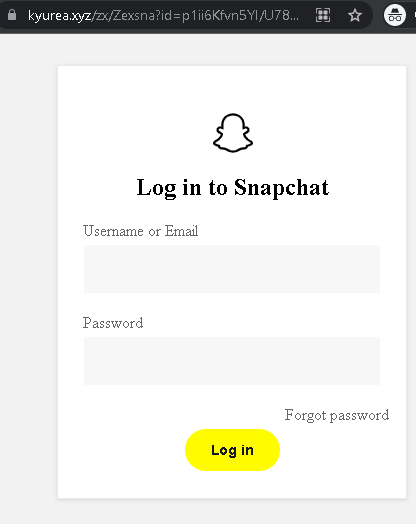
Snapchat “Account Security/Unlock” Phishing
Target: Snapchat Users Worldwide
Threat Level: Critical (Complete Account & Privacy Takeover)
Security Measures to Stay Safe:
- 1. Snapchat Never Sends DMs about Security:
Official Snapchat support will never send you a Direct Message (DM) with a link to “verify” or “unlock” your account. Real security alerts are sent via email from @snapchat.comor appear as in-app system notifications. - 2. Verify the URL (The “.com” Rule):
The only official web portal for managing your account is ://snapchat.com. Look out for fake domains likesnapchat-unlock.net,verify-snap-account.com, orsnap-support.xyz. - 3. Use App-Based 2FA:
Enable Two-Factor Authentication (2FA) in Snapchat settings (Settings > Two-Factor Authentication). Use an Authentication App (like Google Authenticator) rather than SMS, as it is much harder for phishers to intercept. - 4. Beware of “Phished Friends”:
If a friend sends you a strange link in a Snap or Chat (e.g., “Check out this video of you!”), do not click it. Their account has likely been compromised. Contact them through another platform to warn them.