
Incident Report: This deceptive layout was logged, cross-checked, and neutralized firsthand by the
Antiphishing.bizsecurity team during our daily link moderation procedures. To protect the public, the hostile origin link has been fully defanged within our infrastructure. We document and analyze these live visual patterns to help security researchers and users spot lookalike phishing methods before financial damage occurs.
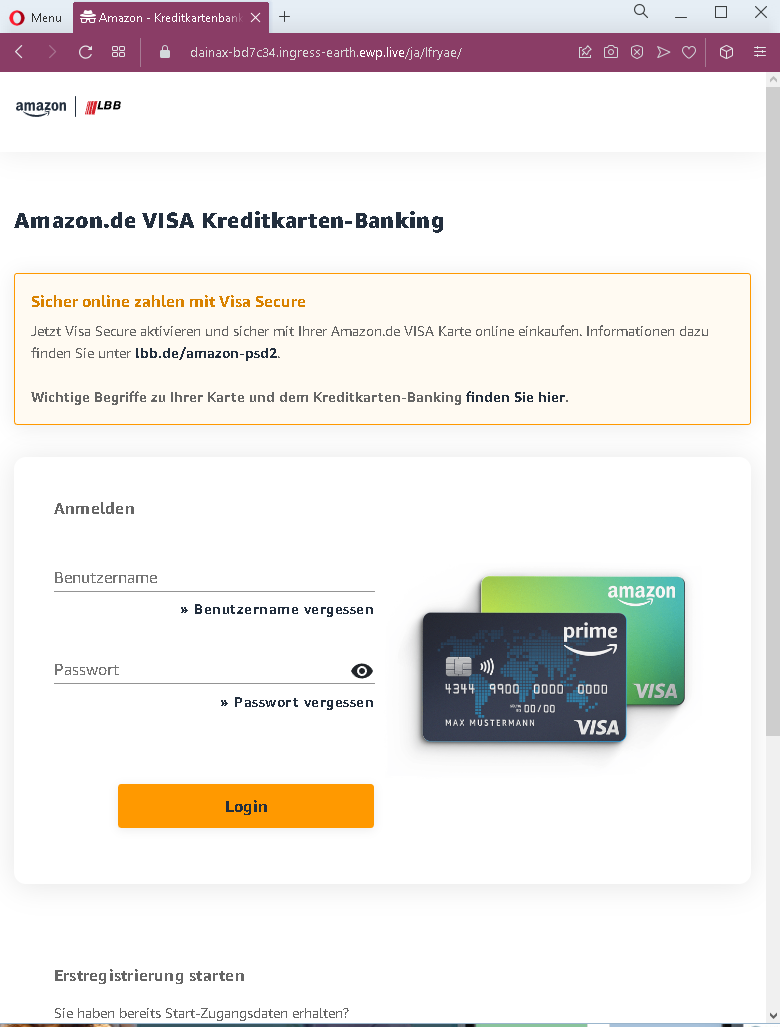
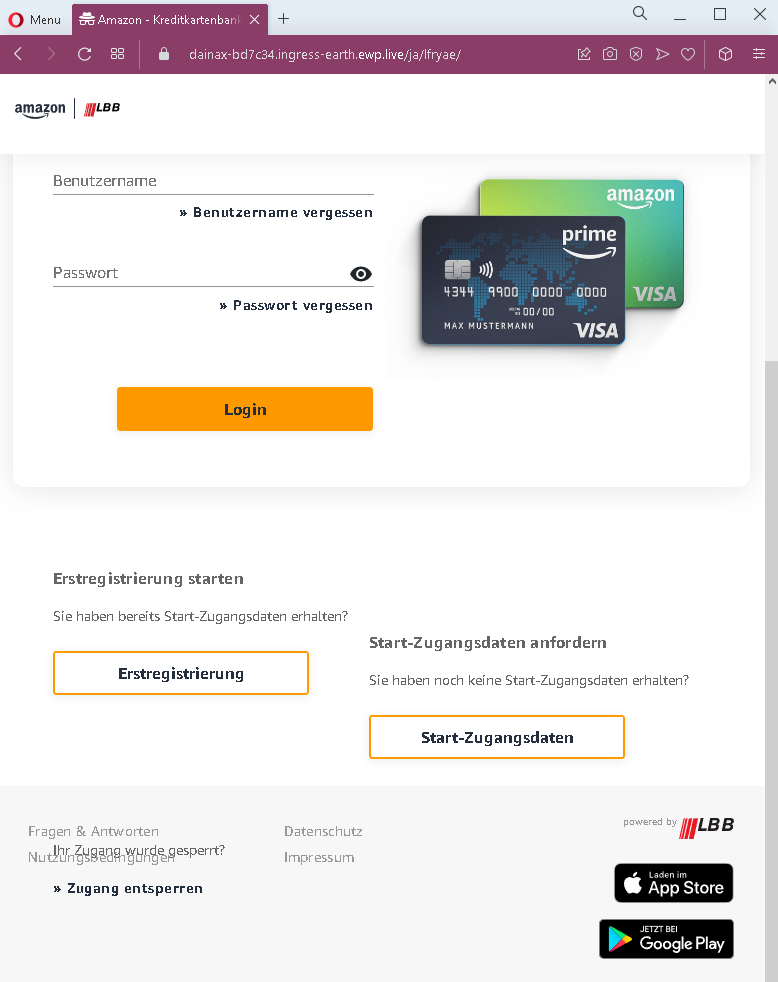
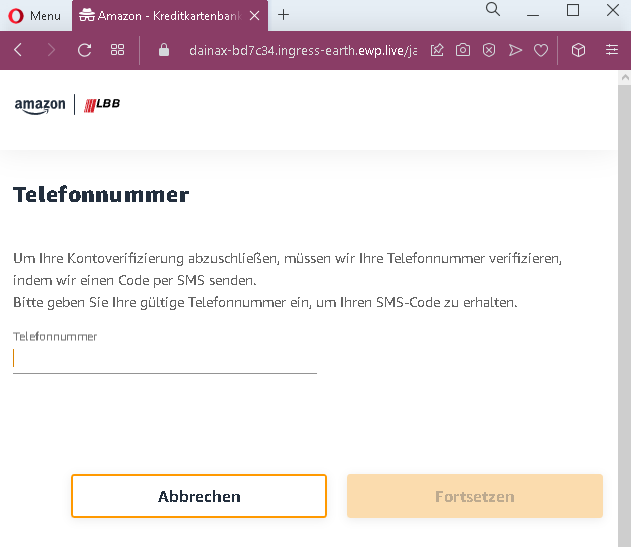
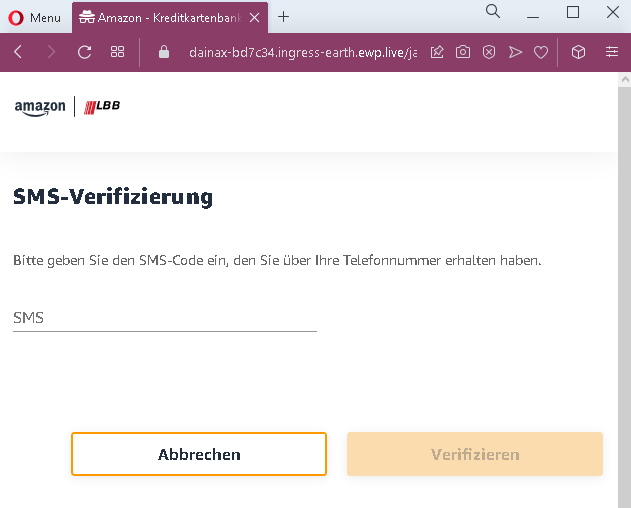
These four screenshots show a multi‑step phishing campaign targeting German users, impersonating the Amazon.de VISA credit card banking portal (issued by Landesbank Berlin – LBB). The scam is designed to steal online banking credentials, phone number, and SMS two‑factor authentication (2FA) code – allowing full account takeover.
Threat Analysis: Amazon VISA / LBB Phishing – Credential & 2FA Code Harvesting
Step 1 – Fake Login Page (Screenshots 1 & 2)
The victim lands on a page that mimics the LBB / Amazon VISA banking login. It asks for:
- Benutzername (username)
- Passwort (password)
The page includes copied branding, login fields, and links to appear legitimate.
Step 2 – Phone Number Page (Screenshot 3)
After submitting credentials, the victim is asked to provide a phone number to “verify” the account. A message claims that an SMS code will be sent.
Step 3 – SMS Code Page (Screenshot 4)
The final page asks for the SMS code received on the phone. This is the two‑factor authentication (2FA) code that the real bank sends when logging in from an unrecognized device or after a password change.
The goal:
The attacker captures:
- The victim’s online banking credentials (username and password)
- The phone number (used to intercept future 2FA messages)
- The current SMS 2FA code – allowing them to immediately log into the real account and authorize transactions
Red flags to watch for:
- Suspicious URL: The pages are hosted on a domain that is not
lbb.deamazon.de - Unsolicited login request: LBB / Amazon VISA does not send links requiring customers to log in and then “verify” their phone number via SMS.
- Multi‑step flow with SMS code request: A legitimate login does not ask for a phone number and SMS code immediately after password entry. This is a classic phishing kit that harvests 2FA.
- Copied content: The pages use real LBB and Amazon branding, but the layout and phrasing contain inconsistencies.
What to do if you encounter this:
- Do not enter your username, password, phone number, or SMS code on these pages.
- If you are an Amazon VISA / LBB customer, always access your credit card banking by typing
lbb.de - If you have already entered your credentials but not the SMS code, change your password immediately and contact LBB.
- If you have entered the SMS code, the attacker may already have accessed your account. Contact LBB’s fraud department immediately.
- Report the phishing pages to LBB and Amazon.
Protective measures:
- Bookmark the official LBB login page and use that bookmark.
- Use a password manager – it will not autofill on fake domains.
- Never enter an SMS code on a page you reached via a link. Legitimate banks only ask for 2FA after you have initiated a login on their official site.
- Enable two‑factor authentication using an authenticator app instead of SMS where possible.
- Be suspicious of any unsolicited message that asks you to log in and then “verify” your phone number.