
A phishing campaign targeting MidFirst Bank customers utilizes a “Security Update” pretext, employing SMS or email to prompt users to sync accounts on a fraudulent website. This high-level threat harvests login credentials and real-time One-Time Passcodes (OTP) via a clone of the official MidFirst login page, enabling immediate account takeover.
Analysis Memo: This malicious interface was logged, cross-checked, and neutralized firsthand by the
Antiphishing.bizsecurity team during our automated link scanning workflows. To protect the public, the phishing source domain has been safely deactivated within our infrastructure. We document and analyze these live visual patterns to help security researchers and users recognize deceptive clone designs before financial damage occurs.
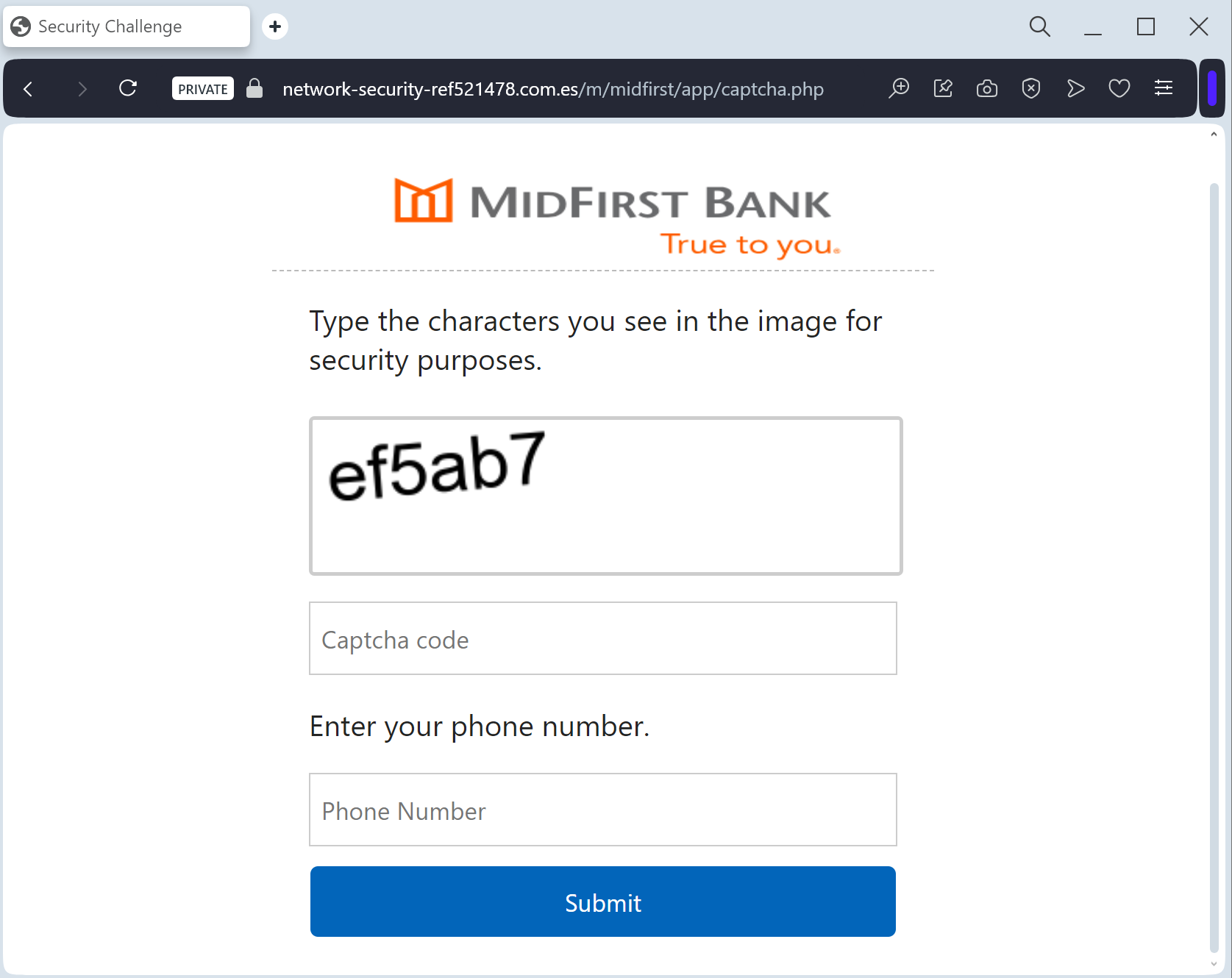
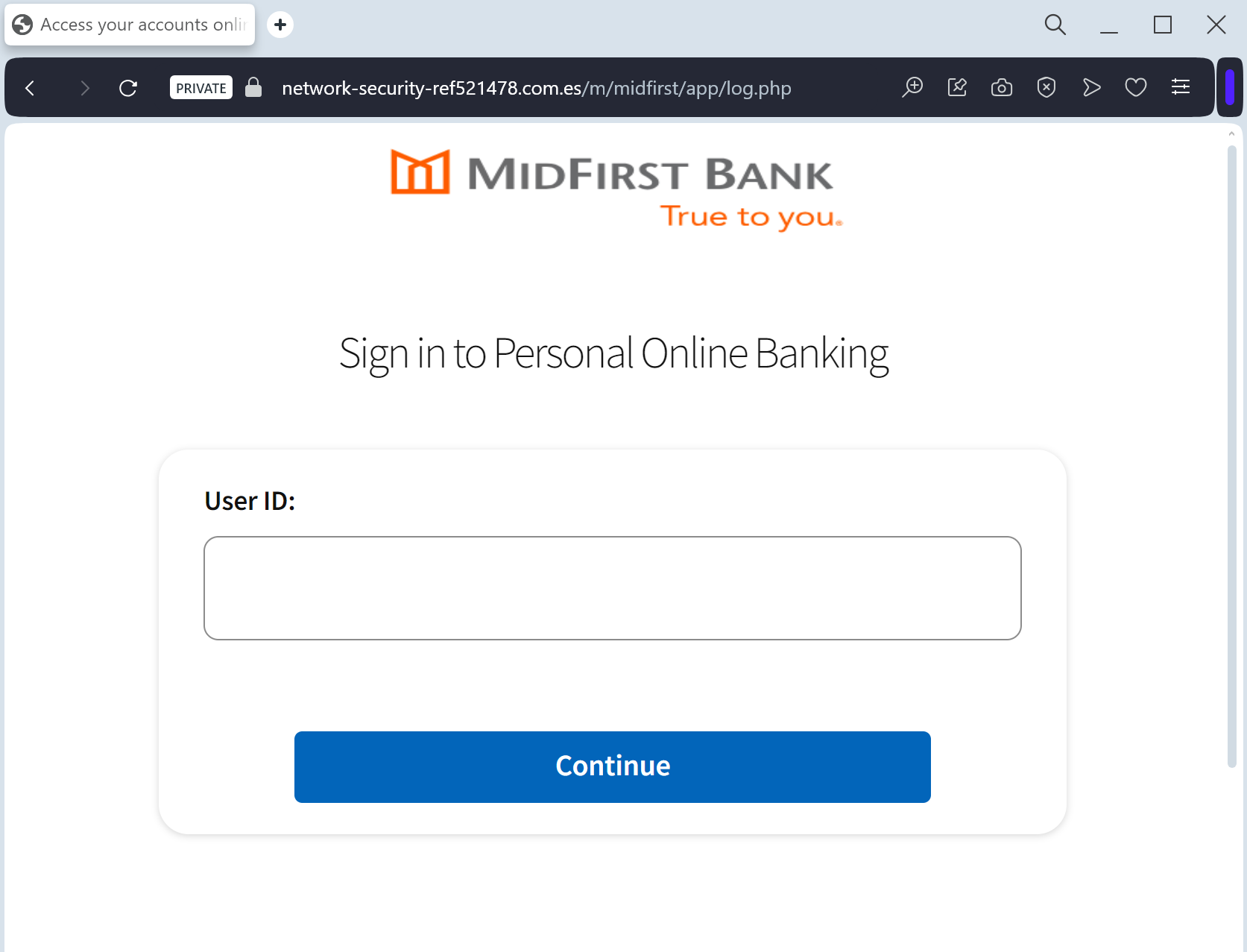
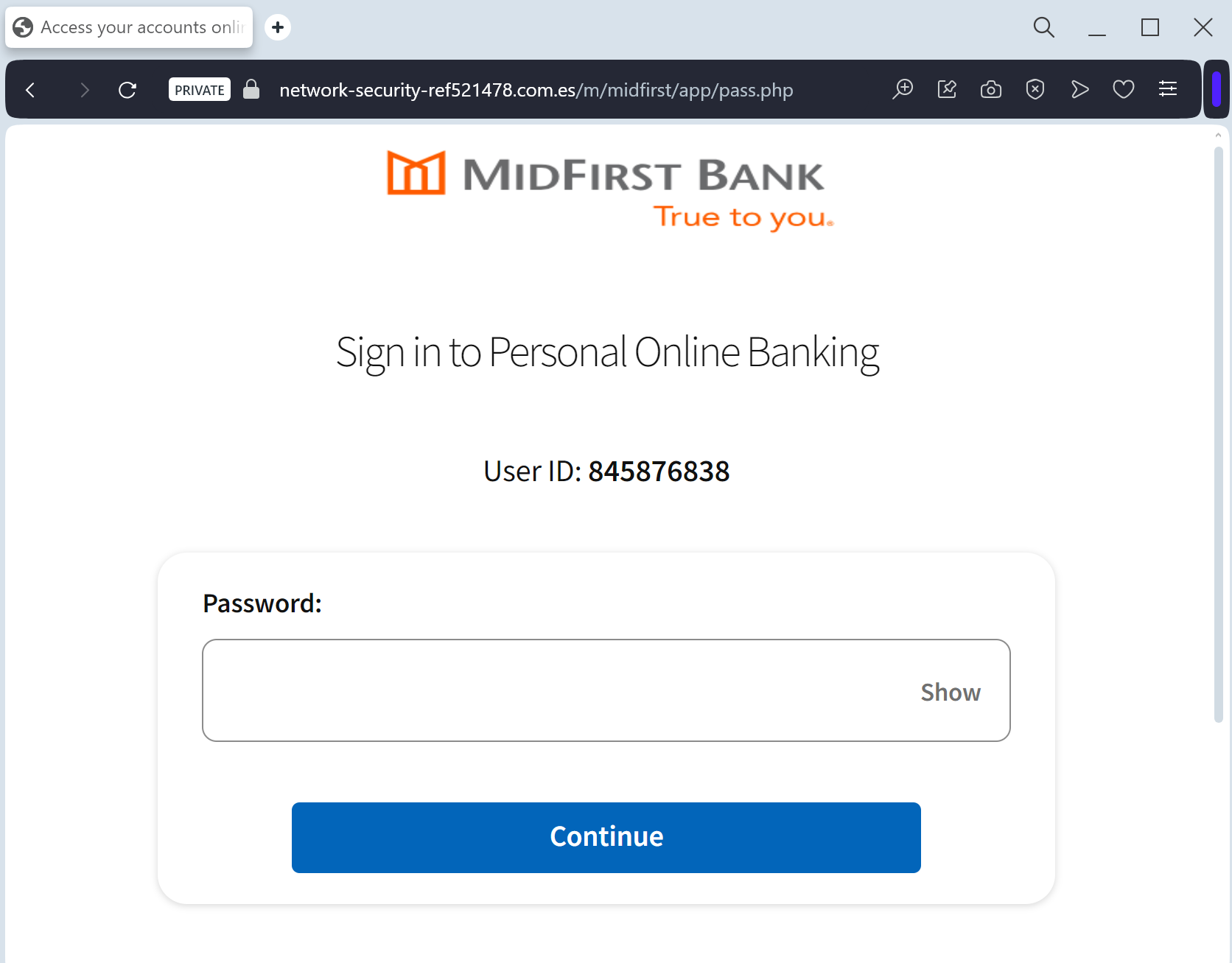
MidFirst Bank “Personal Banking Security” Phishing
Target: Customers of MidFirst Bank (USA)
Threat Level: Critical (Identity Theft & Full Account Takeover)
Phishing Method Description
This attack targets the Personal Banking users of MidFirst Bank. Scammers use a “Security Update” or “Unauthorized Login” pretext, sending out Smishing (SMS) or Phishing Emails claiming that an “Unauthorized Device” has logged into the account or that a “Security Maintenance” procedure is required to keep the account active.
The link leads to a high-fidelity clone of the official MidFirst login portal. This sophisticated phishing kit is specifically designed to harvest:
Online Banking ID / Username
Password
Social Security Number (SSN) (Full or last 4 digits)
Security Challenge Questions & Answers: The fake site prompts the victim to provide answers to their secret questions (e.g., Mother’s maiden name, childhood pet).
MFA / One-Time Passcodes (OTP): Intercepted in real-time to bypass two-factor authentication.
Red Flags to Watch For
Deceptive Domain: The official domain is
midfirst.com. Phishing sites use lookalikes such as midfirst-secure-login.com, midfirst-online-verify.net, or free hosting subdomains like midfirst-portal.web.app.Excessive Information Requests: A legitimate bank will never ask you to provide your full Social Security Number and answers to all your security questions on a single page just to “log in.”
Requests for MFA during Login: If a site asks for an MFA code immediately after you enter your password on an unfamiliar page you reached via a link, it is a sign of a real-time interception (MitM) attack.
How to Protect Yourself
The “Manual Entry” Rule: Always access MidFirst Bank by typing ://
midfirst.com manually into your browser’s address bar. Never use links from unexpected emails or text messages.Use the Mobile App: Manage your accounts through the official MidFirst Bank Mobile App. Authentic security alerts will be delivered inside the secure app environment.
Never Share Security Answers: Treat your security question answers like secondary passwords. No bank will ask for them via an unsolicited link.
Verify the SMS Source: Official alerts come from short codes. If you receive a banking alert from a standard 10-digit mobile number, treat it as a scam.
Expert Security Tip:
Security Question HarvestingThe Method:
This case highlights an Identity Profiling Attack. Scammers are not just looking for your password; they want to harvest your Security Challenge Questions.
The Trap:
By providing these answers, you are giving the threat actors a permanent “backdoor” to your account. Even if you change your password, they can use these stolen answers to reset it or bypass future security checks.
How to Protect Yourself:
Treat Security Answers as Passwords: Never enter them on any website that you reached through a link.
The “Context” Rule: A bank already knows your security answers; they should only ask for one at a time for verification, never all of them at once in a bulk “update” form.
MFA is Your Shield: Always use an app-based authenticator if possible, as it is much harder to phish than SMS codes or secret questions.