
Analysis Memo: This scam layout was intercepted, verified, and locked down firsthand by the
Antiphishing.bizsecurity team during our standard URL vetting operations. To protect the public, the phishing source domain has been completely disabled within our infrastructure. We document and analyze these live visual patterns to help security researchers and users spot lookalike phishing methods before financial damage occurs.
Then visitor will be redirected to the official website of Citizens Bank.
Threat Analysis: Citizens Bank Phishing – Full Identity & Financial Data Harvesting
This phishing campaign impersonates Citizens Bank, a prominent bank in the United States. The scam uses a multi-page flow to capture:
- Online banking credentials (User ID and Password)
- Full personal identification information (full name, SSN, address, date of birth, phone number)
- Full card details (cardholder name, card number, expiration date, CVV)
This combination of data enables attackers to commit identity theft, open fraudulent accounts, and drain victims’ financial accounts.
How it works:
The victim receives a phishing email, SMS, or other message claiming a security alert, account issue, or the need to verify their information. The message includes a link to the first phishing page.
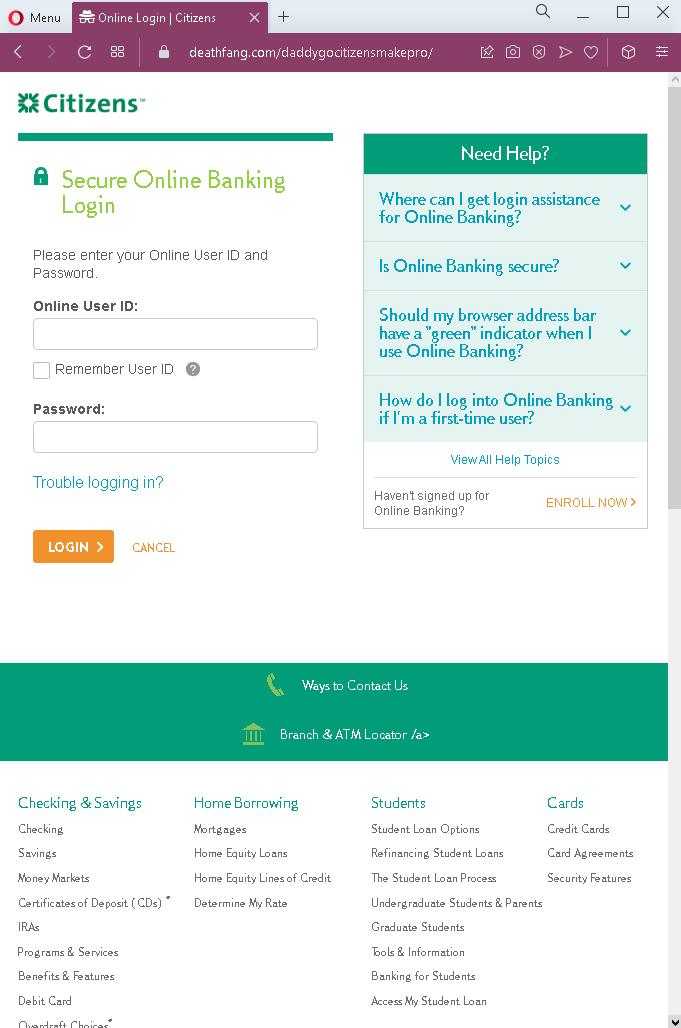
Step 1 – Fake Online Banking Login Page (First Screenshot)
The first page mimics Citizens Bank’s online banking login interface, asking for:
- Online User ID
- Password
This page captures the victim’s primary banking credentials.
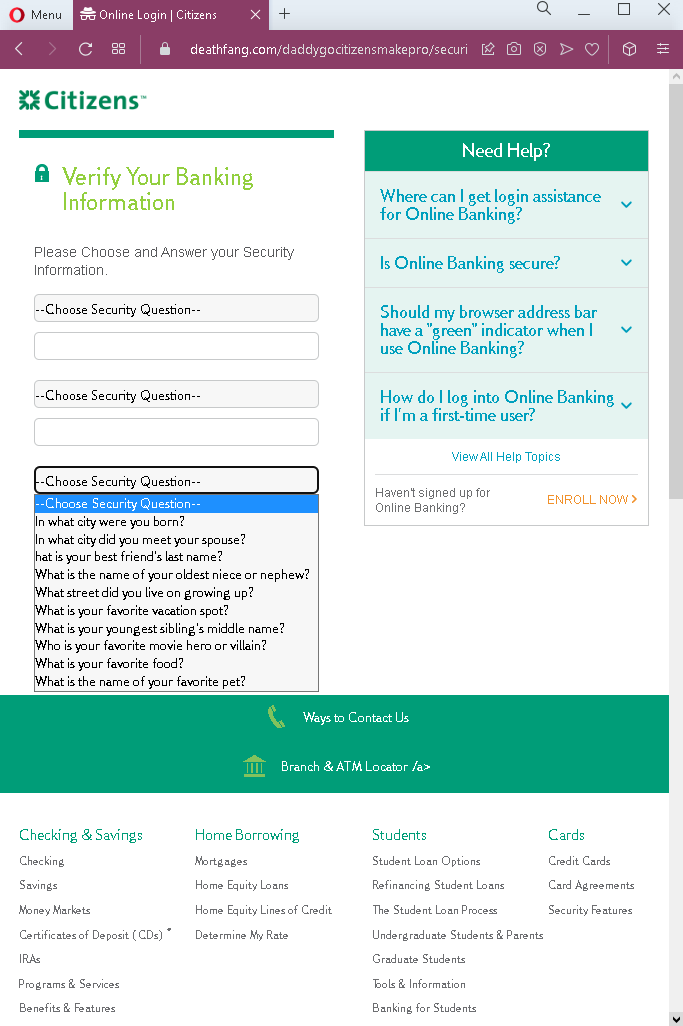
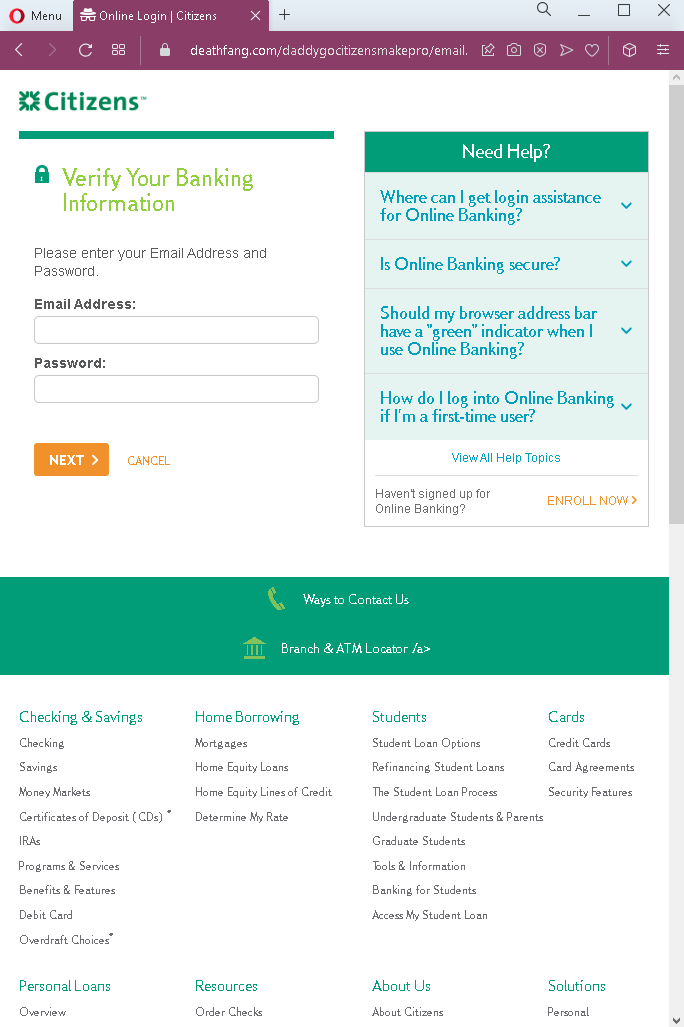
Step 2 – Intermediate Page(s) (Screenshots 2 and 3 – failed to load)
While the second and third screenshots are not available, the pattern suggests they may have been fake loading/waiting pages or additional information requests, designed to make the process appear legitimate and to buy time for the attacker.
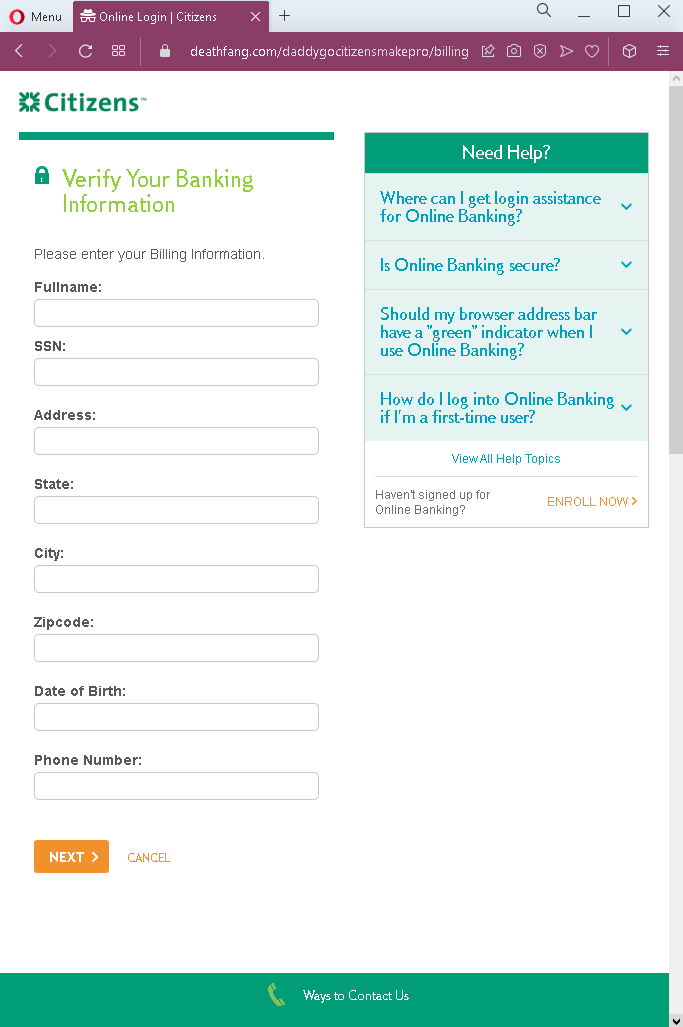
Step 3 – Fake “Verify Your Banking Information” – Personal Details Page (Fourth Screenshot)
The fourth page asks for:
- Full name
- Social Security Number (SSN)
- Address, state, city, zip code
- Date of birth
- Phone number
This information is used for identity theft and to answer security questions for account takeover.
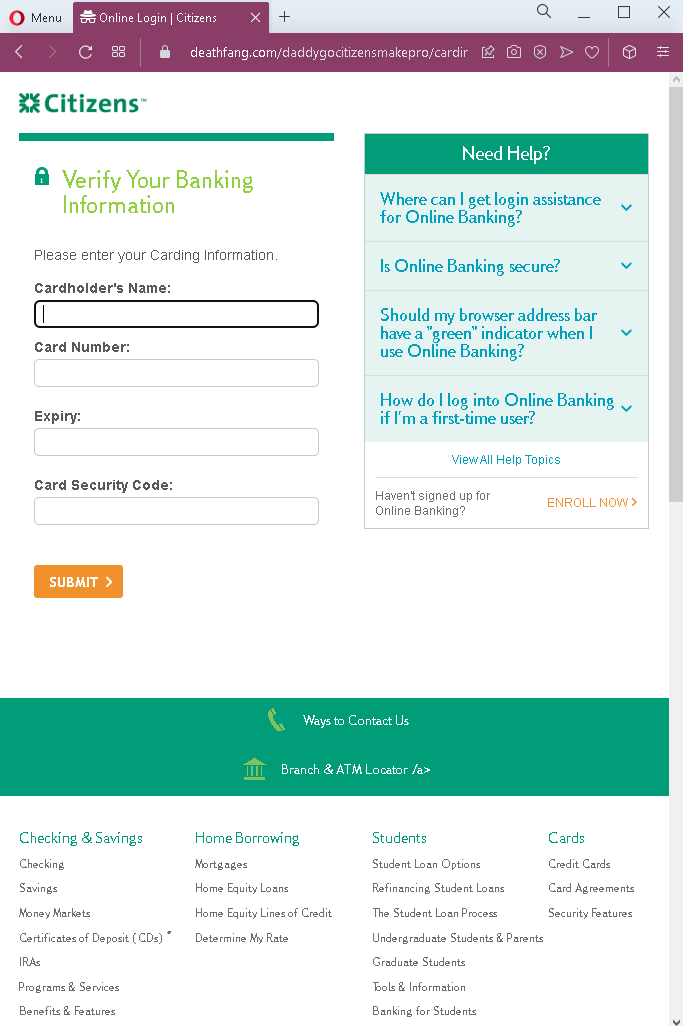
Step 4 – Fake “Verify Your Banking Information” – Card Details Page (Fifth Screenshot)
The fifth page asks for:
- Cardholder name
- Full card number
- Expiration date
- Card Security Code (CVV)
This captures the victim’s credit or debit card details for fraudulent purchases.
The goal:
The attacker aims to:
- Gain full access to the victim’s Citizens Bank online banking account
- Steal the victim’s identity (SSN, DOB, address, phone) to open new accounts, apply for loans, or commit tax fraud
- Use the captured card details for unauthorized purchases or to create cloned cards
Red flags to watch for:
- Suspicious URL: The pages are hosted on domains that are not
citizensbank.com - Unsolicited login request: Citizens Bank does not send emails or messages with links requiring customers to log in and then provide extensive personal and card information.
- Excessive data requests: A legitimate bank would never ask for SSN, full card details, and CVV in a single “verification” flow after login. This combination is a clear indicator of a phishing and identity theft operation.
- Inconsistent page flow: After entering online banking credentials, the victim is taken to pages asking for personal and card details—something that never happens on the real bank site.
- Copied content: The pages include help sections, navigation menus, and footer content copied from the legitimate Citizens Bank website. Attackers use such content to appear credible, but its presence does not make the pages legitimate.
- No personalization or security indicators: Legitimate banking portals display account-specific information, security images, or other personalized elements. These pages lack such features.
What to do if you encounter this:
- Do not enter any information on these pages—neither banking credentials, nor personal details, nor card details.
- If you are a Citizens Bank customer, always access online banking by typing
citizensbank.com - If you have already entered your banking credentials, contact Citizens Bank immediately to change your password and secure your account.
- If you have entered your SSN, card details, or other personal information, contact your bank’s fraud department, the major credit bureaus (Equifax, Experian, TransUnion) to place a fraud alert or credit freeze, and file a report with the FTC (
IdentityTheft.gov) and local authorities. - Report the phishing pages to Citizens Bank’s fraud team.
Why this scam is particularly dangerous:
This is a comprehensive identity theft phishing kit. It does not just target banking credentials—it aims to collect enough information for the attacker to impersonate the victim fully. With the victim’s SSN, date of birth, address, and card details, the attacker can:
- Drain the victim’s bank account
- Open new credit cards or loans in the victim’s name
- File fraudulent tax returns to steal refunds
- Take over other accounts using the stolen personal information
Protective measures:
- Bookmark the official Citizens Bank login page and use that bookmark to access online banking—never click links in emails or messages.
- Use a password manager: It will autofill only on legitimate
citizensbank.com - Never provide your SSN, full card details, or CVV on a page you reached via a link. Legitimate banks already have this information on file and will not ask for it in an unauthenticated flow.
- Enable two-factor authentication (2FA) on your bank account to add an extra layer of protection.
- Be suspicious of any unsolicited message that creates urgency and asks you to log in and then provide extensive personal information.
- Check the URL carefully: Legitimate Citizens Bank domains end with
citizensbank.com - If in doubt, contact Citizens Bank directly using a phone number from your bank statement or the official website—never use contact information provided in a suspicious message.