
Threat Analysis: Bank of America Phishing – Email Credential & Card Data Harvesting
This phishing campaign impersonates Bank of America, targeting Spanish-speaking customers. The scam uses a multi-page flow to capture:
- The victim’s email address and email password
- Full credit/debit card details (card number, expiration date, security code)
By compromising both the email account and the payment card, attackers can gain persistent access to sensitive communications and conduct unauthorized transactions.
How it works:
The victim receives a phishing email, SMS, or other message in Spanish claiming a security alert, account verification issue, or the need to confirm their identity. The message includes a link to the first phishing page.
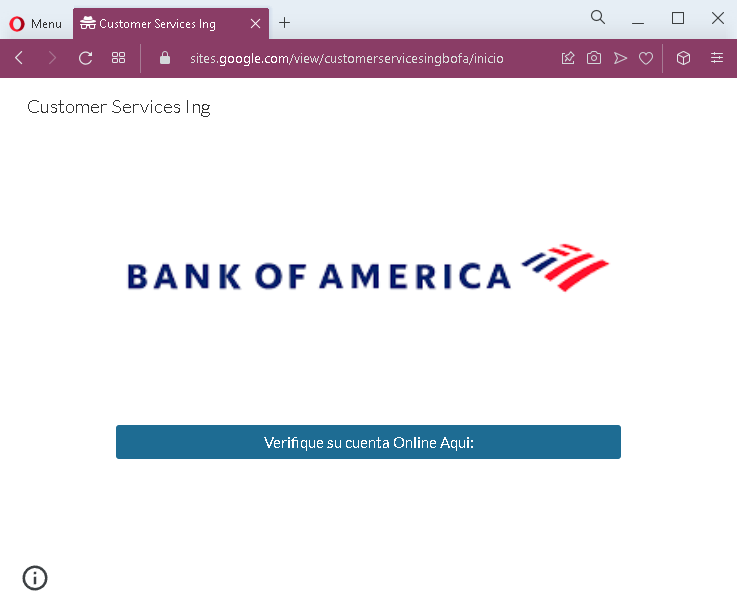
Step 1 – Simple Entry Page (First Screenshot)
A minimal page with Bank of America branding and a call to “verify your online account.” This likely leads to the next step.
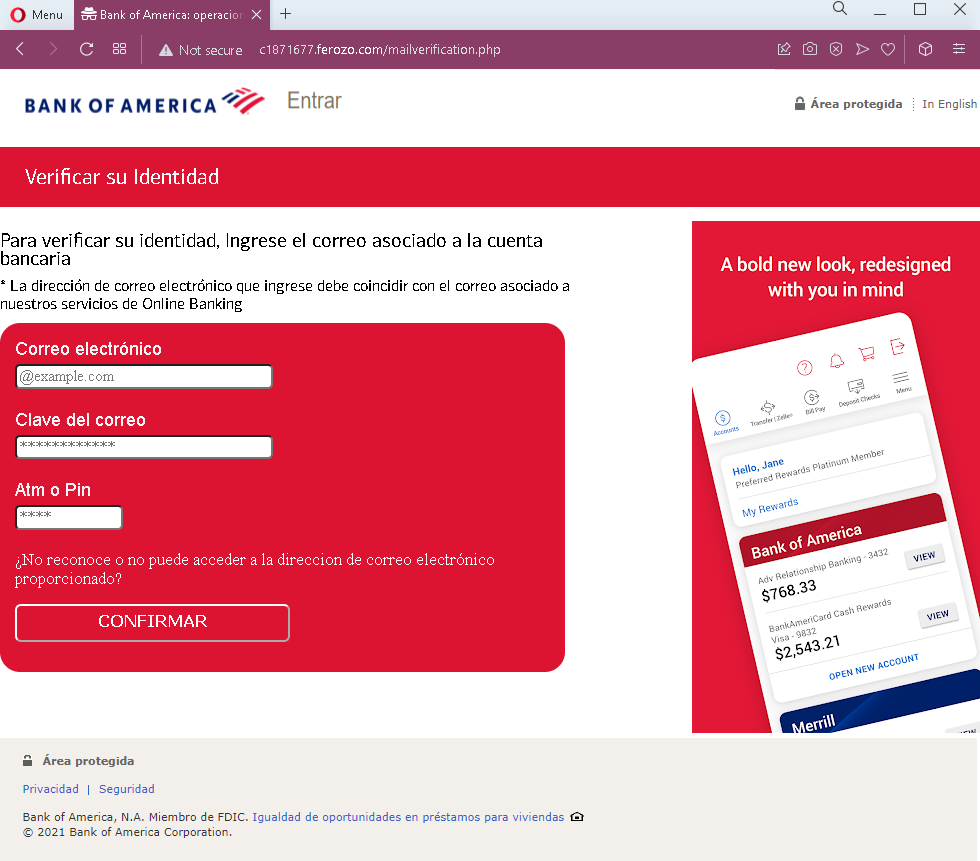
Step 2 – Fake Identity Verification – Email & Email Password Page (Third Screenshot)
This page asks for:
- Correo electrónico (Email address)
- Clave del correo (Email password)
- Aim o Pin (likely “ATM PIN” – a banking PIN)
The page includes a fake Bank of America dashboard preview (with a greeting “Hello, Jane”) to appear legitimate. This step captures the victim’s email credentials and banking PIN.
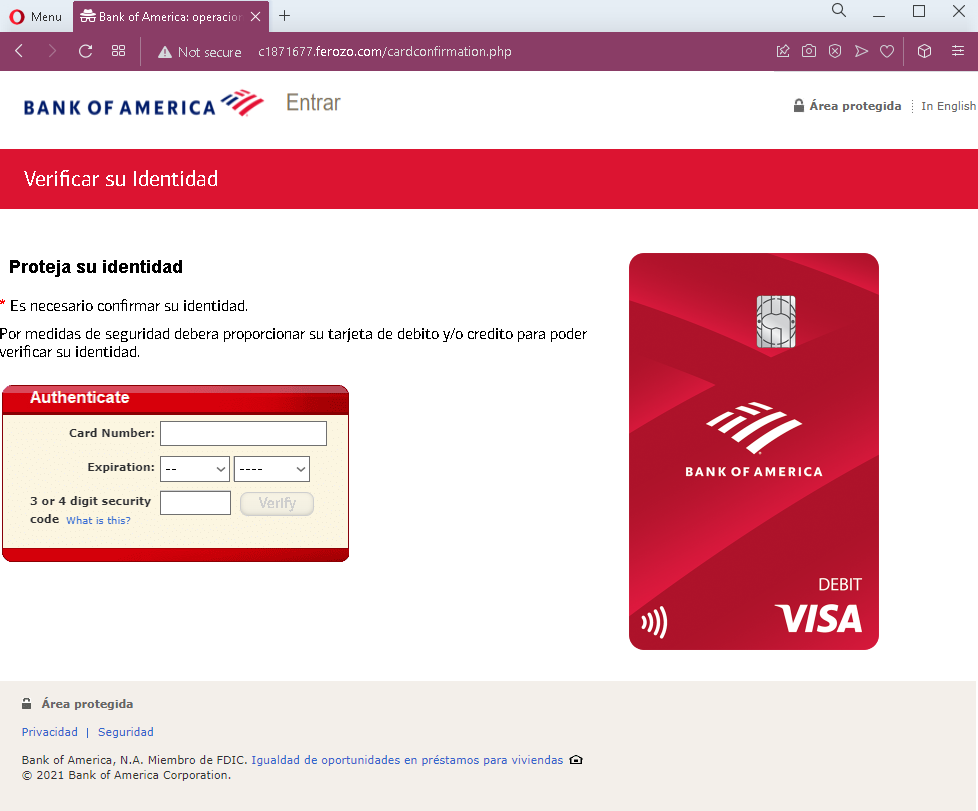
Step 3 – Fake Identity Verification – Card Details Page (Fourth Screenshot)
This page asks for:
- Card number
- Expiration date
- Security code (CVV)
It claims these details are needed to “verify identity” for security purposes.
The goal:
The attacker aims to:
- Steal the victim’s email account credentials to intercept bank communications, reset passwords, and maintain long-term access
- Obtain the victim’s debit/credit card details for unauthorized purchases, cloning, or selling on criminal marketplaces
- Gather a banking PIN for ATM or transaction authorization
Red flags to watch for:
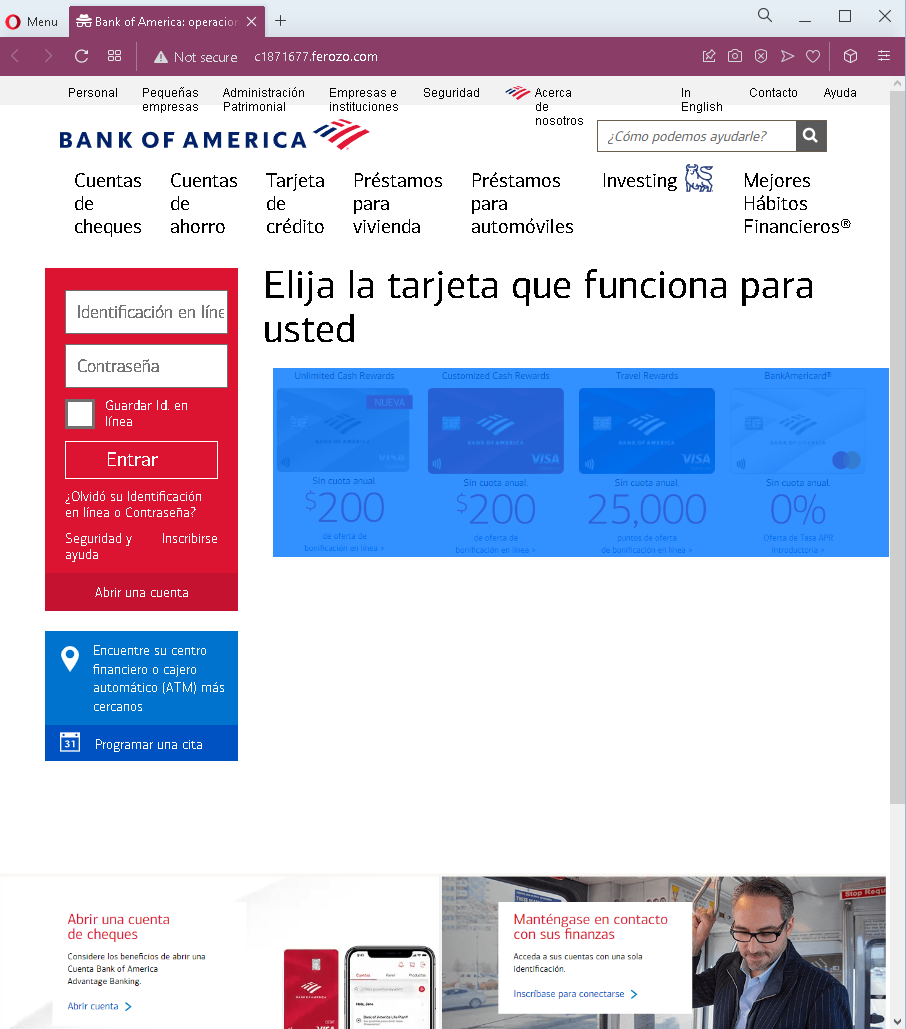
- Suspicious URL: The pages are hosted on domains that are not
bankofamerica.com. Legitimate Bank of America online services are accessed through the official website. - Request for email password: A legitimate bank never asks for your email account password. This is a clear indicator of a phishing attack designed to take over your email.
- Multiple sensitive data requests in one flow: Asking for email credentials, banking PIN, and full card details in sequence is not part of any legitimate bank verification process.
- Fake dashboard elements: The page includes a mock-up of a Bank of America dashboard (“Hello, Jane”) with reward points and account numbers. This is copied from the real site but appears out of context on a verification page.
- Outdated copyright: The footer shows “© 2021” (the screenshots are from late 2022), a common oversight in phishing pages.
- Mixed languages: The page uses Spanish for instructions but includes English text in the fake dashboard, which may indicate copied content.
- Unsolicited “identity verification” request: Bank of America does not send emails or messages with links requiring customers to enter email credentials and card details to verify identity.
What to do if you encounter this:
- Do not enter your email address, email password, banking PIN, or card details on these pages.
- If you are a Bank of America customer, always access online banking by typing
bankofamerica.comdirectly into your browser or using the official app. - If you have already entered your email credentials, change your email password immediately and enable two-factor authentication. Check for any unauthorized forwarding rules.
- If you have entered card details, contact Bank of America immediately to block your card and dispute any unauthorized transactions.
- Report the phishing pages to Bank of America’s fraud department (e.g.,
[email protected]).
Why this scam is particularly dangerous:
This phishing kit targets two critical assets simultaneously: email account access and payment card details. With email access, the attacker can intercept password reset links, delete fraud alerts, and take over other accounts. With card details, they can make fraudulent purchases. The combination of Spanish language and Bank of America branding is designed to reach a large Spanish-speaking customer base in the United States.
Protective measures:
- Bookmark the official Bank of America login page and use that bookmark to access online banking—never click links in emails or messages.
- Use a password manager: It will autofill only on legitimate
bankofamerica.comdomains. - Never provide your email password on any banking site. Legitimate banks never ask for it.
- Enable two-factor authentication (2FA) on both your email and bank accounts, preferably using an authenticator app rather than SMS.
- Be suspicious of any unsolicited message that creates urgency and asks you to “verify” your identity by providing extensive personal information.
- Check the URL carefully: Legitimate Bank of America domains end with
bankofamerica.com. Look for misspellings, extra words, or unusual top-level domains. - If in doubt, contact Bank of America directly using a phone number from your bank statement or the official website—never use contact information provided in a suspicious message.