
Below is an analysis of the phishing campaign based on the three screenshots. The attack impersonates Bank Negara Malaysia (the central bank) and then Google, using a fake login flow to steal credentials for both.
Threat Analysis: Multi‑Step Phishing – Bank Negara Malaysia & Google Credential Harvesting
This campaign targets users in Malaysia and Indonesia (based on the language mix: Malay/Indonesian and English). It is designed to steal online banking credentials (User ID, password, phone number, and bank selection) first, and then capture the victim’s Google account credentials in a second step.
How it works:
Step 1 – Fake Bank Negara Malaysia Login Page (First Screenshot)
The victim receives a phishing link (e.g., via SMS, email, or social media) claiming a financial service issue or the need to log in. The link leads to a page hosted on taplink.ws
- Telephone number (with a Dutch prefix +31 as an example)
- Bank selection (from a dropdown)
- User ID / Username
- Password
- A checkbox to agree to “Terma & Syarat” (Terms & Conditions)
Incident Report: This deceptive layout was intercepted, verified, and locked down firsthand by the
Antiphishing.bizsecurity team during our daily link moderation procedures. To protect the public, the dangerous destination URL has been completely disabled within our infrastructure. We document and analyze these live visual patterns to help security researchers and users recognize deceptive clone designs before financial damage occurs.
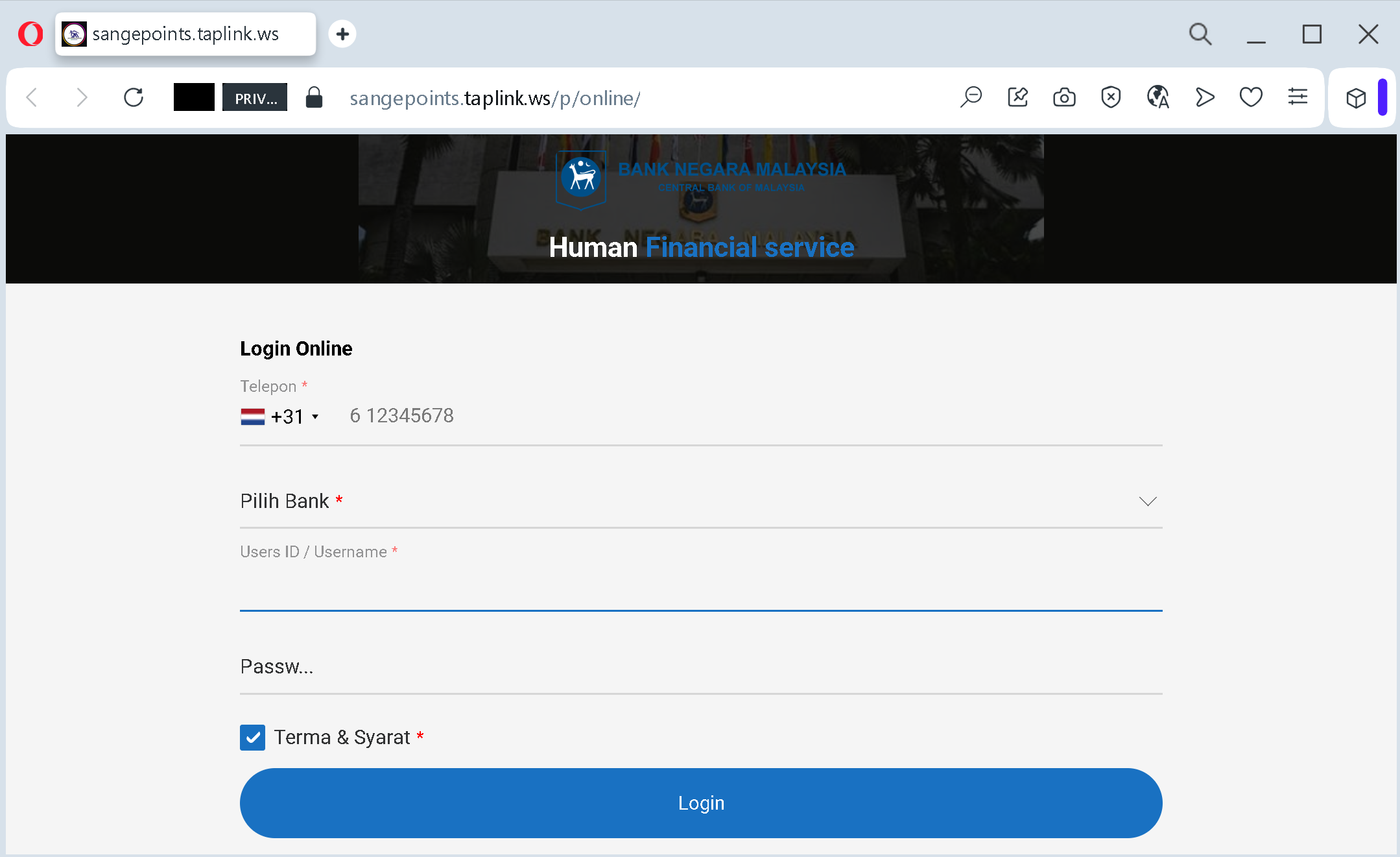
After the victim submits this data, they are redirected to the next step.
Step 2 – Fake Google Login Pages (Second and Third Screenshots)
The victim is then taken to a page that mimics the Google login interface (in Indonesian). It asks for:
- Email address
- Password
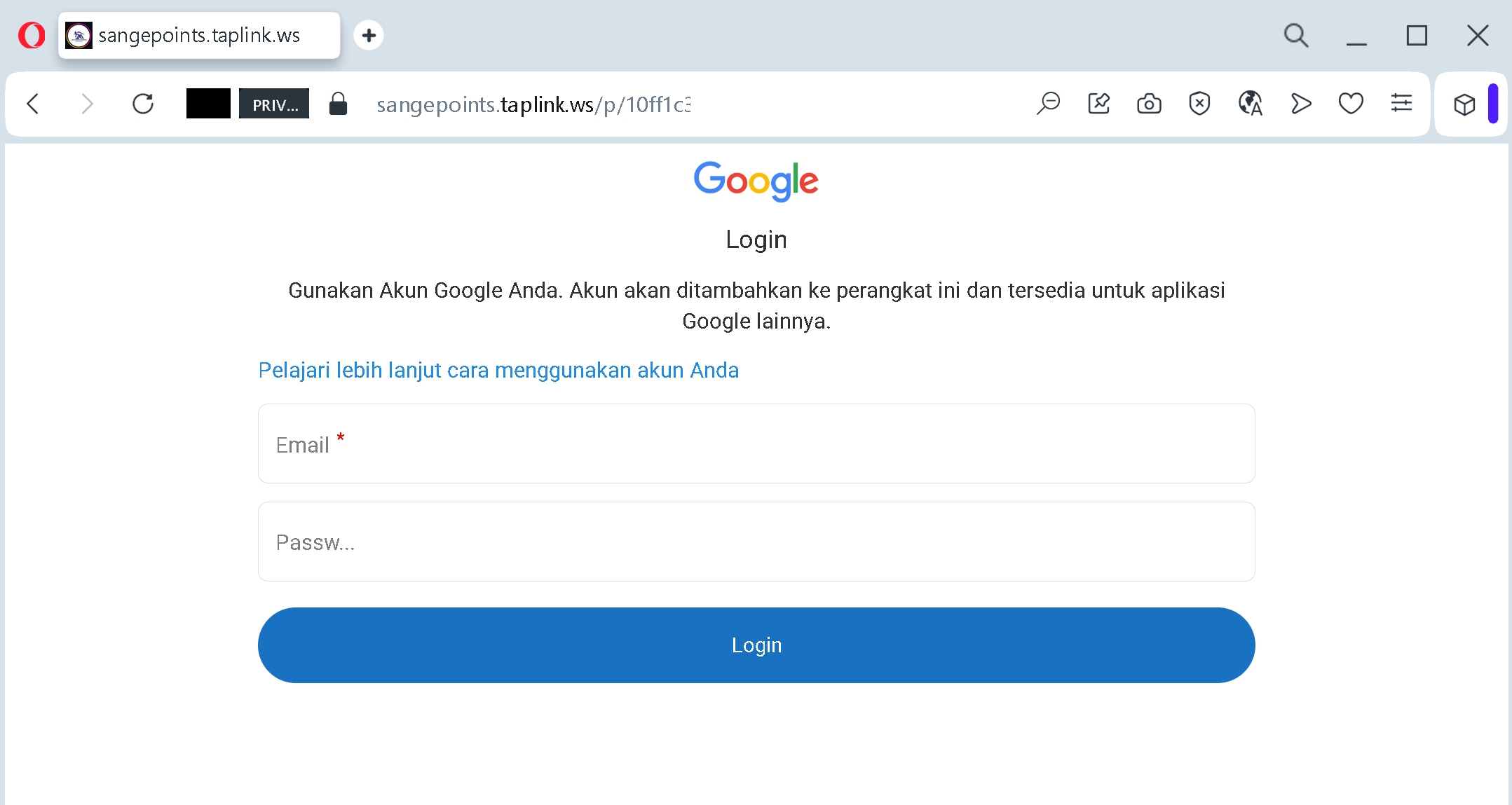
The language (“Gunakan Akun Google Anda” – Use your Google account) and the note about adding the account to the device are copied from legitimate Google screens.
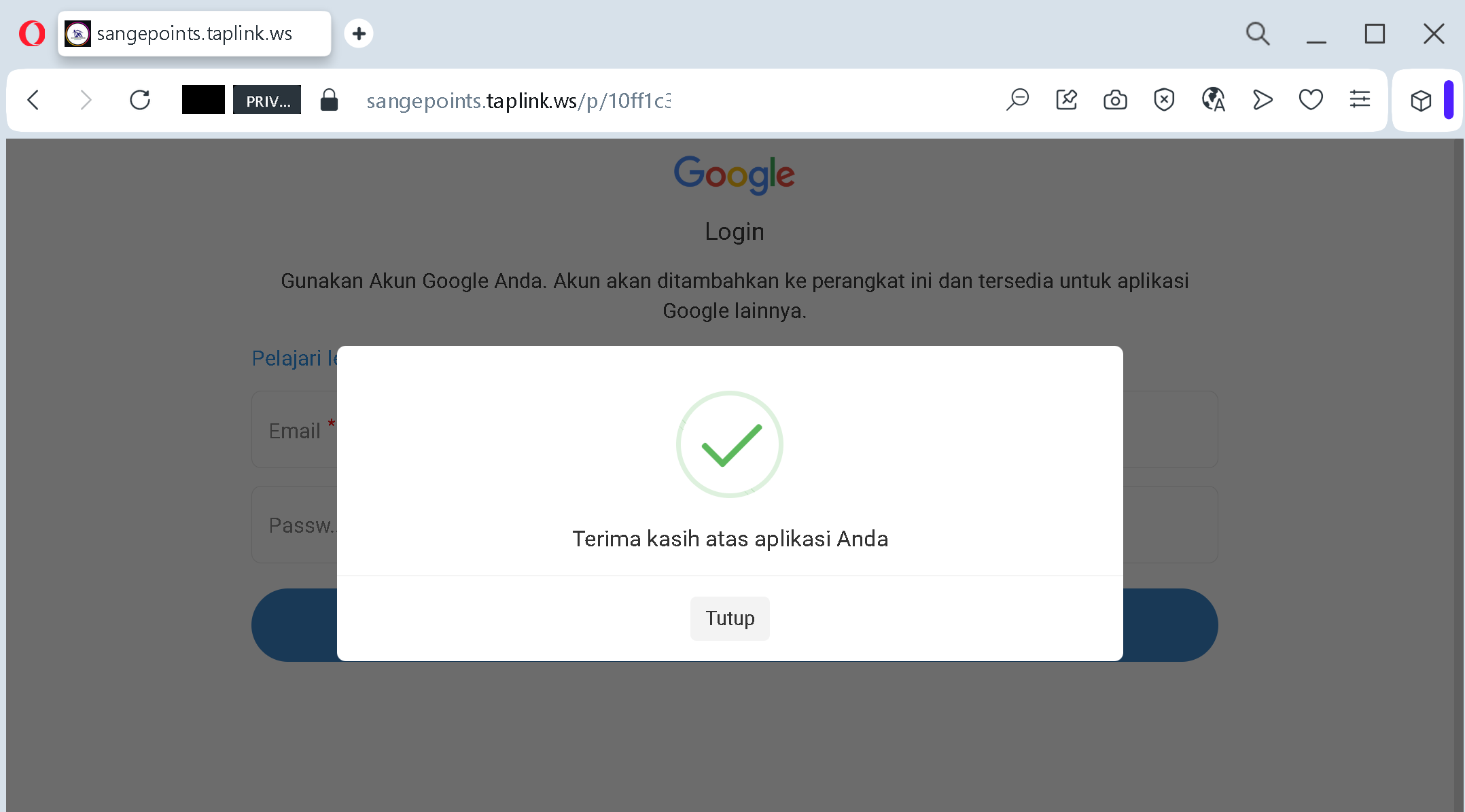
The goal:
The attacker collects:
- The victim’s bank login credentials (including which bank they use, their user ID, password, and phone number)
- The victim’s Google account credentials (email and password)
With this combination, the attacker can:
- Log into the victim’s bank account to transfer funds
- Access the victim’s Google account to intercept password reset emails, steal personal data, and compromise other linked services
- Use the phone number for SIM swapping or to bypass two‑factor authentication
Red flags to watch for:
- Suspicious URL: The pages are hosted on
taplink.wsbnm.gov.mygoogle.com - Unusual combination of requests: A central bank would never ask for your bank selection, user ID, password, and phone number in a single form – and certainly not redirect you to a Google login afterwards.
- Language inconsistency: The Bank Negara page mixes English and Malay/Indonesian, but the domain and design are clearly not official.
- Google login page on a third‑party domain: Legitimate Google login pages are only on
google.com - Unsolicited login request: Neither Bank Negara Malaysia nor Google sends links requiring you to log in via external sites to resolve “service” issues.
What to do if you encounter this:
- Do not enter any information on these pages.
- If you have already entered your bank credentials, contact your bank immediately to change your password and secure your account.
- If you have entered your Google credentials, change your Google password immediately, enable two‑factor authentication (2FA), and review recent activity for any unauthorized logins.
- Always access your bank and Google accounts by typing the official URLs directly (
bnm.gov.mygoogle.com
Protective measures:
- Bookmark the official login pages for your bank and Google.
- Use a password manager – it will not autofill on fake domains.
- Enable two‑factor authentication on all important accounts.
- Be suspicious of any unsolicited message that asks you to log in via a link, especially when it involves multiple steps or different services.
- Check the URL carefully – look for unusual top‑level domains (
.ws.top.xyz