
Below is a description of this phishing campaign targeting Posti (the Finnish postal service) and using a fake bank authentication page to steal avainluku (key number) credentials.
Threat Analysis: Posti Phishing – Fake “Key Number” Authentication Scam (Finnish Bank Credential Theft)
This phishing campaign impersonates Posti, the Finnish postal service. The scam uses a fake “key number list” (avainlukulista) authentication page – a method commonly used by Finnish banks – to steal the victim’s online banking credentials.
How it works:
Step 1 – Fake Key Number Request Page (First Screenshot)
Threat Intel: This malicious interface was intercepted, verified, and locked down firsthand by the
Antiphishing.bizsecurity team during our standard URL vetting operations. To protect the public, the hostile origin link has been fully defanged within our infrastructure. We document and analyze these live visual patterns to help security researchers and users spot lookalike phishing methods before financial damage occurs.
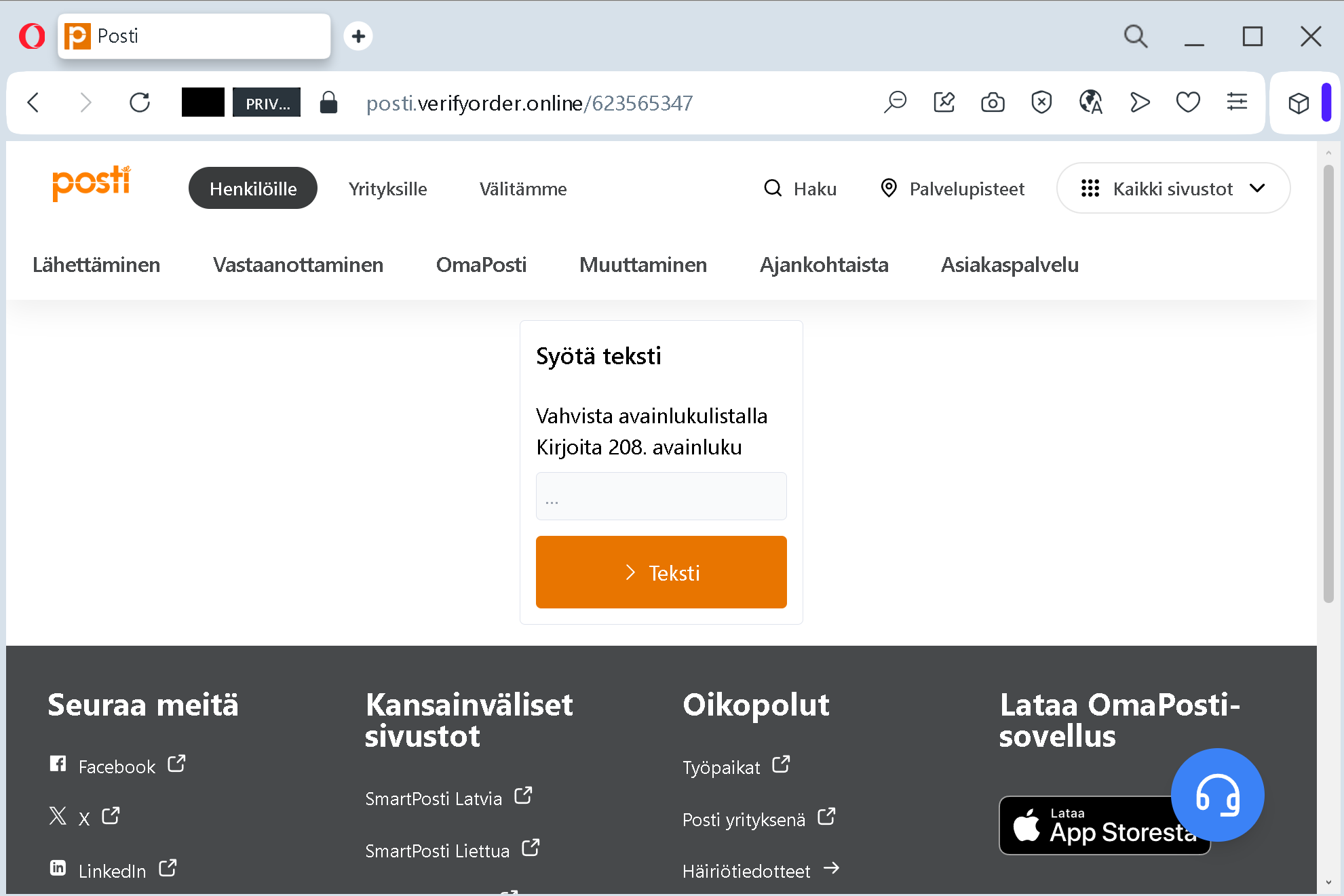
The victim receives a phishing email, SMS, or other message claiming a package is waiting, a delivery fee is required, or a payment needs to be confirmed. The link leads to a page that mimics the Posti website. The page asks the victim to enter a specific key number from their bank’s key number list – in this case, “208. avainluku” (key number 208). This is a direct attempt to capture one of the one‑time codes used to authenticate banking transactions.
Step 2 – Fake “Processing” Waiting Page (Second Screenshot)
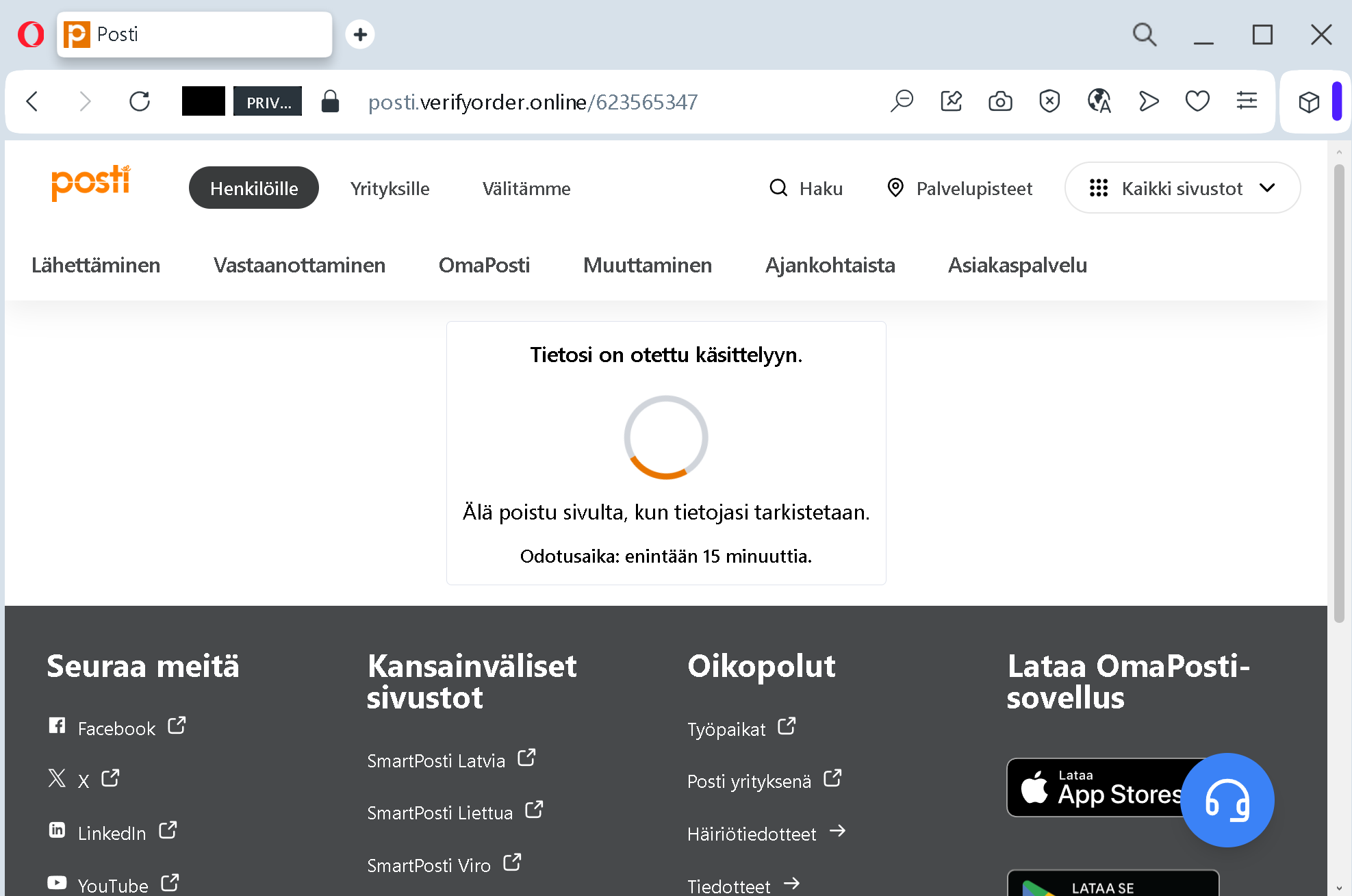
After the victim submits the key number, they are taken to a page claiming that their information is being processed and that they should not leave the page. A waiting time of up to 15 minutes is displayed. This page is designed to:
- Buy time for the attacker to use the stolen key number to log into the victim’s real bank account
- Reduce suspicion – the victim believes the process is legitimate and ongoing
The goal:
The attacker aims to:
- Steal a specific key number (one‑time code) from the victim’s bank key number list
- Use that code, together with other information (possibly captured in earlier steps not shown), to log into the victim’s bank account
- Transfer funds or commit fraud
Red flags to watch for:
- Suspicious URL: The pages are hosted on a domain that is not
posti.fi - Request for bank key number on a postal service page: Posti does not ask for your bank’s avainluku numbers. This is a clear sign of a phishing page trying to harvest banking credentials.
- Unsolicited request: Posti does not send links requiring customers to enter bank authentication codes to release a package or confirm a payment.
- Generic waiting page with a timer: A legitimate postal service does not display such a page after you submit a code. This is a classic stalling tactic used by phishing kits.
- Copied content: The pages use Posti’s logos, navigation menus, and social media links, but these are stolen from the real site.
What to do if you encounter this:
- Do not enter any key numbers or other banking codes.
- If you have already entered a key number, contact your bank immediately – the code may have already been used to authorise a fraudulent transaction.
- Always access Posti services by typing
posti.fi - Never enter bank authentication codes on a site that is not your bank’s official website.
Protective measures:
- Bookmark the official Posti website and use that bookmark.
- Never enter your bank’s key numbers (avainluku) on any third‑party site – not even if the site looks like a familiar postal service.
- Use a password manager – it will not autofill on fake domains.
- Enable two‑factor authentication through your bank’s official mobile app instead of relying solely on key number lists if possible.
- Be suspicious of any unsolicited message that asks you to log in or enter a key number via a link.