
Threat Intel: This scam layout was intercepted, verified, and locked down firsthand by the
Antiphishing.bizsecurity team during our daily link moderation procedures. To protect the public, the phishing source domain has been fully defanged within our infrastructure. We document and analyze these live visual patterns to help security researchers and users recognize deceptive clone designs before financial damage occurs.
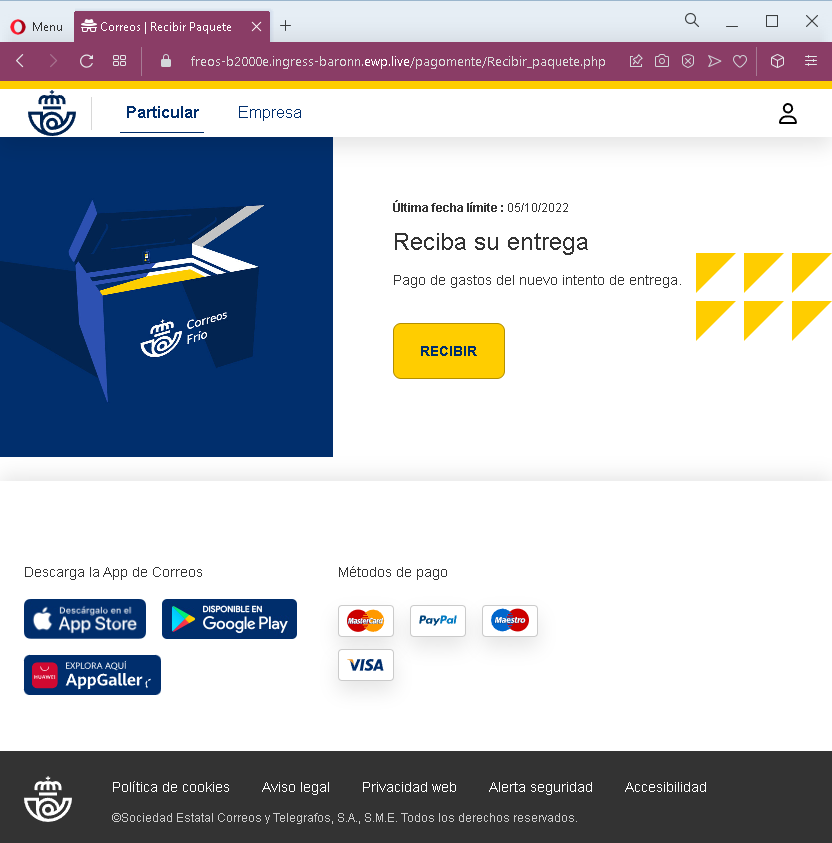
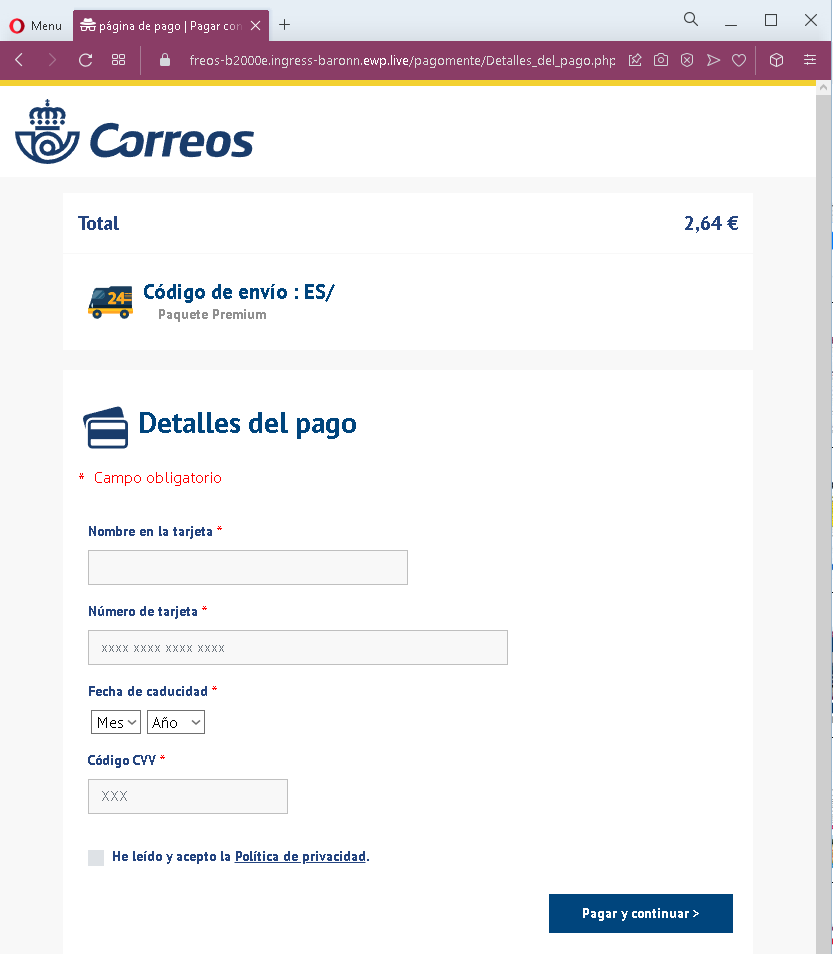
These two screenshots show a Spanish‑language phishing campaign impersonating Correos (the Spanish postal service). The scam uses a fake delivery fee (€2.64) and an urgent deadline to trick victims into providing full credit card details.
Threat Analysis: Correos Phishing – Fake “New Delivery Attempt” Fee
How it works:
The victim receives an SMS, email, or message claiming that a package is waiting and a fee is required for a new delivery attempt. The first page warns of a “last deadline” and offers a “RECIBIR” (receive) button. Clicking it leads to the second page, which asks for:
- Cardholder name
- Full card number
- Expiration date (month/year)
- CVV security code
The page displays a total of €2.64, a fake tracking reference, and a checkbox to accept a privacy policy – all designed to appear legitimate.
The goal:
The attacker captures full credit/debit card details to make fraudulent purchases or sell the information.
Red flags to watch for:
- Suspicious URL: The pages are hosted on a domain that is not
correos.es - Request for CVV: Correos never asks for your card security code to collect a redelivery fee.
- Small fee trick: €2.64 is a trivial amount intended to lower suspicion.
- Fake tracking reference: The “Código de envío : ES/” is incomplete and cannot be verified on the real Correos site.
- Urgent deadline: The mention of a “last deadline” pressures victims to act without thinking.
- Copied branding: The pages use the Correos logo, app store badges, and footer links copied from the real website to appear authentic.
What to do if you encounter this:
- Do not enter any card or personal information.
- If you are expecting a delivery, track it directly by typing
correos.es - If you have already entered card details, contact your bank immediately to block the card.
- Report the phishing page to Correos (e.g., via their official fraud reporting page).
Protective measures:
- Never click links in unsolicited delivery messages. Always go directly to the official courier website.
- Never pay a “redelivery fee” via a link. Legitimate fees are handled in person, through the official app, or after logging into your account.
- Check the URL carefully: Official Correos domains end with
correos.es - Enable transaction alerts on your bank account.