
Incident Report: This scam layout was intercepted, verified, and locked down firsthand by the
Antiphishing.bizsecurity team during our automated link scanning workflows. To protect the public, the hostile origin link has been safely deactivated within our infrastructure. We document and analyze these live visual patterns to help security researchers and users detect replica fraud techniques before financial damage occurs.
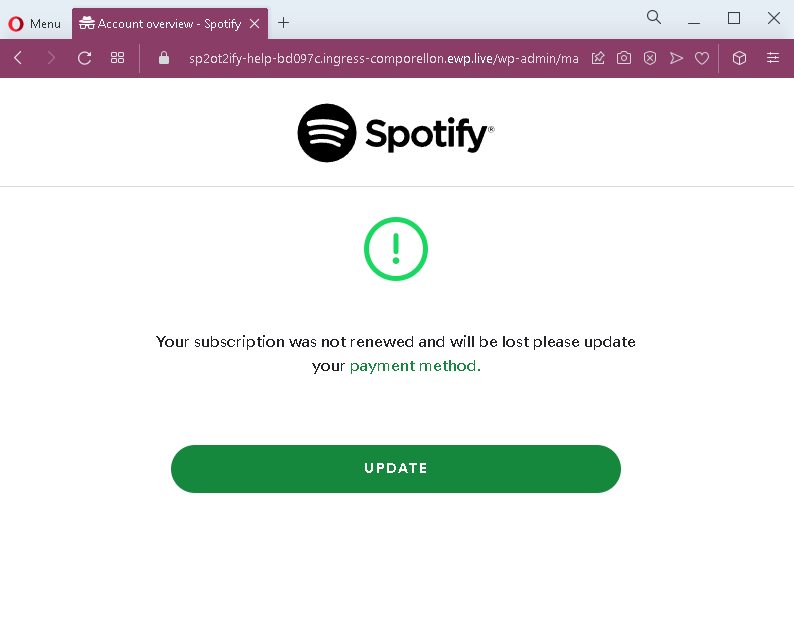
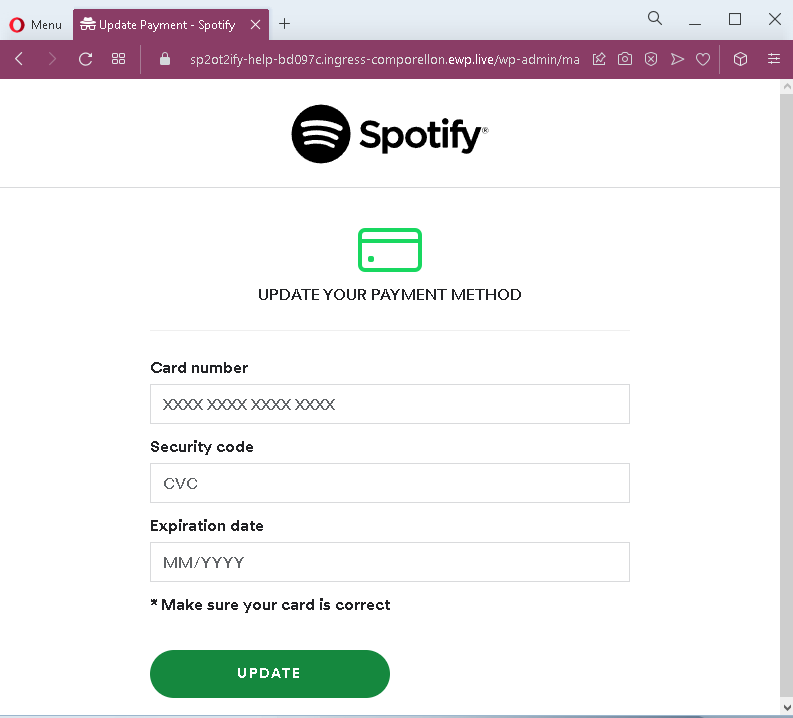
These two screenshots show a phishing campaign impersonating Spotify, targeting users with a fake subscription renewal alert. The scam threatens that the victim’s subscription will be lost unless they update their payment method, then directs them to a page that steals full credit card details.
Threat Analysis: Spotify Phishing – Fake Subscription Expiration & Card Harvesting
How it works:
The victim receives an email, SMS, or notification claiming their Spotify subscription could not be renewed and will be lost. A link leads to the first page, which repeats the warning and prompts the user to click “UPDATE.” The second page mimics Spotify’s payment interface and asks for:
- Card number
- Security code (CVV)
- Expiration date (MM/YYYY)
The goal:
The attacker collects full credit/debit card details to make fraudulent purchases or sell the information.
Red flags:
- Suspicious URL: The pages are hosted on a domain that is not
spotify.com - Urgent threat: The message claims the subscription will be lost immediately – a classic fear tactic.
- Request for CVV: Spotify never asks for your card security code via an external link.
- Generic design: The pages lack personalized account details (e.g., username, plan type, last billing date) that would appear in a genuine notification.
- Unsolicited request: Spotify does not send links requiring users to update payment methods through a separate web form.
What to do:
- Do not enter any card details.
- Open the Spotify app or website directly (type
spotify.com - If you have already entered card details, contact your bank immediately to block the card.
Protective measures:
- Never click links in unsolicited subscription alerts.
- Always manage subscriptions through the official app or website.
- Enable two‑factor authentication on your email and financial accounts.