
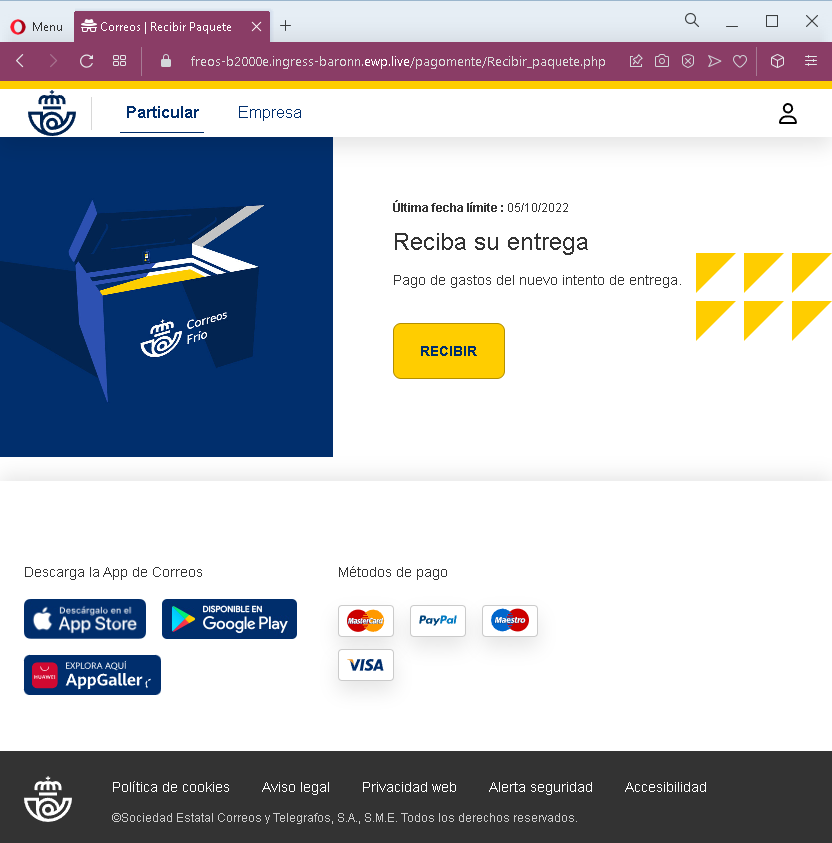
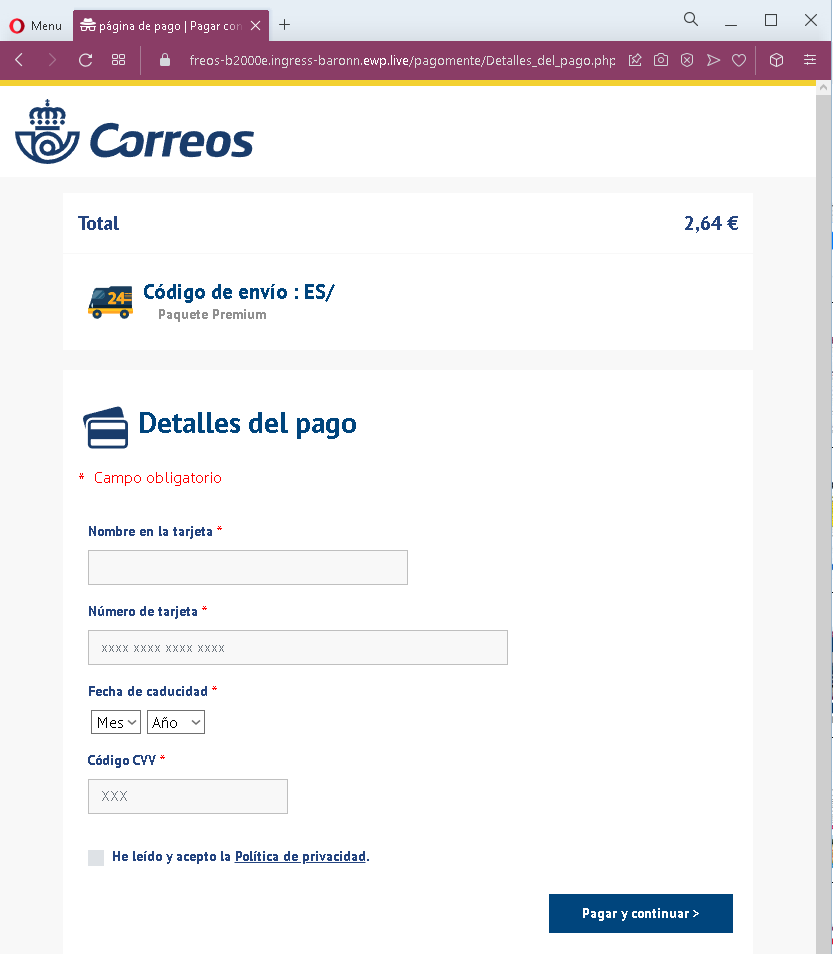
These two screenshots show a Spanish‑language phishing campaign impersonating Correos (the Spanish postal service). The scam uses a fake delivery fee (€2.64) and an urgent deadline to trick victims into providing full credit card details.
Threat Analysis: Correos Phishing – Fake “New Delivery Attempt” Fee
How it works:
The victim receives an SMS, email, or message claiming that a package is waiting and a fee is required for a new delivery attempt. The first page warns of a “last deadline” and offers a “RECIBIR” (receive) button. Clicking it leads to the second page, which asks for:
- Cardholder name
- Full card number
- Expiration date (month/year)
- CVV security code
The page displays a total of €2.64, a fake tracking reference, and a checkbox to accept a privacy policy – all designed to appear legitimate.
The goal:
The attacker captures full credit/debit card details to make fraudulent purchases or sell the information.
Red flags to watch for:
- Suspicious URL: The pages are hosted on a domain that is not
correos.es– the official Correos domain. - Request for CVV: Correos never asks for your card security code to collect a redelivery fee.
- Small fee trick: €2.64 is a trivial amount intended to lower suspicion.
- Fake tracking reference: The “Código de envío : ES/” is incomplete and cannot be verified on the real Correos site.
- Urgent deadline: The mention of a “last deadline” pressures victims to act without thinking.
- Copied branding: The pages use the Correos logo, app store badges, and footer links copied from the real website to appear authentic.
What to do if you encounter this:
- Do not enter any card or personal information.
- If you are expecting a delivery, track it directly by typing
correos.esinto your browser and using your real tracking number. - If you have already entered card details, contact your bank immediately to block the card.
- Report the phishing page to Correos (e.g., via their official fraud reporting page).
Protective measures:
- Never click links in unsolicited delivery messages. Always go directly to the official courier website.
- Never pay a “redelivery fee” via a link. Legitimate fees are handled in person, through the official app, or after logging into your account.
- Check the URL carefully: Official Correos domains end with
correos.es. Look for misspellings, extra words, or unusual top‑level domains. - Enable transaction alerts on your bank account.