
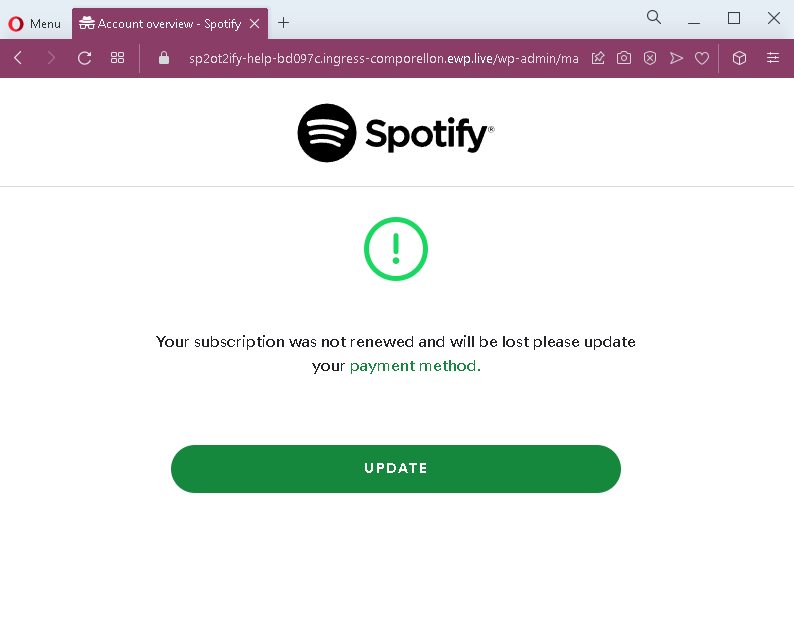
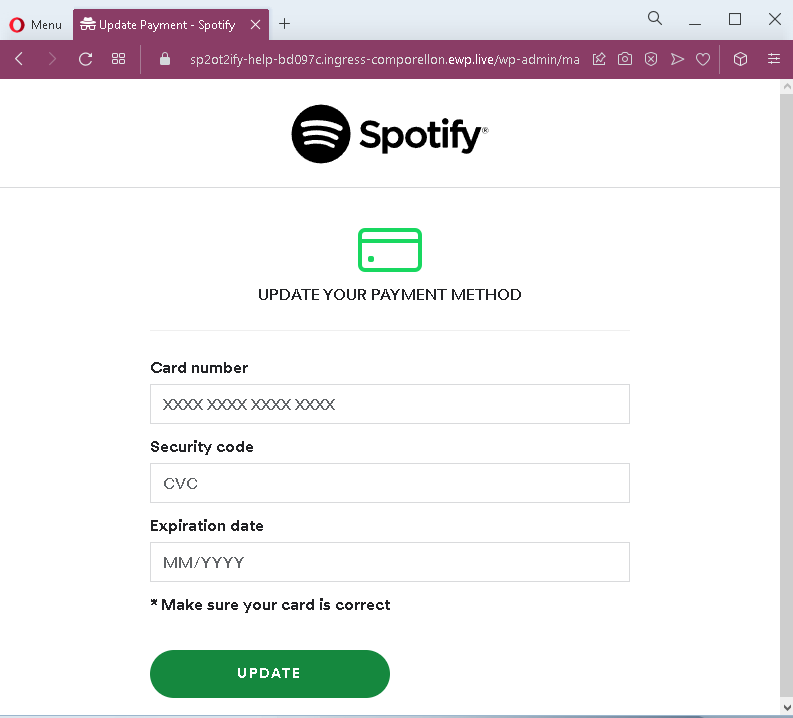
These two screenshots show a phishing campaign impersonating Spotify, targeting users with a fake subscription renewal alert. The scam threatens that the victim’s subscription will be lost unless they update their payment method, then directs them to a page that steals full credit card details.
Threat Analysis: Spotify Phishing – Fake Subscription Expiration & Card Harvesting
How it works:
The victim receives an email, SMS, or notification claiming their Spotify subscription could not be renewed and will be lost. A link leads to the first page, which repeats the warning and prompts the user to click “UPDATE.” The second page mimics Spotify’s payment interface and asks for:
- Card number
- Security code (CVV)
- Expiration date (MM/YYYY)
The goal:
The attacker collects full credit/debit card details to make fraudulent purchases or sell the information.
Red flags:
- Suspicious URL: The pages are hosted on a domain that is not
spotify.com. Legitimate Spotify payment updates are done within the account settings or official app. - Urgent threat: The message claims the subscription will be lost immediately – a classic fear tactic.
- Request for CVV: Spotify never asks for your card security code via an external link.
- Generic design: The pages lack personalized account details (e.g., username, plan type, last billing date) that would appear in a genuine notification.
- Unsolicited request: Spotify does not send links requiring users to update payment methods through a separate web form.
What to do:
- Do not enter any card details.
- Open the Spotify app or website directly (type
spotify.com) and check your account status under “Subscription.” - If you have already entered card details, contact your bank immediately to block the card.
Protective measures:
- Never click links in unsolicited subscription alerts.
- Always manage subscriptions through the official app or website.
- Enable two‑factor authentication on your email and financial accounts.