
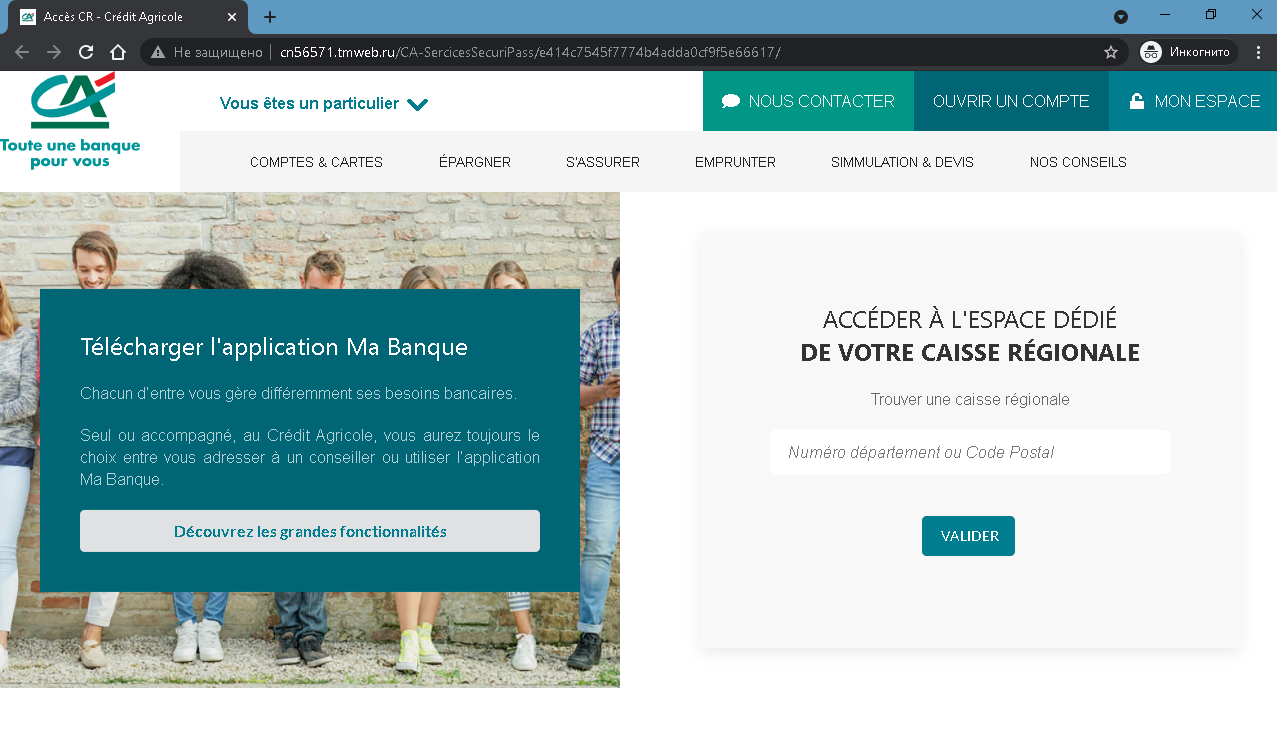
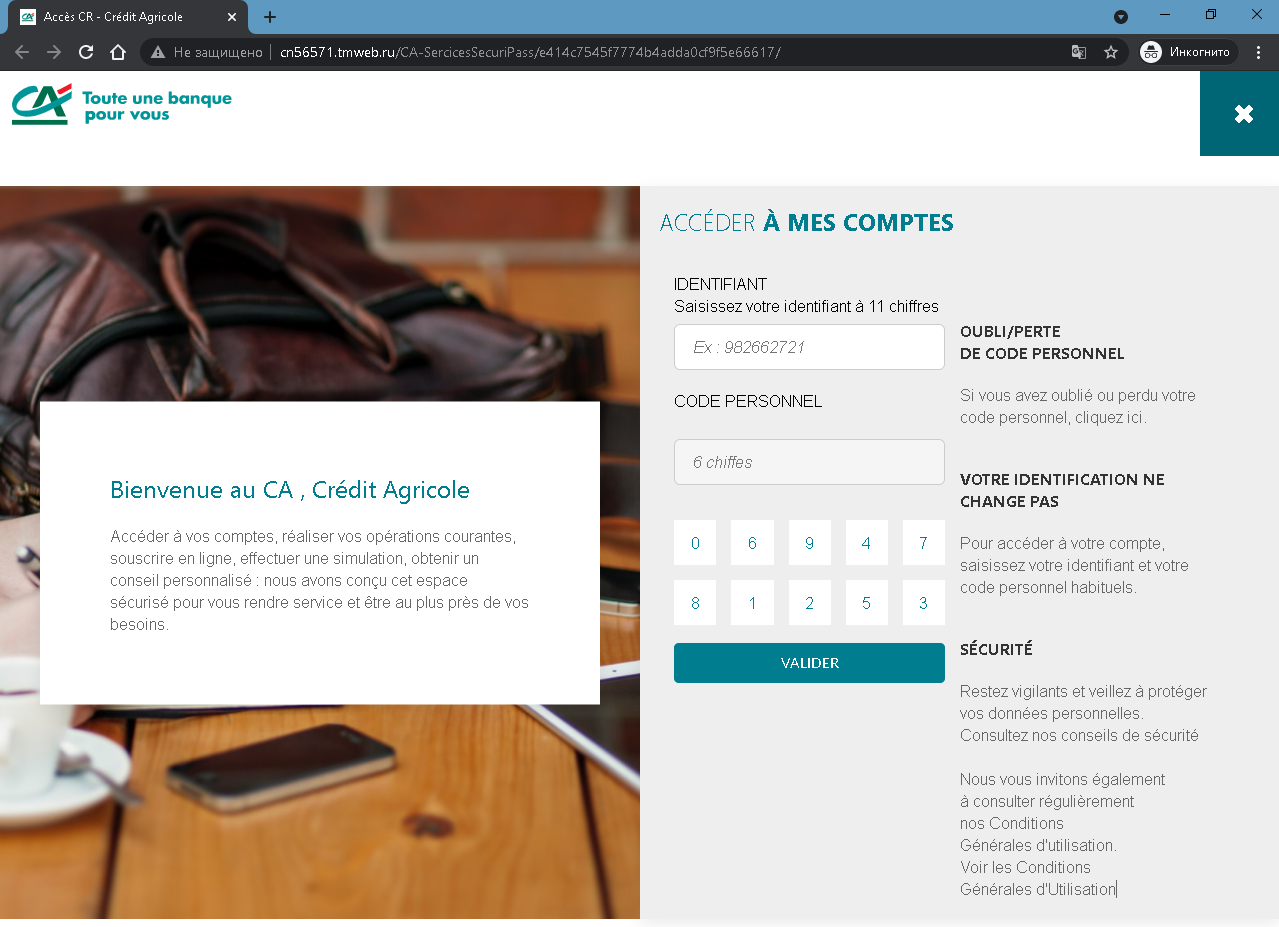
These two screenshots form a two‑step phishing campaign impersonating Crédit Agricole, a major French bank. The first page is a fake welcome / regional selection page, and the second page is the actual credential‑harvesting login form.
Security Notice: This spoofed page was detected, analyzed, and contained firsthand by the Antiphishing.biz security team during our standard URL vetting operations. To protect the public, the dangerous destination URL has been completely disabled within our infrastructure. We document and analyze these live visual patterns to help security researchers and users detect replica fraud techniques before financial damage occurs.
Threat Analysis: Crédit Agricole Phishing – Fake “Accès CR” Login Page
How it works:
The victim receives a phishing email, SMS, or other message claiming a security alert, account issue, or the need to log in to their online banking. The link leads to the first page, which mimics the legitimate Crédit Agricole public portal (with menus for accounts, cards, savings, etc.). Clicking “VALIDER” (or a similar button) leads to the second page.
The second page asks for:
- Identifiant – an 11‑digit identifier (example shown: 982662721)
- Code personnel – a 6‑digit personal code (password)
A fake virtual keyboard (digits 0–9) is displayed to make the page appear more legitimate and to bypass simple keyloggers. The victim is instructed to enter their credentials and click “VALIDER.” The information is then sent to the attacker.
The goal:
The attacker steals Crédit Agricole online banking credentials (identifier + personal code) to:
- Log into the victim’s real bank account
- View balances, transfer funds, and make unauthorized payments
- Perform further fraud or identity theft
Red flags to watch for:
- Suspicious URL: The pages are hosted on a domain that is not
credit-agricole.fr. Legitimate Crédit Agricole login pages are only on official bank domains. - Unsolicited login request: Crédit Agricole does not send links requiring customers to log in to resolve account issues.
- Fake virtual keyboard: While the real bank may use a virtual keyboard, its presence on a fake page does not guarantee legitimacy – the page is still a phishing site.
- Copied content: The first page copies legitimate Crédit Agricole branding and menus (e.g., “COMPTES & CARTES”, “Télécharger l’application Ma Banque”). Attackers use this to appear authentic, but the domain gives it away.
- No personalization or security image: A legitimate login page often displays a security phrase or image after identifier entry – this page does not.
What to do if you encounter this:
- Do not enter your 11‑digit identifier or 6‑digit personal code.
- If you are a Crédit Agricole customer, always access online banking by typing
credit-agricole.frdirectly into your browser or using the official mobile app. - If you have already entered your credentials, contact Crédit Agricole immediately to change your access codes and secure your account.
- Report the phishing page to Crédit Agricole’s fraud team (
[email protected]).
Protective measures:
- Bookmark the official Crédit Agricole login page and use that bookmark.
- Use a password manager – it will not autofill on fake domains.
- Enable two‑factor authentication (SécuriPass) through the official app.
- Be suspicious of any unsolicited message that asks you to log in via a link.
- Check the URL carefully – look for misspellings, extra words, or unusual top‑level domains.