
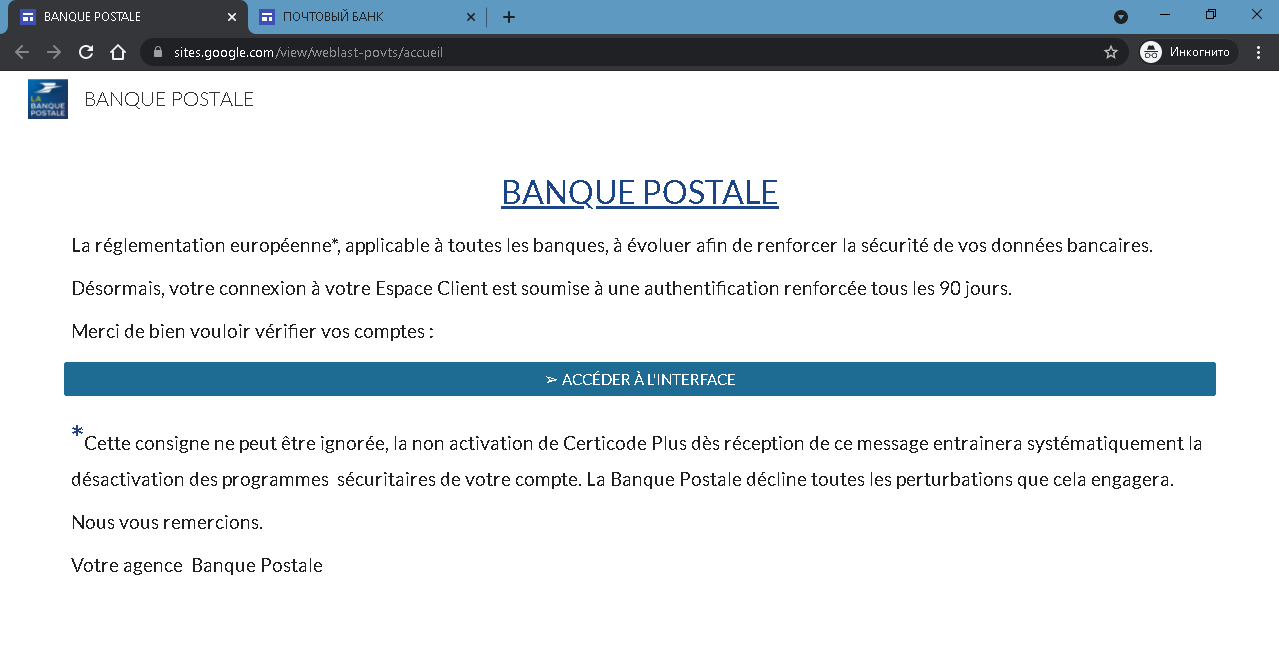
This set of screenshots shows a phishing campaign impersonating La Banque Postale, a major French bank. The scam uses a fake regulatory notification (PSD2 / European security directive) to pressure victims into clicking a link that leads to a fraudulent login page, where their online banking credentials (identifiant and password) are stolen.
Threat Intel: This spoofed page was detected, analyzed, and contained firsthand by the
Antiphishing.bizsecurity team during our standard URL vetting operations. To protect the public, the phishing source domain has been safely deactivated within our infrastructure. We document and analyze these live visual patterns to help security researchers and users spot lookalike phishing methods before financial damage occurs.
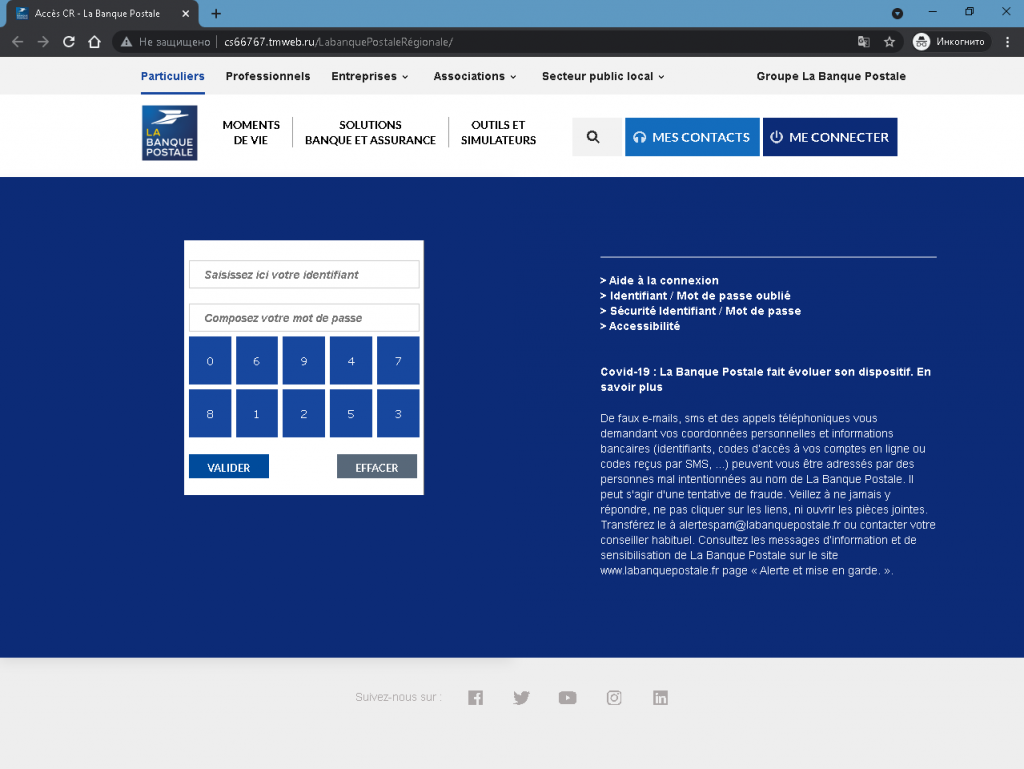
Upd: The second attack 12 days latter
Threat Analysis: La Banque Postale Phishing – Fake “Strong Authentication” Scam
How the scam works:
Step 1 – Fake Regulatory Alert (First Screenshot)
The victim receives an email or lands on a page claiming that due to new European regulations, online banking logins now require “strong authentication” every 90 days. The message warns that ignoring the request will lead to the deactivation of security programs on the account – a classic fear tactic. A button labelled “ACCÉDER À L’INTERFACE” (Access the interface) directs the victim to the next page.
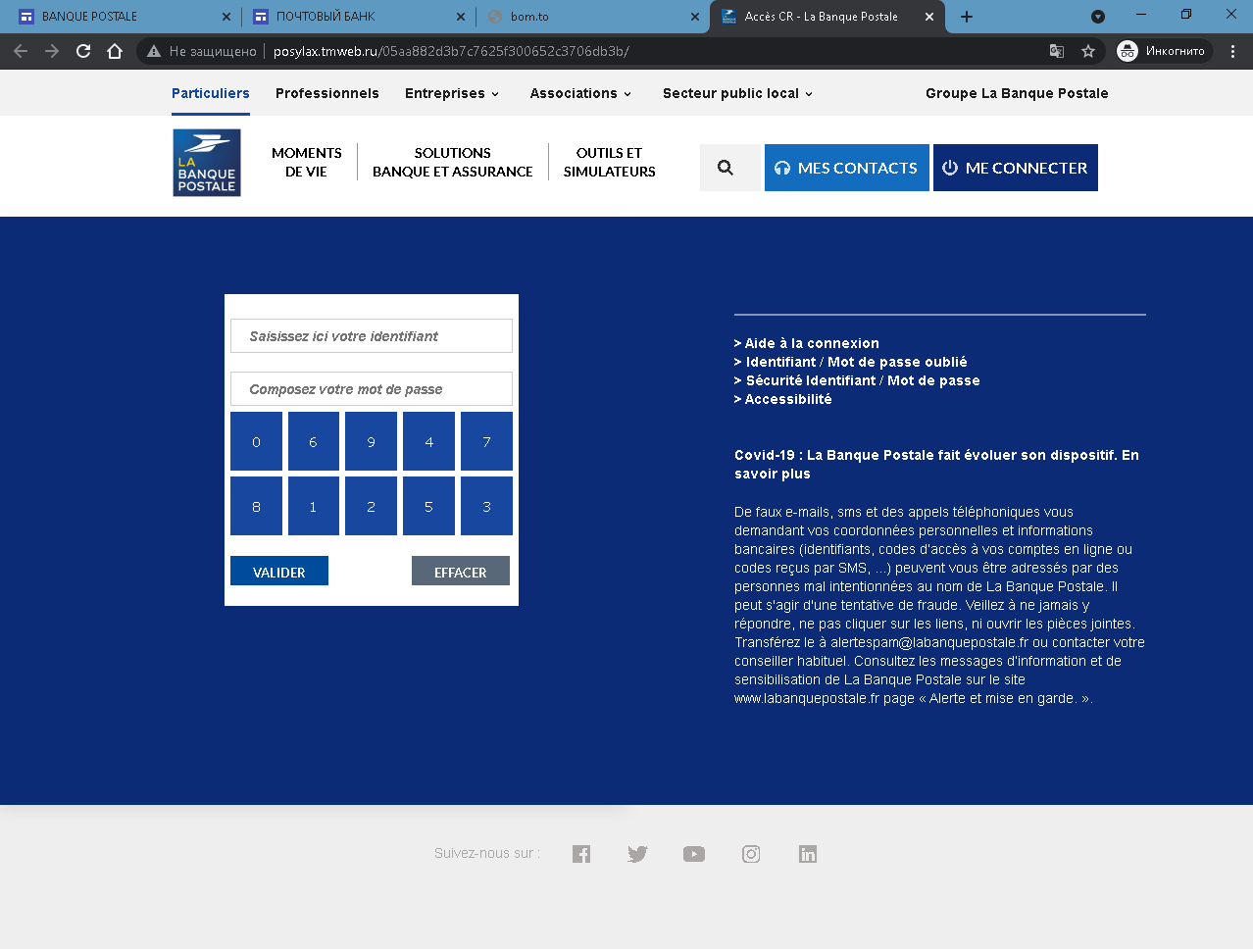
Step 2 – Fake Login Page (Second and Third Screenshots)
The victim is taken to a page that mimics La Banque Postale’s client space. The page asks for:
- Identifiant (login identifier)
- Mot de passe (password)
A fake virtual keyboard (showing digits 0–9) is included to make the page appear more legitimate. The page also contains a warning about phishing attempts – ironically, this warning is copied from the real bank’s website and placed on a fake page to trick victims into believing the site is authentic.
The goal:
The attacker steals the victim’s La Banque Postale online banking credentials to:
- Log into the victim’s real bank account
- View balances, transfer funds, and make unauthorized payments
- Commit fraud or identity theft
Red flags to watch for:
- Suspicious URL: The pages are hosted on domains that are not
labanquepostale.fr - Unsolicited “regulatory” request: La Banque Postale does not send links requiring customers to log in to comply with PSD2 or any other regulation. Such updates are handled through the official app or website after normal login.
- Threat of consequences: The warning that ignoring the message will lead to deactivation of security programs is a classic fear tactic.
- Fake virtual keyboard: While the real bank may use a virtual keyboard, its presence on a fake page does not guarantee safety – the page is still a phishing site.
- Ironically, the anti‑phishing warning: The page includes a legitimate‑looking warning about fake emails and SMS, copied from the real bank. Attackers use this to appear credible, but it is being displayed on a phishing page itself.
- Copied content and branding: The page copies La Banque Postale’s menus, COVID‑19 notices, and social media links. This content is stolen from the real website.
What to do if you encounter this:
- Do not click any buttons or enter your identifier or password.
- If you are a La Banque Postale customer, always access online banking by typing
labanquepostale.fr - If you have already entered your credentials, contact La Banque Postale immediately to change your access codes and secure your account.
- Report the phishing page to La Banque Postale’s fraud team (e.g.,
[email protected]).
Protective measures:
- Bookmark the official La Banque Postale login page and use that bookmark.
- Use a password manager – it will not autofill on fake domains.
- Enable two‑factor authentication (Certicode Plus) through the official app.
- Be suspicious of any unsolicited message that creates urgency, threatens account deactivation, and asks you to log in via a link.
- Check the URL carefully – look for misspellings, extra words, or unusual top‑level domains.