
These screenshots show a phishing campaign impersonating Pinkoi (a popular e‑commerce platform for designers and handmade goods) and an associated seller named “Amberlithuania”. The scam uses a fake account suspension notice to trick victims into providing full bank card details and personal information.
Threat Intel: This scam layout was logged, cross-checked, and neutralized firsthand by the
Antiphishing.bizsecurity team during our automated link scanning workflows. To protect the public, the phishing source domain has been fully defanged within our infrastructure. We document and analyze these live visual patterns to help security researchers and users spot lookalike phishing methods before financial damage occurs.
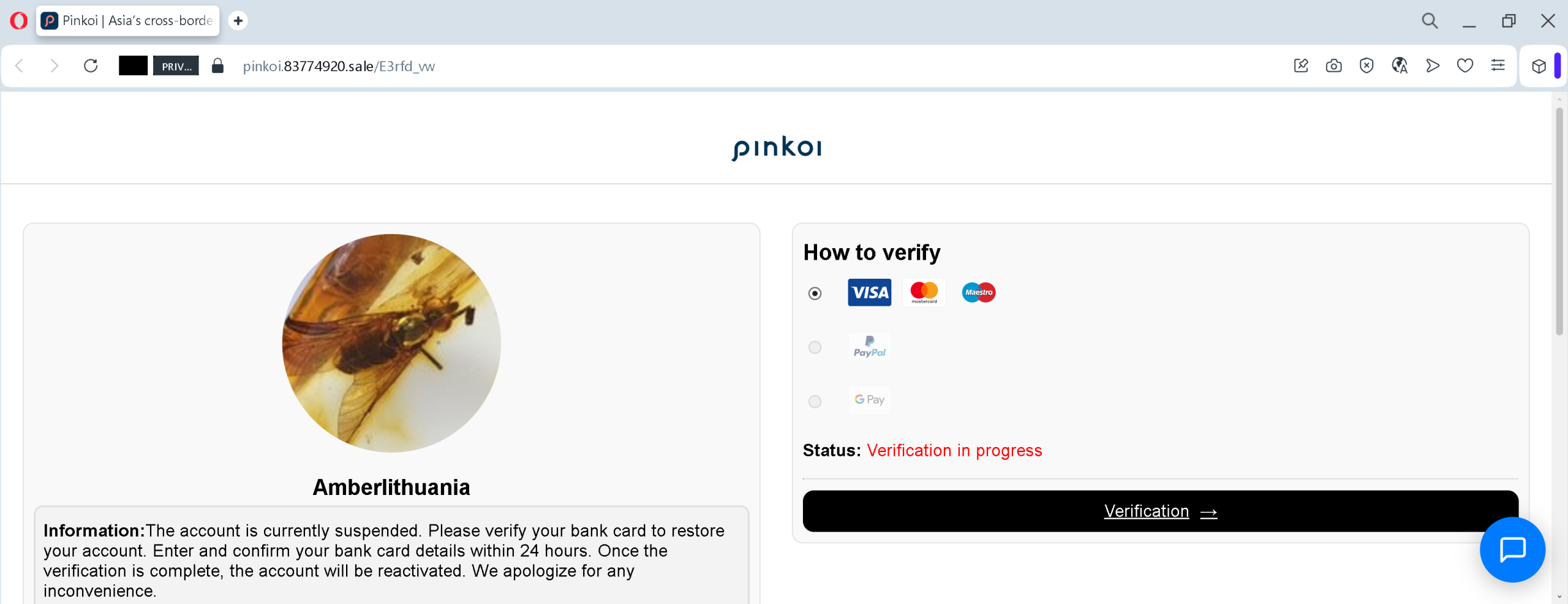
Threat Analysis: Pinkoi Seller Phishing – Fake “Account Suspended” / Card Verification Scam
How it works:
- Fake Suspension Notice – The victim (likely a seller or buyer on Pinkoi) sees a page claiming that the “Amberlithuania” account is suspended and must verify a bank card within 24 hours to restore access. Logos of Visa, Mastercard, PayPal, and Google Pay are shown to create a false sense of security.
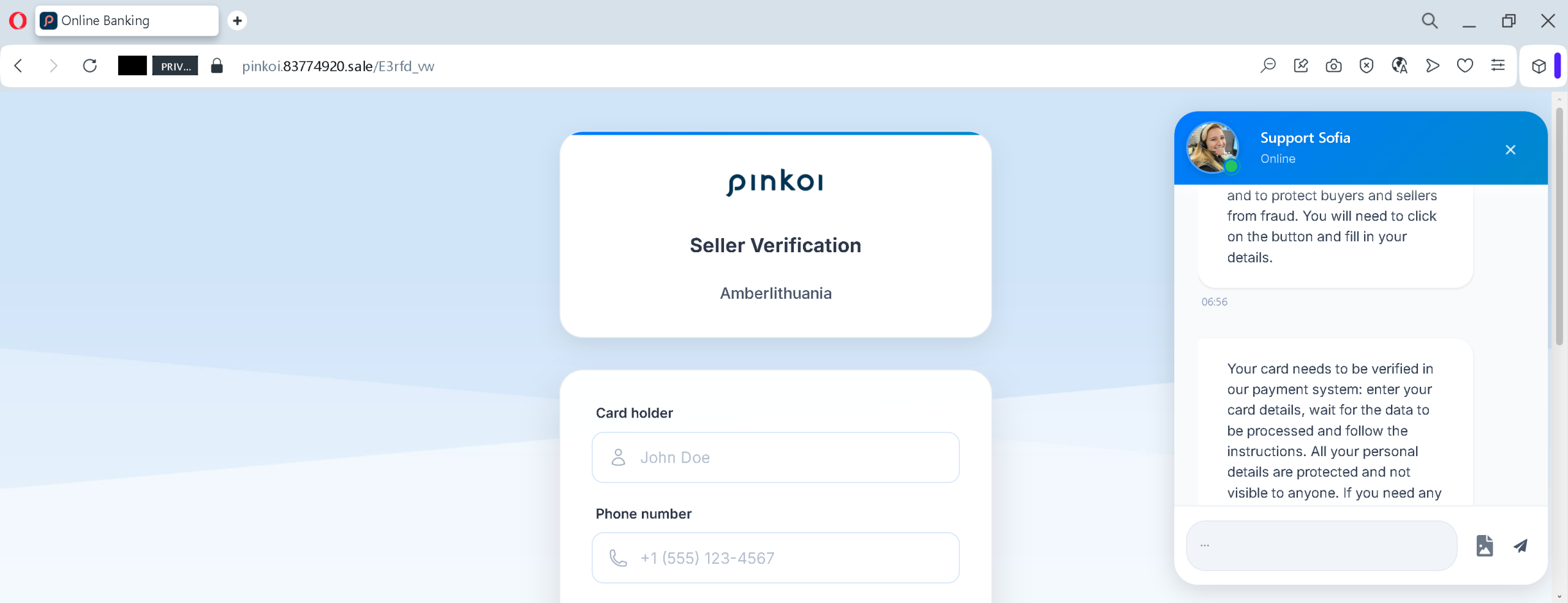
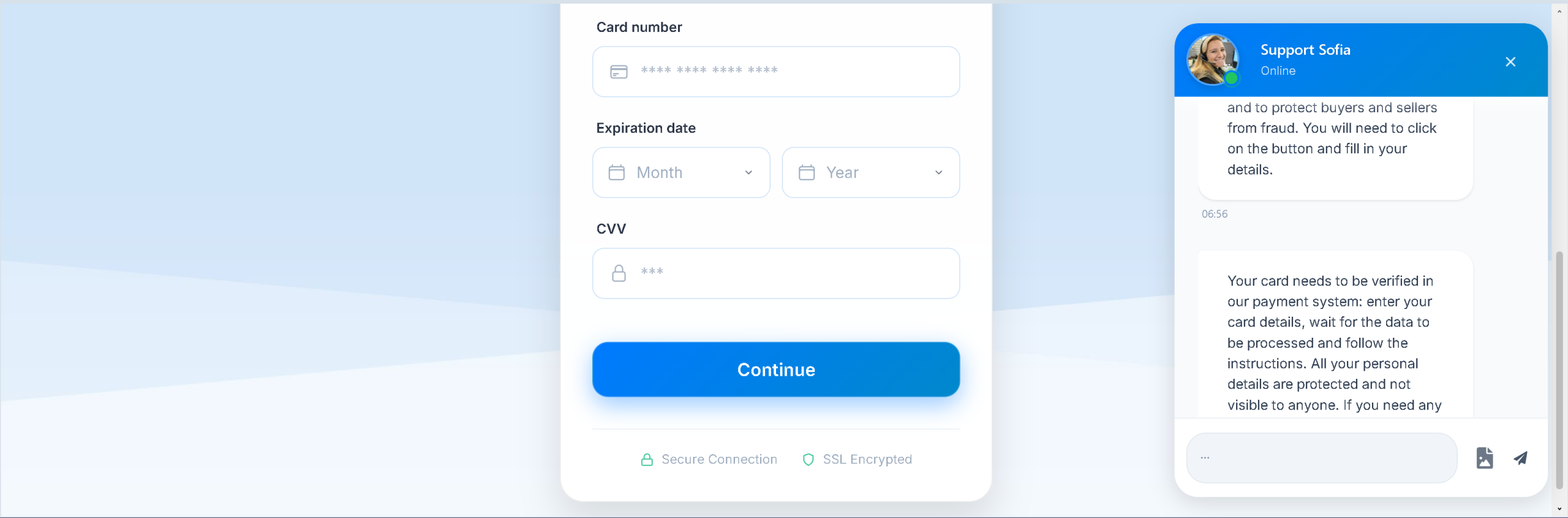
- Card Details Request – The victim is directed to a page that asks for card number and later cardholder name and phone number. A fake “Secure Connection” badge and SSL claim are added to appear legitimate.
- Urgency and False Reassurance – The message states that verification must be completed within a limited time (24 hours) and claims that all personal details are protected and not visible to anyone – a common tactic to lower suspicion.
The goal:
The attacker steals:
- Full credit/debit card number
- Cardholder name
- Phone number
With this information, the attacker can make fraudulent online purchases, clone the card, or sell the data on criminal markets. There is no actual account suspension – the entire notice is fabricated.
Red flags to watch for:
- Suspicious URL: The page is hosted on a domain like
pinkoi.83774920.salepinkoi.com - Request for full card details to “verify” an account: Legitimate platforms never ask for your card number, expiration date, or CVV to reactivate a suspended account. Such verification would happen through official payment gateways or by contacting support directly.
- Threat of immediate suspension / limited time: The 24‑hour deadline is a classic pressure tactic to prevent victims from thinking critically.
- Fake “Secure Connection” badge and SSL claim: These are copied from legitimate sites but do not guarantee safety – the page is still a phishing site.
- Poor design / generic layout: The pages lack the full Pinkoi branding, navigation, and security notices that would appear on the real site.
What to do if you encounter this:
- Do not enter any card details, personal information, or phone number.
- If you are a Pinkoi user, always access your account by typing
pinkoi.com - If you have already entered card details, contact your bank immediately to block the card and dispute any unauthorized charges.
- Report the phishing page to Pinkoi’s security team.
Protective measures:
- Never click links in unsolicited messages claiming your account is suspended or needs verification.
- Always type the official website URL directly into your browser.
- Never provide your card details, CVV, or expiration date in response to an account suspension notice.
- Enable two‑factor authentication on your e‑commerce and email accounts.
- Check the URL carefully – look for misspellings, extra words, or unusual top‑level domains (e.g.,
.sale.xyz