
A phishing campaign targeting MidFirst Bank customers utilizes a “Security Update” pretext, employing SMS or email to prompt users to sync accounts on a fraudulent website. This high-level threat harvests login credentials and real-time One-Time Passcodes (OTP) via a clone of the official MidFirst login page, enabling immediate account takeover.
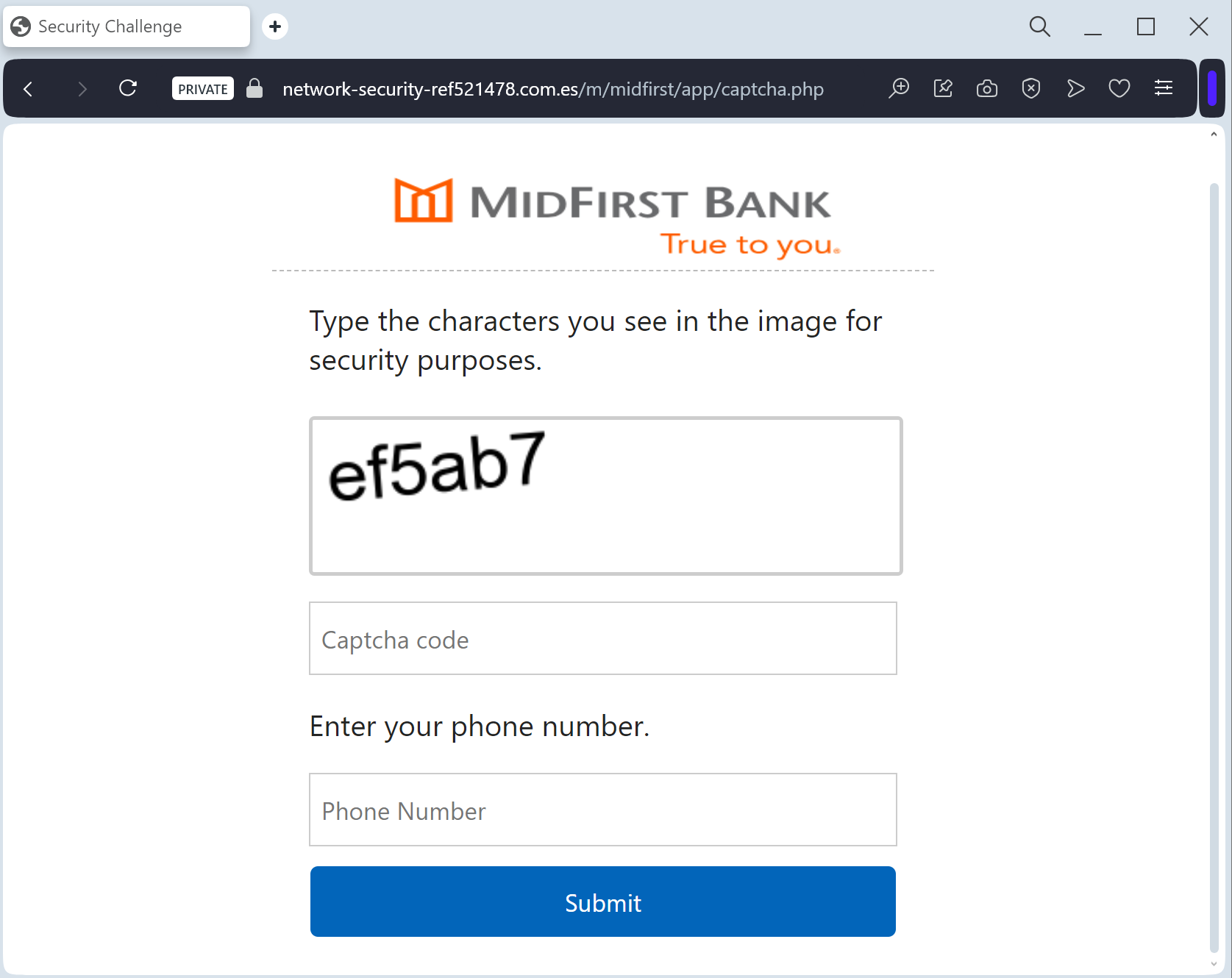
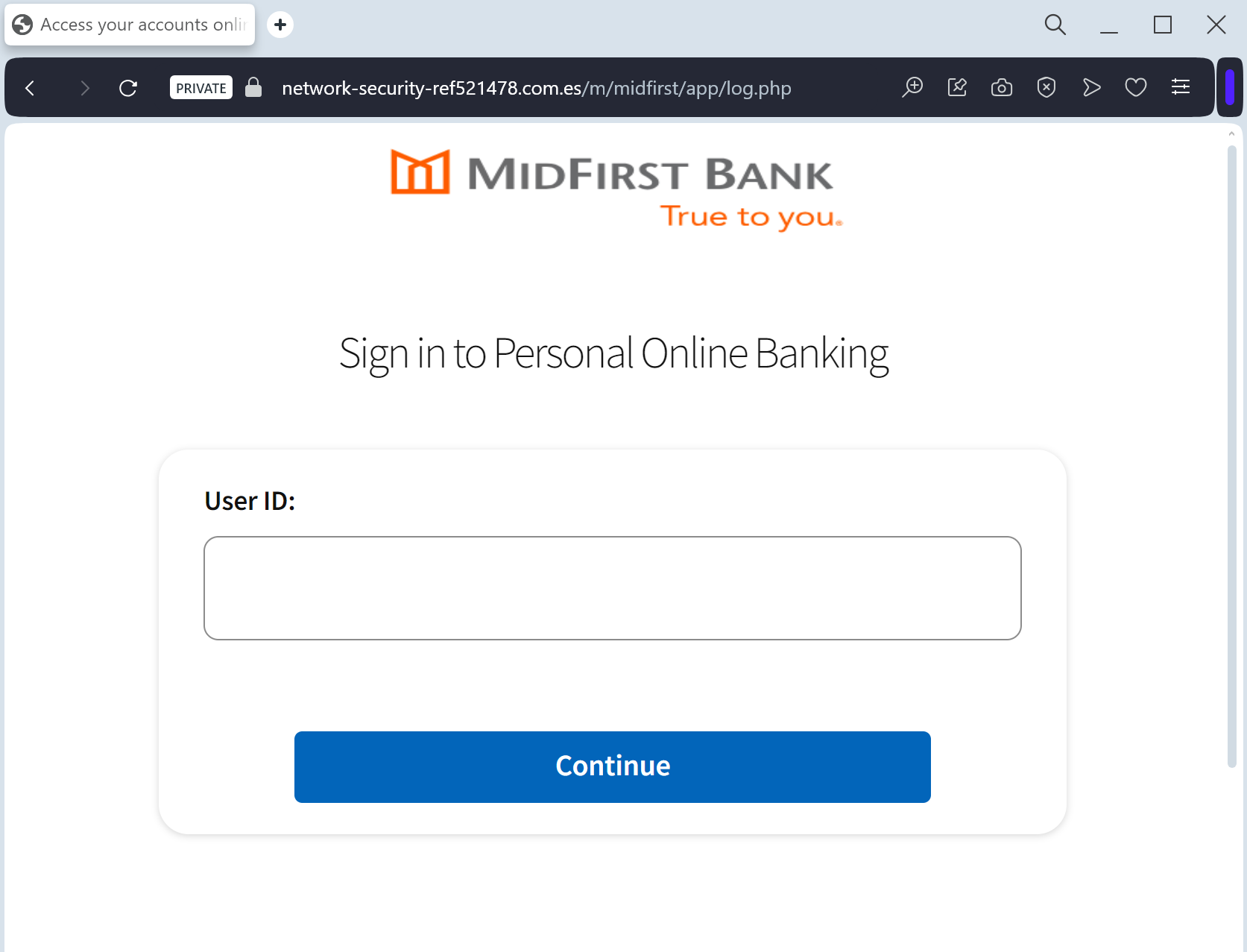
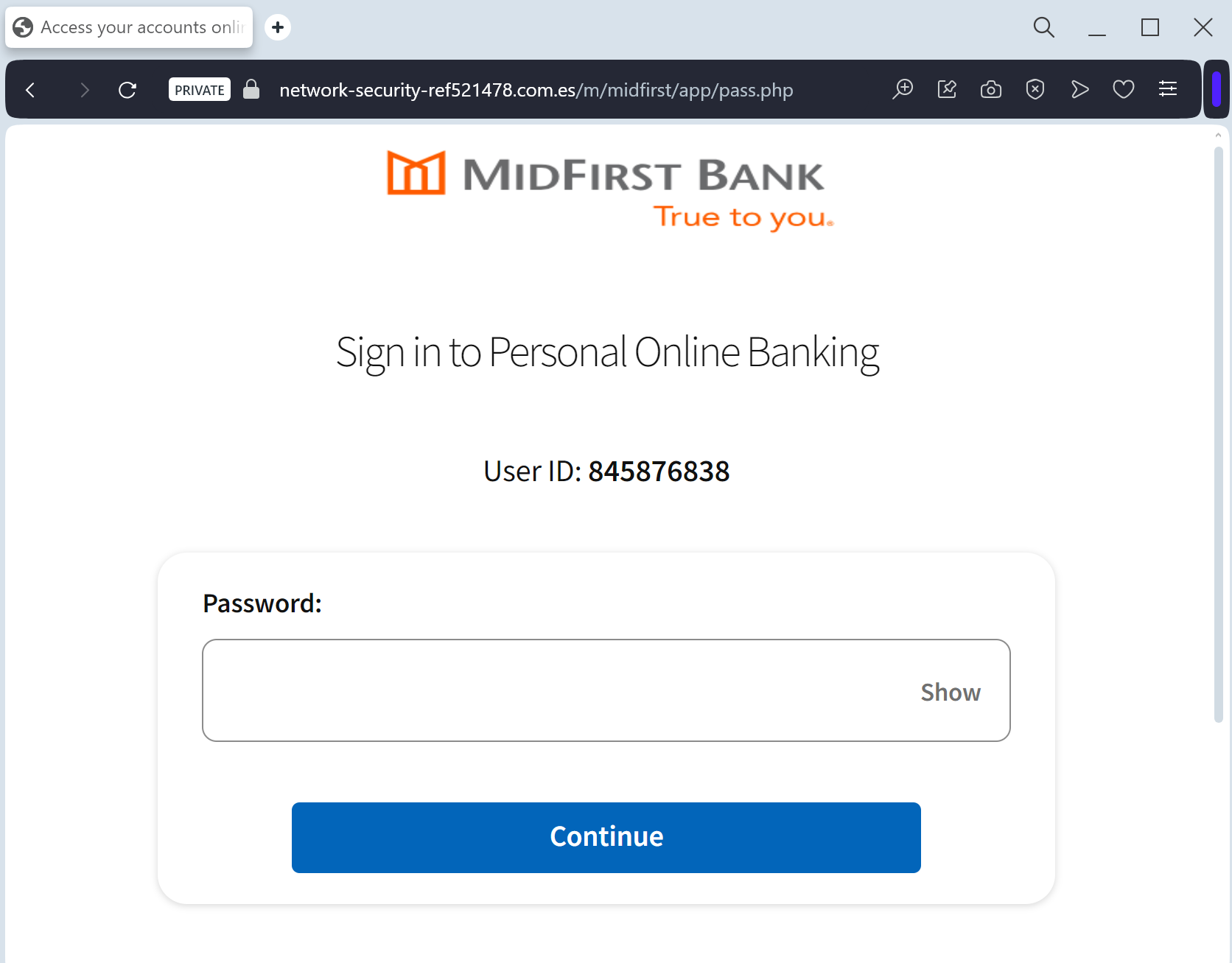
MidFirst Bank “Personal Banking Security” Phishing
Target: Customers of MidFirst Bank (USA)
Threat Level: Critical (Identity Theft & Full Account Takeover)
Phishing Method Description
This attack targets the Personal Banking users of MidFirst Bank. Scammers use a “Security Update” or “Unauthorized Login” pretext, sending out Smishing (SMS) or Phishing Emails claiming that an “Unauthorized Device” has logged into the account or that a “Security Maintenance” procedure is required to keep the account active.
The link leads to a high-fidelity clone of the official MidFirst login portal. This sophisticated phishing kit is specifically designed to harvest:
Online Banking ID / Username
Password
Social Security Number (SSN) (Full or last 4 digits)
Security Challenge Questions & Answers: The fake site prompts the victim to provide answers to their secret questions (e.g., Mother’s maiden name, childhood pet).
MFA / One-Time Passcodes (OTP): Intercepted in real-time to bypass two-factor authentication.
⚠️ Red Flags to Watch For
Deceptive Domain: The official domain is midfirst.com. Phishing sites use lookalikes such as midfirst-secure-login.com, midfirst-online-verify.net, or free hosting subdomains like midfirst-portal.web.app.
Excessive Information Requests: A legitimate bank will never ask you to provide your full Social Security Number and answers to all your security questions on a single page just to “log in.”
Requests for MFA during Login: If a site asks for an MFA code immediately after you enter your password on an unfamiliar page you reached via a link, it is a sign of a real-time interception (MitM) attack.
🛡️ How to Protect Yourself
The “Manual Entry” Rule: Always access MidFirst Bank by typing ://midfirst.com manually into your browser’s address bar. Never use links from unexpected emails or text messages.
Use the Mobile App: Manage your accounts through the official MidFirst Bank Mobile App. Authentic security alerts will be delivered inside the secure app environment.
Never Share Security Answers: Treat your security question answers like secondary passwords. No bank will ask for them via an unsolicited link.
Verify the SMS Source: Official alerts come from short codes. If you receive a banking alert from a standard 10-digit mobile number, treat it as a scam.
💡 Expert Security Tip: Security Question Harvesting
The Method:
This case highlights an Identity Profiling Attack. Scammers are not just looking for your password; they want to harvest your Security Challenge Questions.
The Trap:
By providing these answers, you are giving the hackers a permanent “backdoor” to your account. Even if you change your password, they can use these stolen answers to reset it or bypass future security checks.
How to Protect Yourself:
Treat Security Answers as Passwords: Never enter them on any website that you reached through a link.
The “Context” Rule: A bank already knows your security answers; they should only ask for one at a time for verification, never all of them at once in a bulk “update” form.
MFA is Your Shield: Always use an app-based authenticator if possible, as it is much harder to phish than SMS codes or secret questions.