
A sophisticated Man-in-the-Middle (MitM) phishing campaign targeting Swedbank customers across the Baltic and Nordic regions, utilizing fraudulent Smart-ID and BankID authentication requests to steal credentials in real-time [1]. Attackers deploy malicious clones of the Swedbank login portal to harvest Personal Identity Numbers, phone numbers, and PINs, using them instantly on the legitimate site to hijack sessions and authorize fraudulent transfers.
Threat Intel: This deceptive layout was logged, cross-checked, and neutralized firsthand by the
Antiphishing.bizsecurity team during our standard URL vetting operations. To protect the public, the phishing source domain has been completely disabled within our infrastructure. We document and analyze these live visual patterns to help security researchers and users spot lookalike phishing methods before financial damage occurs.
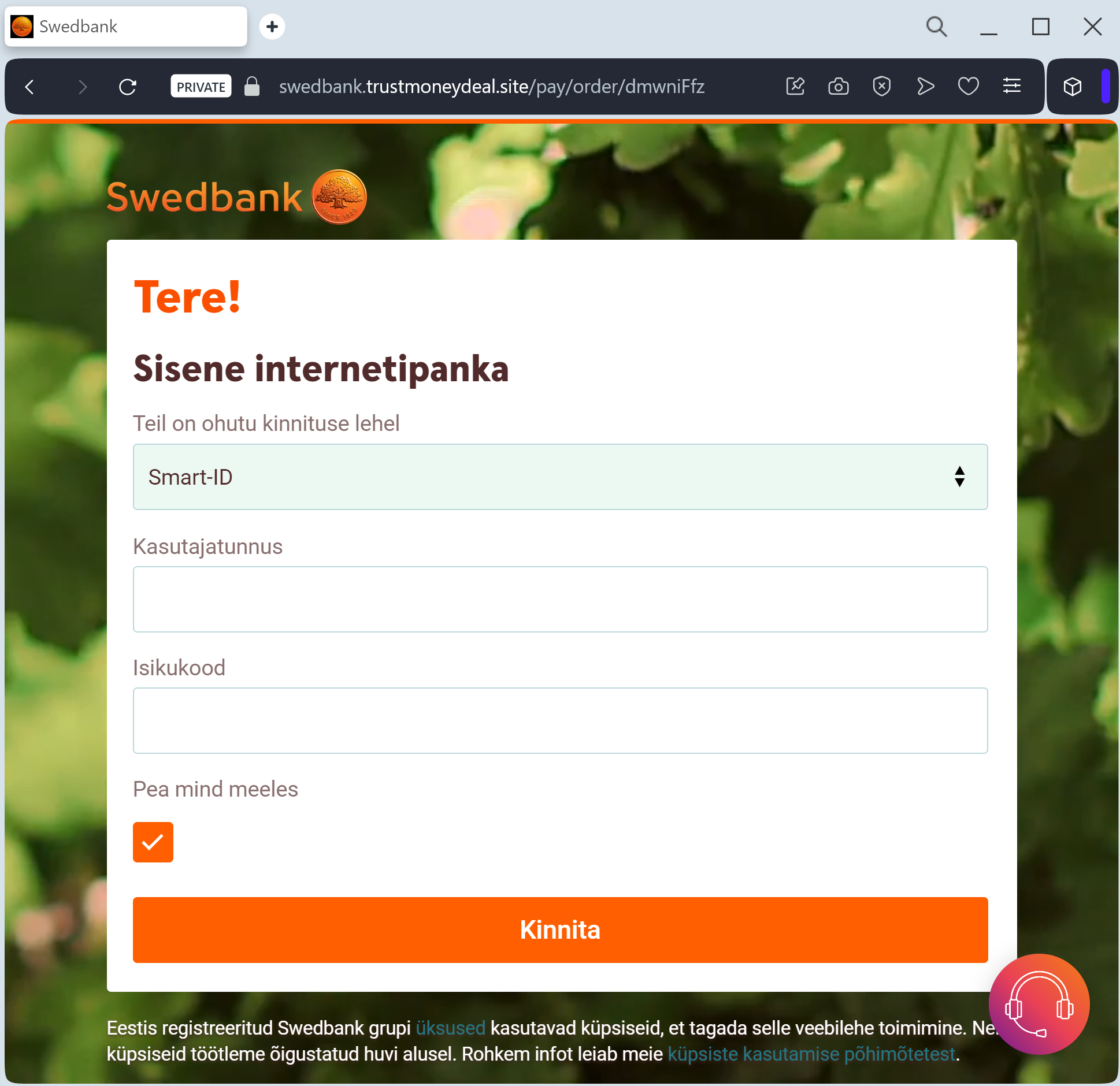
Swedbank “Security Synchronization” Phishing
Target: Customers of Swedbank (Sweden & Baltic States)
Threat Level: Critical (Smart-ID / BankID Interception)
Phishing Method Description
This attack targets the Digital Banking users of Swedbank. Scammers use a “Security Alert” or “Account Update” pretext, sending out Smishing (SMS) or Phishing Emails claiming that your “Personal Identification” is expiring or that “Unusual activity” requires a manual login to verify your identity.
The link leads to a pixel-perfect replica of the Swedbank login portal. This sophisticated phishing kit is specifically designed to harvest:
Personal Identity Number (Personnummer / Isikukood)
Security Method Selection (Smart-ID, BankID, or Mobile BankID)
Authentication Codes: The fake site triggers a real authentication request on the victim’s phone (Smart-ID or BankID app). The victim, thinking they are logging in, enters their PIN1 or PIN2 on their mobile device, which effectively signs a fraudulent transaction or authorizes a session for the attacker.
Red Flags to Watch For
Deceptive Domain: The official domain is
swedbank.se (Sweden), swedbank.ee (Estonia), etc. Phishing sites use lookalikes such as swedbank-verifying.online, secure-swedbank-login.net, or free hosting subdomains like swedbank.web.app.Unexpected App Prompts: If your Smart-ID or BankID app suddenly asks for a PIN when you didn’t manually type the official bank address into your browser, it is a 100% phishing attempt.
Links in Security Messages: Swedbank has a strict policy: they will never include clickable links in SMS messages regarding account security or login verification.
How to Protect Yourself
The “Manual Entry” Rule: Always access your bank by typing the official address manually (e.g.,
www.swedbank.se). Never click links in messages.Check the App Context: Before entering your PIN in the Smart-ID/BankID app, check the control code (the 4-digit number). It must match the one shown on a website you personally accessed.
Never Confirm Unsolicited Requests: If an app prompt appears “out of the blue,” Cancel it immediately. It means someone has already entered your ID number on a fraudulent site.
Expert Security Tip:
The “Invisible Authorization” TrapThe Method:
This case highlights an Advanced Session Hijacking attack. Scammers are not just stealing a password; they are tricking you into using your Smart-ID or BankID to let them in.
The Trap:
When you enter your ID on the fake site, the threat actors trigger a legitimate login request to the real bank. You then receive a notification on your phone. If you enter your PIN, you are not “verifying your identity” on the fake site—you are signing a digital signature that hands over full control of your real bank account to the attacker in seconds.
How to Protect Yourself:
Control Codes are Key: Always verify that the Control Code on the website matches the one in your app. If you are on a phishing site, the codes might match (because the threat actor is mirroring the real bank), but the context is wrong.
The “Initiator” Rule: Only enter your PIN if YOU were the one who initiated the login process via a trusted browser or the official app.
Zero Trust for Links: Swedbank and other Baltic/Nordic banks will never send you a link to “Log in” or “Update” your security credentials via SMS or email.