

Threat Analysis: Banrural Phishing – Full Account Takeover with SMS Code Harvesting
This phishing campaign impersonates Banrural (Banco de Desarrollo Rural), one of the largest banks in Guatemala. The scam uses a multi-step process to capture the victim’s username, password, and the SMS verification code (two-factor authentication), allowing attackers to bypass security measures and take over the account.
How it works:
The victim receives a phishing email, SMS, or other message claiming a security alert, account issue, or the need to verify their information. The message includes a link to the first phishing page.
Step 1 – Fake Username Page
The first page asks for the victim’s username. It uses Banrural branding and includes a “Siguiente” (Next) button.
Step 2 – Fake Password Page
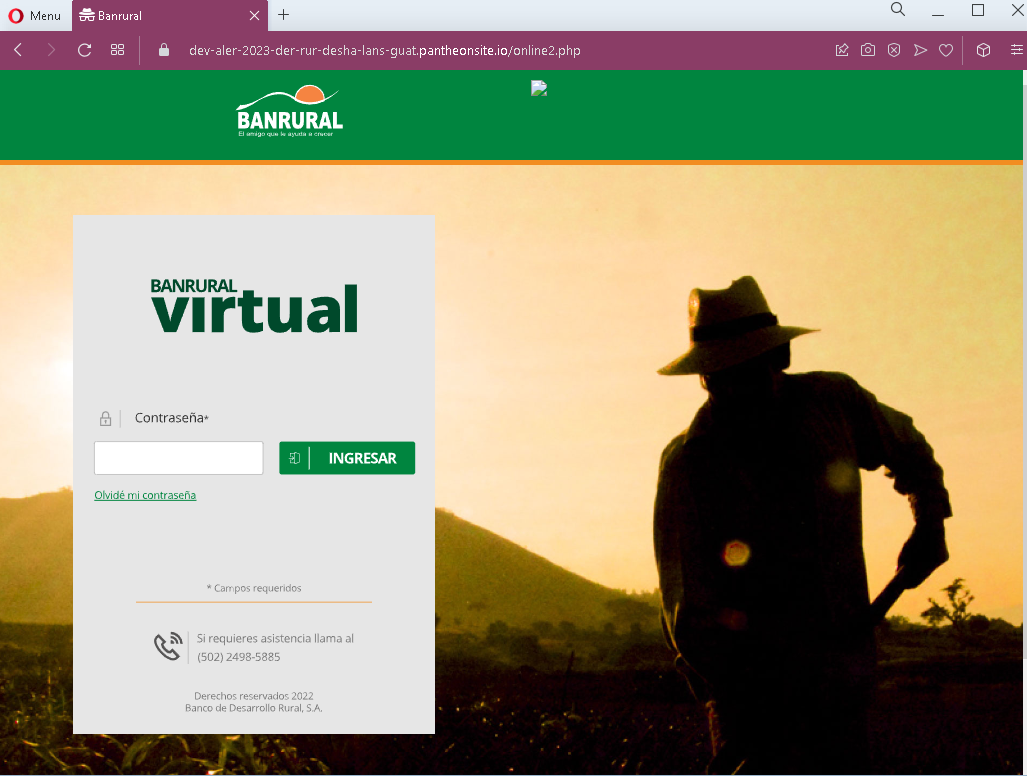
The second page asks for the victim’s password. After entering the password, the victim clicks “Ingresar” (Login).
Step 3 – Fake “Processing” Waiting Page
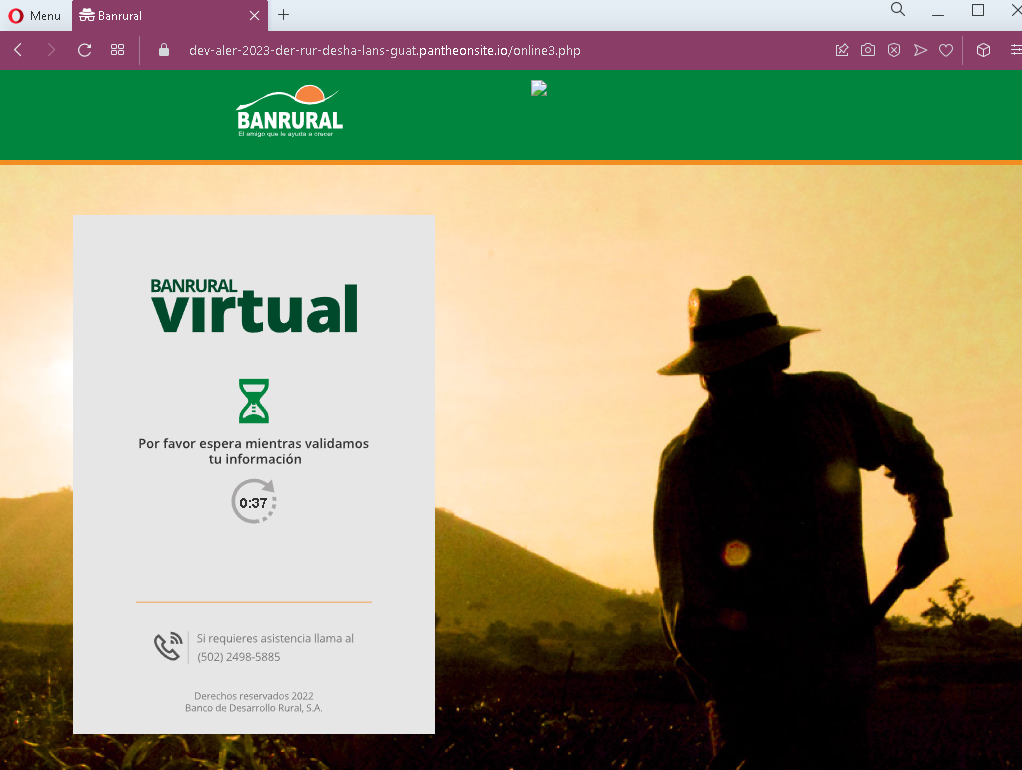
The third page displays a fake loading screen (“Por favor espera mientras validamos tu información” – “Please wait while we validate your information”) with a countdown timer. This page is designed to create a sense of legitimate processing while the attacker, in the background, uses the stolen username and password to log into the real Banrural site and trigger an SMS verification code to the victim’s phone.
Step 4 – Fake SMS Code Page
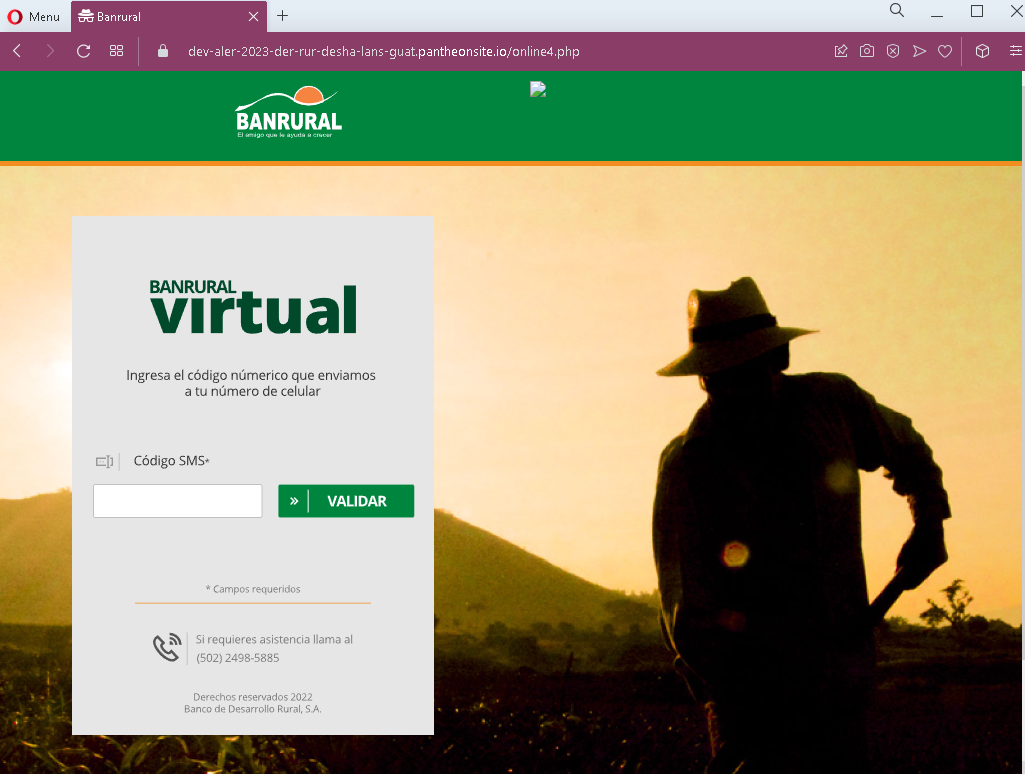
The fourth page asks for the SMS verification code (labeled as “Código SMS”). This is the two-factor authentication (2FA) code that the victim receives on their phone. When the victim enters this code, the attacker captures it and uses it to complete the login on the real Banrural site.
The goal:
The attacker aims to gain full access to the victim’s Banrural online banking account. By capturing the username, password, and SMS 2FA code in real time, they can log in and perform unauthorized transactions before the victim realizes what has happened.
Red flags to watch for:
- Suspicious URL: The pages are hosted on domains that are not
banrural.com.gtor any official Banrural domain. Legitimate Banrural online banking is accessed through the official website. Always check the address bar. - Unsolicited login request: Banrural does not send emails or messages with links requiring customers to log in to resolve account issues. Customers should always access online banking by typing the URL directly or using the official app.
- Multi-step design with fake waiting page: The inclusion of a “processing” page with a timer is a classic phishing tactic designed to buy time for the attacker to trigger the real SMS code on the legitimate site.
- No personalization or security image: Legitimate Banrural login pages may display a security image or personalized greeting after entering the username. These pages lack such features.
- Request for SMS code without context: The fourth page asks for the SMS code without displaying the phone number or providing context, which is common in phishing kits.
What to do if you encounter this:
- Do not enter your username, password, or SMS verification code on these pages.
- If you are a Banrural customer, always access online banking by typing
banrural.com.gtdirectly into your browser or by using the official Banrural mobile app. - If you have already entered your credentials but not the SMS code, contact Banrural immediately to change your password and secure your account.
- If you have entered the SMS code as well, the attacker may have already accessed your account. Contact Banrural’s fraud department immediately to block your account and reverse any unauthorized transactions.
- Report the phishing page to Banrural’s security team.
Why this scam is particularly dangerous:
This is a real-time account takeover phishing kit. The attacker does not just collect credentials for later use—they use the stolen username and password immediately to log into the real bank and trigger an SMS code. The fake “processing” page is designed to keep the victim waiting while this happens. When the victim enters the SMS code on the phishing page, the attacker uses it to complete the login, often gaining full access to the account within minutes.
Protective measures:
- Bookmark the official Banrural login page and use that bookmark to access online banking—never click links in emails or messages.
- Use a password manager: It will autofill only on legitimate
banrural.com.gtdomains, not on phishing sites. - Be extremely cautious if a login process asks for your SMS code on a page you reached via a link. Legitimate banks only ask for 2FA codes after you have initiated a login on their official site.
- Enable additional security alerts on your bank account to receive notifications of logins and transactions.
- Be suspicious of any unsolicited message that creates urgency and asks you to log in to your bank account.
- Check the URL carefully: Legitimate Banrural domains end with
banrural.com.gt. Look for misspellings, extra words, or unusual top-level domains. - If in doubt, contact Banrural directly using a phone number from your bank statement or the official website—never use contact information provided in a suspicious message.