
Threat Analysis: Global Bank Phishing – Fake “Token” Verification & 2FA Code Harvesting
This phishing campaign impersonates Global Bank, a financial institution operating in Panama and other Central American countries. The scam is designed to capture the victim’s dynamic password (token) —the one-time two-factor authentication (2FA) code used to authorize transactions and logins. This code is the final layer of security; by stealing it, attackers can bypass the bank’s primary defenses.
How it works:
The victim receives a phishing email, SMS, or other message claiming a security alert, account issue, or the need to verify their information. The message includes a link to the first phishing page. The attack likely occurs after the victim has already entered their primary credentials (username and password) on a previous phishing page (not shown in these screenshots).
Step 1 – Fake Global Bank Landing/Information Page
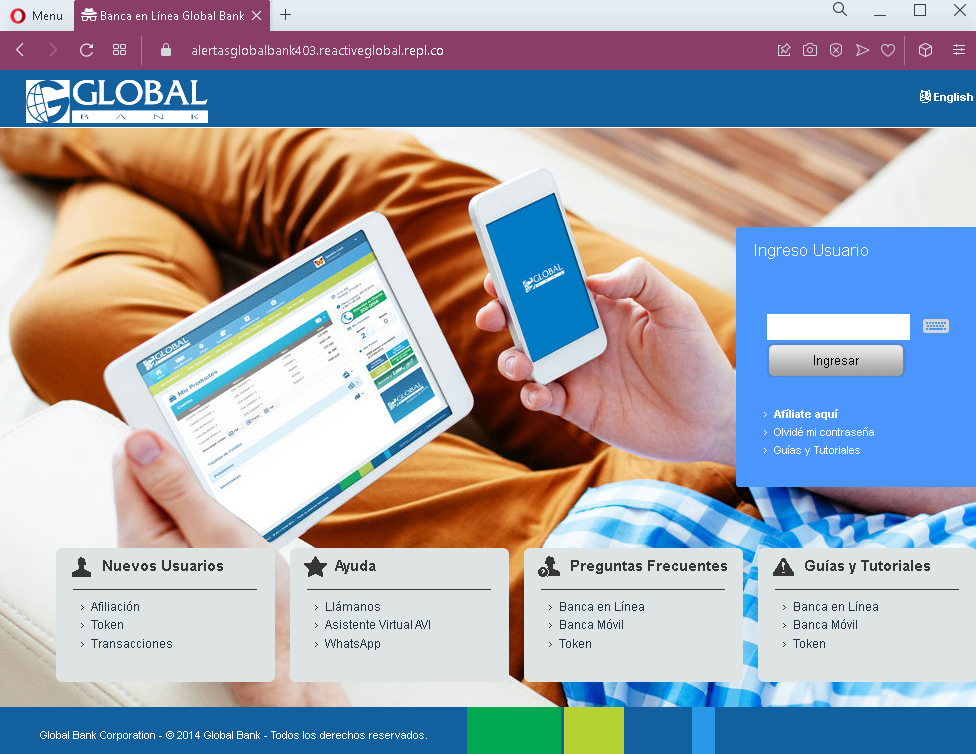
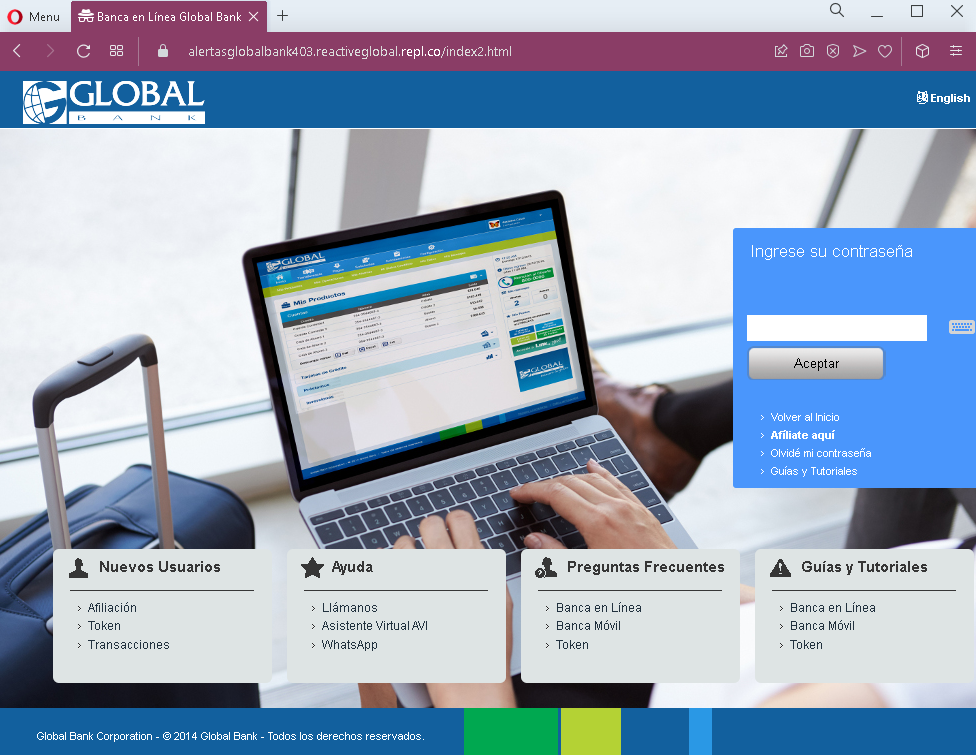
The first and second screenshots show pages with Global Bank branding, navigation menus, and footer content copied from the legitimate bank website. These pages serve as a “lobby” or informational area, likely intended to make the phishing site appear legitimate before the victim proceeds to the token entry page.
Step 2 – Fake Loading Page
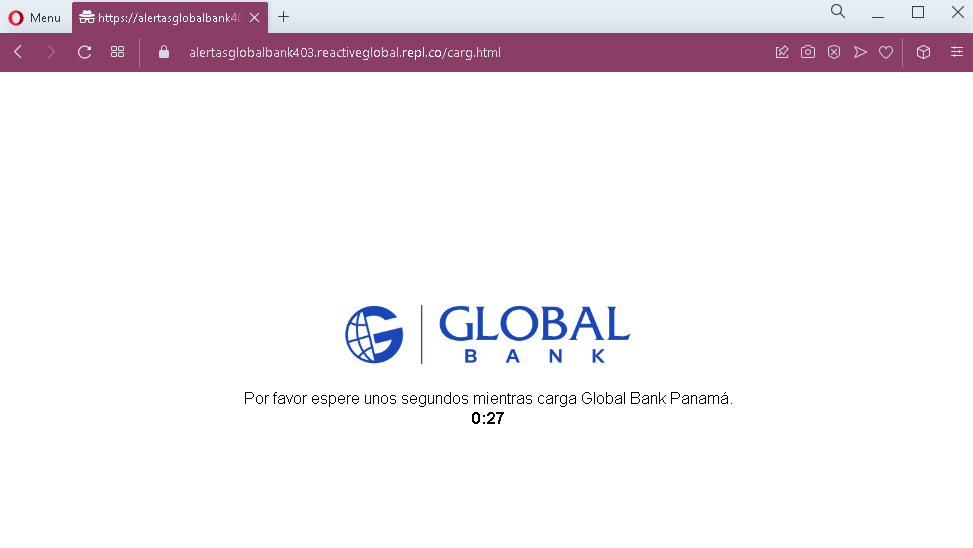
The third screenshot shows a fake loading page with a countdown timer (“0:27”). This page is designed to create a sense of legitimate processing while the attacker prepares to capture the token code.
Step 3 – Fake Token Validation Page
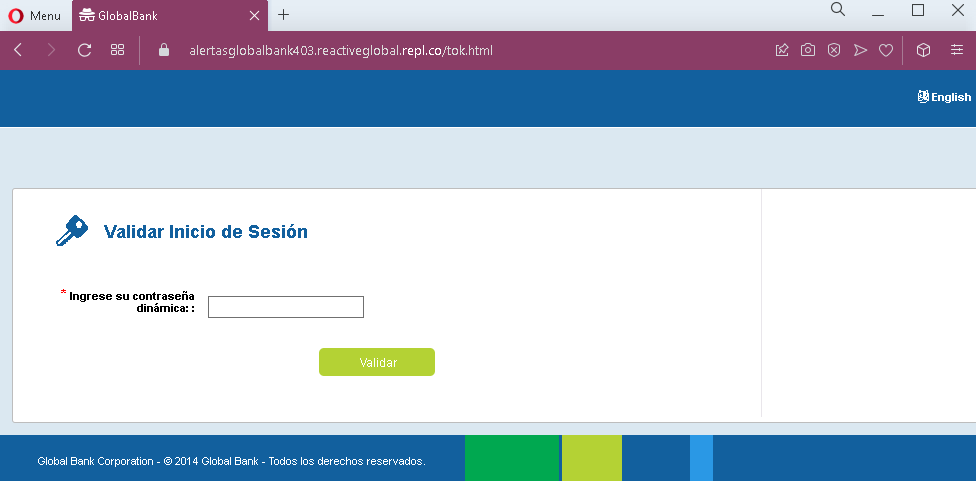
The fourth screenshot shows a page asking for the victim’s dynamic password (token) —the one-time 2FA code. This is the critical security code used to authorize access or transactions.
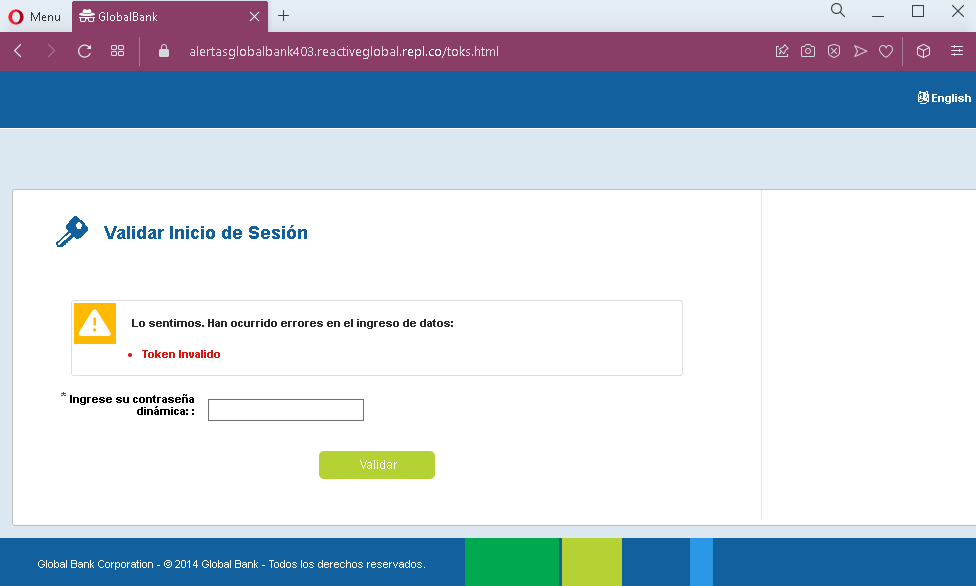
Step 4 – Fake Error Page (Token Invalido)
The fifth screenshot shows a fake error page stating that the token entered was invalid. This page is designed to trick the victim into entering the token again, either because they made a typo or because the attacker needs more time to use the first code. The error message creates urgency and encourages the victim to re-enter the code.
The goal:
The attacker aims to:
- Capture the victim’s dynamic token (2FA code) in real time
- Use this code to log into the victim’s real bank account or authorize fraudulent transactions
- The fake error page serves to obtain a second token if the first one expires or if the attacker needs additional codes
With the primary credentials (captured on an earlier page) and the token, the attacker can gain full access to the victim’s bank account.
Red flags to watch for:
- Suspicious URL: The pages are hosted on domains that are not the official Global Bank domain. Legitimate Global Bank online banking is accessed through the bank’s official website. Always check the address bar.
- Unsolicited login request: Global Bank does not send emails or messages with links requiring customers to log in and enter token codes to resolve account issues.
- Fake loading page: Legitimate banking sites do not display artificial loading countdown timers before asking for a token. This is a tactic to create anticipation and make the phishing site feel “technical.”
- Fake error page: The error page claiming “Token Invalido” is a classic phishing technique to get victims to enter the code again. In reality, the first code may have already been used by the attacker.
- Outdated copyright: The footer shows “© 2014 Global Bank,” which is outdated (the screenshots are from 2023). Legitimate bank websites typically display the current year.
- Minimal design on token pages: The token validation pages lack the full navigation, account-specific information, and personalization that would appear on a legitimate logged-in session.
What to do if you encounter this:
- Do not enter your dynamic password (token) or any other codes on these pages.
- If you are a Global Bank customer, always access online banking by typing the official Global Bank URL directly into your browser or by using the official mobile app.
- If you have already entered your token code, contact Global Bank immediately through their official customer service hotline to secure your account. The attacker may have already used the code to log in.
- Report the phishing pages to Global Bank’s fraud department.
Why this scam is particularly dangerous:
This attack targets the two-factor authentication (2FA) code—often the last line of defense for online banking accounts. By capturing both the primary credentials (on earlier pages) and the token (on these pages), the attacker can bypass security measures and gain full account access. The fake error page is a sophisticated touch: if the first token expires or is used by the attacker, the victim may enter a second one, giving the attacker even more access.
Protective measures:
- Bookmark the official Global Bank login page and use that bookmark to access online banking—never click links in emails or messages.
- Use a password manager: It will autofill only on legitimate bank domains, not on phishing sites.
- Never enter your token or 2FA code on a page you reached via a link. Legitimate banks only ask for these codes after you have initiated a login or transaction on their official site.
- Be suspicious of any unsolicited message that creates urgency and asks you to log in to your bank account.
- Check the URL carefully: Legitimate Global Bank domains are associated with the bank’s official website. Look for misspellings, extra words, or unusual top-level domains.
- If you see a fake error page after entering a token, assume your credentials are compromised. Contact your bank immediately.
- If in doubt, contact Global Bank directly using a phone number from your bank statement or the official website—never use contact information provided in a suspicious message.