
Threat Analysis: Crédit Agricole Phishing – Multi‑Stage SécuriPass & Credential Theft
This phishing campaign impersonates Crédit Agricole. The scam uses a long, multi‑page flow to capture:
- The victim’s online banking identifier and personal code (password)
- The victim’s SMS verification code (2FA)
- An email verification code (second 2FA channel)
By harvesting both the SMS and email codes, attackers can bypass multiple security layers and gain full account access.
How it works:
The victim receives a phishing email claiming they have not activated SécuriPass (a real security feature) and must update their contact details.
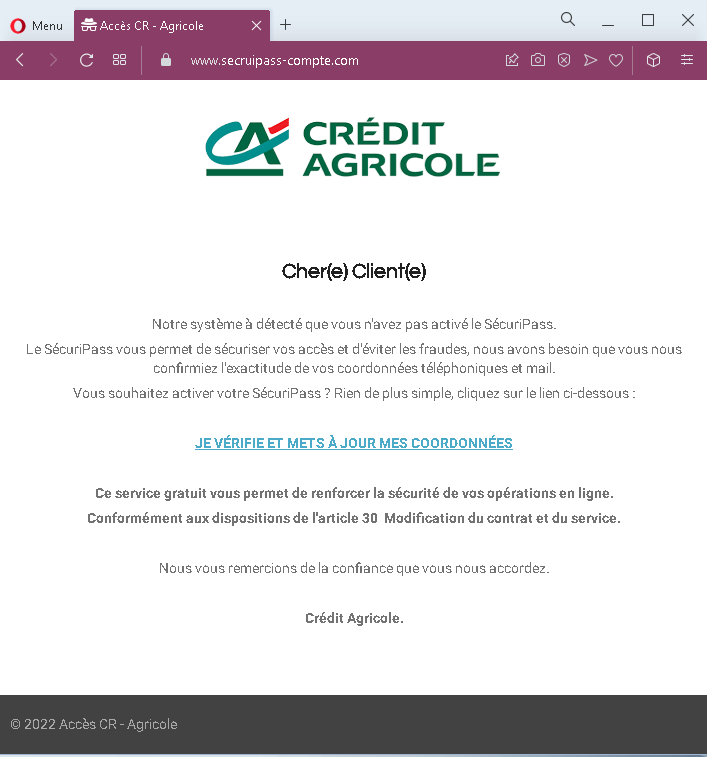
Step 1 – Fake Security Alert Email (First Screenshot)
A convincing email impersonating Crédit Agricole. It claims SécuriPass is not activated and urges the victim to click a link to verify their phone and email details. A threat is implied by referencing “article 30” (contract modification), adding false legitimacy.
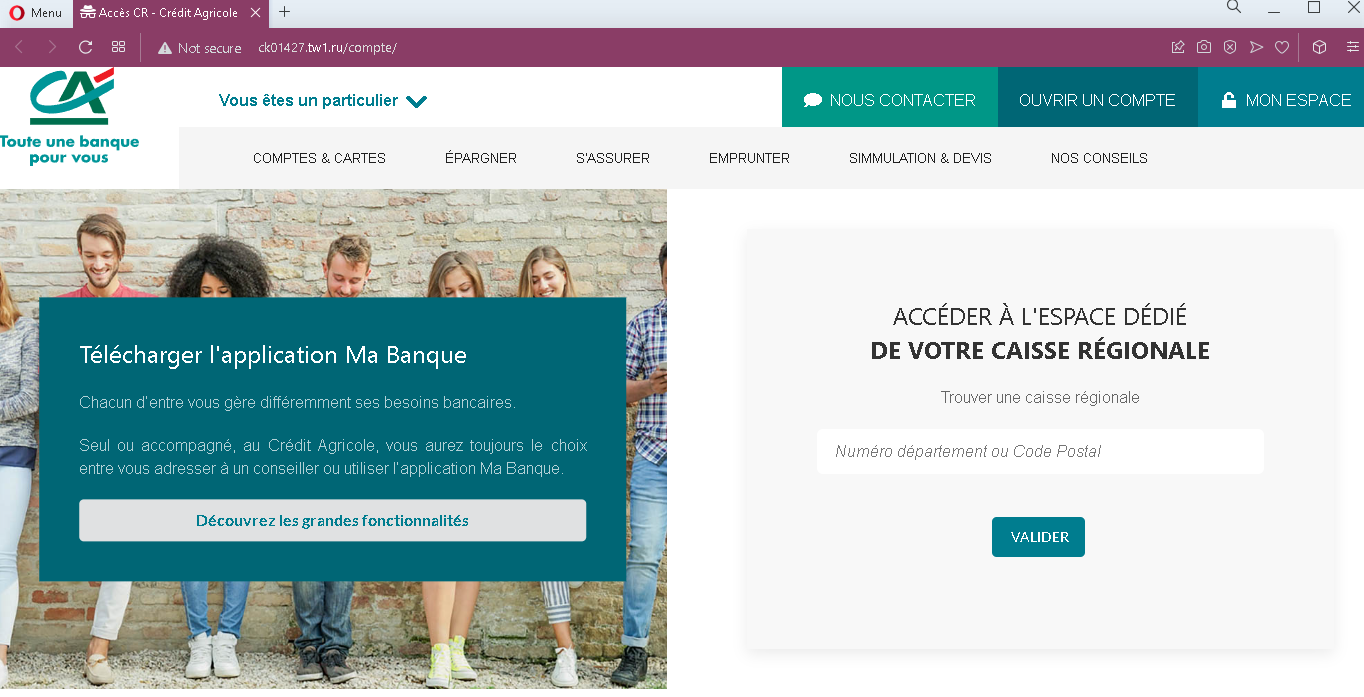
Step 2 – Fake Bank Homepage (Second Screenshot)
After clicking the link, the victim lands on a page that mimics the Crédit Agricole public website. It includes navigation menus, app download links, and a prominent “MON ESPACE” (My Space) button. This page is designed to look like the official bank portal before login.
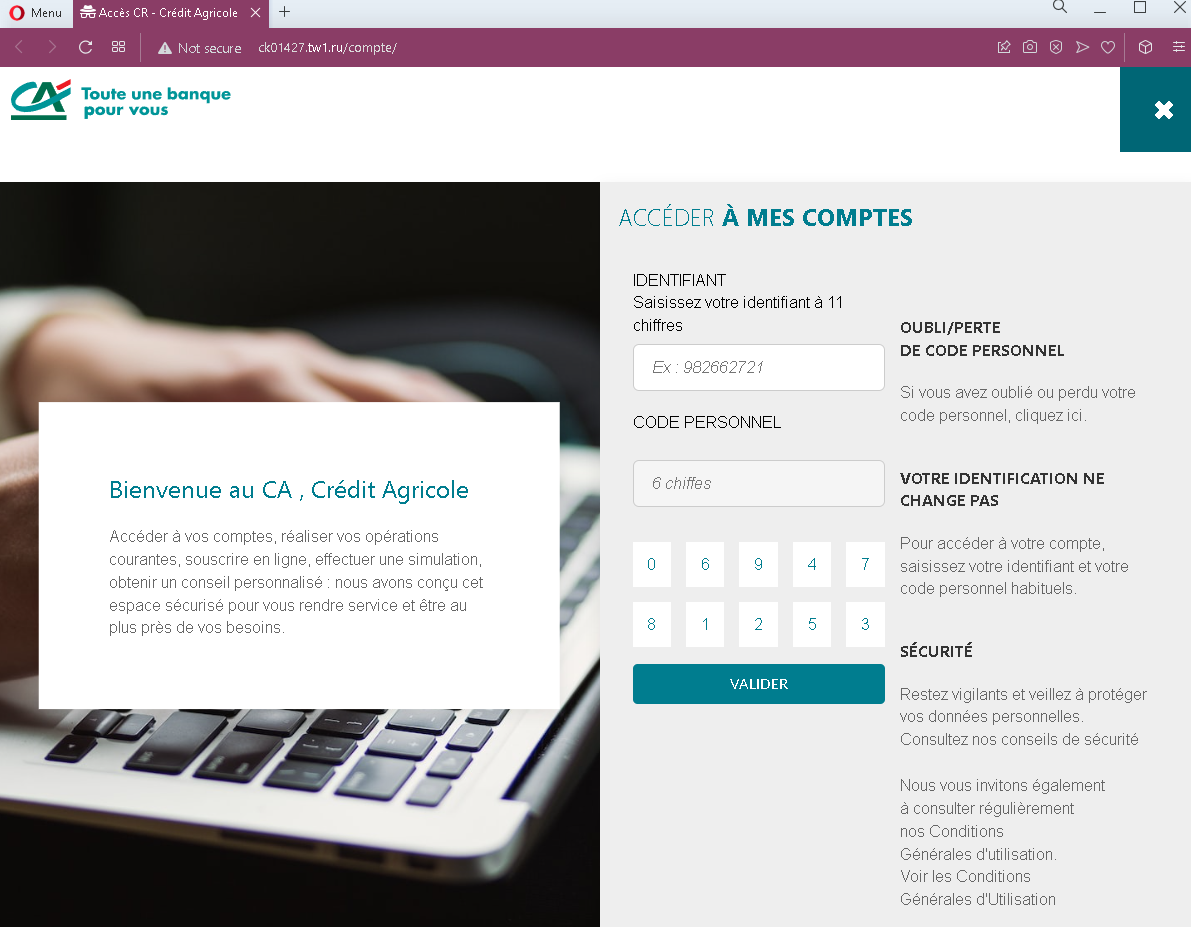
Step 3 – Fake Login Page (Third Screenshot)
Clicking “MON ESPACE” leads to a fake login page asking for:
- Identifiant (11‑digit identifier)
- Code personnel (6‑digit personal code/password)
This captures the victim’s primary credentials.
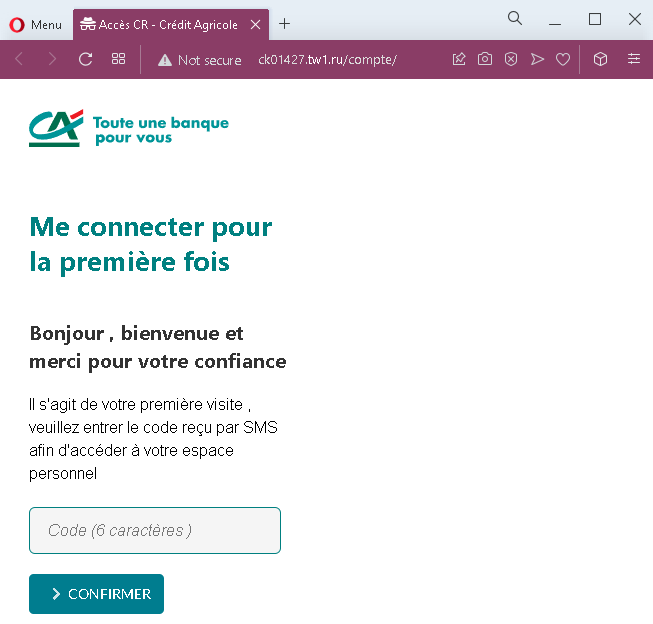
Step 4 – Fake “First Connection” SMS Code Page (Fourth Screenshot)
The victim is told it is their first visit and asked to enter a 6‑digit code sent by SMS. This is a classic 2FA capture step. The attacker, having the credentials from Step 3, likely triggers the real SMS code on the legitimate site.
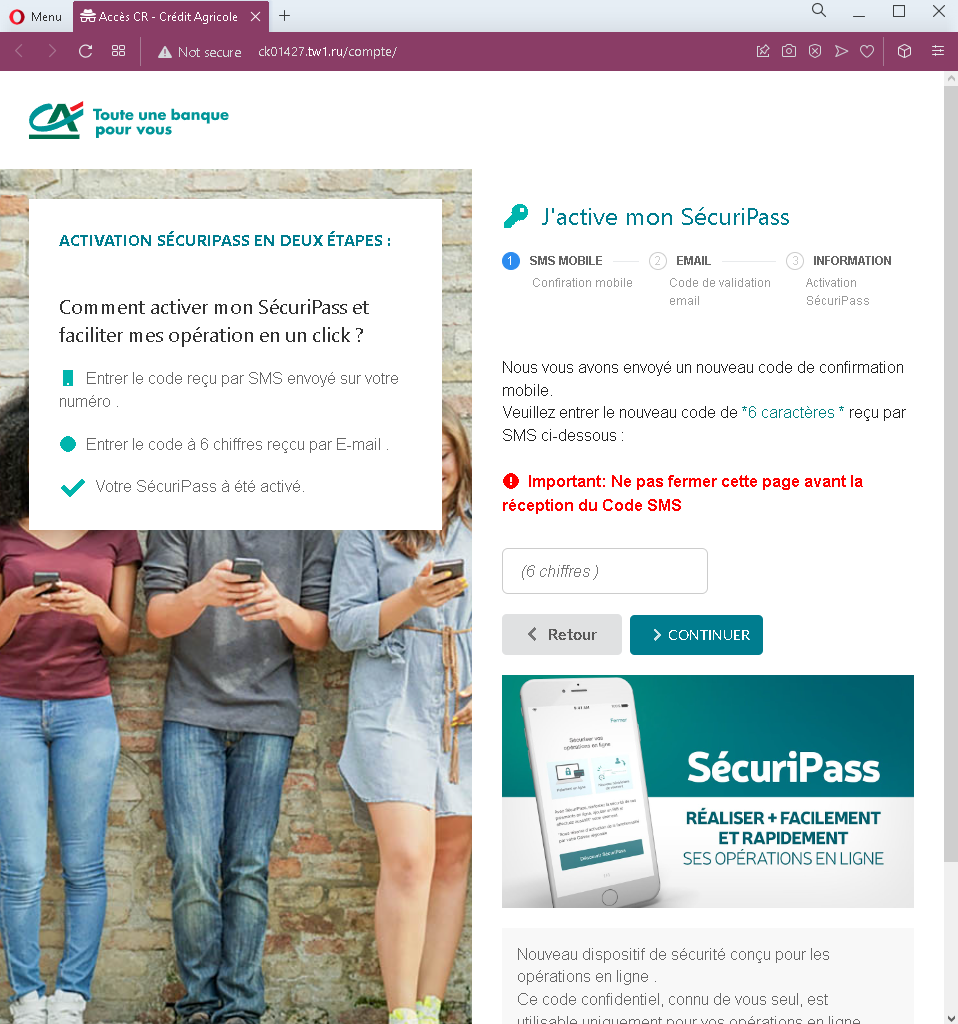
Step 5 – Fake SécuriPass Activation – Two‑Code Page (Fifth Screenshot)
The final page presents a “SécuriPass activation in two steps”:
- First, an SMS code (another 6‑digit code)
- Second, a 6‑digit email code
The page instructs the victim not to close the window and to enter both codes. This captures both SMS and email‑based authentication codes, giving the attacker persistent access.
The goal:
The attacker aims to:
- Steal the victim’s Crédit Agricole credentials (identifier + personal code)
- Capture SMS 2FA codes
- Capture email verification codes
- Gain full access to the victim’s bank account and email account, enabling fund transfers and identity theft
Red flags to watch for:
- Suspicious URL: All pages are hosted on domains that are not
credit-agricole.fr. Legitimate Crédit Agricole services are accessed through the official domain. - Multi‑page flow with redundant code requests: Asking for an SMS code twice, and then also an email code, is highly unusual. Legitimate SécuriPass activation is a one‑time process within the app or after login, not a multi‑code web flow.
- Inconsistent messaging: The victim is told they have an existing account (step 3), then treated as a “first‑time” user (step 4), and then asked to activate SécuriPass (step 5). This is illogical and a sign of a phishing kit stitching together different templates.
- Copied legitimate content: The pages contain real Crédit Agricole branding, menus, and legal text copied from the genuine site. Attackers use this to appear legitimate.
- Request for email code: No legitimate bank asks for an email verification code in addition to SMS codes during a simple login or activation flow. This is designed to compromise the email account.
- Unsolicited activation request: Crédit Agricole does not send emails with links to “activate SécuriPass” by entering credentials and multiple codes.
What to do if you encounter this:
- Do not enter any identifiers, personal codes, SMS codes, or email codes on these pages.
- If you are a Crédit Agricole customer, always access online banking by typing
credit-agricole.frdirectly into your browser or using the official mobile app. - If you have already entered credentials but not the later codes, contact Crédit Agricole immediately to change your password.
- If you have entered SMS or email codes, assume your account is compromised. Contact Crédit Agricole’s fraud department immediately and also secure your email account (change password, check for forwarding rules).
- Report the phishing pages to Crédit Agricole (
[email protected]).
Why this scam is particularly dangerous:
This is a full account takeover kit that harvests both authentication factors and the victim’s email credentials. By asking for two separate SMS codes, the attacker can maintain a logged‑in session while also capturing a second code for a later transaction. The request for an email code suggests the attacker is also aiming to compromise the victim’s email account, which is often the “master key” for resetting passwords across other services.
Protective measures:
- Bookmark the official Crédit Agricole login page and use that bookmark to access your account—never click links in emails.
- Use a password manager: It will autofill only on legitimate
credit-agricole.frdomains. - Never enter an SMS or email code on a page you reached via a link. Legitimate banks only ask for 2FA codes after you initiate a login on their official site.
- Activate SécuriPass through the official mobile app, not via web links.
- Be suspicious of any message that creates urgency and asks you to “activate” security features through a link.
- Check the URL carefully: Legitimate Crédit Agricole domains end with
credit-agricole.fr. Look for misspellings or unusual top‑level domains. - If in doubt, contact Crédit Agricole directly using a phone number from your bank statement or the official website—never use contact information from a suspicious message.