
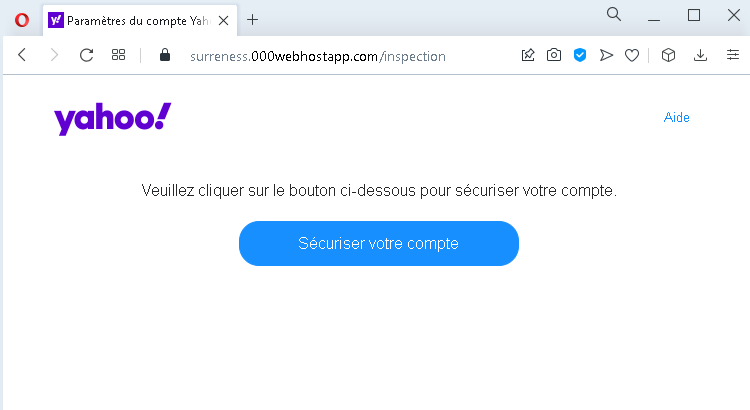
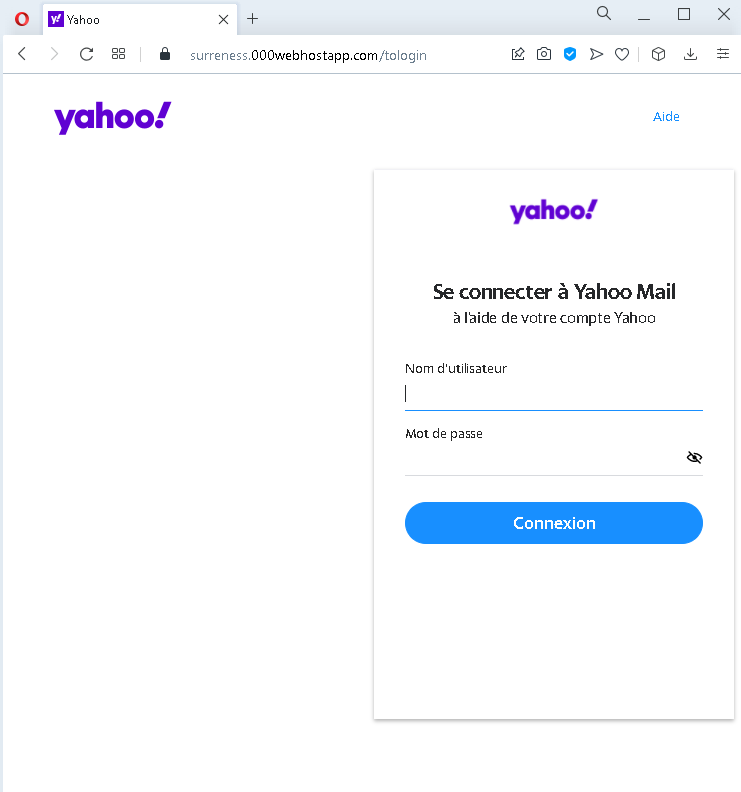
These two screenshots show a phishing campaign impersonating Yahoo, targeting French-speaking users. The scam uses a fake security alert to trick victims into clicking a button that leads to a fraudulent login page, where their Yahoo username and password are stolen.
Threat Analysis: Yahoo Phishing – Fake “Secure Your Account” Scam
How it works:
Step 1 – Fake Security Alert (First Screenshot)
The victim receives a phishing email or lands on a page claiming that they need to “secure” their Yahoo account. A button labelled “Sécuriser votre compte” (Secure your account) is prominently displayed. Clicking the button leads to the next page.
Step 2 – Fake Yahoo Login Page (Second Screenshot)
The victim is taken to a page that mimics the Yahoo Mail login interface. It asks for:
- Nom d’utilisateur (username)
- Mot de passe (password)
After the victim enters their credentials and clicks “Connexion” (Sign in), the information is captured and sent to the attacker.
The goal:
The attacker steals Yahoo account credentials to:
- Access the victim’s Yahoo Mail (searching for sensitive information, password reset links)
- Compromise other services linked to the Yahoo account
- Send further phishing messages to the victim’s contacts
- Attempt credential reuse on other platforms
Red flags to watch for:
- Suspicious URL: The pages are hosted on domains that are not
yahoo.comoryahoo.fr. Legitimate Yahoo login pages are only on official Yahoo domains. - Unsolicited security alert: Yahoo does not send emails or messages with links requiring users to click a button to “secure” their account.
- Generic design / missing security features: The fake login page lacks the full Yahoo branding, security notices, and two‑factor authentication options present on the real site.
- No personalization: A legitimate Yahoo login may display a profile image or account selection – this page does not.
What to do if you encounter this:
- Do not click the button or enter your username and password.
- If you are a Yahoo user, always access your mailbox by typing
yahoo.comdirectly into your browser. - If you have already entered your credentials, change your Yahoo password immediately and enable two‑factor authentication (2FA).
- Report the phishing page to Yahoo’s security team.
Protective measures:
- Bookmark the official Yahoo login page and use that bookmark.
- Use a password manager – it will autofill only on legitimate
yahoo.comdomains. - Enable two‑factor authentication on your Yahoo account.
- Be suspicious of any unsolicited message that asks you to click a button to “secure” your account.