
This screenshot shows a phishing page impersonating Banco Hipotecario, an Argentine bank. The page presents a fake security alert or service notification, urging the victim to click a “VERIFICAR” (Verify) button, which leads to a fraudulent website designed to steal online banking credentials.
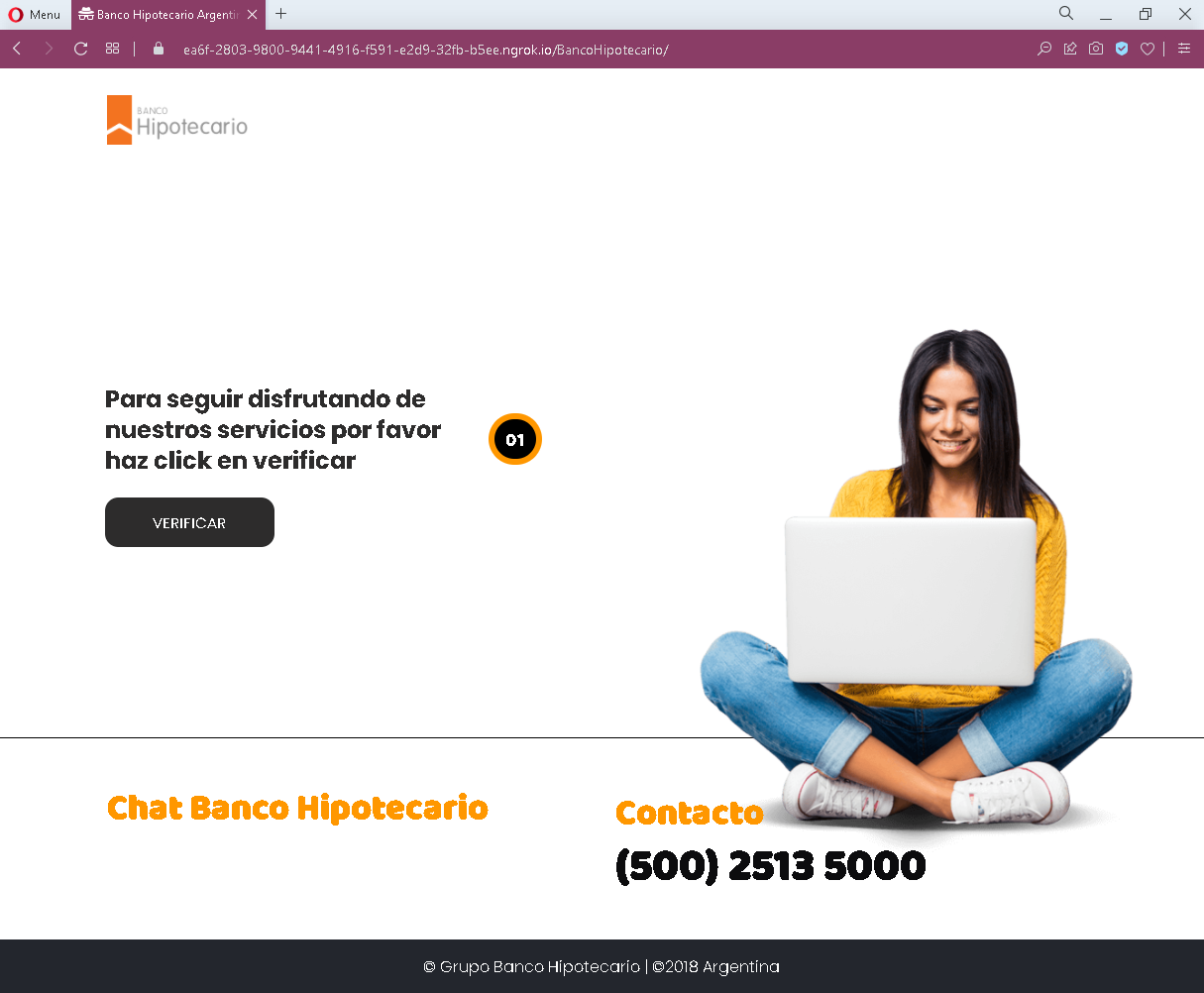
Threat Analysis: Banco Hipotecario Phishing – Fake Verification Alert
How it works:
The victim receives a phishing email, SMS, or other message claiming a security issue, account update, or service interruption. The link leads to this page, which displays a message in Spanish asking the user to click “VERIFICAR” to continue enjoying the bank’s services. Clicking the button redirects the victim to a fake login page that requests online banking credentials (username, password, and possibly additional security codes).
The goal:
The attacker aims to steal the victim’s Banco Hipotecario online banking credentials to access the account, transfer funds, and commit fraud.
Red flags to watch for:
- Suspicious URL: The page is hosted on a domain that is not the official Banco Hipotecario domain (which would be
bancohipotecario.com.ar). - Unsolicited verification request: Banco Hipotecario does not send messages with links requiring customers to click a button to “verify” their account or continue using services.
- Vague threat / urgency: The message implies that failure to click will result in loss of service – a classic fear tactic.
- Minimal design: The page lacks the bank’s full branding, security notices, and contact information that would appear on a legitimate communication.
What to do if you encounter this:
- Do not click the “VERIFICAR” button.
- If you are a Banco Hipotecario customer, always access online banking by typing the official URL directly into your browser.
- If you have already clicked and entered credentials, contact the bank immediately to secure your account.
- Report the phishing page to Banco Hipotecario’s fraud department.
Protective measures:
- Never click links in unsolicited messages claiming you need to verify your account.
- Always type your bank’s official website address manually.
- Enable two‑factor authentication on your bank account if available.
- Be suspicious of any message that creates urgency and asks you to click a button.