
Security Notice: This deceptive layout was logged, cross-checked, and neutralized firsthand by the
Antiphishing.bizsecurity team during our standard URL vetting operations. To protect the public, the phishing source domain has been safely deactivated within our infrastructure. We document and analyze these live visual patterns to help security researchers and users spot lookalike phishing methods before financial damage occurs.
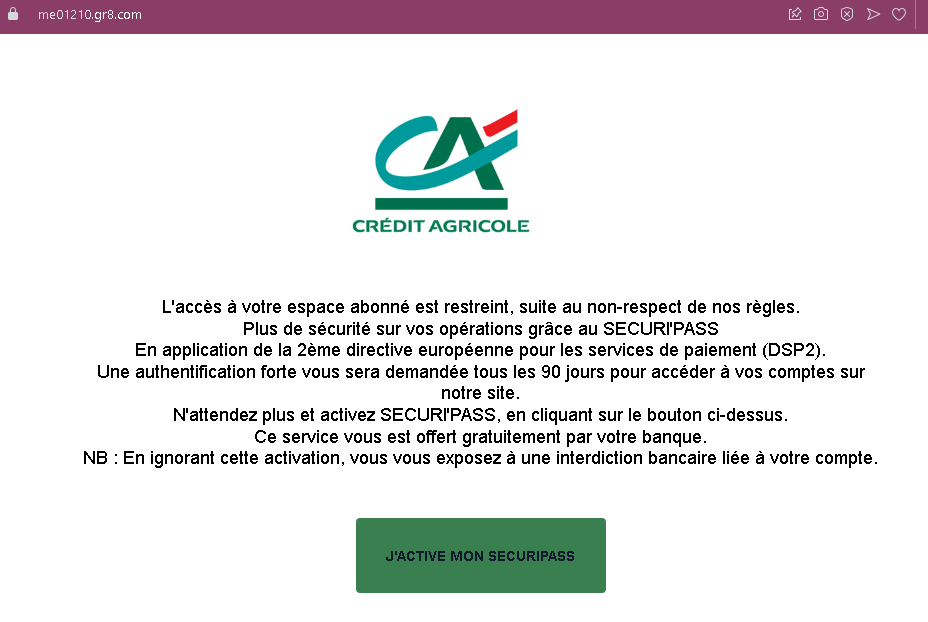
This screenshot shows a phishing page impersonating a French bank (likely Crédit Agricole or a similar institution). It uses a fake security alert related to the European PSD2 directive to pressure victims into clicking a button that leads to a fraudulent login page.
Threat Analysis: French Bank Phishing – Fake “SécuriPass” Activation Scam
The page claims that account access is restricted due to non‑compliance with security rules and that strong authentication (under PSD2) is required every 90 days. The victim is told to activate “SECURIPASS” by clicking a button. A threat of a “banking ban” is added to create urgency.
How it works:
The victim receives an email or message containing a link to this page. Clicking the activation button leads to a fake bank login page designed to steal online banking credentials and possibly two‑factor authentication codes.
Red flags:
- Unsolicited activation request: Banks do not send links to activate security features via email or landing pages.
- Threat of immediate consequences: The warning of a “banking ban” is a classic fear tactic.
- Misspelling: “SECURIPASS” instead of the correct “SécuriPass” (or similar) is a common phishing error.
- No personalization: The message does not address the victim by name or reference a specific account.
What to do:
- Do not click the activation button or any links.
- Access your bank account by typing the official bank URL directly into your browser.
- If you have already clicked and entered credentials, contact your bank immediately.
Protective measures:
- Always type your bank’s website address manually.
- Enable two‑factor authentication through the bank’s official app, not via web links.
- Be suspicious of any message that threatens account restrictions and asks you to click a link.