
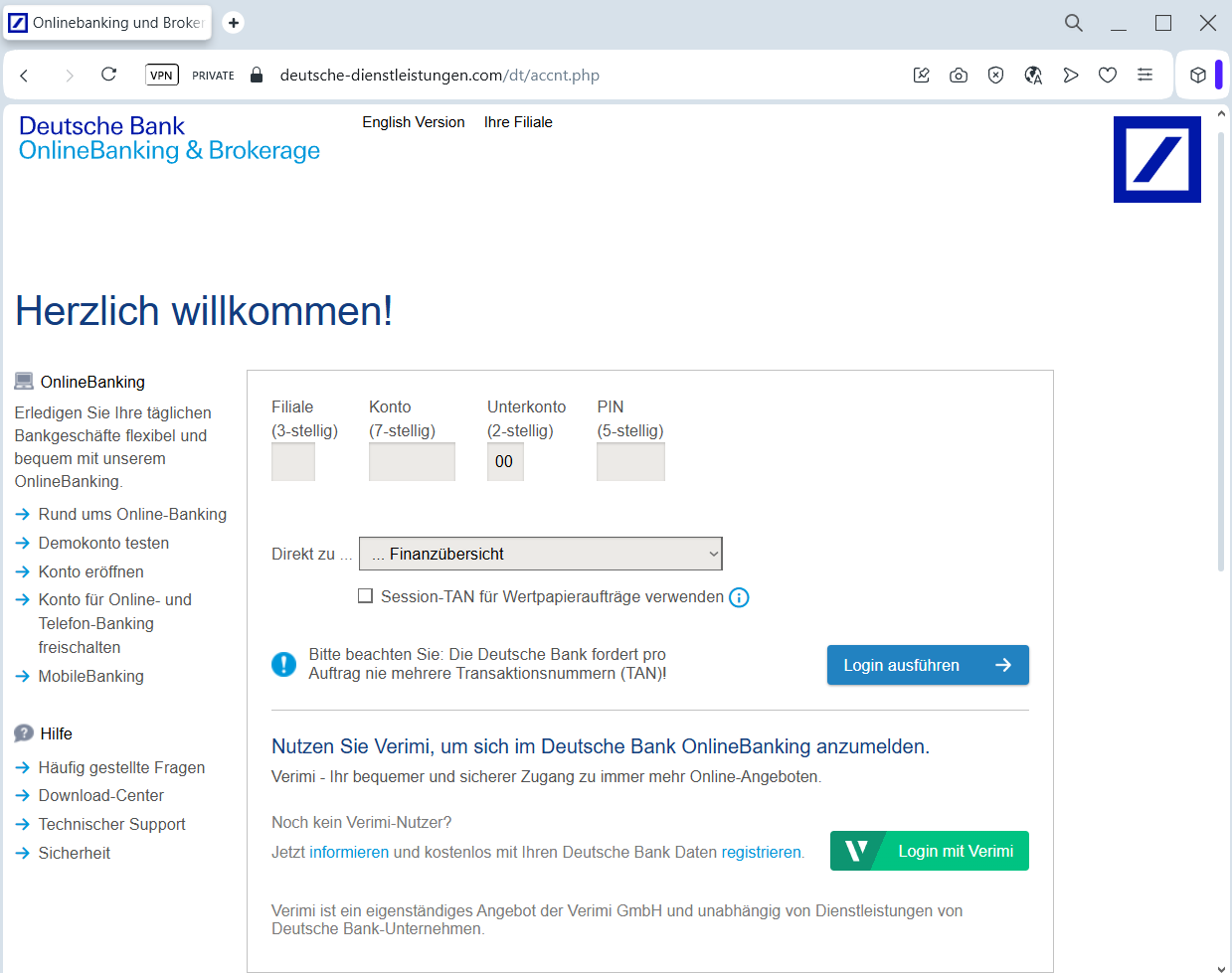
A phishing campaign targeting German Deutsche Bank customers uses a fake “PhotoTAN” activation page to steal login credentials and authorize unauthorized transactions [1]. The attack, often delivered via phishing emails or SMS, directs users to a high-fidelity clone of the bank’s portal, requesting branch codes, account numbers, PINs, and QR code scans.
Target: Customers of Deutsche Bank (Germany)
Threat Level: Critical (Transaction Authorization Theft)
Phishing Method Description
This attack uses a highly sophisticated Security Process Impersonation. Scammers send out Phishing Emails or SMS (Smishing) claiming that the user’s PhotoTAN app needs to be reactivated, synchronized, or updated due to a new security regulation (e.g., “PSD2 compliance”).
The link leads to a perfect replica of the Deutsche Bank “Meine Bank” login portal. The phishing kit is designed to harvest:
Branch Code (Filiale) and Account Number (Konto)
Sub-account Number (Unterkonto)
Online Banking PIN
PhotoTAN Activation Graphics: The fake site often displays a QR code and asks the victim to scan it with their official app. In reality, the victim is scanning a code that authorizes the attacker’s device or a fraudulent transaction.
⚠️ Red Flags to Watch For
Deceptive Domain: The official domain is deutsche-bank.de. Phishing sites use lookalikes like meine-deutsche-bank.online, db-phototan-aktivierung.com, or sicherheit-db.net.
Requests to Scan QR Codes: Deutsche Bank will never ask you to scan a PhotoTAN QR code to “log in” or “update your profile” on a page you reached via a link. QR codes are strictly for authorizing specific actions you initiated yourself.
Language Nuances: Look for subtle errors in German grammar or the use of generic greetings instead of your specific name.
🛡️ How to Protect Yourself
Manual Entry Only: Always access your banking by typing www.deutsche-bank.de directly into your browser. Never follow links from emails or SMS.
PhotoTAN Security: Treat every PhotoTAN scan as a real money transfer. Before scanning, always check your app’s screen to see exactly what you are authorizing. If it says “Activation” or shows an unfamiliar transaction amount, cancel immediately.
Hardware Token Option: For maximum security, consider using a physical PhotoTAN reader instead of a smartphone app.
Report Suspicious Content: Forward any suspicious emails to [email protected] to help the bank’s security team take down the fraudulent sites.