
A phishing campaign targeting Bank Syariah Indonesia (BSI) customers leverages fake “system migration” or “new fee” notifications sent via SMS and WhatsApp to steal mobile banking credentials. The fraudulent sites prompt users to input their BSI Mobile phone number, 6-digit PIN, and OTP, allowing attackers to hijack accounts.
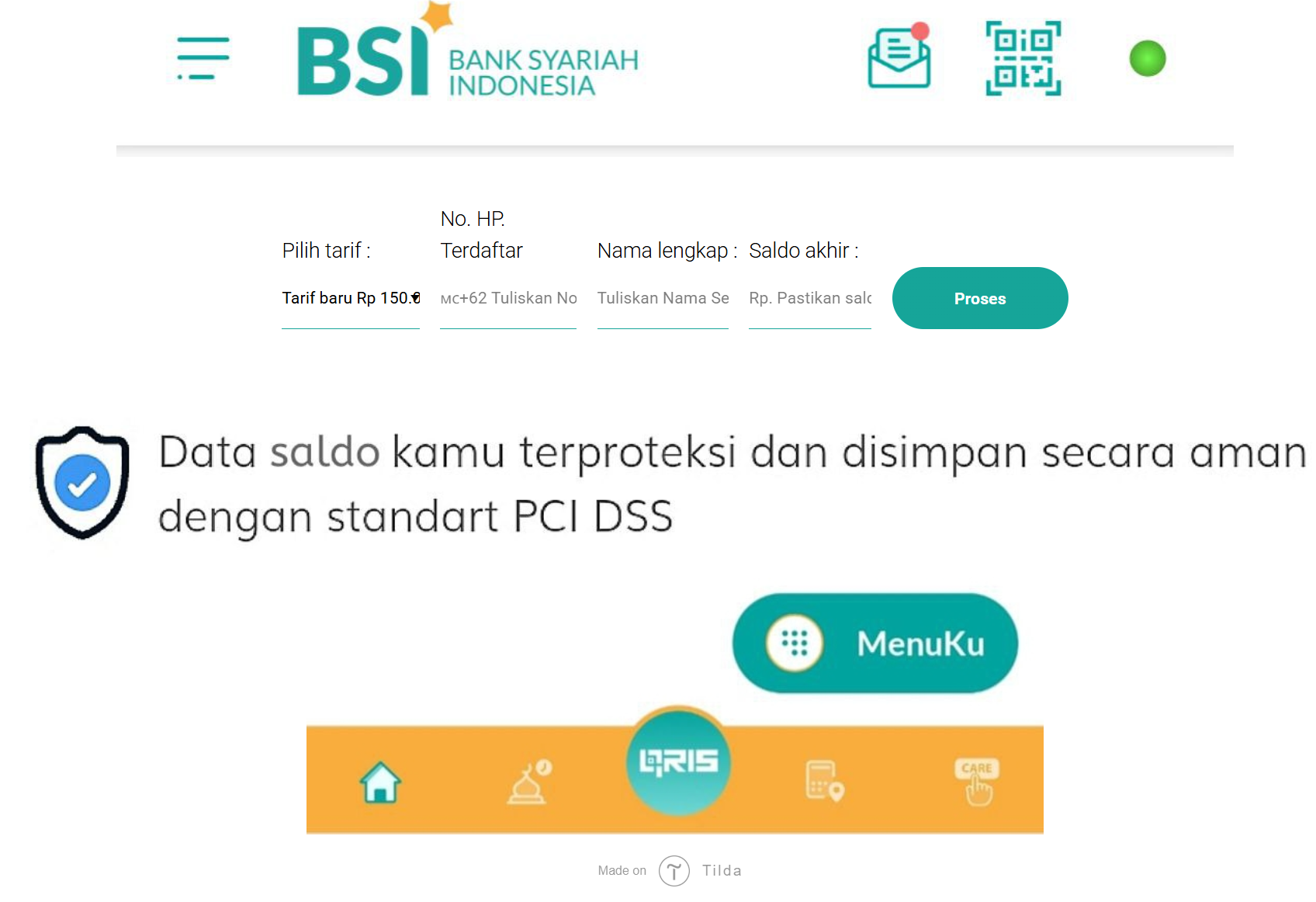
Bank Syariah Indonesia (BSI) “New Service Fee” Phishing
Target: Customers of Bank Syariah Indonesia (BSI)
Threat Level: Critical (Mobile Banking & OTP Interception)
Phishing Method Description
This attack uses a “Policy Update” pretext to induce panic. Scammers distribute fraudulent messages via WhatsApp or SMS (Smishing), claiming that BSI is changing its monthly service fee to a high amount (e.g., 150,000 IDR). To “opt-out” or “keep the old rate,” the victim is pressured to click a link and “confirm” their choice.
The link leads to a high-fidelity clone of the BSI Mobile login or a fake verification portal. This phishing kit is specifically designed to harvest:
ATM/Debit Card Number
Mobile Banking PIN
Phone Number
SMS OTP (One-Time Password): The fake site prompts the victim for the 6-digit code in real-time. The attacker uses this code to register the victim’s account on their own device, granting them full control over the funds.
⚠️ Red Flags to Watch For
The Deceptive URL: The official domain is bankbsi.co.id. Phishing sites use lookalikes such as tarif-bsi-baru.info, konfirmasi-bsi.online, update-layanan-bsi.com, or free subdomains like bsi-mobile.web.app.
Urgent & Alarming Tone: Messages demanding you “Agree” or “Refuse” a fee change within minutes are classic social engineering tactics.
Requesting your PIN/OTP: BSI will never ask for your mobile banking PIN or SMS OTP through a website link to “cancel a fee.”
🛡️ How to Protect Yourself
Use the BSI Mobile App: Trust only the notifications that appear inside your official BSI Mobile app.
The “No Link” Rule: BSI officially states they will never send links via WhatsApp or SMS asking for personal credentials. Always type the official address manually into your browser.
Verify with Bank BSI: If you receive a suspicious message, contact Bank BSI Call at 14040 or visit an official branch to verify any changes in service fees.
OTP Security: Treat your SMS OTP as a secret key. Read the SMS carefully—it usually says “DO NOT SHARE THIS CODE.” If you didn’t start a transaction, any OTP request is a scam.
💡 Expert Security Tip:
This is a Fee-Scare Scam (Tarif Baru). Scammers create a fake financial “threat” (a high fee) to make you act impulsively. Remember: Banks do not ask you to “log in and verify” to cancel a fee change. If a site asks for your PIN and OTP at the same time, it is 100% a phishing trap.