
A new phishing campaign targeting BBVA customers in Spain and Latin America uses SMS-based “account block” alerts to direct victims to a fraudulent site designed to harvest credentials and real-time SMS OTP codes. The attack leverages fear-based tactics, urging users to enter their ID, password, and mobile number on a fake “Acceso Clientes” portal to bypass two-factor authentication.

BBVA “Security Alert & Device Sync” Phishing
Target: BBVA Bank Customers (Spain and Latin America)
Threat Level: Critical (Real-time Account Takeover)
Phishing Method Description
This attack relies on Urgency and Fear. The victim receives a Smishing (SMS) message claiming that an “unauthorized login” or a “new device registration” has been detected on their account. To “cancel” this action or “secure” the account, the user is pressured to click a link immediately.
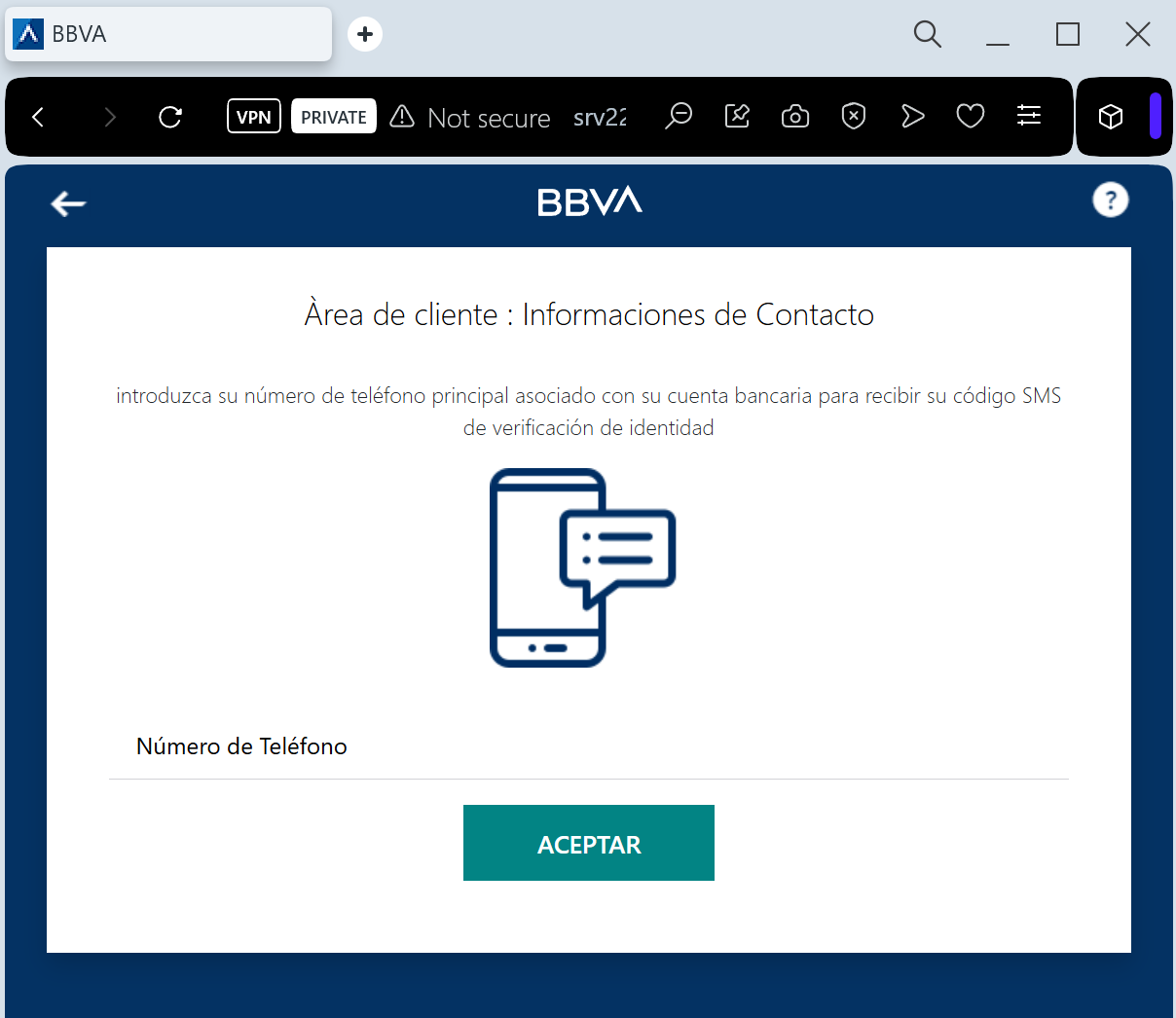
The link leads to a sophisticated clone of the BBVA “Banca Móvil” login page. The phishing kit is designed to perform a Man-in-the-Middle (MitM) attack, harvesting:
Access Credentials (Username/DNI and Password)
Phone Number
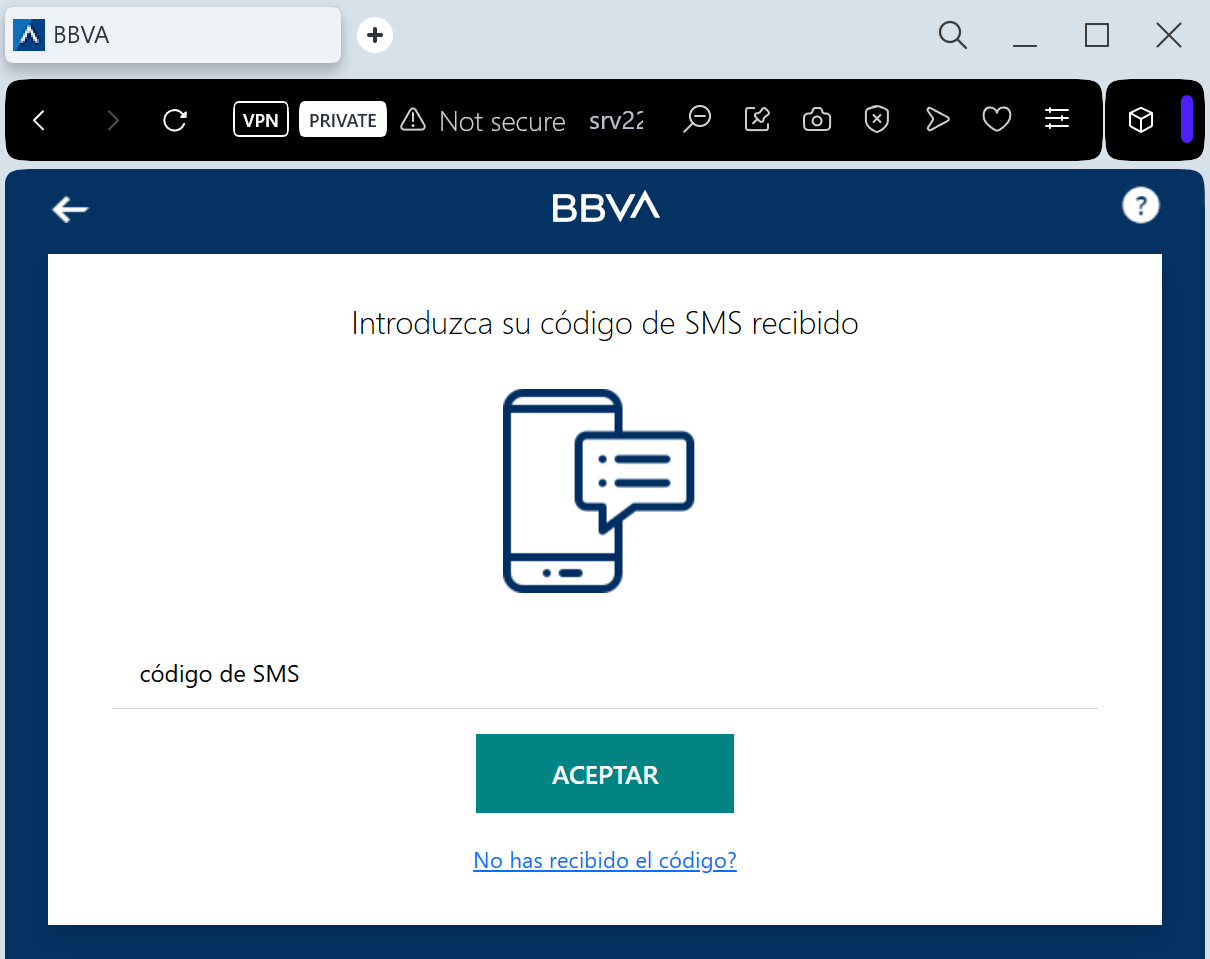
SMS OTP (One-Time Password): The fake site prompts the victim for the security code in real-time. The attacker immediately enters this code on the actual BBVA website to authorize a fraudulent transfer or to link their own device as the primary security key.
⚠️ Red Flags to Watch For
The Lookalike URL: The official domain is bbva.es. Phishing sites use deceptive addresses like bbva-seguridad-online.com, gestion-cliente-bbva.net, acceso-seguro-bbva.com, or free subdomains like bbva-portal.web.app.
Links in Security SMS: BBVA has a strict policy: they will never include clickable links in SMS messages regarding account security or “unauthorized access.”
Requesting OTP to “Cancel” an Action: A real bank will never ask you to enter an SMS code to cancel a transaction or block an unauthorized login. SMS codes are strictly for authorizing actions.
🛡️ How to Protect Yourself
Use the BBVA App: Always manage your security settings and notifications through the official BBVA App. Authentic alerts will be delivered via secure push notifications within the app.
The “No Link” Rule: If you receive a suspicious SMS, ignore the link. Open your browser and manually type www.bbva.es to log in safely.
Check the SMS Content: Read the text of the SMS containing the code. If it says “Code to authorize a transfer” but you are trying to “log in,” close the page immediately.
Immediate Action: If you have entered your credentials on a suspicious site, call the official BBVA fraud line at 900 102 801 (Spain) or your local branch immediately.
💡 Expert Security Tip:
This is a Social Engineering Trick. Scammers create a fake “security threat” to make you panic. Remember: your SMS OTP is a digital signature. Never enter it on a website reached via a link. If you didn’t initiate a transaction, any request for a code is 100% a scam.