
A sophisticated TD Bank phishing campaign targets Canadian and US customers using fraudulent SMS and emails to harvest EasyWeb credentials, security answers, and real-time OTP codes. The phishing kit, dubbed “EasyWeb Security Update,” utilizes a high-fidelity clone of the login portal to bypass multi-factor authentication, with scammers aiming for full account takeover via stolen security questions. Users are urged to avoid links in messages and to only access banking services by typing the official td.com URL.
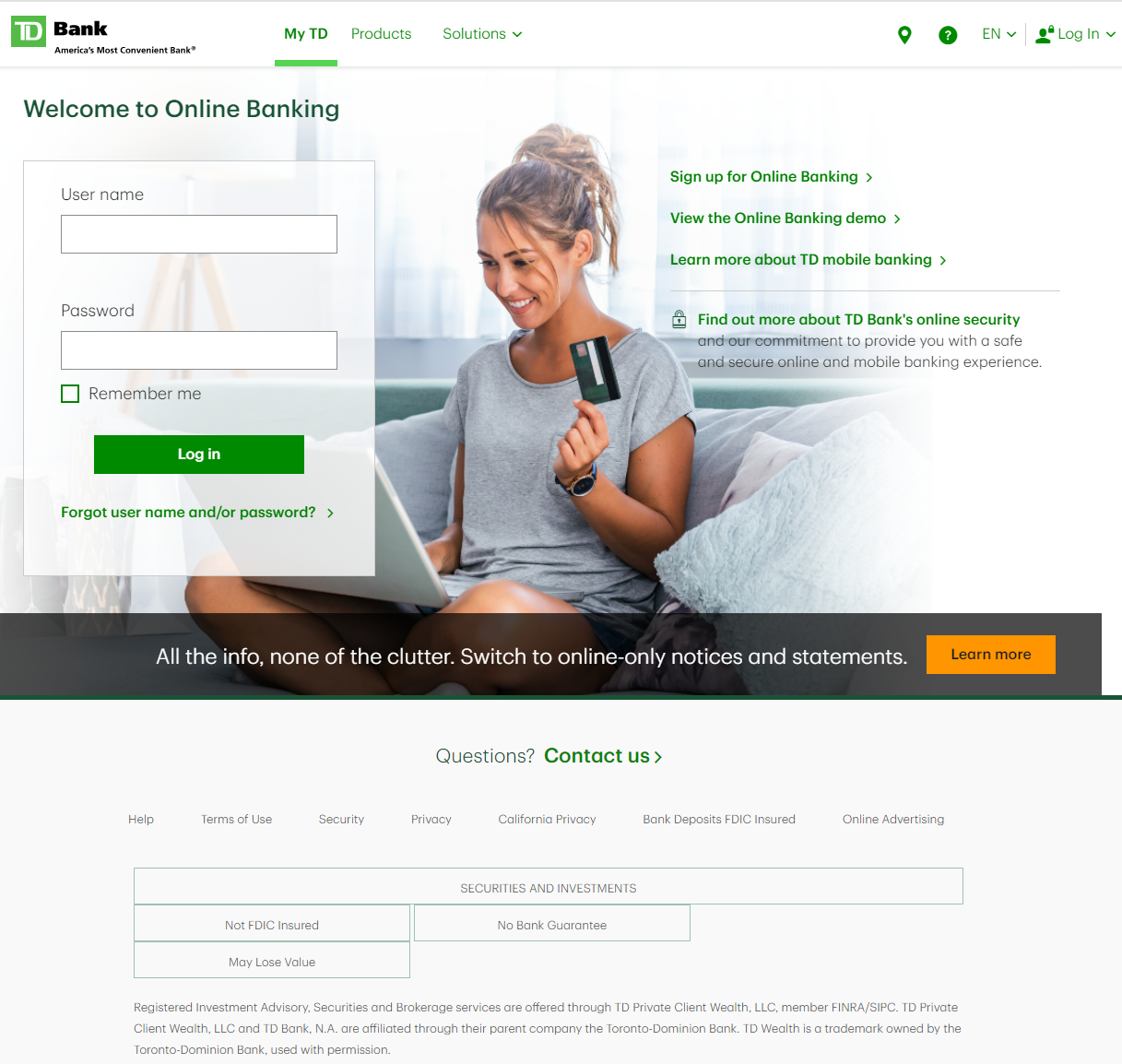
This phishing campaign targets TD Bank customers in North America via fraudulent “EasyWeb Security Sync” alerts, aiming to steal credentials, 2FA codes, and security answers. The scam utilizes lookalike domains to steal sensitive information through a simulated security update process.
TD Bank “EasyWeb Account Alert” Phishing
Target: Customers of TD Bank (Canada and USA)
Threat Level: Critical (Full Identity & EasyWeb Access Hijacking)
Phishing Method Description
This attack targets users of the TD EasyWeb online banking portal. Scammers distribute urgent notifications via SMS (Smishing) or Email, claiming that “Your account has been temporarily disabled” or that “A new device has accessed your EasyWeb profile.” To “restore access,” the user is pressured to click a link.
The link leads to a high-fidelity clone of the TD EasyWeb login page. This multi-step phishing kit is designed to harvest:
Username / Access Card Number
Password
Security Challenge Questions & Answers: The fake site systematically asks for your secret questions (e.g., your first pet’s name, your mother’s maiden name).
Mobile Phone Number (for intercepting 2FA codes in real-time).
⚠️ Red Flags to Watch For
Lookalike URL: The official domain is td.com or tdcanadatrust.com. Phishing sites use deceptive addresses like td-online-verification.net, secure-td-bank.com, easyweb-access-update.online, or free subdomains like tdbank.web.app.
Requesting Multiple Security Answers: TD Bank will never ask you to provide the answers to all your security questions on a single page or as a part of a “login update.”
Urgent & Alarming Tone: Phrases like “Immediate action required” or “Failure to verify will lead to permanent account closure” are classic social engineering tactics.
🛡️ How to Protect Yourself
The “Manual Entry” Rule: Always access your bank by typing the address manually into your browser. Never use links from unexpected emails or text messages.
Use the TD App: Manage your accounts through the official TD Bank mobile app. Authentic security alerts will be delivered inside the secure app environment.
Never Share Security Answers: Treat your security question answers like secondary passwords. No bank will ask for them via an unsolicited link.
Verify by Phone: If you receive a suspicious alert, call the official TD customer service number (usually on the back of your card) to verify the status of your account.
💡 Expert Security Tip: The “Identity Restoration” Trap
The Method:
This case highlights a Complete Credential & Recovery Data Theft. Scammers are not just looking for your password; they are harvesting the recovery data (security questions) used to reset your password.
The Trap:
By providing your security answers, you are giving the hackers a permanent “backdoor” to your account. Even if you change your password later, they can use these stolen answers to impersonate you, call the bank’s support, or reset your credentials again.
How to Protect Yourself:
Questions are Passwords: Treat your security answers with the same level of secrecy as your main password. Never enter them on a page you reached via a link.
The Context Check: A real bank already knows your answers. If a site asks you to “update” or “confirm” them for no reason, it is 100% a scam.
Enable Two-Step Verification: Always use the strongest form of 2FA available (like the TD MySpend app or hardware tokens) to add an extra layer of defense.