
Threat Analysis: Société Générale Phishing – Fake “Pass Sécurité” & Credential Harvesting
This phishing campaign impersonates Société Générale, one of the largest banks in France. The scam uses a two-step approach: first presenting a page about the bank’s legitimate “Pass Sécurité” security feature to build trust, then directing the victim to a fake login page that steals their code client (client code) and subsequent password.
How it works:
The victim receives a phishing email, SMS, or other message claiming a security alert, the need to activate Pass Sécurité, or another account-related issue. The message includes a link to the first phishing page.
Step 1 – Fake Pass Sécurité Information Page
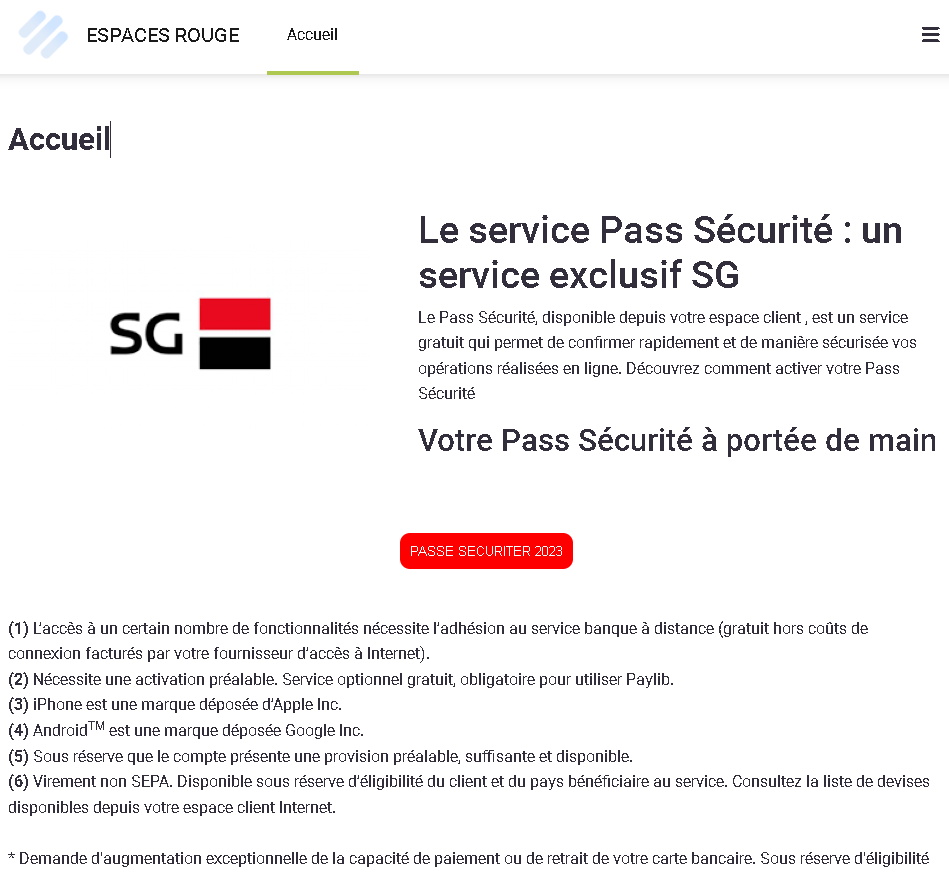
The first page mimics Société Générale’s official information about Pass Sécurité—a legitimate security feature used by the bank for transaction confirmation. The page includes:
- Descriptions of the Pass Sécurité service
- Legal disclaimers and footnotes copied from the real bank website
- No login form; instead, it sets the stage for the victim to believe they need to log in to activate or use the service
Step 2 – Fake Login Page
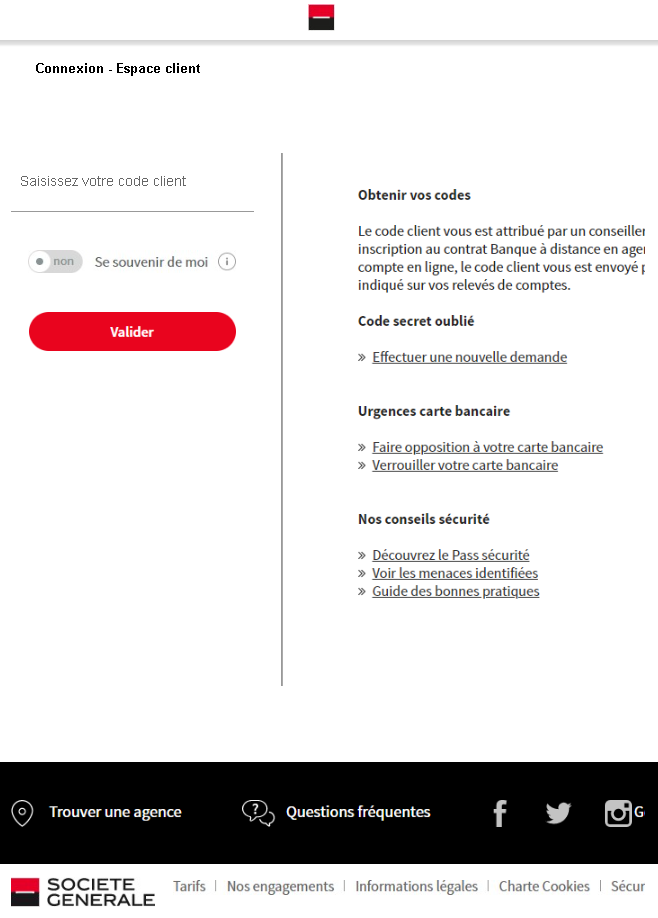
The second page mimics Société Générale’s “Espace client” (client space) login interface. It asks for the victim’s code client (client code). After entering the code, the victim would likely be taken to a subsequent page asking for their password and possibly Pass Sécurité codes.
The goal:
The attacker aims to steal the victim’s Société Générale online banking credentials (client code and password). With these, they can log into the victim’s real bank account, view balances, transfer funds, and commit fraud. The inclusion of Pass Sécurité references is designed to make the phishing pages appear more legitimate and to potentially capture the second-factor codes on subsequent pages.
Red flags to watch for:
- Suspicious URL: The pages are hosted on domains that are not
societegenerale.fror any official Société Générale domain. Legitimate SocGen login pages are accessed through the official bank website. Always check the address bar. - Unsolicited login request: Société Générale does not send emails or messages with links requiring customers to log in to activate security features or resolve account issues. Customers should always access online banking by typing the URL directly or using the official app.
- Copied content, mismatched context: The first page contains legitimate-looking information about Pass Sécurité, but it is hosted on a phishing domain. Attackers copy this content to appear credible. The presence of such content does not make the page legitimate.
- Minimal login page: The second page lacks the full branding, security notices, and personalized elements that would appear on a legitimate logged-in session.
- No personalization: The login page does not address the victim by name or display a security image, which would be present on the real SocGen login page after initial identification.
What to do if you encounter this:
- Do not enter your code client, password, or any other personal information on these pages.
- If you are a Société Générale customer, always access online banking by typing
societegenerale.frdirectly into your browser or by using the official Société Générale mobile app. - If you have already entered your credentials, contact Société Générale immediately through their official customer service hotline to secure your account and change your password.
- Report the phishing page to Société Générale’s fraud department (e.g., by forwarding the original message to
[email protected]or using their official reporting channels).
Why this scam is effective:
Société Générale has millions of online banking customers in France. The inclusion of detailed information about Pass Sécurité—a real security feature—adds a layer of legitimacy. The two-page flow (first explaining a security feature, then presenting a login page) mimics the experience of a legitimate bank website where users navigate from informational pages to the login portal. Victims who are familiar with SocGen’s branding and security terminology may not immediately notice that the URL is incorrect.
Protective measures:
- Bookmark the official Société Générale login page and use that bookmark to access online banking—never click links in emails or messages.
- Use a password manager: It will autofill only on legitimate
societegenerale.frdomains, not on phishing sites. - Enable the Pass Sécurité feature through the official app if you haven’t already, and be cautious if a page asks for your Pass Sécurité codes outside of the normal login flow.
- Be suspicious of any unsolicited message that creates urgency and asks you to log in to your bank account.
- Check the URL carefully: Legitimate Société Générale domains end with
societegenerale.fr. Look for misspellings, extra words, or unusual top-level domains. - If in doubt, contact Société Générale directly using a phone number from your bank statement or the official website—never use contact information provided in a suspicious message.